
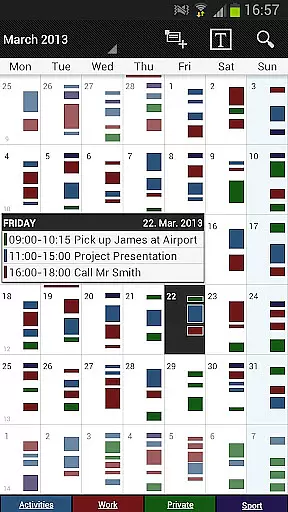
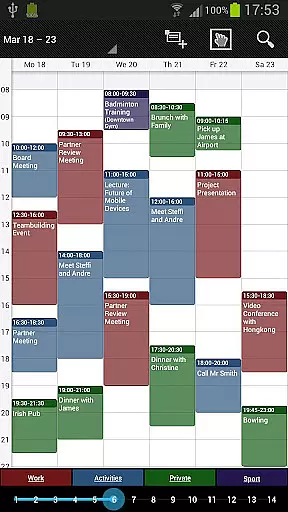

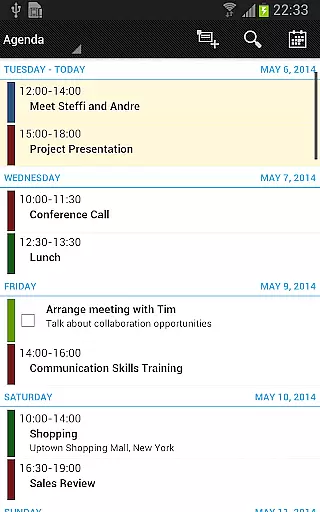
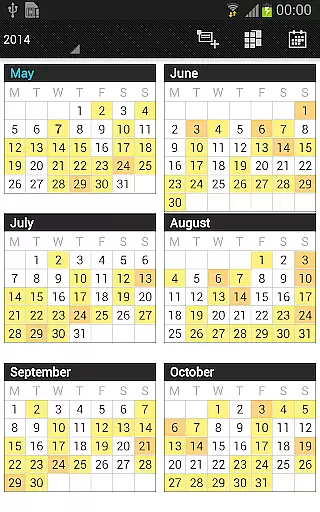
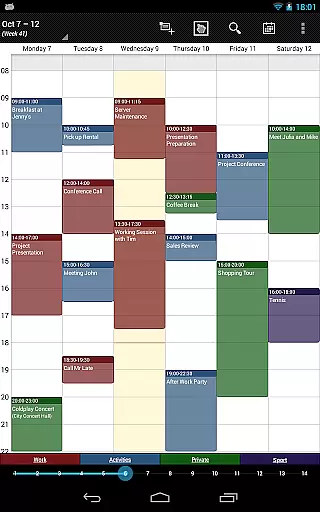

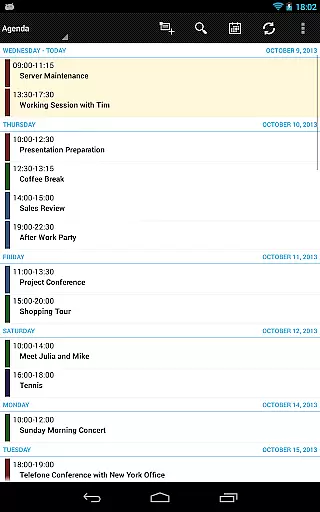
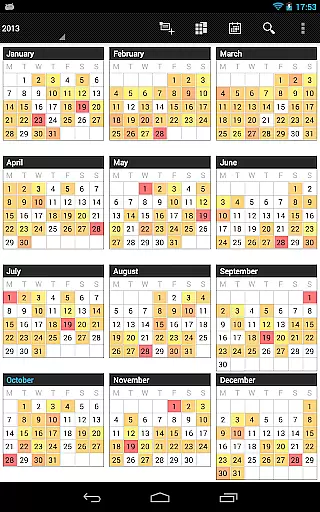
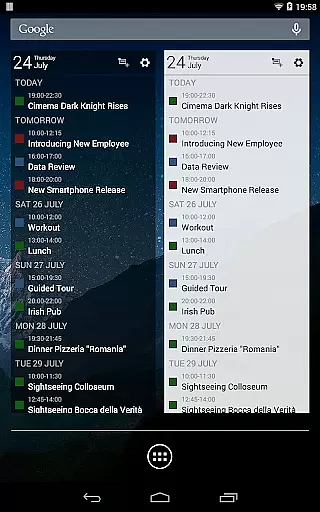
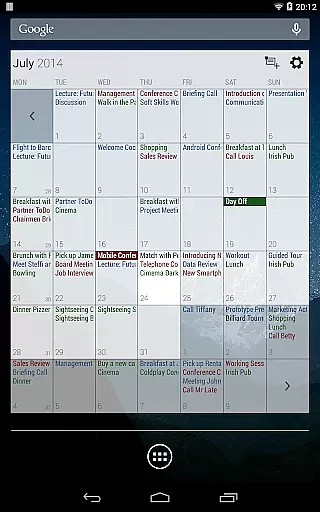
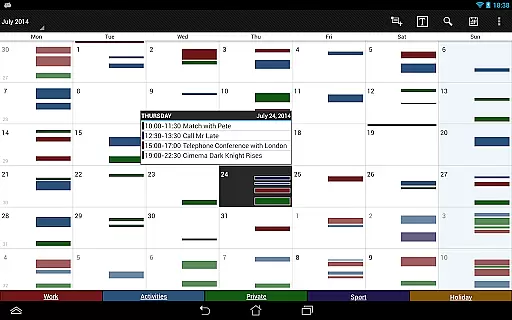
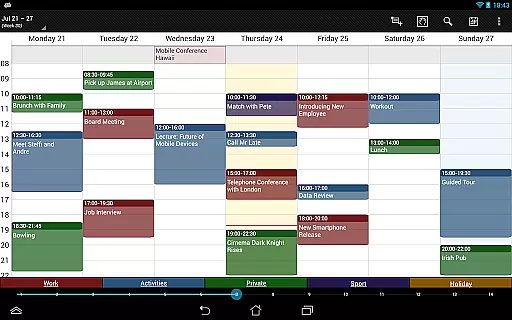


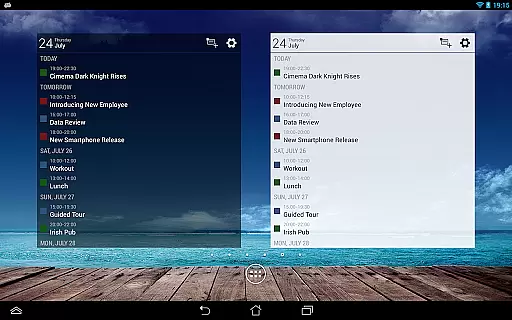
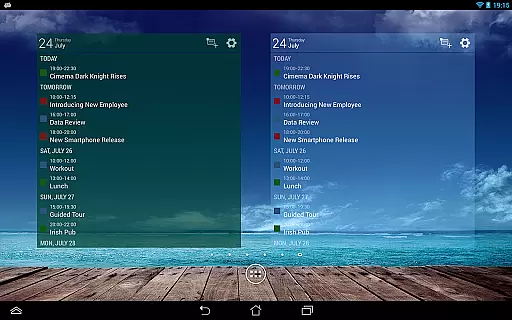
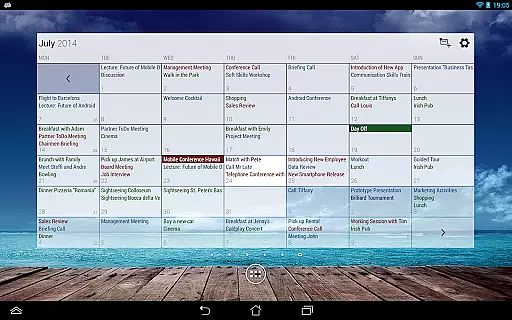
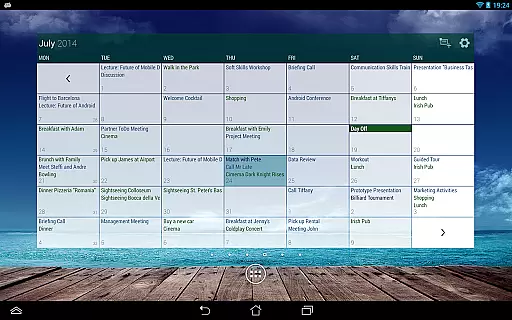
Business Calendar Pro is a comprehensive productivity tool designed for professionals who need an efficient way to manage their schedules. The app offers an intuitive interface that provides excellent visibility of all your appointments, making it easy to stay organized. With its powerful event creation and manipulation tools, users can seamlessly manage their calendars while enjoying smooth scrolling and zooming capabilities.
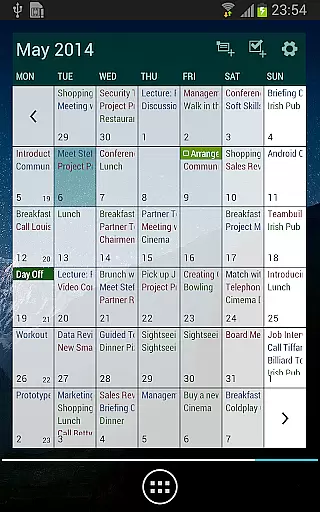
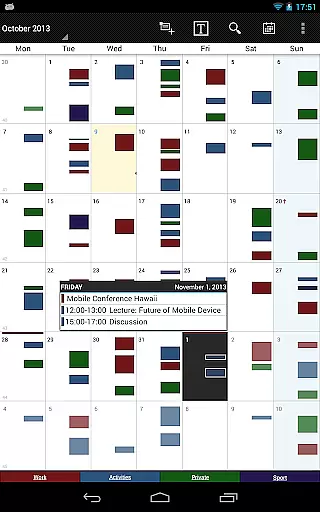
The app stands out with its detailed customization options, allowing users to adapt views and widgets according to personal preferences. Whether you need individual reminders with specific sounds or adjustable font sizes for better readability, Business Calendar Pro has you covered. Its extensive feature set includes multiple viewing modes such as month, week, day, agenda, and event views, ensuring you have the right perspective for every situation.
For those who rely on calendar synchronization across platforms like Google Calendar, Microsoft Outlook, and Exchange, this app ensures seamless integration. It also supports professional widgets and advanced functionalities like drag-and-drop event management in multi-day views. These features make it an indispensable tool for anyone looking to enhance their productivity through effective time management.
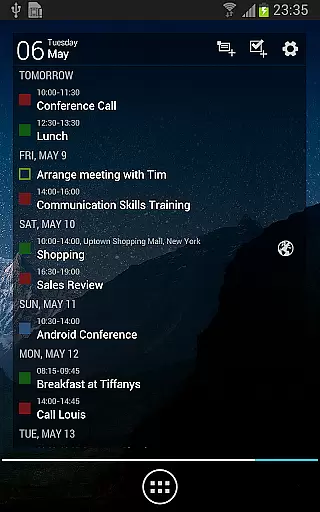
Business Calendar Pro boasts a rich array of features that cater to diverse scheduling needs. One standout feature is the Quick Day View, which allows users to quickly see all events scheduled for the day at a glance. This is complemented by the Favorite Bar, providing instant access to all your calendars, thus streamlining navigation within the app.
The level of customization available in Business Calendar Pro is impressive. Users can tailor every aspect of the app's appearance and functionality, from adapting views and widgets to setting up individual reminders complete with vibration patterns, sounds, repetitions, intervals, and LED notifications. Additionally, the ability to adjust font sizes ensures optimal readability across devices.
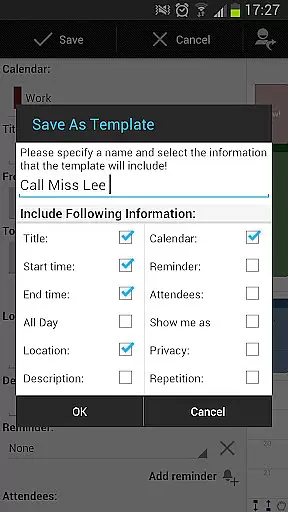
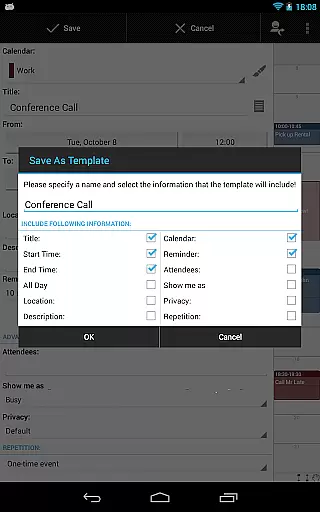
Advanced functionalities include robust synchronization options with major calendar systems, professional-grade widgets for various views, and intuitive handling mechanisms such as context-sensitive help systems. The pro version further enhances these capabilities with features like contact management, customizable templates for new events, multi-selection tools for bulk editing, and integrated task management via Google Tasks and Toodledo syncs.
Task management is a cornerstone of productivity applications, and Business Calendar Pro excels in this area. The app offers an intuitive interface for creating, editing, and organizing tasks. Users can easily set up recurring events with complex patterns, ensuring that all important deadlines and appointments are captured accurately.
The application provides multiple views including month, week, day, and agenda perspectives, allowing users to manage their schedules from various angles. With features like drag-and-drop functionality in the multi-day view, it simplifies the process of rescheduling events or moving them between different time slots. This flexibility ensures that users can adapt quickly to changes in their daily routines.
Additionally, Business Calendar Pro includes advanced reminder options with customizable notifications through vibration, sounds, repetitions, and LED alerts. These reminders help ensure that no event goes unnoticed. The ability to sync with external calendars such as Google Calendar and Microsoft Outlook further enhances its utility by providing a unified platform for managing all professional engagements efficiently.
Cross-device synchronization is crucial for maintaining consistency across multiple platforms, and Business Calendar Pro delivers reliable performance in this aspect. By leveraging Android's native calendar synchronization capabilities, the app ensures seamless integration with services like Google Calendar, Microsoft Outlook, and Exchange. This means that any updates made on one device will automatically reflect on others, keeping your schedule current regardless of where you make changes.
One standout feature is the support for importing and exporting calendars in .ics format. This allows users to back up their data easily or transfer information between different systems without hassle. Furthermore, the inclusion of professional widgets for month, week, agenda, and day views not only enhances accessibility but also ensures real-time updates across devices.
Business Calendar Pro also supports linking contacts to events, adding another layer of personalization and convenience. Whether you're using a smartphone, tablet, or computer, the app guarantees that your calendar remains synchronized and accessible at all times. This reliability makes it an indispensable tool for professionals who rely heavily on accurate and up-to-date scheduling information.
User-friendly interface
Highly customizable
Seamless calendar sync
Comprehensive widget support
Advanced task management
Paid application
Complex for beginners
Occasional sync issues
Limited free version
Heavy on resources

Automates browsing any website and notifies you of important changes or events
 4.30
4.30
Make your handwriting beautiful, even more than pen on paper.
3.60
⏰ Finally a timer app which can run multiple timers simultaneously on your watch
3.90
CalenGoo is a very flexible and feature-rich calendar app
4.40
Make apps & sites with natural language prompts
4.10
Access, manage and transfer files on Android, PC, Mac, NAS and cloud storages.
4.30
A simple Whisper AI keyboard for reliable speech transcription and rewording
4.60
A Pixel Art watchface inspired by other iconic 90s designs for Wear OS devices!
4.40
Scan paperwork into PDF/JPG, generate your own e-signature and send fax or email
4.70
Native client for Forgejo and Gitea
5.00
Secure, fast, open-source, VNC and SSH Remote Desktop for Windows, Linux and Mac
4.70
To do list widget with a notebook organizer, checklist, simple shopping list
4.60
Todo reminder
4.10
Access your phone's notifications, calls, apps, photos & texts on your PC
3.90
Ultimate Virtual AI Character for immersive Roleplay Chat. Perfect Companion
3.90


User Reviews