
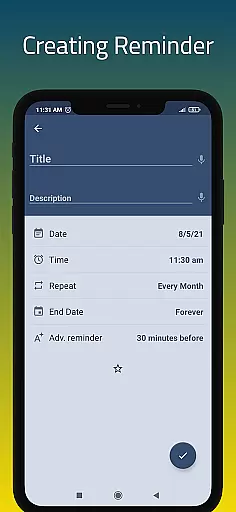
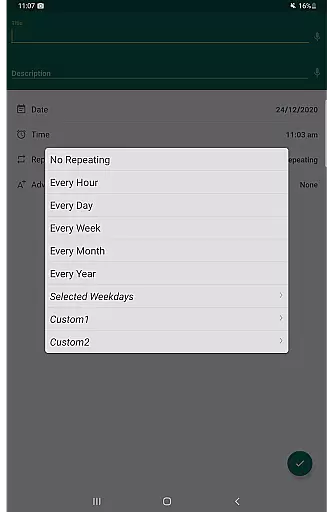
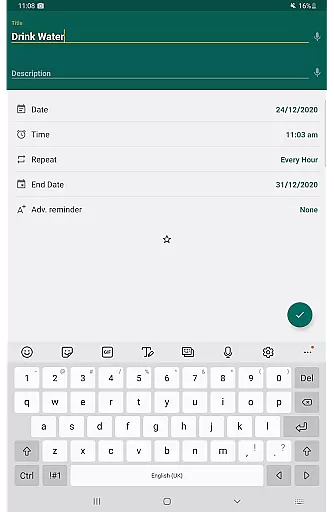
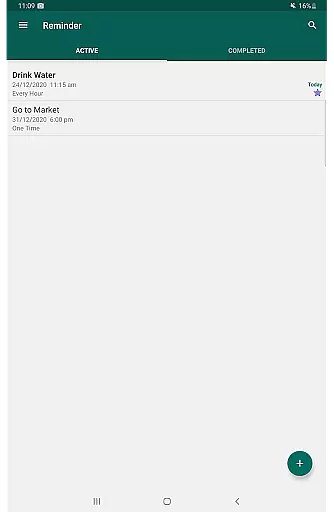
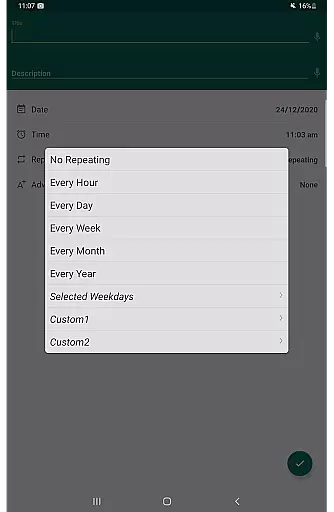
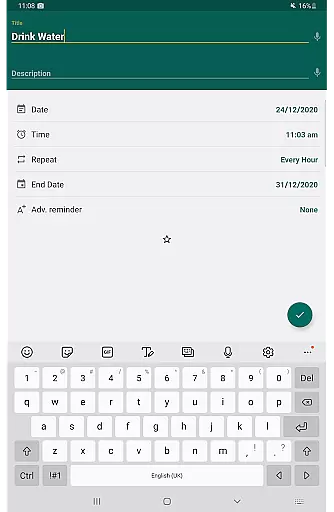
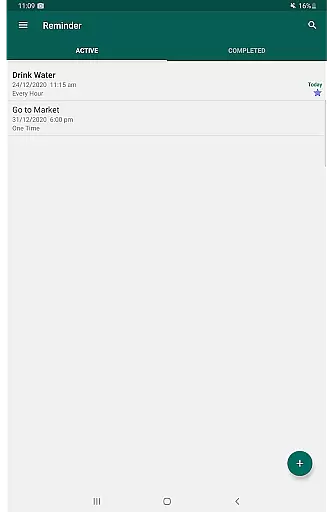
Reminder Pro is a versatile productivity application designed to help users manage their daily tasks and important deadlines effectively. This app allows you to create both one-time and recurring reminders for various activities, from simple errands to critical work deadlines. With its user-friendly interface, Reminder Pro makes setting up notifications quick and easy, ensuring that you never miss an important event or task.
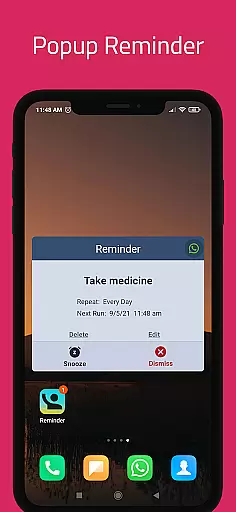
The app stands out with its customizable features such as popup notifications, snooze options, and quiet hours settings. Whether you need a pill reminder, meeting alerts, or deadline notifications, Reminder Pro has got you covered. Its ability to organize reminders into categories with different colors and settings adds another layer of personalization, making it easier to keep track of diverse tasks.
For professionals and students alike, this app serves as the perfect tool to boost productivity and maintain a structured schedule. By integrating seamlessly into your daily routine, Reminder Pro ensures that all your responsibilities are managed efficiently, giving you peace of mind and allowing you to focus on what truly matters.
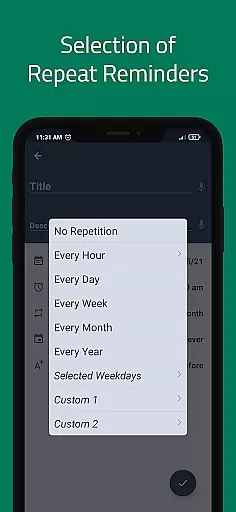
Reminder Pro offers a comprehensive suite of features designed to enhance your productivity and organization. One of its standout capabilities is the custom recurring reminders, which allow users to set up regular alerts for routine tasks such as taking medication or paying bills. This feature ensures that repetitive tasks are never overlooked, providing consistency and reliability in your daily schedule.
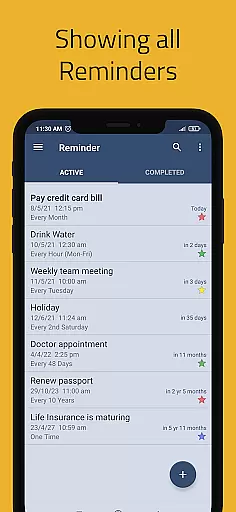
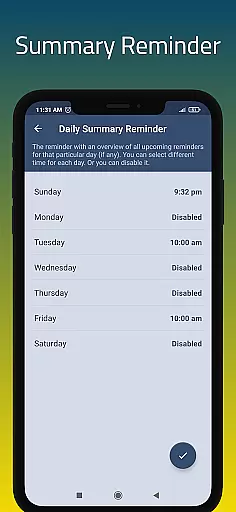
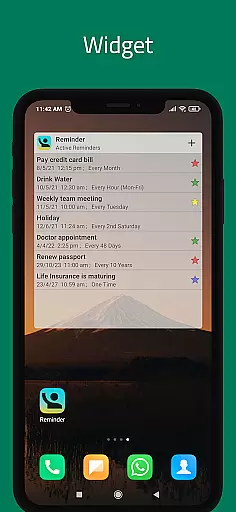
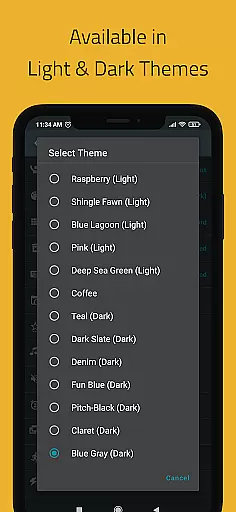
In addition to recurring reminders, the app provides advanced functionalities like popup notifications and a snooze option, giving users more control over their alert systems. The availability of multiple themes and different view options, including standard, compact, and monthly grouping views, allows for a personalized user experience tailored to individual preferences. Furthermore, the inclusion of a widget and daily summary reminder ensures that users have quick access to their schedules and can start their day with a clear overview of upcoming tasks.
Another significant advantage of Reminder Pro is its robust organizational tools. Users can categorize their reminders with distinct colors and settings, making it easier to prioritize and manage various aspects of their lives. The search functionality and auto/manual backup options further enhance the app's utility, ensuring that your data is secure and easily retrievable whenever needed.
Task management is at the heart of productivity applications, serving as the backbone for organizing and tracking various activities. Reminder Pro excels in this area by offering users a comprehensive suite to manage their tasks efficiently. The app allows for the creation of both one-time and recurring reminders, ensuring that no important deadline or daily chore is overlooked.
The application's interface is designed to be intuitive and straightforward, enabling users to set notifications within seconds. Whether it's for meetings, homework deadlines, or personal errands, Reminder Pro provides timely alerts that help keep users on track with their responsibilities. This simplicity ensures that even those new to task management apps can easily adapt and benefit from its features.
Moreover, the versatility of Reminder Pro extends beyond mere reminders. It includes functionalities such as custom recurring reminders, quiet hours settings, and multiple view options for organizing reminders. These features collectively enhance user experience by allowing personalized management of tasks according to individual preferences and schedules.
By integrating practical tools like a daily summary reminder, widget support, and categories with distinct colors and settings, Reminder Pro empowers users to take control of their time effectively. Such capabilities not only streamline task organization but also contribute significantly to overall productivity enhancement.
In today's interconnected world, reliable cross-device synchronization is crucial for maintaining consistency across multiple platforms. While Reminder Pro does not explicitly advertise this feature, its auto backup/manual backup functionality suggests a commitment to data integrity and accessibility. Users can safeguard their reminders and ensure they are never lost, regardless of device changes or malfunctions.
Although specific details about real-time syncing are not provided, the presence of advanced features like search functionality and categorized reminders indicates a robust infrastructure capable of supporting such operations. This underlying architecture likely facilitates seamless updates between devices, although explicit confirmation would require further investigation into user reviews or direct testing.
The appu2019s dedication to providing a versatile and dependable service is evident through its additional offerings, such as multiple themes and different grouping views for reminders. These elements suggest an attention to detail that could translate into reliable synchronization mechanisms, enhancing user convenience and satisfaction.
Ultimately, while Reminder Pro may not overtly emphasize cross-device synchronization, its comprehensive feature set implies a strong foundation for this capability. By focusing on data security and organizational flexibility, the app ensures users can rely on consistent access to their reminders, thereby fostering trust and long-term engagement.
User-friendly interface
Customizable reminders
Multiple view options
Quiet hours settings
Auto backup feature
Limited free version
No voice command support
Occasional bugs
Ads in free version
Complex settings for beginners

A customizable calendar for your Wear OS watch
 4.20
4.20
Auto-shutoff Alarm with Sunrise, Sunset & Fixed Options.
3.50
Wake up & get tasks done! Add alarms & reminders on the Clock Launcher.
4.00
Planet Free VPN - The best Fast Unlimited and Secure VPN Without Logs
4.50
The upgraded version of Name Wheel with AI and the power to add your own wheels.
4.1
All in One PDF Reader: Manage, Read and Edit your Documents
4.20
Multilingual translator for text, voice, and image translation!
4.90
Calendar 2023 widget for Android. Appointment scheduler, planner, and reminder
4.60
A beautiful digital clock with autostart and many other functions
4.70
Native client for Forgejo and Gitea
5.00
Secure, fast, open-source, VNC and SSH Remote Desktop for Windows, Linux and Mac
4.70
Subscribe to Webcal & .ics calendars and keep them up-to-date!
4.50
Enjoy classic gameplay with customizable features and retro-style graphics.
4.30
Access your phone's notifications, calls, apps, photos & texts on your PC
3.90
Ultimate Virtual AI Character for immersive Roleplay Chat. Perfect Companion
3.90


User Reviews