
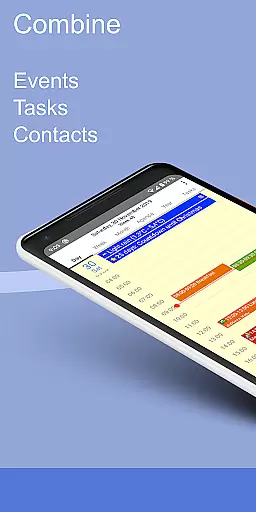
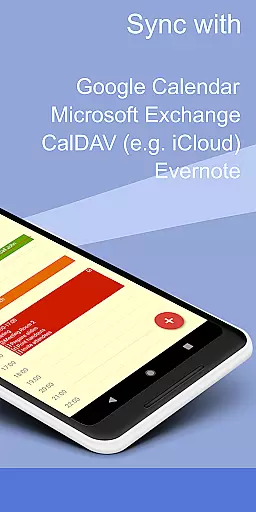
CalenGoo is a comprehensive productivity app designed to help users manage their events and tasks efficiently. With extensive configuration options, it allows customization to fit individual preferences and needs. The app supports synchronization with multiple calendar services including Google Calendar, Exchange, CalDAV, and iCloud, ensuring seamless integration across platforms.
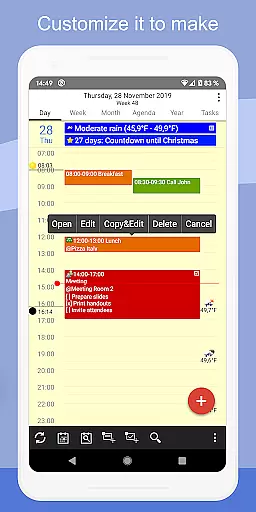
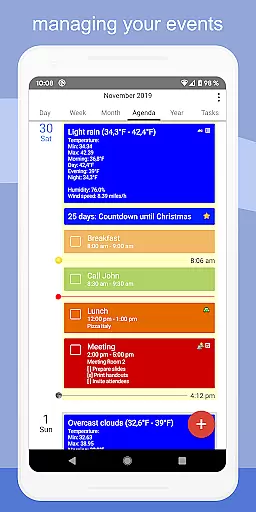
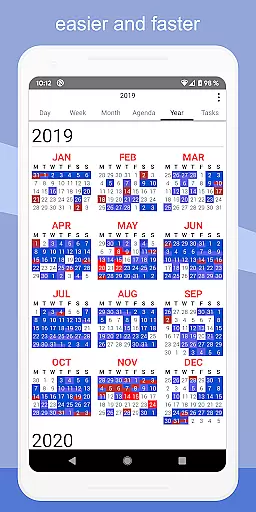
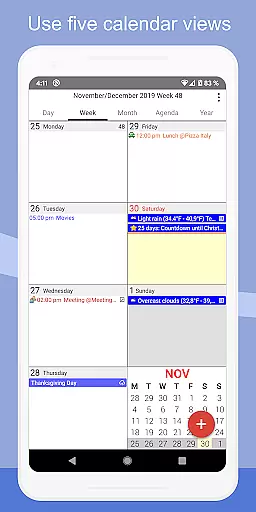
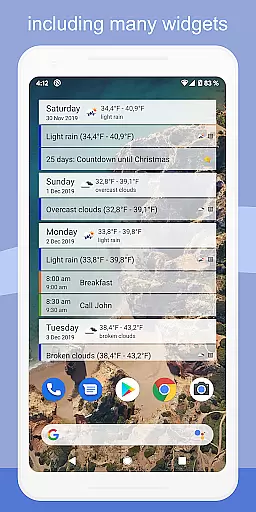
One of the standout features of CalenGoo is its ability to sync not only future but also past events with Google Calendar, providing a complete overview of one's schedule. Additionally, users can attach photos, files, and even Evernote notes to events, enhancing the detail and utility of each entry. Its five types of calendar views (day, week, month, agenda, and year) cater to different planning styles, while widgets offer quick access to schedules directly from the home screen.
Whether for personal or professional use, CalenGoo offers tools like weather forecasts, reminder functions, and task management within events, making it an invaluable tool for staying organized and on top of one's commitments.
CalenGoo boasts a rich set of features that cater to diverse user needs in managing time and tasks. One of its primary strengths is the robust synchronization capability with various calendar systems such as Google Calendar, Exchange, CalDAV, and iCloud. This ensures that all events and tasks are up-to-date across devices and platforms, providing a unified view of one's schedule.
The app offers several unique functionalities, including attaching photos and files to events when synced directly with Google Calendar, adding icons to events for easy identification, and supporting drag-and-drop operations for moving or copying events. Users can choose from five different calendar views and four styles of agenda views, allowing them to tailor the interface to their liking.
Additional features include widgets for home screen access, support for Exchange categories, sharing calendars with others via Google Calendar, and various reminder functions. The inclusion of a dark theme, floating events, completable events, and templates for recurring events further enhances usability and customization options, making CalenGoo a versatile tool for productivity.
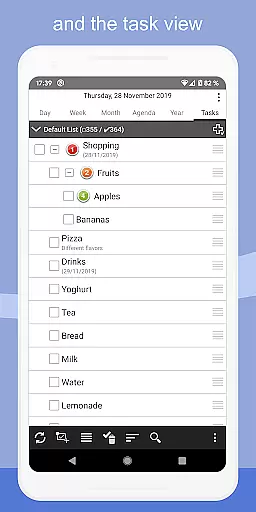
CalenGoo offers robust core task management features that allow users to efficiently organize and prioritize their daily activities. The app supports the creation of tasks with detailed attributes such as due dates, reminders, and priority levels.
One standout feature is the ability to attach Evernote notes and files to events, enhancing task context and resource availability. This ensures users have all necessary information at their fingertips when managing tasks.
The agenda view provides four distinct styles, enabling users to customize how tasks are displayed based on personal preferences or workflow requirements. Additionally, drag-and-drop functionality simplifies the process of rescheduling tasks.
With support for various reminder functions including notifications, pop-up windows, and spoken reminders, CalenGoo ensures users never miss important deadlines. These comprehensive task management capabilities make it an invaluable tool for productivity enthusiasts.
Reliable cross-device synchronization is a cornerstone of CalenGoo's functionality, ensuring seamless access to your calendar and tasks across multiple devices. By syncing directly with Google Calendar, Exchange, CalDAV, and iCloud, the app maintains consistent data updates regardless of the platform used.
This synchronization extends beyond basic event details; users can sync attached photos, files, and even Evernote notes linked to specific events. Such comprehensive data integration guarantees that all relevant information is accessible wherever you go.
CalenGoo also supports sharing calendars with others via Google Calendar, facilitating collaborative work environments where team members need real-time updates on shared schedules. The inclusion of widgets further enhances accessibility by displaying upcoming events directly on your deviceu2019s home screen.
Whether using Android or iOS devices, CalenGoou2019s reliable synchronization ensures that changes made on one device instantly reflect across all others, providing unparalleled convenience and peace of mind for busy professionals.
User-friendly interface
Extensive customization options
Robust synchronization capabilities
Comprehensive feature set
Supports multiple calendar services
Complex setup process
Requires stable internet connection
Premium version comes at a cost
Occasional syncing issues reported
Steep learning curve for beginners

Direct Chat without saving contacts & Dual WA Account on Single Device
 4.70
4.70
All in One PDF Reader: Manage, Read and Edit your Documents
4.20
ID.me Authenticator is a simple and free Two Factor Authentication solution
3.50
Translate text/voice/photos in 150+ languages. Offline & fast translator app.
4.50
Docker, Kubernetes management over Portainer Mobile
4.40
A beautiful digital clock with autostart and many other functions
4.70
Lightweight PDF, Word, Excel reader.
4.60
Set up, print, and get support—in one place
4.20
Browse and view your photos and videos from the phone with photo & video hide.
4.10
Multilingual translator for text, voice, and image translation!
4.90
Client for Nextcloud Deck
4.60
The Pro Version of Android's tiniest Notepad app. Just 0.3MB but feature-packed!
4.60
Send files, sync SMS, notifications & clipboard across devices via local network
4.40
Experience and share your SolidWorks designs on your Android® phone and tablet.
2.50
Ads Free App! Editor, Hide File, Copy, Move, Delete and Rename.. all facility av
1.70


User Reviews