
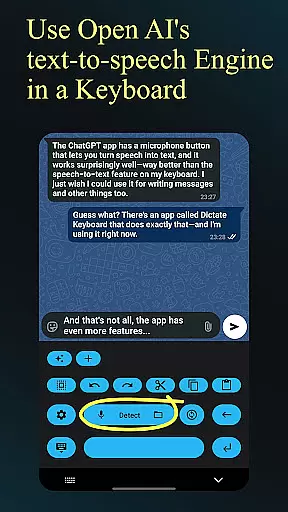
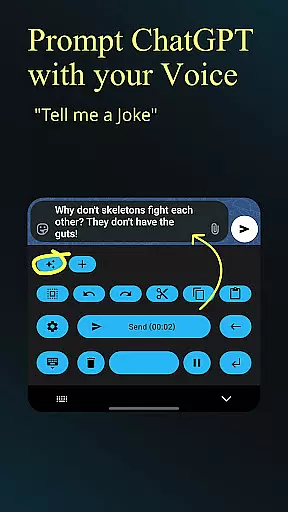
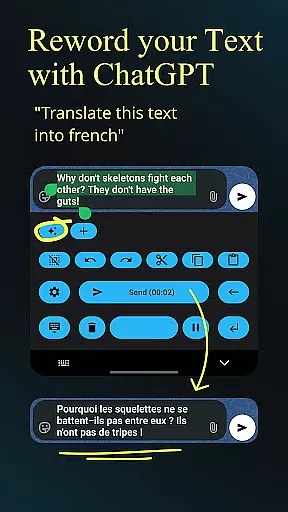
Dictate Keyboard is a revolutionary productivity tool that transforms spoken language into text with remarkable accuracy. Powered by advanced speech recognition AI, it supports all major languages and even adds punctuation automatically. The app goes beyond basic transcription by offering features like custom rewording using GPT-5, auto-formatting of spoken commands, and support for multiple transcription models.
What sets Dictate apart is its comprehensive feature set that includes voice-to-text conversion, audio file transcription, and seamless integration with various API providers. Users can switch between different transcription models, record through phone or Bluetooth microphones, and easily insert emojis and numbers. The keyboard's customization options are extensive, featuring dark-mode, light-mode, and custom theme settings.
This application is particularly valuable for professionals who need to create content on-the-go or individuals with accessibility needs. By combining powerful AI capabilities with user-friendly features, Dictate Keyboard significantly enhances mobile productivity while maintaining an intuitive interface.
Dictate Keyboard distinguishes itself through its sophisticated feature set designed to maximize productivity. The core functionality revolves around its state-of-the-art speech recognition engine that not only transcribes speech but also intelligently adds punctuation and formatting. Users can choose from multiple transcription models including Whisper and GPT-4o-transcribe, while having the flexibility to switch between providers like OpenAI and Groq.
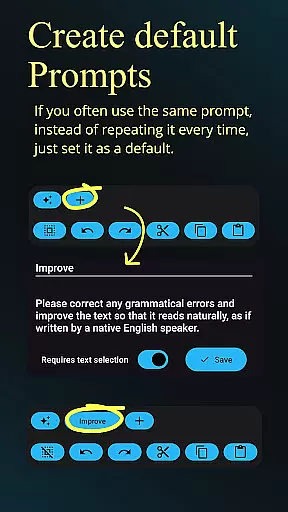
The application offers advanced customization options such as custom rewording instructions using various AI models, system prompt settings to guide transcription style, and comprehensive formatting commands. Practical features include easy emoji insertion, number input, and quick switching to standard keyboard. The app maintains complete transparency through its open-source nature, with source code available on GitHub.
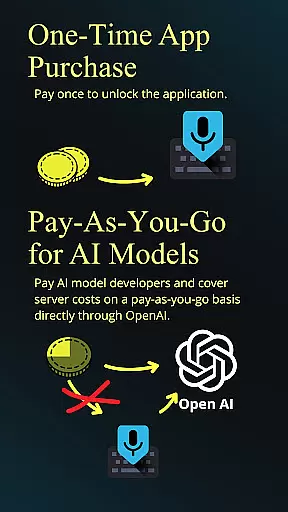
Additional professional-grade features include support for custom API servers, proxy configurations, and both direct input and typing animation modes. The application's robust architecture allows for transcription of various media types while providing users with control over their API usage costs. These features collectively create a powerful tool that adapts to diverse user needs and technical requirements.
Dictate Keyboard revolutionizes core task management by integrating advanced speech recognition technology into a user-friendly keyboard interface. This innovative approach allows users to convert spoken language into text with remarkable accuracy.
The application supports all common national languages, making it an ideal tool for managing tasks across different linguistic contexts. Its AI-powered system automatically adds punctuation, freeing users from the need to dictate every detail.
Beyond basic transcription, Dictate offers features like custom rewording instructions and auto formatting of spoken commands. These capabilities enable efficient task categorization and prioritization through simple voice commands.
Users benefit from seamless integration with various transcription models and providers, ensuring reliable performance. The ability to switch between different recognition systems enhances task management flexibility and reliability.
Cross-device synchronization is where Dictate Keyboard truly shines in the productivity category. The application maintains consistent performance across multiple devices through its support for various transcription models and providers.
Users can seamlessly transition between OpenAI, Groq, or their own transcription server without losing functionality. This flexibility ensures that work started on one device can be reliably continued on another.
The keyboard's support for both phone and Bluetooth microphones enhances synchronization reliability. Regardless of the input method used, Dictate maintains consistent recognition quality across devices.
Additional features like export/import of prompts and system prompt settings ensure that user preferences and configurations remain synchronized. This comprehensive approach to cross-device functionality makes Dictate an invaluable tool for modern productivity workflows.
Advanced speech recognition
Multi-language support
Automatic punctuation
Customizable themes
Open-source transparency
Requires API subscription
Incurs usage costs
Complex initial setup
Limited free-tier options
Dependent on third-party services

When you Focus, so will your Bean in this cozy focus timer
 4.30
4.30
Planet Free VPN - The best Fast Unlimited and Secure VPN Without Logs
4.50
Font maker keyboard with your own handwriting
4.10
PDF scanner & converter for files, photos, lottery, QR codes. One swipe away!
4.50
ID.me Authenticator is a simple and free Two Factor Authentication solution
3.50
The AI assistant that thinks with you - write, code, and solve complex tasks
4.60
Best Tool for the professionals Electrician, Electrical contractors, etc.
4.90
Use powerful, industry-leading AI tools to generate visual charts from any data
4.80
Simple notepad & memo. Take notes, to-do list, shopping list with reminders.
4.80
Android Wallet Password Manager
4.80
Stay on top of your to-dos with Google Tasks, part of Google Workspace.
4.60
Tally and goal counter for Wear OS & mobile
4.50
Secure your apps with lock screens, use custom themes and different features.
4.40
Ultimate Virtual AI Character for immersive Roleplay Chat. Perfect Companion
3.90
Remotely view listen control and record cameras.
3.70


User Reviews