
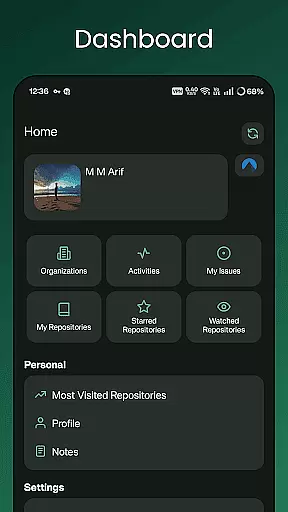
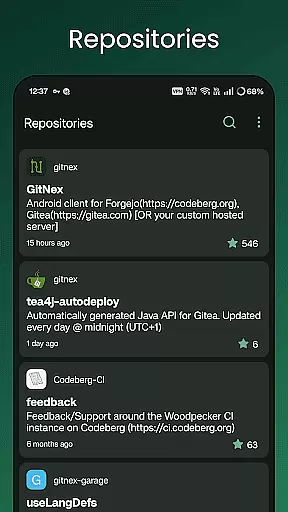
GitNex is a powerful open-source Android client designed specifically for managing Git repositories on Forgejo and Gitea platforms. This productivity tool allows developers to efficiently handle multiple accounts, browse files and directories, and create various repository elements such as issues, pull requests, wikis, and more.
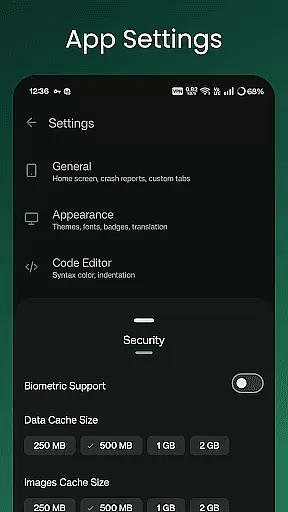
The app's comprehensive feature set includes repository exploration, issue tracking, milestone management, and release handling. With support for markdown, emoji, themes, and self-signed certificates, GitNex provides a complete mobile solution for Git repository management while maintaining extensive customization options through its settings panel.
GitNex stands out with its extensive feature set tailored for productivity-focused developers. The application supports multiple account management, enabling users to switch between different profiles seamlessly. Its integrated file and directory browser allows for easy navigation through repository structures, while the built-in file viewer helps quickly review code changes.
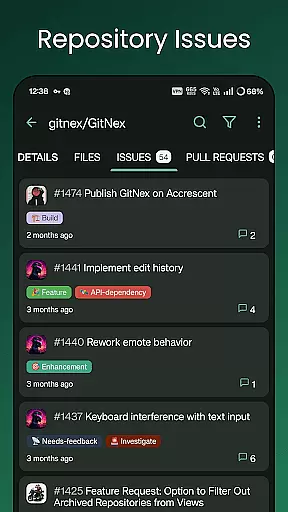
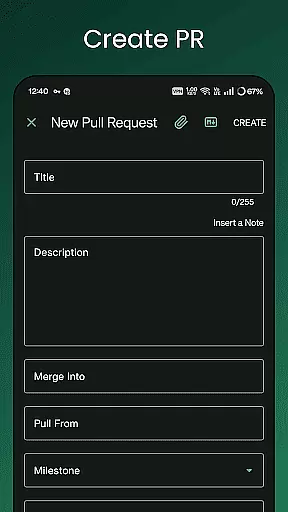
One of the key strengths of GitNex is its comprehensive creation tools. Users can create files, issues, pull requests, wiki pages, milestones, releases, and labels directly from their mobile devices. The app also provides detailed lists for pull requests, repositories, organizations, issues, labels, milestones, and releases, making repository management more efficient.
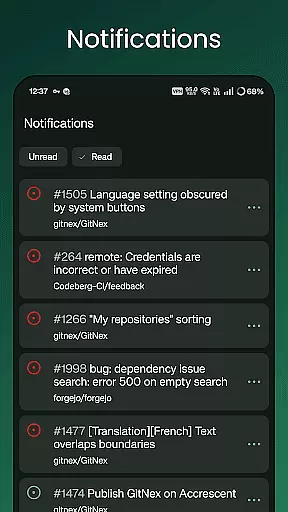
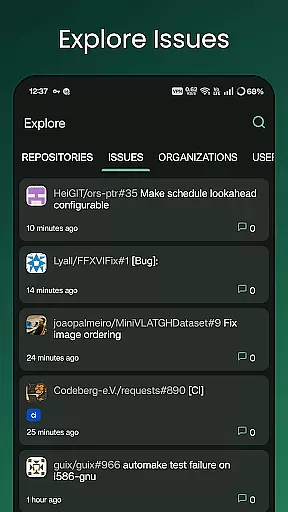
Additional notable features include markdown support, emoji integration, theme customization, and notification management. The explore functionality helps users discover new repositories, issues, organizations, and users, while the profile view offers insights into user activity and contributions.
Task management is a cornerstone of productivity applications, and GitNex excels in this area by offering comprehensive tools for managing Git repositories on Forgejo and Gitea. The app provides multiple account support, allowing users to switch between different profiles seamlessly, which is essential for developers managing various projects.
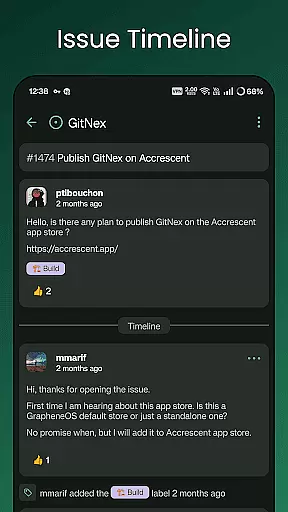
GitNex enables users to browse files and directories, view repository commits, and manage issues and pull requests efficiently. This functionality ensures that all tasks related to repository management are accessible from your mobile device, streamlining workflows and enhancing productivity.
With features like the ability to create files, issues, pull requests, wiki pages, milestones, releases, and labels directly from the app, GitNex empowers users to handle their project management tasks without needing to switch to a desktop environment. This level of integration and accessibility significantly boosts efficiency and convenience.
Cross-device synchronization is vital for maintaining consistency across different platforms, and GitNex ensures reliable synchronization for Git repository management. By supporting self-signed certificates, GitNex guarantees secure and dependable connections to your Forgejo and Gitea instances, regardless of the network environment.
The application offers extensive settings and theme options, ensuring that your preferences and customizations are preserved and synchronized across devices. This feature allows users to maintain a personalized and consistent experience, whether they are on their mobile phone or tablet.
Notifications play a crucial role in keeping users updated about important activities within their repositories. GitNex's notification system ensures that users receive timely updates, ensuring they never miss critical changes or communications, thus maintaining synchronization with their development workflow.
User-friendly interface
Multiple account support
Comprehensive feature set
Open-source development
Active community support
Steep learning curve
Occasional bugs
Limited iOS availability
No desktop version
Complex setup process

Secure, fast, open-source, VNC and SSH Remote Desktop for Windows, Linux and Mac
 4.70
4.70
All in one sketching tool. Technical and General drawing. Online Maps support.
3.70
Protect and view your important info on your phone and tablet with eWallet®
4.80
Secure, open-source, SPICE and SSH Remote Desktop for QEMU KVM virtual machines
4.00
A Pixel Art watchface inspired by other iconic 90s designs for Wear OS devices!
4.40
Intelligent AI Assistant
4.10
Use powerful, industry-leading AI tools to generate visual charts from any data
4.80
Lightweight PDF, Word, Excel reader.
4.60
Scan paperwork into PDF/JPG, generate your own e-signature and send fax or email
4.70
Best Tool for the professionals Electrician, Electrical contractors, etc.
4.90
App Lock with fingerprint, password: Lock apps & hide photos with lock screens
4.60
Calendar 2023 widget for Android. Appointment scheduler, planner, and reminder
4.60
This small app MUST BE INSTALLED after purchase, else license won't work
4.40
Total remote control for your Android device, PC and cloud services (IFTTT)!
4.20
IP Camera Viewer - Android TV : RTSP Surveillance camera viewer for Android TV
4.0


User Reviews