
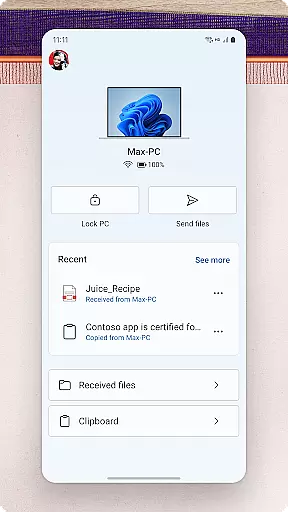
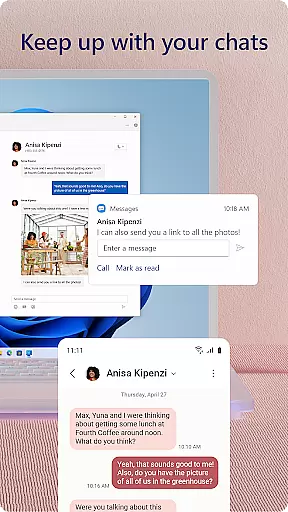
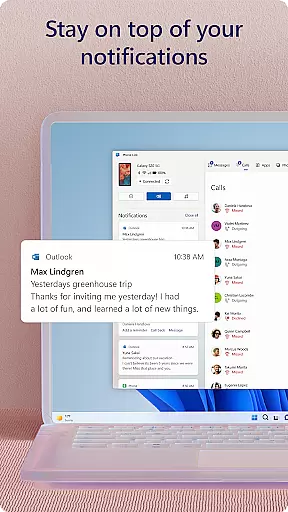
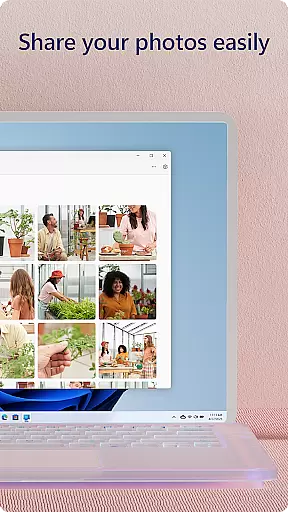
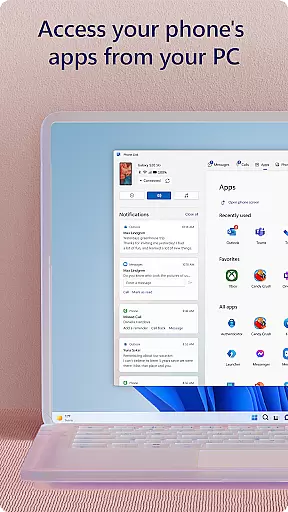
Link to Windows is a productivity app that bridges the gap between your Android phone and Windows PC. It allows users to seamlessly interact with their mobile devices directly from their computers. The core functionality includes making and receiving calls, managing notifications, accessing mobile apps, and handling text messages on the PC.
One of its standout features is the ability to drag and drop files and photos between devices, as well as copy-paste content across platforms. This integration enhances workflow efficiency by minimizing the need to switch between devices constantly. For professionals who rely on both a phone and PC throughout their workday, this app provides an invaluable centralized control hub.
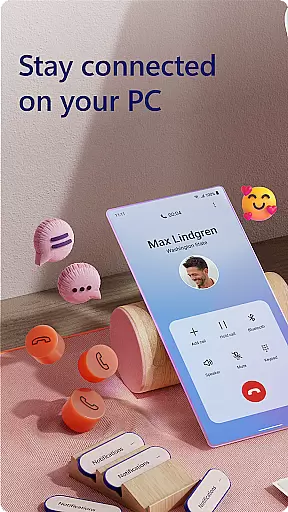
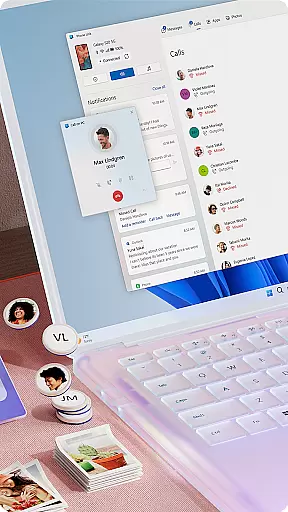
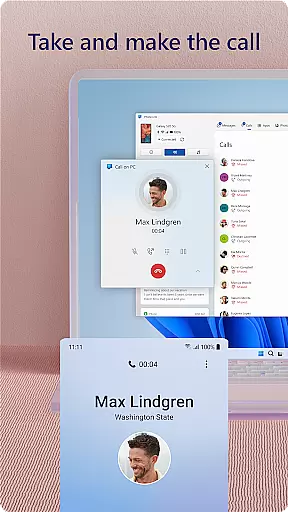
The Link to Windows app boasts a variety of advanced features designed to boost productivity. Users can make and receive calls directly from their PCs, provided they have a Windows 10 PC with Bluetooth capability. This feature alone transforms how professionals handle communications, allowing them to stay focused on their computer tasks without missing important calls.
Another significant feature is the ability to manage Android phone notifications on the PC. This means you can respond to app alerts, view notifications, and even control your phone's settings without ever touching the device. Additionally, the app supports running favorite mobile apps on the PC, enabling multitasking across different ecosystems. With capabilities like cross-device copy-paste, file drag-and-drop, and instant photo access, Link to Windows creates a cohesive digital workspace tailored for power users.
Task management is a critical aspect of productivity applications, enabling users to organize and prioritize their work efficiently. Link to Windows excels in this area by seamlessly integrating phone functionalities with PC capabilities.
The app allows users to manage calls, text messages, notifications, and even mobile apps directly from their Windows PC. This unified approach eliminates the need for constant device switching, streamlining workflow and enhancing focus.
Users benefit from features like cross-device copy-paste, file drag-and-drop, and instant photo access. These tools create a cohesive ecosystem where tasks that once required multiple steps can now be completed swiftly and effortlessly.
This integration significantly boosts productivity by allowing users to leverage their PC's larger screen, keyboard, and mouse to interact with their phone. The result is a more efficient task management experience that saves time and reduces cognitive load.
Synchronization between devices is essential for maintaining workflow continuity. Link to Windows ensures reliable cross-device synchronization through its robust connection between Android phones and Windows PCs.
The application establishes a stable link that enables real-time updates across devices. Users can instantly view and reply to text messages, manage notifications, and access mobile apps on their PC without delay or data loss.
This reliable synchronization extends to multimedia content as well. Photos shared between devices maintain their quality and metadata, while copied content remains intact during transfer. Such consistency ensures that users always have access to the most current information.
Furthermore, the app supports advanced features like Phone screen mirroring and multiple app experiences on compatible devices. These capabilities demonstrate the application's commitment to providing a seamless and dependable cross-device experience.
Seamless cross-device integration
Enhanced multitasking abilities
Centralized notification management
Drag-and-drop file sharing
Phone screen mirroring on PC
Limited to specific devices
Requires Windows 10 or later
Some features need Android 11
Bluetooth dependent for calls
Integrated only with select phones

Secure, fast, open-source, VNC and SSH Remote Desktop for Windows, Linux and Mac
 4.70
4.70
Smart PDF reader & editor to view, organize and manage PDF documents easily.
3.70
Device's storage information in a simple and clear graphical form (infographics)
4.10
Secure, fast, open-source, Remote Desktop Client for Windows and Linux with SSH
4.60
Font maker keyboard with your own handwriting
4.10
Functional QR scanner and barcode reader that requires little storage space.
4.60
Calendar 2023 widget for Android. Appointment scheduler, planner, and reminder
4.60
Secure your apps with lock screens, use custom themes and different features.
4.40
Ultimate Virtual AI Character for immersive Roleplay Chat. Perfect Companion
3.90
Absolutely the best CNC machinist speed and feed calculator around. fswizard.com
4.60
Access, manage and transfer files on Android, PC, Mac, NAS and cloud storages.
4.30
Make apps & sites with natural language prompts
4.10
Customizable calendar widget for seamless event sync, planning & scheduling.
4.00
Find and delete junk files & block unwanted notifications & manage files
3.70
Auto-shutoff Alarm with Sunrise, Sunset & Fixed Options.
3.50


User Reviews