
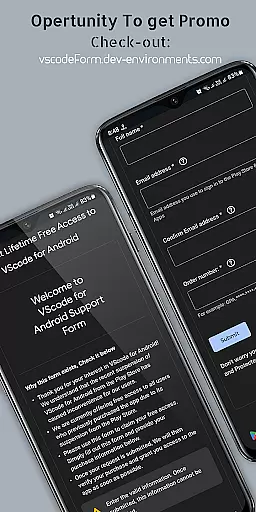
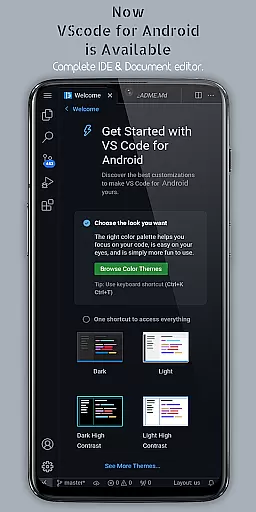
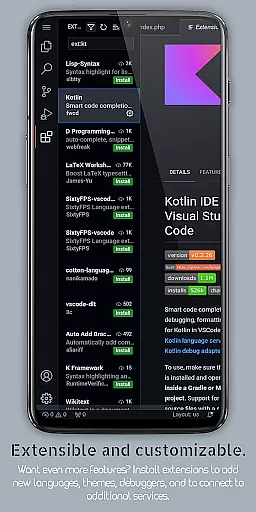
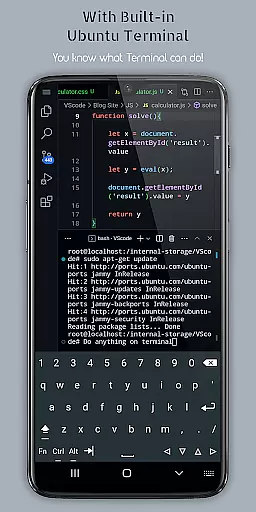
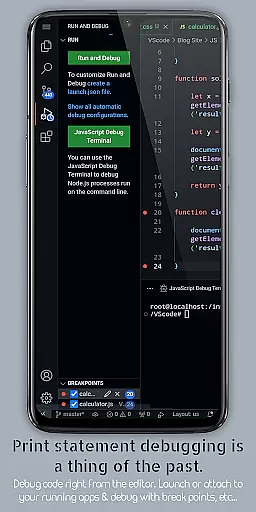
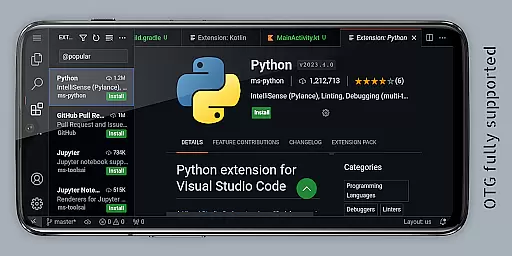
VScode for Android is a powerful code editor that brings the full functionality of desktop Visual Studio Code to mobile devices. Designed for developers on-the-go, this app allows you to write, edit, and debug code from anywhere. With support for multiple programming languages including HTML, CSS, JavaScript, Python, and more, it caters to diverse coding needs.
The app features an immersive fullscreen mode, customizable themes, IntelliSense code completion, and built-in Git support. These capabilities make it easier than ever to maintain productivity while traveling or working remotely. Additionally, its remote access feature lets users connect via a web browser using their phone's IP address and port 8080.
Whether you're a professional developer or a coding enthusiast, VScode for Android provides a complete mobile coding environment that streamlines your workflow and enhances collaboration possibilities.
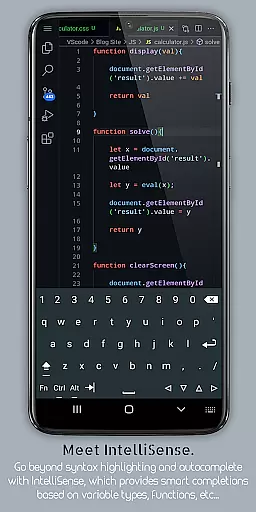
VScode for Android offers an impressive array of features that enhance the mobile coding experience. The app includes a built-in debugger, syntax highlighting for numerous programming languages, and IntelliSense for intelligent code completion. These tools help developers write cleaner code faster and with fewer errors.
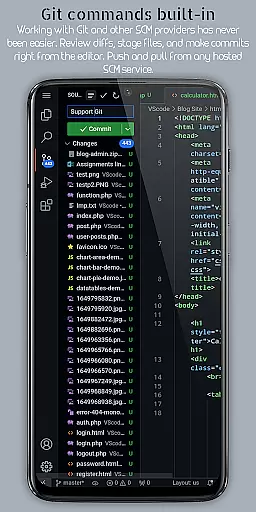
Additional notable features include multi-cursor editing, split view for working on multiple files simultaneously, and an integrated terminal for command-line access. The app also supports customizable keyboard shortcuts and language-specific settings, allowing users to tailor the editor to their specific needs. Furthermore, its embedded Git functionality enables seamless version control operations directly within the app.
With support for extensions and snippets, along with an immersive fullscreen display, VScode for Android creates a professional-grade development environment on mobile devices. This comprehensive feature set makes it an invaluable tool for developers seeking flexibility in their coding practices.
In the realm of productivity, effective task management stands as a pivotal feature. VScode for Android excels in this area by offering integrated tools that streamline coding workflows. The app provides an integrated task runner which allows users to automate common tasks, thus enhancing efficiency and focus.
Moreover, the presence of a built-in terminal within VScode for Android enables direct command-line access from the editor itself. This seamless integration of terminal operations into the mobile coding environment empowers developers to execute scripts and manage project dependencies without leaving the editor interface.
Another aspect where VScode for Android shines is its split view editing capability. Users can work on multiple files side-by-side, which is particularly beneficial when dealing with interconnected code segments or comparing different versions of a document. This feature ensures that coders can maintain context while navigating through complex projects.
Lastly, language-specific settings allow customization on a per-language basis, optimizing workflow for various programming languages supported by the app. Whether it's HTML/CSS, Python, Java, or C++, each language environment can be fine-tuned to match individual preferences and project requirements, making every coding session more productive than the last.
Cross-device synchronization is essential for users who operate across multiple platforms. VScode for Android addresses this need by providing remote access capabilities, allowing developers to connect to their mobile device's VScode instance from any web browser using an IP address and port 8080. This feature ensures that work started on mobile can be continued seamlessly on desktop or vice versa.
The app also supports embedded Git, enabling version control operations directly from the editor. With this functionality, changes made on one device are tracked and synchronized with repositories, ensuring consistency across devices. Developers benefit from real-time updates and collaboration possibilities without worrying about discrepancies between local and remote codebases.
Furthermore, workspace management in VScode for Android facilitates easy organization and switching between different projects and workspaces. This means users can keep their workspaces synchronized and organized regardless of whether they're working on a smartphone, tablet, or computer. Such flexibility guarantees that no matter where you are, your development environment remains up-to-date and accessible.
Finally, customizable keyboard shortcuts enhance cross-device usability by letting users tailor key bindings according to their preferred configurations. This personalization extends to themes and extensions as well, ensuring that the look and feel of the IDE remain consistent across all devices used during software development cycles.
Powerful code editor
Wide language support
Intuitive UI design
Remote access capability
Git integration
Complex for beginners
Requires learning curve
Limited mobile functionality
No official Microsoft support
Some features may lack

A Revolutionary All-in-One Artificial Intelligence Tools
 3.80
3.80
Direct Chat without saving contacts & Dual WA Account on Single Device
4.70
8 custom complications. Custom Time Fonts. Beautiful color schemes. A++ Design.
5.00
The upgraded version of Name Wheel with AI and the power to add your own wheels.
4.5
A lightweight JSON & XML files creator, editor and viewer (Premium Version)
4.40
Calendar 2023 widget for Android. Appointment scheduler, planner, and reminder
4.60
Access, manage and transfer files on Android, PC, Mac, NAS and cloud storages.
4.30
Great calculator for Android named one of USA TODAY's "25 Essential Apps".
4.90
Quickly and easily keep track of your work shifts
4.70
Secure, fast, open-source, VNC and SSH Remote Desktop for Windows, Linux and Mac
4.70
App lock - lock apps with fingerprint, password, pin or pattern, protect privacy
4.70
Planet Free VPN - The best Fast Unlimited and Secure VPN Without Logs
4.50
Send files, sync SMS, notifications & clipboard across devices via local network
4.40
Make apps & sites with natural language prompts
4.10
AI Video AI Image Private LLM AI Browser Llama Gemma Ollama Connect LLM Studio
4.1


User Reviews