
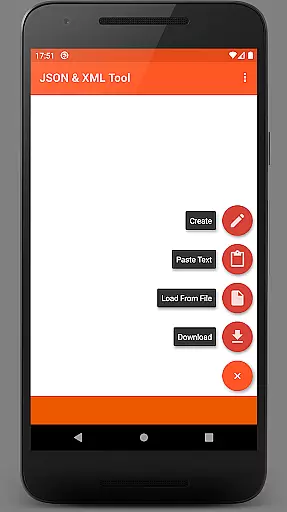
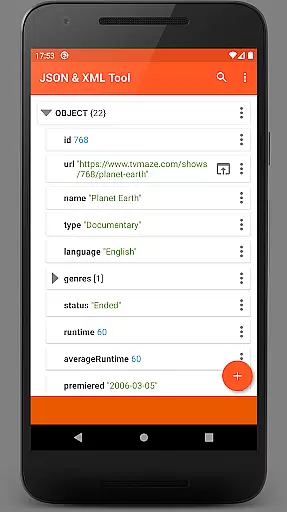
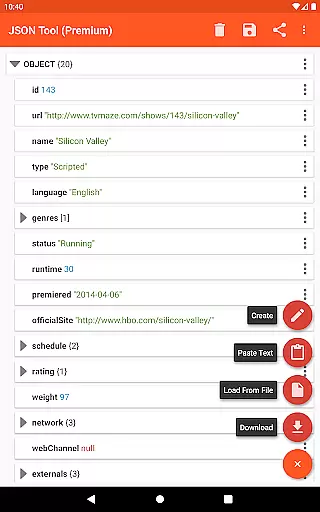
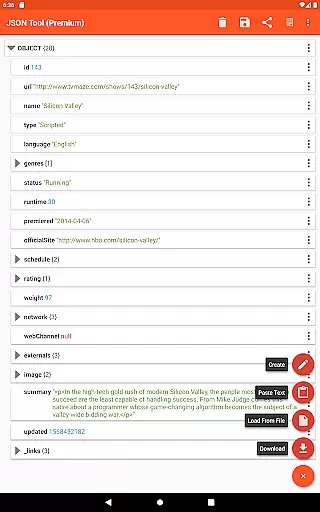
JSON & XML Tool Premium is a powerful productivity application designed for effortless creation, viewing, and editing of JSON and XML files. The app's standout feature is its simple hierarchical view that makes file navigation intuitive and efficient. Whether you're developing game addons or handling data conversion tasks, this tool streamlines the process. It leverages Android's Storage Access Framework (SAF) to manage files without needing explicit storage permissions in most cases, ensuring your data remains secure while providing necessary functionality.
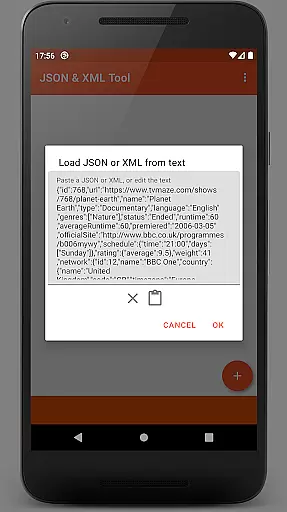
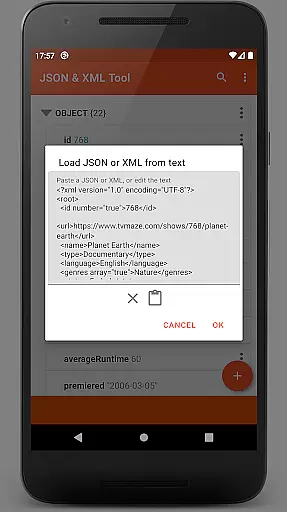
The app supports multiple ways to load files - from internal and external file pickers, downloading via URL, pasting text directly, or even receiving files from other apps. Once loaded, users can seamlessly edit node elements, switch value types, add or remove nodes, and reorganize arrays. Additional features like dark theme support, PDF export, and JMESPath query language integration make it an indispensable tool for developers and power users who regularly work with structured data formats.
One of the key strengths of JSON & XML Tool Premium lies in its comprehensive editing capabilities. Users can rename node elements, modify values, and easily toggle between Boolean, Number, and String types. The app allows for effortless duplication and removal of node elements, as well as reordering within arrays. These features are presented through an intuitive interface that makes complex data manipulation accessible even to less technical users.
Beyond basic editing, the app offers several advanced features that enhance productivity. The integrated JMESPath query language support enables sophisticated data extraction and transformation. Users can preview their work as formatted text rather than a single line, making it easier to understand complex structures. The app also supports sharing content with external applications, creating PDF exports, and provides a built-in mechanism for registering itself as the default handler for JSON/XML files on installation.
Particularly noteworthy is how the app handles file operations without compromising security. By utilizing Android's Storage Access Framework, it minimizes permission requests while still allowing robust file management capabilities. When permissions are required, they're requested judiciously, maintaining user trust while delivering full functionality.
Task management is a critical aspect of productivity applications, and JSON & XML Tool Premium excels in this area by providing users with an intuitive interface for handling JSON and XML files. The app allows users to perform a variety of tasks such as viewing, creating, and editing these file types with ease.
The tool's functionality extends to renaming node elements, modifying values, and switching between different value types like Boolean, Number, and String. Users can also add, duplicate, and remove node elements, as well as move them within arrays, ensuring that managing complex data structures is straightforward and efficient.
By integrating features such as saving files either as new ones or overwriting existing ones, the app ensures that users can manage their tasks without any hassle. This comprehensive task management suite makes JSON & XML Tool Premium an indispensable utility for anyone working with these data formats.
Cross-device synchronization is essential for users who work across multiple devices, and JSON & XML Tool Premium offers reliable options to ensure data consistency. By utilizing the Storage Access Framework (SAF), the app provides a seamless experience when accessing files, negating the need for traditional storage permissions unless specific conditions are met.
Users can load files using either the internal SAF-based file picker or an external one, which may require additional permissions. Files can also be downloaded from the web via URL, received from other apps, or created from scratch, ensuring that data is accessible regardless of its origin or the device being used.
With support for sharing JSON/XML text to external applications, previewing as text, and exporting as a PDF, the app guarantees that your data remains synchronized and accessible across all your devices. This reliability in cross-device operations enhances workflow continuity and boosts overall productivity.
Intuitive hierarchical view
Comprehensive editing tools
Secure file handling
Advanced data manipulation
Cross-format conversion
Premium version only
Steep learning curve
Limited free support
No cloud sync
Occasional permissions

 4.20
4.20
A customizable calendar for your Wear OS watch
4.20
Easily read and manage all your PDF files
4.10
Absolutely the best CNC machinist speed and feed calculator around. fswizard.com
4.60
App Lock with fingerprint, password: Lock apps & hide photos with lock screens
4.60
The AI assistant that thinks with you - write, code, and solve complex tasks
4.60
Create and edit presentations with Google Slides, part of Google Workspace.
4.00
Subscribe to Webcal & .ics calendars and keep them up-to-date!
4.50
Best Tool for the professionals Electrician, Electrical contractors, etc.
4.90
Simple notepad & memo. Take notes, to-do list, shopping list with reminders.
4.80
App lock - lock apps with fingerprint, password, pin or pattern, protect privacy
4.70
Planet Free VPN - The best Fast Unlimited and Secure VPN Without Logs
4.50
Professional calendar app for Google Calendar, MS Outlook & Exchange
4.20
Intelligent AI Assistant
4.10
Make your handwriting beautiful, even more than pen on paper.
3.60


User Reviews