
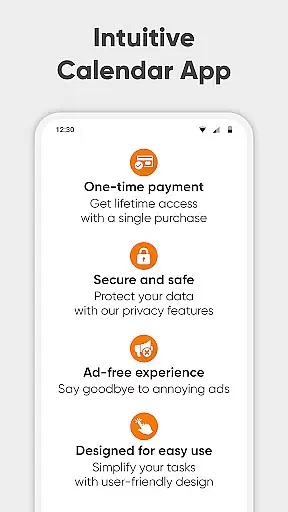
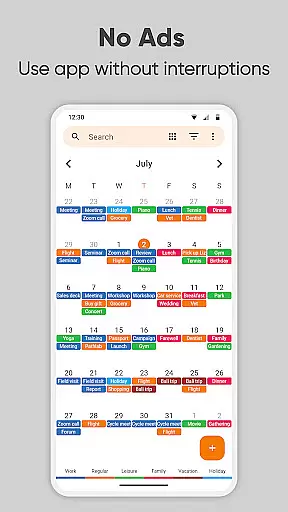
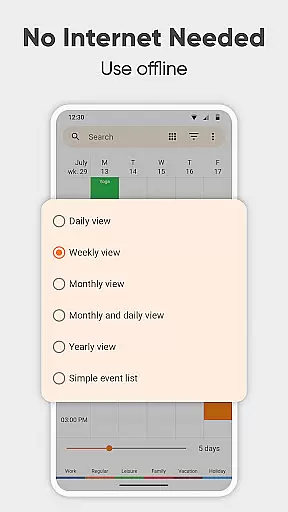
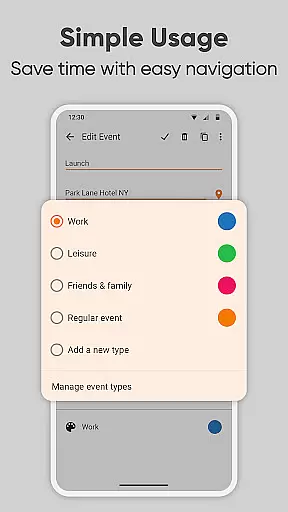
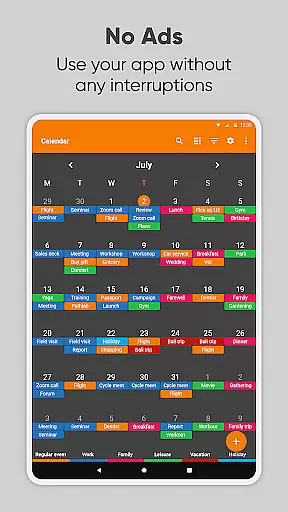
Simple Calendar Pro is a productivity-focused calendar application designed for Android users who value simplicity and customization. This offline calendar app offers a streamlined experience without ads or unnecessary permissions, making it an ideal personal schedule planner. The app supports event syncing through Google Calendar or other CalDAV-compatible services, ensuring seamless integration with existing workflows.
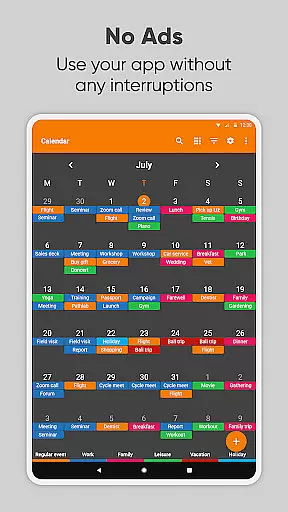
With its intuitive interface, Simple Calendar Pro allows users to efficiently manage their time by organizing single and recurring events like meetings, birthdays, and anniversaries. Its highly customizable features include personalized reminders, notification settings, and appearance options, empowering users to tailor the app to their specific needs. Whether you're managing a work calendar, planning family events, or scheduling appointments, this app provides all the tools necessary to stay organized and productive.
The app's standout feature is its flexibility. Users can import and export events via .ics files, back up settings to .txt files, and create events with advanced repetition rules. Additionally, its open-source nature and support for 45+ languages make it accessible to a global audience. Simple Calendar Pro combines powerful functionality with user-centric design, delivering a top-tier calendar solution that helps users take control of their schedules while maintaining privacy and security.
Simple Calendar Pro stands out in the productivity category due to its rich feature set tailored for both personal and professional use. One of its key strengths is its ability to function entirely offline, providing users with enhanced privacy and stability compared to cloud-based alternatives. This makes it perfect for individuals who prioritize data security but still want the convenience of modern calendar apps.
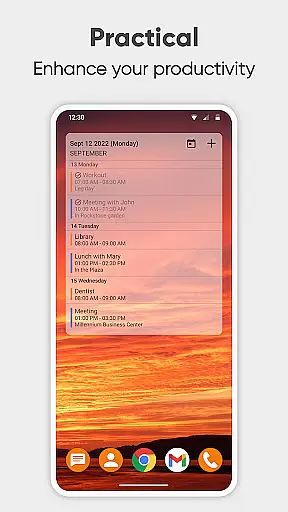
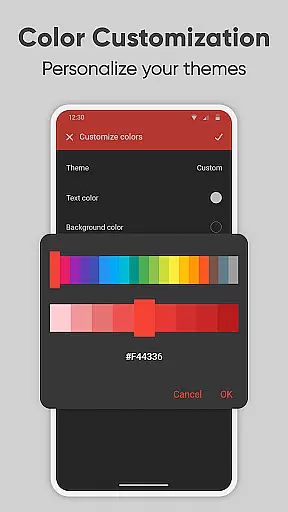
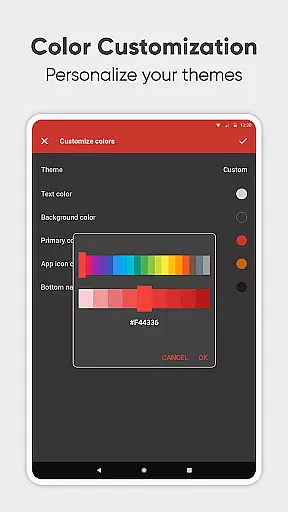
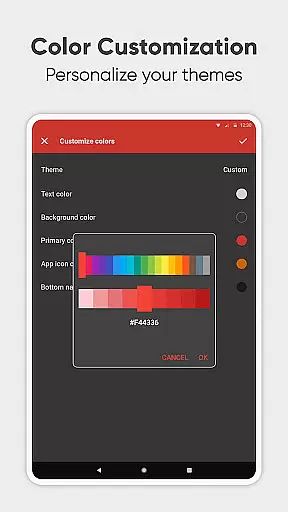
The app offers extensive customization capabilities, allowing users to personalize nearly every aspect of their experience. From customizing sound notifications and vibration patterns to adjusting color schemes and themes, Simple Calendar Pro ensures that each user's interface aligns with their preferences. It also includes practical widgets that display upcoming events directly on the home screen, enabling quick access to essential information at a glance.
Another notable feature is its robust support for synchronization via CalDAV, including compatibility with popular services such as Google Calendar, Microsoft Outlook, and Nextcloud. This ensures that users can maintain consistency across multiple devices and platforms. Furthermore, the app supports importing holidays, birthdays, and anniversaries, along with filtering events by type and viewing them on maps. With its comprehensive suite of tools, Simple Calendar Pro empowers users to optimize their time management while enjoying a clutter-free, ad-free experience.
At the heart of Simple Calendar Pro lies its robust core task management system, designed to streamline your daily planning. This feature allows users to effortlessly organize their schedules by creating single or recurring events with customizable reminders and powerful repetition rules.
The app supports a variety of event types including work meetings, personal appointments, and special occasions like birthdays and anniversaries. With flexible event creation tools, users can set precise start times, durations, and notification preferences tailored to their individual needs.
What sets this productivity tool apart is its seamless integration with other calendar services through CalDAV protocol, enabling synchronization with platforms like Google Calendar and Microsoft Outlook. This ensures that all important events are always up-to-date across devices.
By providing comprehensive time management capabilities without unnecessary complexities, Simple Calendar Pro empowers users to take control of their schedules while maintaining privacy through its offline functionality.
Simple Calendar Pro excels in cross-device synchronization reliability, ensuring that your schedule remains consistent and up-to-date regardless of which device you use. The application achieves this through its support for the CalDAV protocol, allowing for real-time updates across multiple platforms.
Users can sync their events not only with Google Calendar but also with other popular calendar services such as Microsoft Outlook, Nextcloud, and Exchange. This versatility guarantees that whether you're at your desk or on the go, your agenda is always accessible and current.
In addition to calendar synchronization, the app offers .ics file export-import functionality, making it easy to transfer events between different devices or share them with others. Settings can also be exported to .txt files for seamless migration to new devices.
This reliable synchronization system, combined with offline capabilities, provides users with both convenience and peace of mind knowing their data remains secure and synchronized across all their devices.
User-friendly interface
Offline functionality
Customizable themes
No ads or popups
Open-source software
Limited iOS support
Advanced features may overwhelm beginners
Requires manual setup for some integrations
No built-in email client
Occasional sync delays

Seamlessly integrate data and reports to build your presentation to impress
 4.80
4.80
Create study competitions, track your hours, and stay consistent with friends
4.1
Total remote control for your Android device, PC and cloud services (IFTTT)!
4.20
8 custom complications. Custom Time Fonts. Beautiful color schemes. A++ Design.
5.00
Send files, sync SMS, notifications & clipboard across devices via local network
4.40
Smart PDF reader & editor to view, organize and manage PDF documents easily.
3.70
Customizable calendar widget for seamless event sync, planning & scheduling.
4.00
Enjoy classic gameplay with customizable features and retro-style graphics.
4.30
Create and edit presentations with Google Slides, part of Google Workspace.
4.00
Secure, fast, open-source, VNC and SSH Remote Desktop for Windows, Linux and Mac
4.70
Lightweight PDF, Word, Excel reader.
4.60
Ultimate Virtual AI Character for immersive Roleplay Chat. Perfect Companion
3.90
Simple and reliable communication between inmates, friends and family
3.20
Easiest event planning, volunteer signups & parent teacher conference scheduling
2.20
A simple, portable logger for POTA, SOTA, Field Day, and more
4.0


User Reviews