
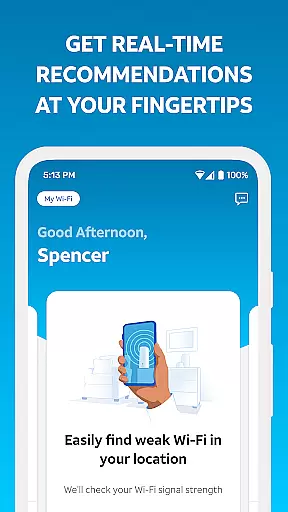
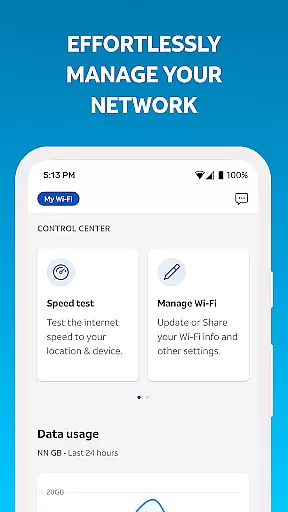
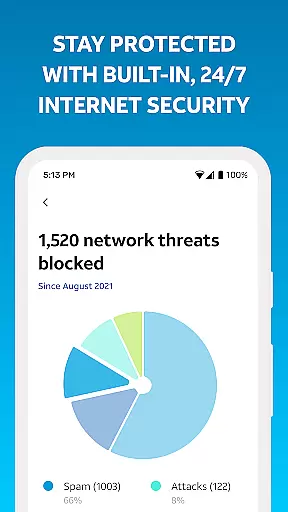
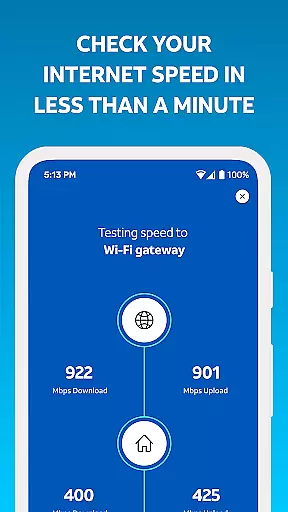
Smart Home Manager is a comprehensive productivity app designed to simplify the management of your AT&T Internet service. The application provides an intuitive interface for effortless self-setup and network administration, eliminating the need for technician visits. With this tool, users can easily modify Wi-Fi settings, monitor connected devices, and personalize their home network environment.
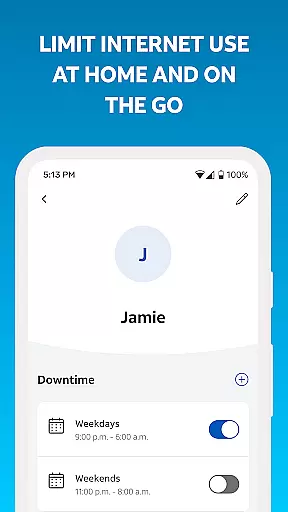
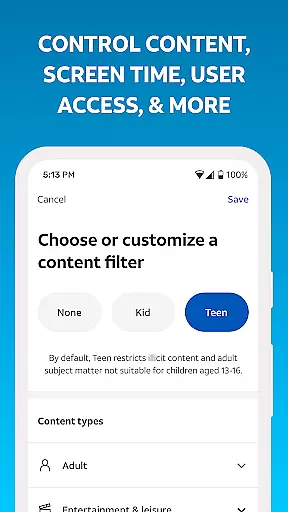
Beyond basic setup, Smart Home Manager excels in advanced network control features. Users can create customized profiles for family members, establish parental controls, and manage screen time through downtime schedules. The app also enables temporary Wi-Fi pausing for specific devices, performs speed tests, and identifies weak signal areas within the home. These capabilities make it an essential tool for optimizing both home network performance and family digital well-being.
The application's value extends to proactive network maintenance, providing real-time health monitoring and instant notifications about service issues. Customers can remotely restart their Wi-Fi gateway and receive alerts about outages, ensuring minimal disruption to their internet service. This combination of setup assistance, network management tools, and monitoring capabilities makes Smart Home Manager particularly valuable for households seeking complete control over their smart home ecosystem.
Smart Home Manager distinguishes itself through its extensive feature set that addresses multiple aspects of home network management. The app's troubleshooting capabilities are exceptional, offering clear, step-by-step guidance for resolving common connectivity issues without requiring technical expertise. Its Wi-Fi management tools provide granular control over network settings, allowing users to modify SSID information and view all connected devices with ease.
A standout feature is the comprehensive parental control system, which enables parents to create detailed usage profiles for each family member. These profiles can restrict access based on time schedules or block inappropriate content, helping maintain healthy digital habits. The app's network diagnostic tools are equally impressive, offering precise speed measurements and visual heatmaps to identify coverage gaps within the home.
Additional notable features include remote gateway management, automatic outage notifications, and device-specific access controls. Each feature is implemented with user-friendliness in mind, ensuring that even non-technical users can effectively manage complex network settings. The app's integration with AT&T's infrastructure provides real-time data accuracy and immediate action capabilities, setting it apart from generic network management solutions.
Task management is a cornerstone of productivity applications, and Smart Home Manager excels in this area by providing users with comprehensive tools to manage their home network efficiently.
The app allows users to create and customize profiles for each family member, set parental controls, and establish downtime schedules to manage screen time effectively. This ensures that the household's internet usage aligns with the parents' preferences and children's needs.
Additionally, Smart Home Manager offers features such as pausing Wi-Fi access for specific devices, testing Internet speed, and pinpointing weak signal spots throughout the home. These capabilities empower users to maintain optimal network performance and address connectivity issues promptly.
By integrating these robust task management features into an intuitive interface, Smart Home Manager simplifies complex network management tasks, making it accessible even for non-technical users. This results in a streamlined and efficient home network management experience.
Cross-device synchronization is vital for ensuring that all your devices are aligned and functioning optimally within the same network environment. Smart Home Manager provides reliable synchronization across various devices connected to your home Wi-Fi.
With the ability to view and update your Wi-Fi network name and password easily, users can ensure that all devices are synchronized with the latest network credentials. This feature prevents connectivity issues arising from mismatched settings across devices.
Smart Home Manager also enables users to see whatu2019s connected to their network and personalize all device names. This visibility and control allow for seamless management of multiple devices, ensuring they work harmoniously within the network.
By delivering consistent and reliable cross-device synchronization, Smart Home Manager enhances the overall user experience, providing peace of mind that all devices are managed effectively under one cohesive system.
User-friendly interface
Comprehensive network control
Effective parental management
Real-time issue detection
Remote troubleshooting tools
AT&T customer exclusive
Gateway model restrictions
Limited to home networks
Internet connection required
Advanced features locked

A Revolutionary All-in-One Artificial Intelligence Tools
 3.80
3.80
Client for Nextcloud Deck
4.60
Experience real multitasking on your Android!
4.00
Send files, sync SMS, notifications & clipboard across devices via local network
4.40
Smart PDF reader & editor to view, organize and manage PDF documents easily.
3.70
CalenGoo is a very flexible and feature-rich calendar app
4.40
Docker, Kubernetes management over Portainer Mobile
4.40
To do list widget with a notebook organizer, checklist, simple shopping list
4.60
Seamlessly read, manage, and organize all your PDF files solution in one place
4.40
Mind Map and brainstorm, note taking and idea collection
4.80
Tally and goal counter for Wear OS & mobile
4.50
A lightweight JSON & XML files creator, editor and viewer (Premium Version)
4.40
Total remote control for your Android device, PC and cloud services (IFTTT)!
4.20
Take control of your clipboard with Clipper!
3.90
Code on-the-go with VScode for Android. Edit,debug and collaborate from mobile!!
3.10


User Reviews