
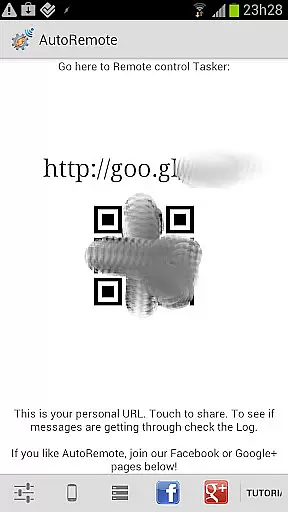
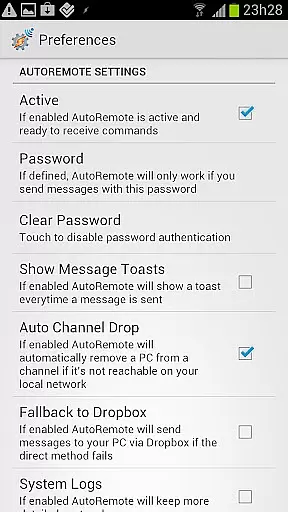
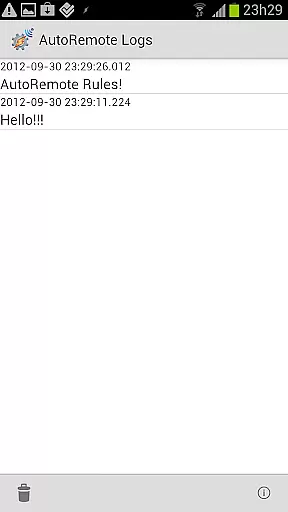
AutoRemote is a powerful productivity tool that allows users to remotely control their devices, including phones, PCs, and web services. With seamless IFTTT integration, it enables you to send push notifications between devices and trigger actions through Tasker or standalone apps. This versatile system provides unprecedented control, allowing you to manage your Android device from a PC, control your PC from your phone, or even interact with hundreds of web services like Facebook and Twitter.
The true strength of AutoRemote lies in its flexibility and customization options. You can set up bi-directional messaging between devices, share links or text via the Android Share menu, and use advanced matching options for commands. Whether you want to locate your phone, receive spoken reminders, or automate complex tasks, AutoRemote adapts to your needs. Its customizable command system makes it suitable for both simple and advanced use cases, offering limitless possibilities for personal and professional automation.
AutoRemote stands out with its extensive feature set designed for maximum control and automation. The app supports device-to-device and PC-to-device messaging, enabling you to control one device from another regardless of location. It integrates seamlessly with Tasker, allowing you to create sophisticated profiles that react to specific messages or commands. For instance, you can request your phone's location and have it displayed on another device's map.
Another key feature is the ability to use the Android Share menu to directly send links or content to other devices. Imagine starting a YouTube video on your phone and instantly transferring it to your tablet for a better viewing experience. Additionally, AutoRemote offers advanced command matching and flexible URL-based triggers, making it compatible with various automation tools like EventGhost and Zapier. These features, combined with its robust customization options, make AutoRemote an indispensable tool for power users seeking to optimize their workflows.
Task management is a cornerstone of productivity applications, and AutoRemote excels in this area by offering users unprecedented control over their devices. This application allows you to send push notifications to your phone and react to them through Tasker or standalone AutoRemote apps, ensuring that tasks are managed efficiently and effectively.
The app provides advanced matching options and a flexible command system, allowing for the creation of highly customized task management solutions. Whether it's setting up an AutoRemote profile in Tasker to react to specific messages or creating commands that trigger actions on your device, AutoRemote ensures that your task management process is both powerful and personalized.
With AutoRemote, users can enjoy bi-directional messaging between devices, enabling them to control one device from another or even from a PC. Imagine requesting your phone's location and having it displayed on a map on your tablet or PC, streamlining the way you manage tasks across different platforms.
Cross-device synchronization is vital for maintaining productivity in a multi-device environment, and AutoRemote offers reliable and seamless synchronization across all your devices. By integrating with Tasker, AutoRemote enables users to synchronize data and commands effortlessly between their phone, PC, and web services, ensuring that all your devices are always in sync.
This synchronization extends beyond simple data sharing; it includes the ability to directly share links or text via the regular Share menu in Android. For instance, if you're watching a YouTube video on your phone, you can easily open it on your tablet for a better viewing experience, demonstrating the app's commitment to enhancing cross-device interactions.
AutoRemote also supports device-to-device or PC-to-device messaging, which means you can control one of your devices from another or even from your PC. This feature not only enhances convenience but also boosts productivity by allowing users to perform tasks remotely, such as sending a shopping list to a spouse or locating a misplaced phone, thereby ensuring that your digital life remains organized and efficient.
Highly customizable
IFTTT integration
Bi-directional messaging
Cross-platform support
Advanced automation
Complex for beginners
Requires Tasker
Limited iOS support
Steep learning curve
Premium features locked

Take control of your clipboard with Clipper!
 3.90
3.90
Ads Free App! Editor, Hide File, Copy, Move, Delete and Rename.. all facility av
1.70
8 custom complications. Custom Time Fonts. Beautiful color schemes. A++ Design.
5.00
Smart PDF reader & editor to view, organize and manage PDF documents easily.
3.70
Protect and view your important info on your phone and tablet with eWallet®
4.80
Make apps & sites with natural language prompts
4.10
Activate Two Factor Authentication (2FA or Multi OTP), Password manager and more
4.10
Docker, Kubernetes management over Portainer Mobile
4.40
A beautiful digital clock with autostart and many other functions
4.70
Use powerful, industry-leading AI tools to generate visual charts from any data
4.80
Quickly and easily keep track of your work shifts
4.70
Scan paperwork into PDF/JPG, generate your own e-signature and send fax or email
4.70
The Pro Version of Android's tiniest Notepad app. Just 0.3MB but feature-packed!
4.60
Planet Free VPN - The best Fast Unlimited and Secure VPN Without Logs
4.50
IP Camera Viewer - Android TV : RTSP Surveillance camera viewer for Android TV
4.4


User Reviews