
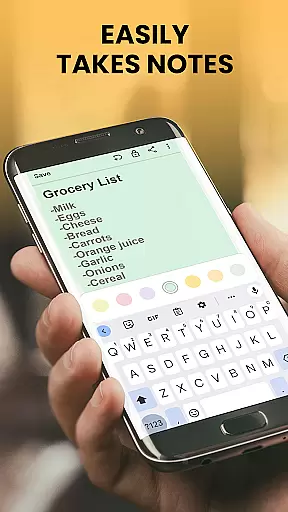
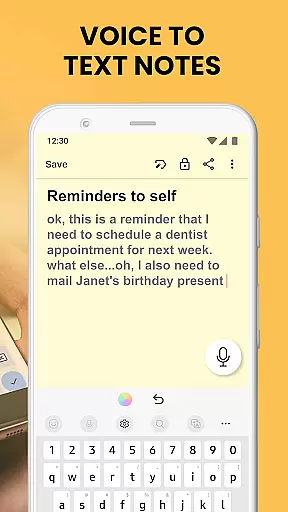
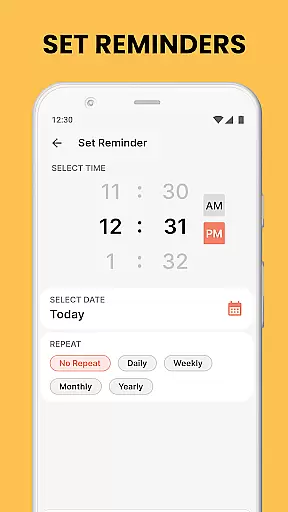
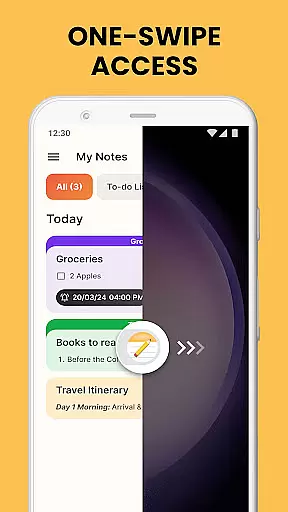
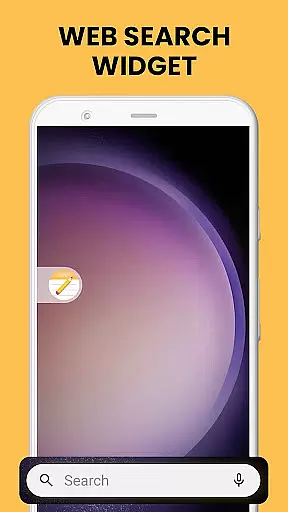
Notes Launcher is a productivity-focused application designed to streamline note-taking and task management. The app allows users to create quick notes and to-do lists with a simple right swipe from the home screen, making it an efficient tool for capturing thoughts and organizing tasks on the go. Its integration as a launcher app provides one-touch access to essential features while potentially altering the home screen layout, though all existing apps remain accessible.
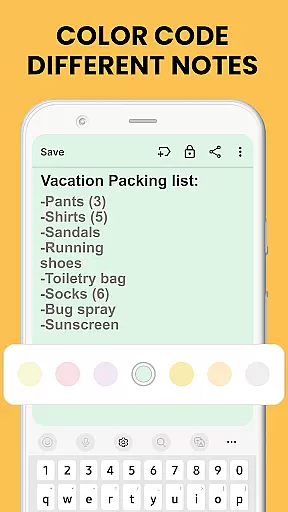
The app offers a comprehensive suite of tools including text formatting, color-coding, locking sensitive notes, categorization, sorting, and search functionalities. These features enable users to manage both personal and professional information effectively. Whether you need to organize work tasks, create shopping lists, or secure private information, Notes Launcher provides a complete solution for staying organized in everyday life.
Notes Launcher stands out with its rich feature set tailored for productivity enthusiasts. The app's one-swipe access functionality allows instant note creation, while the home screen widget displays useful information like time and weather. Users can personalize their experience with customizable wallpapers and enjoy convenient access through home screen shortcuts.
The app's core features include robust text formatting tools, allowing users to adjust font sizes, apply styles, and create lists. The color-coding system helps prioritize and categorize notes effectively. Advanced security measures let users lock sensitive information, while powerful sorting and search capabilities ensure notes are always easy to find. Additionally, the categorization feature helps group related notes, and the sharing functionality facilitates collaboration through multiple communication channels.
Task management is a cornerstone of productivity applications, and Notes Launcher excels in this area. The app provides users with the ability to create quick notes or to-do lists with a simple swipe from the home screen. This ease of access encourages users to jot down thoughts, ideas, and important information as they arise, ensuring nothing crucial is forgotten.
The application goes beyond basic note-taking by offering text formatting tools, enabling users to change font sizes, italicize or underline text, and create bulleted or numbered lists. These features allow for rich customization of notes, making them more readable and organized. Users can also categorize their notes under custom categories such as vacation checklists or emergency contacts, grouping related notes together for instant access.
Notes Launcher includes sorting filters that arrange notes by modification date or creation order, either ascending or descending. This helps users quickly find what they need without sifting through unrelated information. Additionally, the intuitive search feature allows users to enter keywords or phrases to locate relevant notes swiftly, enhancing the overall efficiency of task management.
Cross-device synchronization is vital for users who operate across multiple devices throughout their day. Notes Launcher ensures that all your notes are reliably synced across your devices, providing seamless access to your information whether you're at home, in the office, or on the go. This means any note created or updated on one device will be immediately available on all others, maintaining consistency and reliability.
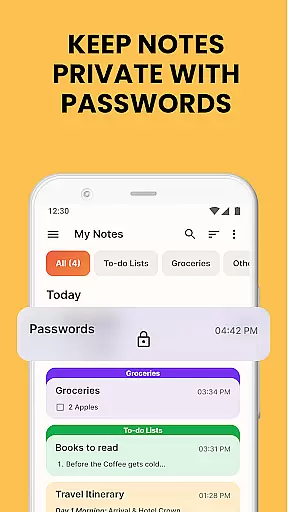
Security is a priority, and Notes Launcher offers the ability to add locks to secure sensitive information within your notes. This feature is particularly useful when synchronizing data across devices, as it protects your confidential information like passwords, bank account details, and medical prescriptions from unauthorized access.
In addition to security, the app supports sharing notes with family and friends through email, social media, and other messaging apps. Whether planning a travel itinerary or collaborating on a group project, this functionality facilitates communication and coordination among team members. With reliable cross-device synchronization, users can rest assured that shared notes are up-to-date and accessible to all parties involved.
User-friendly interface
Comprehensive feature set
Secure note-locking system
Efficient task management
Customizable home screen
Home screen layout changes
Feature learning curve
Limited widget options
No cloud sync
Basic free version

Total remote control for your Android device, PC and cloud services (IFTTT)!
 4.20
4.20
We're working to become the best machining app on the market! www.cncdirt.com
4.80
App Lock with fingerprint, password: Lock apps & hide photos with lock screens
4.60
Enjoy classic gameplay with customizable features and retro-style graphics.
4.30
Code on-the-go with VScode for Android. Edit,debug and collaborate from mobile!!
3.10
Best Tool for the professionals Electrician, Electrical contractors, etc.
4.90
Lightweight PDF, Word, Excel reader.
4.60
Understand anything with a personalized AI research assistant
4.80
Simple notepad & memo. Take notes, to-do list, shopping list with reminders.
4.80
Use powerful, industry-leading AI tools to generate visual charts from any data
4.80
aCalendar+ makes your day, week and month
4.70
Calendar 2023 widget for Android. Appointment scheduler, planner, and reminder
4.60
All in One PDF Reader: Manage, Read and Edit your Documents
4.20
Todo reminder
4.10
Remotely view listen control and record cameras.
3.70


User Reviews