
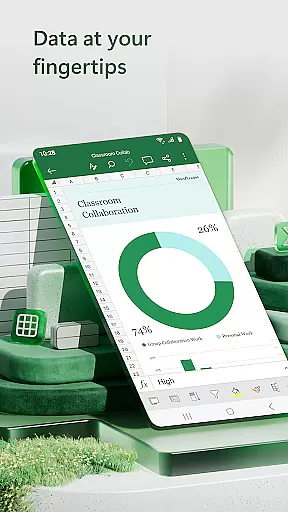


Microsoft Excel is the leading spreadsheet application that empowers users to create, edit, and share professional-grade documents directly from their mobile devices. The app provides a comprehensive suite of tools for budgeting, data analytics, chart creation, and financial management. With its intuitive interface, Excel allows users to seamlessly work on spreadsheets, pivot tables, and charts while on the go.
The app's powerful features include built-in templates for budgets, task lists, and financial analysis, along with familiar formulas and calculation tools. Users can track expenses, manage finances, and visualize data through dynamic charts and pivot tables. Excel's collaboration capabilities enable real-time sharing and editing, making it an essential tool for both personal productivity and business use.
Whether you're managing personal finances or conducting complex data analysis for work, Microsoft Excel delivers a robust solution that streamlines workflows and enhances productivity. Its cross-device compatibility ensures consistent performance across smartphones, tablets, and desktops, providing a unified experience for all users.
Microsoft Excel stands out with its extensive feature set tailored for productivity and data management. The app offers modern spreadsheet templates designed for various tasks such as budgeting, accounting, and project management. These templates come equipped with pre-built formulas and formatting options, enabling users to quickly generate professional-looking documents without starting from scratch.
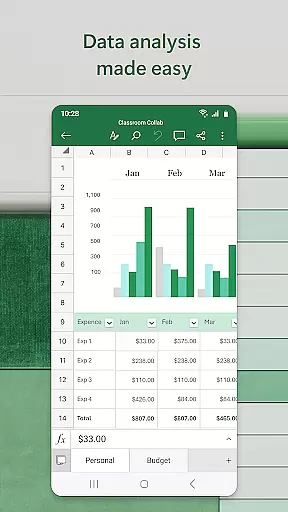
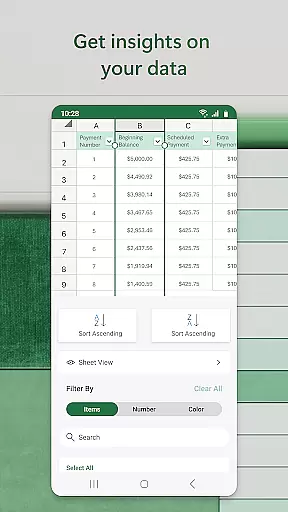
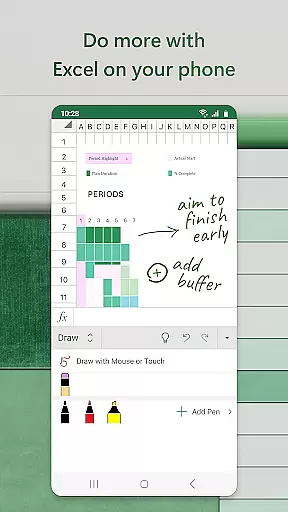
Data visualization is another key strength of Excel. The app includes advanced chart-making tools that allow users to create dynamic visual representations of their data. Features like pivot tables, data filtering, and conditional formatting help users analyze information more effectively. Additionally, the draw tab functionality on touch-enabled devices lets users annotate worksheets, create shapes, and write equations directly on the screen.
Collaboration is seamlessly integrated into Excel's workflow. Users can easily share files with colleagues and collaborate in real-time through cloud integration. The app supports commenting and tracking changes, making team projects more efficient. With Microsoft 365 subscription, users gain access to premium features including AI-powered insights and advanced security options, further enhancing the overall value proposition of this productivity powerhouse.
Task management is a cornerstone of productivity applications, and Microsoft Excel excels in this area. The app provides users with the ability to create, organize, and prioritize tasks through spreadsheets and templates designed for project management.
Excel's functionality allows for seamless tracking of deadlines, milestones, and responsibilities. Users can employ built-in features such as conditional formatting and data validation to ensure that tasks are completed on time and according to specifications.
The real value for users lies in the customization options available within Excel. Whether it's creating Gantt charts for visualizing project timelines or setting up automated reminders for upcoming deadlines, Excel adapts to various task management styles and needs.
With its robust feature set, Excel empowers users to manage their work efficiently, ensuring that nothing falls through the cracks. This leads to improved productivity and better outcomes for both individual and team projects.
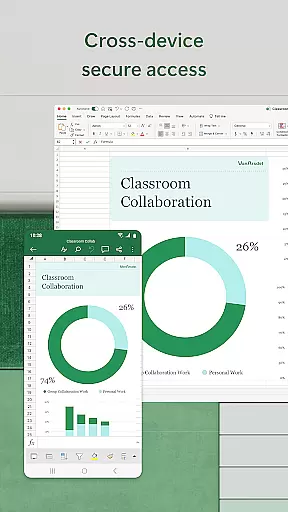
Cross-device synchronization is vital for users who need consistent access to their data across multiple platforms. Microsoft Excel offers reliable synchronization capabilities that ensure your spreadsheets are always up-to-date, no matter which device you're using.
By leveraging cloud technology, Excel allows users to start a task on one device and continue it on another without missing a beat. Any changes made to documents are automatically saved and synced across all linked devices, providing a seamless experience.
This level of synchronization reliability not only saves time but also enhances collaboration. Team members can work together in real-time, making edits and updates that are instantly visible to everyone involved in the project.
Ultimately, Excel's cross-device synchronization ensures that whether you're switching from desktop to mobile or sharing files with colleagues, your data remains accessible, secure, and current, thus supporting an agile and responsive workflow.
Comprehensive feature set
Intuitive user interface
Powerful data analysis tools
Seamless cross-device sync
Robust collaboration options
Complex for beginners
Subscription fees apply
Advanced features locked
Resource-intensive app
Limited offline functionality

Unlock AutoNotification
 4.00
4.00
8 custom complications. Custom Time Fonts. Beautiful color schemes. A++ Design.
5.00
Send files, sync SMS, notifications & clipboard across devices via local network
4.40
A simple, portable logger for POTA, SOTA, Field Day, and more
4.1
Todo reminder
4.10
Easiest event planning, volunteer signups & parent teacher conference scheduling
2.20
Cloud storage, automatic phone backup, and more.
4.10
Secure your apps with lock screens, use custom themes and different features.
4.40
Scan paperwork into PDF/JPG, generate your own e-signature and send fax or email
4.70
Great calculator for Android named one of USA TODAY's "25 Essential Apps".
4.90
Android Wallet Password Manager
4.80
Understand anything with a personalized AI research assistant
4.80
The long-awaited modern gallery app for your Nextcloud server
4.70
Translate text/voice/photos in 150+ languages. Offline & fast translator app.
4.50
Access, manage and transfer files on Android, PC, Mac, NAS and cloud storages.
4.30


User Reviews