
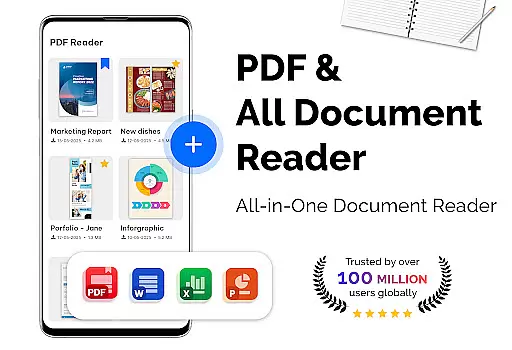
PDF Reader - PDF Viewer is a versatile productivity app designed for seamless document management. This application allows users to read, manage, and convert PDF files with exceptional speed and efficiency. The app supports all types of PDF documents, including password-protected files, making it an essential tool for both personal and professional use.
The viewer offers multiple display modes such as single page, two-page, book mode, and full-screen reading. It also provides advanced features like quick page navigation, bookmarks, and customizable themes. Whether you're working on a small mobile screen or a larger tablet display, the app's orientation options ensure optimal viewing comfort. These capabilities make it especially valuable for students, researchers, and business professionals who need reliable access to important documents.
Beyond basic viewing, the app includes powerful conversion tools. Users can transform images into PDFs, convert PDFs to JPG format, and even create new PDF documents from multiple image files. With its ability to handle large files up to 300MB quickly, this app stands out as a comprehensive solution for managing digital documents across various devices.
PDF Reader - PDF Viewer distinguishes itself through its comprehensive feature set tailored for productivity enthusiasts. The app employs cutting-edge technology to ensure rapid loading of even the largest PDF files, providing users with instant access to their documents. Its sophisticated display engine supports multiple viewing modes including single page, two-page spread, and immersive full-screen mode, catering to different reading preferences.
Advanced navigation features enhance the user experience significantly. The app enables precise page control through its quick page-moving function, allowing users to jump to specific pages or navigate through lengthy documents effortlessly. The bookmarking system facilitates efficient document management, while the customizable theme options (dark and light modes) ensure comfortable reading in any environment.
The app's conversion capabilities further expand its utility. Users can transform various file formats with ease - converting images to PDFs, creating PDFs from multiple image files, and extracting images from PDFs. These features, combined with its robust performance handling large files, establish PDF Reader - PDF Viewer as an indispensable tool for anyone working with digital documents.
Task management in a productivity app refers to the ability to efficiently handle various document-related tasks. PDF Reader - PDF Viewer excels in this area by offering comprehensive features for managing PDF files.
The app provides multiple display modes including single page, two-page, book mode, and full-screen reading. This flexibility allows users to choose the most suitable viewing option for their documents. The quick page navigation feature enables users to move between pages effortlessly, making document review more efficient.
With support for bookmarks, users can mark important pages for easy access later. This feature is particularly useful for navigating lengthy documents or referencing specific sections frequently. Additionally, the app's ability to handle password-protected PDFs ensures that all necessary documents can be managed securely.
The inclusion of both light and dark themes enhances usability across different environments and personal preferences. These core task management features collectively create a robust system for handling PDF documents effectively, saving users valuable time and effort in their daily workflow.
Cross-device synchronization is crucial for modern productivity tools, enabling seamless access to documents across multiple devices. While PDF Reader - PDF Viewer primarily focuses on local file management, it incorporates several features that support reliable document handling.
The app's ability to process large PDF files up to 300MB quickly ensures that users can work efficiently regardless of their device. This performance consistency across different hardware configurations provides a reliable experience when accessing documents from various devices.
Although the app doesn't offer cloud synchronization, its comprehensive file conversion capabilities - including PDF to image and image to PDF functions - allow users to easily transfer and access document content across devices through alternative sharing methods.
The consistent user interface and feature set guarantee that users can expect the same level of functionality and performance whether they're using the app on their primary or secondary device. This reliability in document processing makes the app a dependable choice for managing PDF files across different work environments.
User-friendly interface
Fast PDF rendering
Comprehensive file support
Advanced display options
Powerful conversion tools
Limited collaboration features
No cloud integration
Premium feature lock
Occasional ads
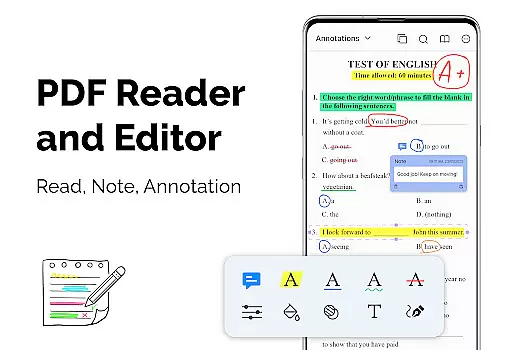
Basic annotation tools

Secure, fast, open-source, VNC and SSH Remote Desktop for Windows, Linux and Mac
 4.70
4.70
Unlock AutoNotification
4.00
All in one sketching tool. Technical and General drawing. Online Maps support.
3.70
The Pro Version of Android's tiniest Notepad app. Just 0.3MB but feature-packed!
4.60
Absolutely the best CNC machinist speed and feed calculator around. fswizard.com
4.60
App Lock with fingerprint, password: Lock apps & hide photos with lock screens
4.60
A beautiful digital clock with autostart and many other functions
4.70
Experience and share your SolidWorks designs on your Android® phone and tablet.
2.50
Okta MFA
4.70
Scientific calculator for Android - looks and operates like the real thing!
4.90
Send files, sync SMS, notifications & clipboard across devices via local network
4.40
This small app MUST BE INSTALLED after purchase, else license won't work
4.40
A customizable calendar for your Wear OS watch
4.20
Customizable calendar widget for seamless event sync, planning & scheduling.
4.00
ID.me Authenticator is a simple and free Two Factor Authentication solution
3.50


User Reviews