
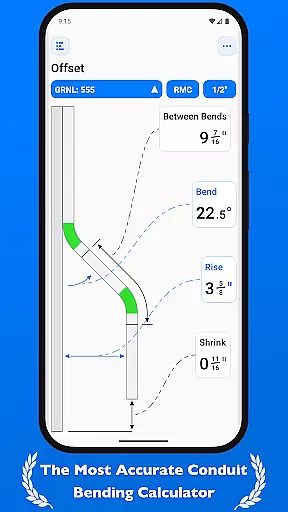
QuickBend is a cutting-edge conduit bending calculator app designed for precision and ease of use. It stands out by offering the most accurate measurements, accounting for the radius of the shoe and bender, conduit type, and size diameter. The app employs a centerline radius algorithm to ensure rigorous and field-tested calculations, making it an indispensable tool for electricians and DIY enthusiasts alike.
Beyond its core functionality, QuickBend provides an intuitive interface for inputting data, allowing users to toggle between inches and centimeters. Its innovative features include QuickCheck, which uses color-coded text to indicate the feasibility of a bend, thus preventing mistakes and saving valuable time and resources. Whether you're a seasoned professional or a novice, QuickBend supports a wide array of bends and layouts, ensuring adaptability and convenience in every project.
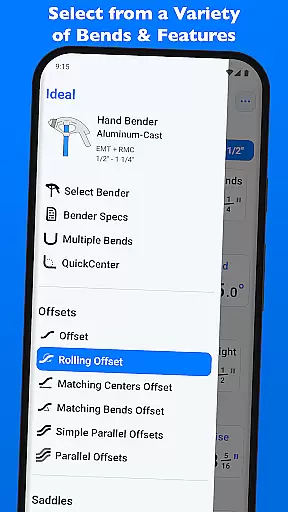
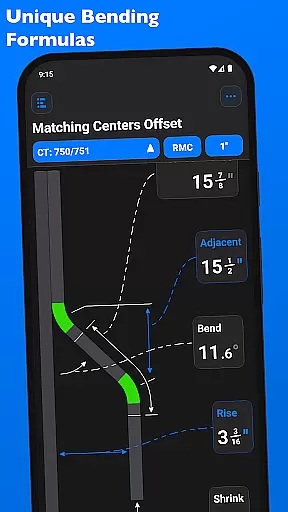
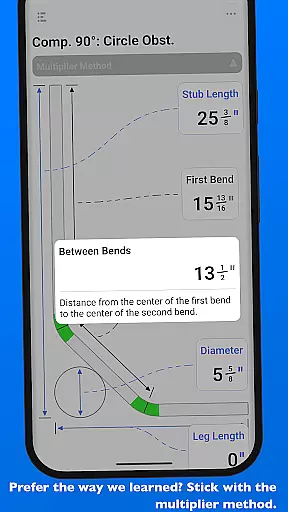
QuickBend boasts an array of sophisticated features tailored for productivity and accuracy. One standout feature is its support for various types of bends, including Offset, Rolling Offset, and Compound 90° bends, among others. This versatility ensures that users can execute complex conduit designs with confidence.
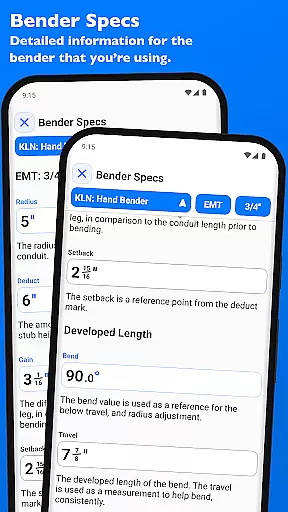
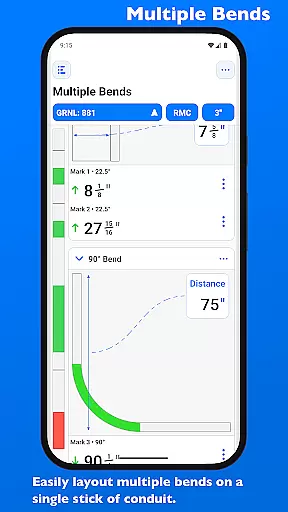
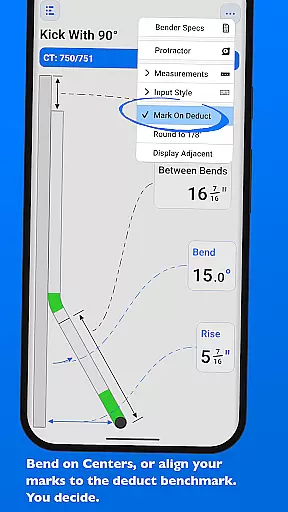
The app also allows users to layout multiple bends on a single conduit and obtain precise measurements for each mark. With options to easily adjust individual or sets of marks per bend, QuickBend streamlines the bending process. Additionally, users can edit and view detailed specifications of their benders, such as centerline radius and setback, all visualized within the 'Bender Specs' section, enhancing both control and customization.
QuickBend revolutionizes task management for electricians and DIY enthusiasts by offering precise calculations and detailed documentation for a variety of bends. This app is designed to be both innovative and intuitive, ensuring that users can efficiently manage their bending tasks without the risk of errors.
The app supports an extensive range of bend types including Offset, Rolling Offset, Three-Point Saddle, and many more. Each calculation takes into account critical factors such as the radius of the shoe and bender, conduit type, and size diameter. These measurements are generated using the centerline radius algorithm, rigorously processed and field-tested for accuracy.
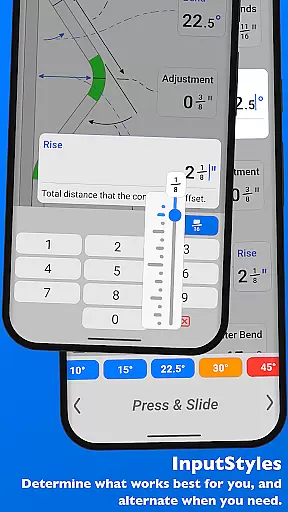
QuickBend's interface allows seamless switching between different input styles like a number pad or slider bar, catering to user preferences and enhancing productivity. Whether you're a seasoned professional or a novice, QuickBend provides the tools necessary to complete tasks accurately and efficiently.
Additionally, QuickBend includes features like QuickCheck, which uses text color changes to indicate the feasibility of a bend, saving time and resources. With its comprehensive task management capabilities, QuickBend ensures that every project is completed with precision and ease.
One of QuickBend's standout features is its reliable cross-device synchronization, allowing users to access their projects and data from multiple devices without any loss of information. This ensures that whether you're in the office or on-site, your work remains consistent and up-to-date.
QuickBend offers cloud-based synchronization that updates your data in real-time across all linked devices. This means that any changes made to your bending calculations or project specifications are immediately reflected everywhere, providing a seamless experience no matter where you are working from.
The app also allows users to pin frequently used benders, making it easy to switch between them quickly without the need for constant scrolling. This feature enhances workflow efficiency, especially when working across different devices, as your preferred settings and tools remain easily accessible.
Furthermore, QuickBend's synchronization reliability extends to its detailed 'Bender Specs' section, where users can edit and view all bender specifications. Detailed information on centerline radius, deduct, gain, setback, and more is readily available and consistently updated, ensuring that your data integrity is maintained across all platforms.
Accurate measurements
User-friendly interface
Wide range of supported bends
Intuitive input methods
Time-saving features
Premium version required
Steep learning curve
Limited free features
Occasional bugs
High system requirements

AI Video AI Image Private LLM AI Browser Llama Gemma Ollama Connect LLM Studio
 4.5
4.5
Native client for Forgejo and Gitea
5.00
Total remote control for your Android device, PC and cloud services (IFTTT)!
4.20
All in one sketching tool. Technical and General drawing. Online Maps support.
3.70
CalenGoo is a very flexible and feature-rich calendar app
4.40
Font maker keyboard with your own handwriting
4.10
Simple and reliable communication between inmates, friends and family
3.20
ID.me Authenticator is a simple and free Two Factor Authentication solution
3.50
Subscribe to Webcal & .ics calendars and keep them up-to-date!
4.50
We're working to become the best machining app on the market! www.cncdirt.com
4.80
Use powerful, industry-leading AI tools to generate visual charts from any data
4.80
A Pixel Art watchface inspired by other iconic 90s designs for Wear OS devices!
4.40
When you Focus, so will your Bean in this cozy focus timer
4.30
Easily read and manage all your PDF files
4.10
⏰ Finally a timer app which can run multiple timers simultaneously on your watch
3.90


User Reviews