
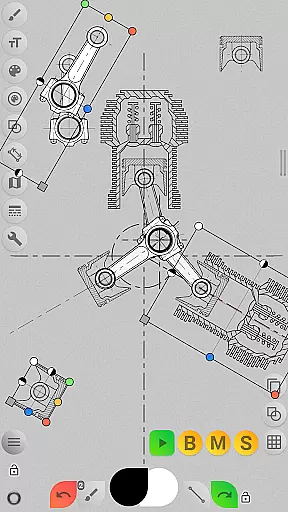
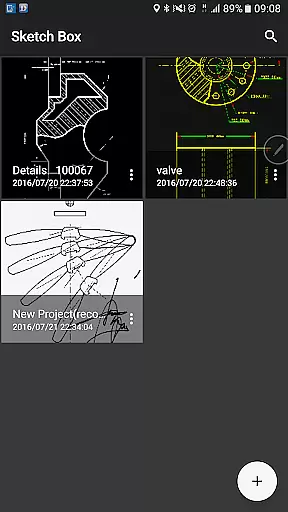
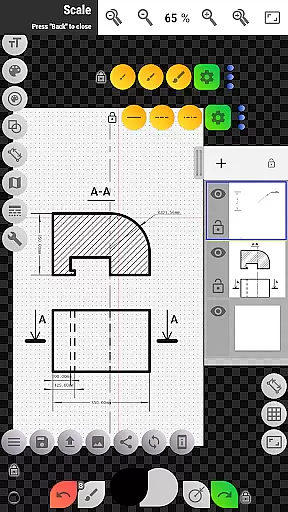
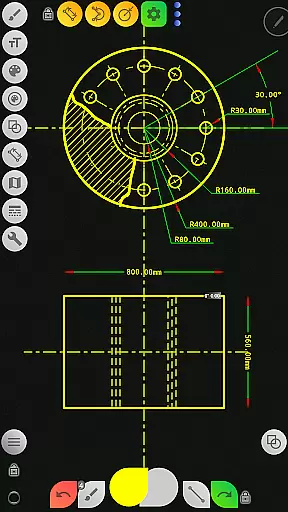
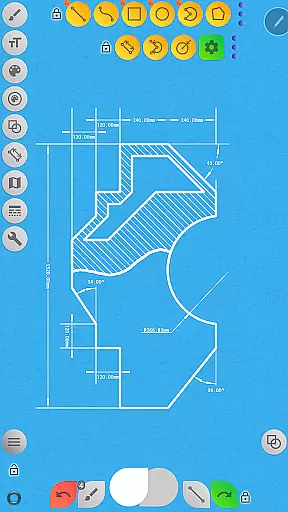
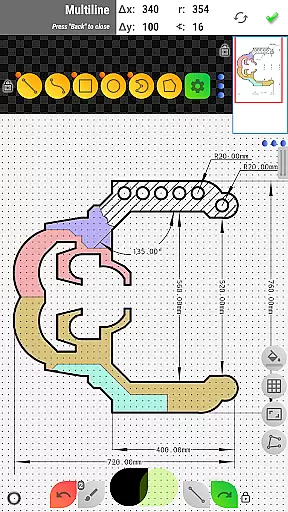

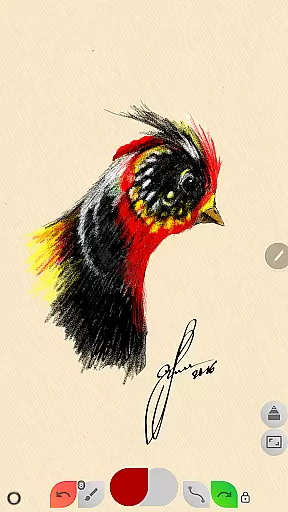
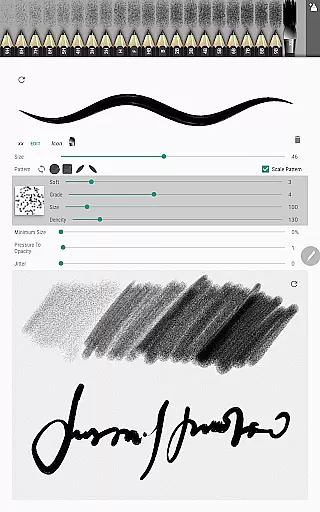
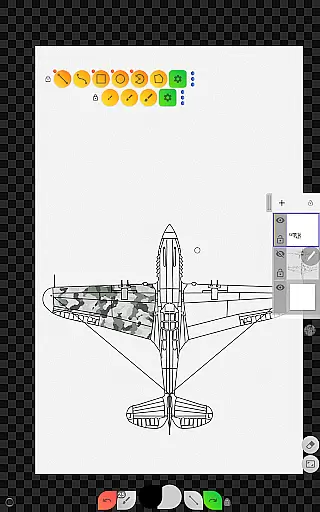
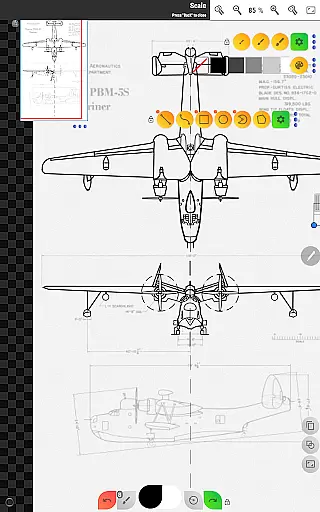
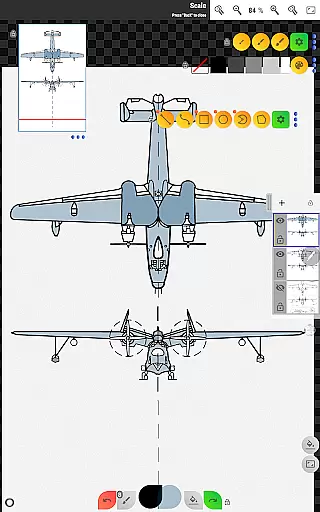
Sketch Box Pro is a versatile sketching and drawing application designed for both creative and technical users. It combines the flexibility of traditional drawing tools with advanced features typically found in CAD systems, making it suitable for a wide range of tasks from artistic sketches to precise technical drawings.
The app offers innovative tools such as the Pencil Redactor, customizable pencil sets, and an optimized Multiline tool that allows continuous drawing with various shapes. With support for online maps, interactive compass tools, and vector measurements, Sketch Box Pro enables users to create detailed drawings while incorporating real-world references. Its project-based workflow lets users start from scratch, import map snapshots, or use images from their gallery.
Whether you're an engineer needing to quickly capture ideas or an artist working on complex compositions, Sketch Box Pro provides a smooth and intuitive experience that fits right in your pocket.
Sketch Box Pro stands out with its comprehensive feature set tailored for productivity and creativity. The app supports up to six layers in the Pro version, allowing users to manage opacity, lock layers, duplicate, merge, and clear them effortlessly. This layer management system gives artists and designers greater control over their work.
One of the key highlights is the wide array of drawing tools available. From basic shapes like lines, rectangles, and arcs to specialized tools such as dimensioning, grid alignment, and hatching, the app caters to diverse drawing needs. Users can also customize brushes through the powerful Pencil Redactor and utilize the Copy Tool to duplicate parts of their artwork across layers or projects.
Additionally, the Online Maps Support feature enhances functionality by enabling users to incorporate Google Maps backgrounds, measure distances, and calculate areas directly within their sketches. These capabilities make Sketch Box Pro not just a drawing app but a complete solution for professional-grade projects.
Task management is a cornerstone of productivity applications, and Sketch Box Pro excels in this area by offering project-based drawing and sketching. This functionality allows users to organize their work efficiently, ensuring that ideas and projects are systematically managed.
Sketch Box Pro supports creating projects from three distinct sources: starting a new project from scratch with predefined themes, importing a snapshot from online maps, or using an image from the device gallery. This versatility ensures that users can manage tasks according to their specific needs and preferences.
The application provides robust tools for task handling, such as layers support with features like locking, opacity control, duplication, and merging. These capabilities enable users to manage complex projects with ease, providing a structured approach to task organization and execution.
By integrating these comprehensive task management features, Sketch Box Pro empowers users to maintain an organized workflow, enhancing productivity and ensuring that projects are completed efficiently and effectively.
Cross-device synchronization is vital for users who operate on multiple devices, ensuring that their work is accessible and up-to-date across all platforms. Sketch Box Pro addresses this need by providing reliable synchronization features that keep projects consistent and current.
With Sketch Box Pro, users can create and manage projects that are stored locally on their device, but also have the option to export drawings to the gallery or share them directly. This feature facilitates seamless transitions between devices, allowing users to pick up where they left off without missing a beat.
Moreover, the app's support for importing images from the device gallery and its compatibility with online maps enhance its synchronization capabilities. Users can incorporate various media types into their projects and access them across devices, ensuring that all components are synchronized and readily available.
By prioritizing cross-device synchronization reliability, Sketch Box Pro ensures that users can work flexibly and efficiently, regardless of their location or the device they are using. This reliability fosters a cohesive and uninterrupted workflow, greatly benefiting the user's productivity.
User-friendly interface
Advanced drawing tools
Excellent layer management
Real-time collaboration options
Versatile export settings
Limited free version
Occasional performance lags
Steep learning curve
No cloud sync
High system requirements

A Revolutionary All-in-One Artificial Intelligence Tools
 3.80
3.80
When you Focus, so will your Bean in this cozy focus timer
4.30
Take control of your clipboard with Clipper!
3.90
Mega cloud explorer plugin for Solid Explorer
3.80
Font maker keyboard with your own handwriting
4.10
Cloud storage, automatic phone backup, and more.
4.10
Docker, Kubernetes management over Portainer Mobile
4.40
Seamlessly read, manage, and organize all your PDF files solution in one place
4.40
Set up, print, and get support—in one place
4.20
Protect and view your important info on your phone and tablet with eWallet®
4.80
Translate text/voice/photos in 150+ languages. Offline & fast translator app.
4.50
Send files, sync SMS, notifications & clipboard across devices via local network
4.40
Access, manage and transfer files on Android, PC, Mac, NAS and cloud storages.
4.30
A customizable calendar for your Wear OS watch
4.20
Make your handwriting beautiful, even more than pen on paper.
3.60


User Reviews