
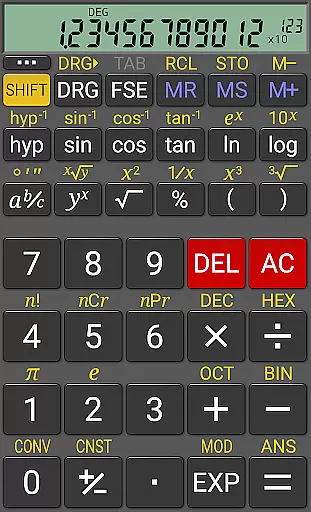
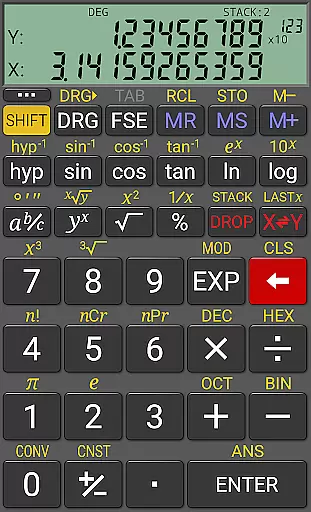
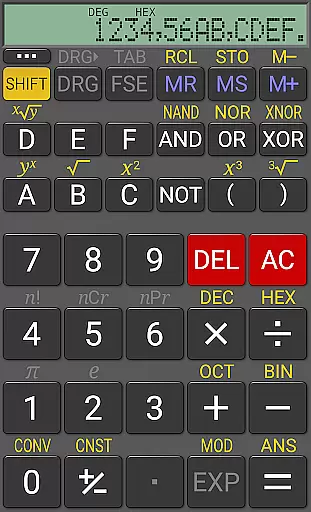
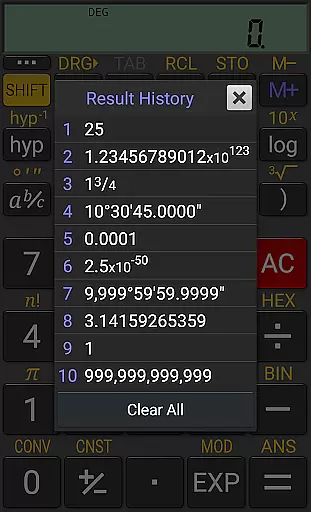
RealCalc Plus is the advanced version of RealCalc, a leading scientific calculator on Android. It mirrors the functionality of a real hand-held calculator and includes all standard scientific functions plus additional capabilities such as fraction calculations, degrees/minutes/seconds conversions, and history tracking. The app also offers customizable unit conversions, constants, and supports binary, octal, and hexadecimal calculations.
Designed for productivity, RealCalc Plus features a 12-digit display with extended internal precision up to 32 digits. Users can choose from various display styles and formats including scientific, engineering, and fixed-point modes. With an optional RPN mode, three different RPN styles, and full help included within the app, it ensures ease of use while delivering powerful computational abilities.
This application is ideal for students, engineers, and professionals who require precise calculations in their work or study. Its comprehensive feature set makes complex calculations straightforward and efficient, providing significant value to users who need reliable scientific computation tools on their mobile devices.
RealCalc Plus stands out with its extensive feature set tailored for diverse calculation needs. It supports both traditional algebraic and RPN operations, offering flexibility in how calculations are performed. Fraction calculations and conversions to/from decimals, along with degrees/minutes/seconds handling, provide specialized tools that cater to specific professional requirements.
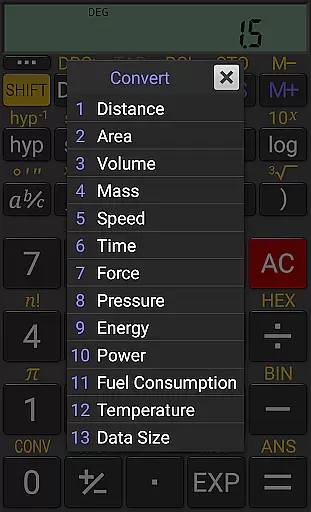
The app includes 10 memories and result history, ensuring users can save and revisit important computations. User-customizable unit conversions and constants allow personalized use, adapting to individual workflow preferences. Additionally, support for binary, octal, and hexadecimal calculations extends its utility beyond basic arithmetic.
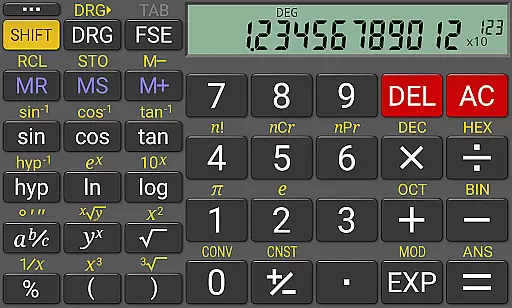
RealCalc Plus enhances user experience through configurable digit grouping, decimal points, and multiple display modes like 7-segment or dot-matrix fonts. Multi-window support with drag & drop, external keyboard compatibility, and landscape mode further augment usability, making it a versatile tool for both casual and power users seeking efficiency in scientific calculations.
For a productivity app like RealCalc Plus, core task management refers to how effectively it handles calculation tasks. This scientific calculator offers traditional algebraic or RPN operation modes, catering to different user preferences.
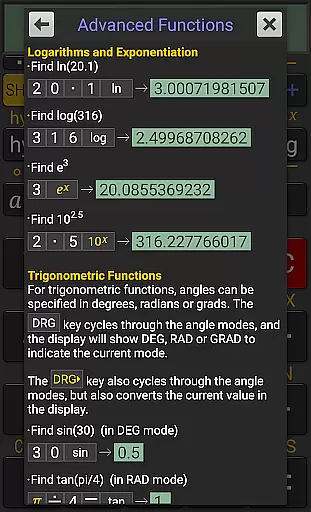
The app includes fraction calculations, degrees/minutes/seconds conversions, and trigonometric functions in degrees, radians, or grads. These features ensure users can perform a wide range of scientific and engineering calculations with precision.
RealCalc Plus supports binary, octal, and hexadecimal calculations, making it suitable for computer science and engineering professionals. The 12-digit display with extended internal precision (32-digit) ensures accuracy in all operations.
With result history, 10 memories, and multi-window support, users can efficiently manage multiple calculations simultaneously. These capabilities enhance the overall task management experience, allowing users to work faster and more accurately.
Cross-device synchronization is crucial for productivity apps. While RealCalc Plus does not emphasize cloud-based syncing, it offers other reliable features that ensure consistent performance across different Android devices.
The app's customizable settings, including unit conversions, constants, and digit grouping, remain consistent once configured. Users can trust that their personalized setup will be available on any device they use.
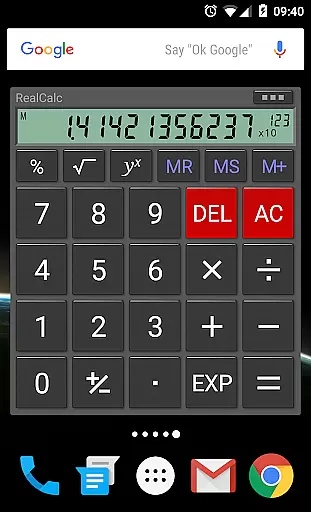
RealCalc Plus includes a homescreen widget with RPN support, providing quick access to calculations without needing to open the full application. This feature maintains operational continuity across different usage scenarios.
With external keyboard support and landscape mode, the app ensures reliable performance regardless of the device configuration. These features, combined with the three RPN styles and configurable display options, create a dependable cross-device experience for users who work on multiple Android devices.
User-friendly interface
Customizable settings
High precision calculations
Comprehensive help guide
Versatile calculation modes
Paid version only
No graphing capabilities
Limited visual themes
Advanced features may overwhelm beginners
Occasional update delays

Pwnagotchi companion app
 4.20
4.20
App Lock with fingerprint, password: Lock apps & hide photos with lock screens
4.60
Font maker keyboard with your own handwriting
4.10
PDF scanner & converter for files, photos, lottery, QR codes. One swipe away!
4.50
A Pixel Art watchface inspired by other iconic 90s designs for Wear OS devices!
4.40
Ultimate Virtual AI Character for immersive Roleplay Chat. Perfect Companion
3.90
Intelligent AI Assistant
4.10
Simple notepad & memo. Take notes, to-do list, shopping list with reminders.
4.80
AI Chatbot and AI writing assistant powered by ChatGPT.
4.60
Protect and view your important info on your phone and tablet with eWallet®
4.80
This small app MUST BE INSTALLED after purchase, else license won't work
4.40
Share files & memories safely. Keep your photos and videos secure.
4.40
Customizable calendar widget for seamless event sync, planning & scheduling.
4.00
Access your phone's notifications, calls, apps, photos & texts on your PC
3.90
Auto-shutoff Alarm with Sunrise, Sunset & Fixed Options.
3.50


User Reviews