
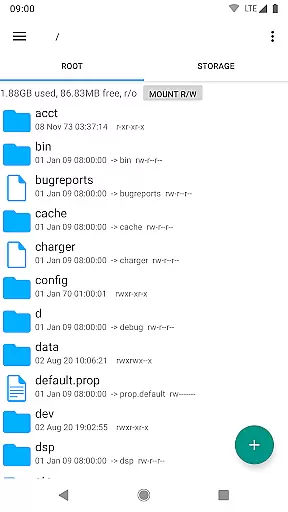
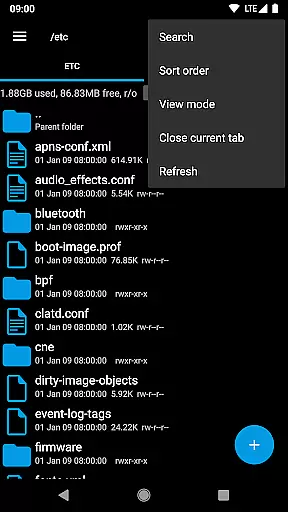
Root Explorer stands as the premier file manager tailored for root users, granting unrestricted access to Android's entire file system, including the often inaccessible data folder. This powerful tool empowers users with advanced capabilities such as multi-tab navigation, cloud storage integration, and comprehensive file manipulation options.
The app is designed for tech-savvy individuals who require granular control over their device's file structure. Whether you're a developer debugging applications or an advanced user managing system files, Root Explorer provides the necessary tools to efficiently handle complex file operations while maintaining system integrity.
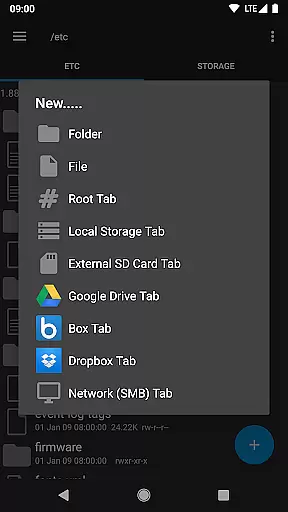
Root Explorer boasts an impressive array of features that cater to power users' needs. The application supports multiple tabs for efficient file browsing and offers seamless integration with popular cloud services like Google Drive, Dropbox, and Box. Additionally, it enables network (SMB) support for accessing shared folders across devices.
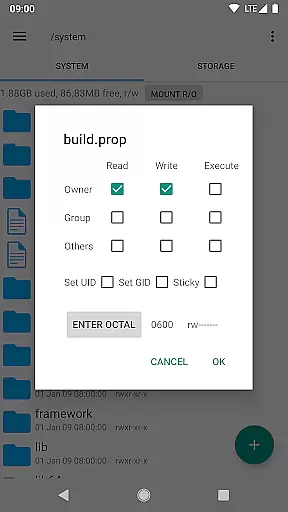
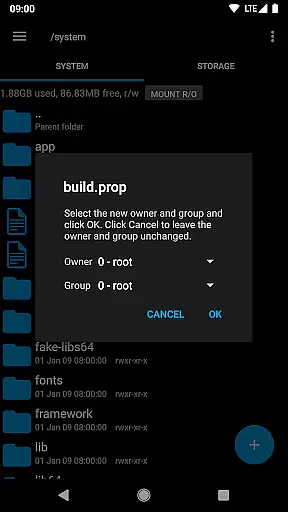
Among its standout functionalities are SQLite database viewing, text editing, and archive management capabilities. Users can create and extract various compressed file formats, view APK binary XML files, modify file permissions, and even execute scripts directly within the app. These robust features make Root Explorer an indispensable tool for anyone requiring deep system-level access.
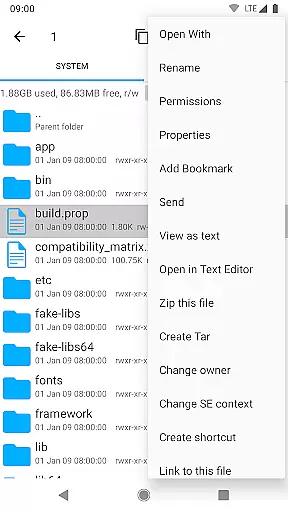
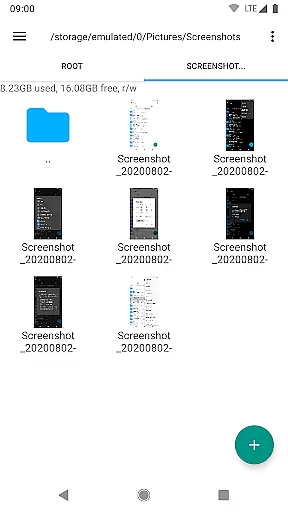
Root Explorer excels in core task management by providing users with a comprehensive suite of tools to efficiently handle files and folders. This includes multiple tabs for easy navigation, multi-select options for batch operations, and the ability to create and extract various file formats such as zip, tar, and gzip.
The app's functionality extends to executing scripts, searching through files quickly, and remounting partitions with ease. These features ensure that users can perform complex file management tasks without hassle, making it an indispensable tool for power users who require precision and speed in their workflow.
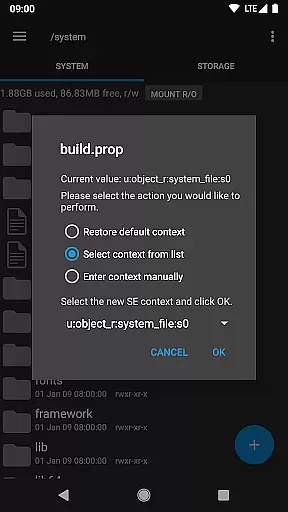
With Root Explorer, users benefit from advanced capabilities like changing file permissions, creating symbolic links, and even viewing APK binary XML files. These functions are crucial for developers and root users who need to modify system-level files and settings.
Ultimately, the app enhances productivity by streamlining essential file management tasks, allowing users to focus on their primary objectives without being bogged down by cumbersome operations.
Cross-device synchronization is a vital feature for users managing files across multiple platforms. Root Explorer ensures reliable synchronization with its support for cloud services like Google Drive, Box, and Dropbox. This integration allows seamless access to files stored in the cloud, enhancing workflow continuity and data accessibility.
In addition to cloud support, the app offers network (SMB) functionality, enabling users to connect to remote servers and shared folders effortlessly. This means that whether you're working from your desktop, tablet, or smartphone, your files are always within reach, ensuring that your projects progress smoothly without interruption.
Root Explorer also provides peace of mind with its secure handling of user data. While full network access is required for these features, no personal information is transmitted over the internet, safeguarding user privacy while maintaining high performance standards.
By focusing on reliable cross-device synchronization, Root Explorer empowers users to maintain productivity regardless of their location or device, making it an essential tool for those who demand efficiency and flexibility in their daily operations.
Unparalleled file system access
Comprehensive feature set
Intuitive multi-tab interface
Reliable customer support
Regular updates and maintenance
Paid application without free version
Complex for novice users
Root access required for full functionality
Occasional stability issues reported
Extensive permissions needed

AI Video AI Image Private LLM AI Browser Llama Gemma Ollama Connect LLM Studio
 4.0
4.0
Easily read and manage all your PDF files
4.10
Make your handwriting beautiful, even more than pen on paper.
3.60
IP Camera Viewer - Android TV : RTSP Surveillance camera viewer for Android TV
4.1
CalenGoo is a very flexible and feature-rich calendar app
4.40
Todo reminder
4.10
PDF scanner & converter for files, photos, lottery, QR codes. One swipe away!
4.50
Access, manage and transfer files on Android, PC, Mac, NAS and cloud storages.
4.30
Okta MFA
4.70
Seamlessly integrate data and reports to build your presentation to impress
4.80
Mind Map and brainstorm, note taking and idea collection
4.80
Absolutely the best CNC machinist speed and feed calculator around. fswizard.com
4.60
Pwnagotchi companion app
4.20
Create and edit presentations with Google Slides, part of Google Workspace.
4.00
Secure, open-source, SPICE and SSH Remote Desktop for QEMU KVM virtual machines
4.00


User Reviews