
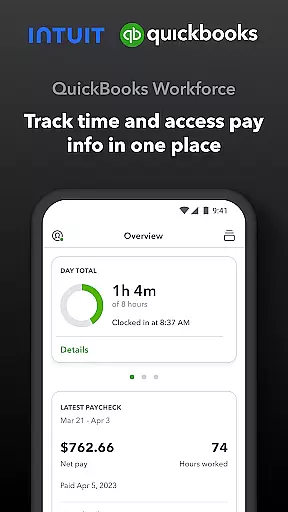
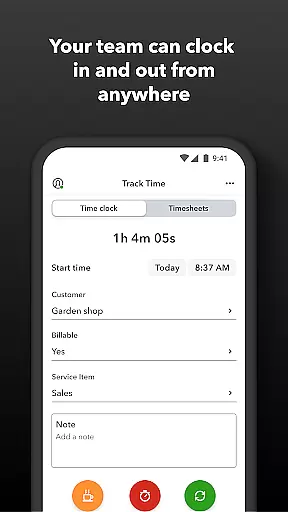
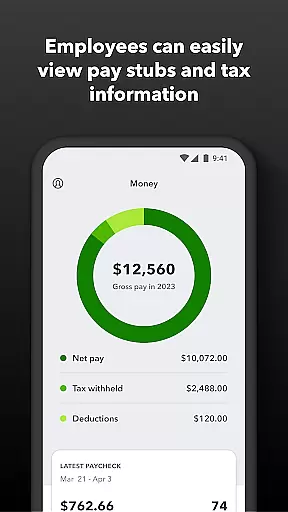
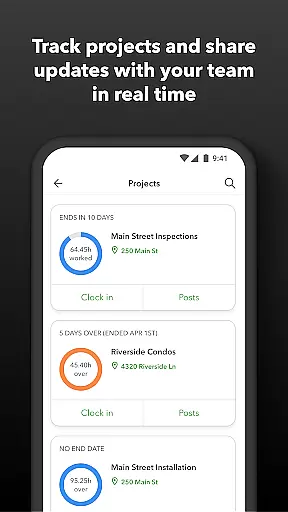
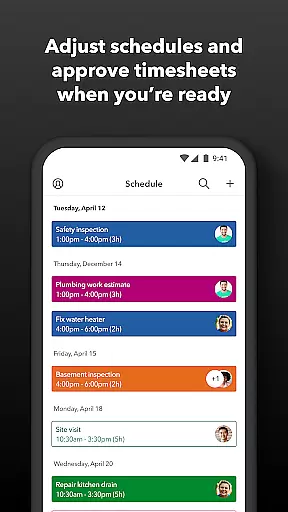
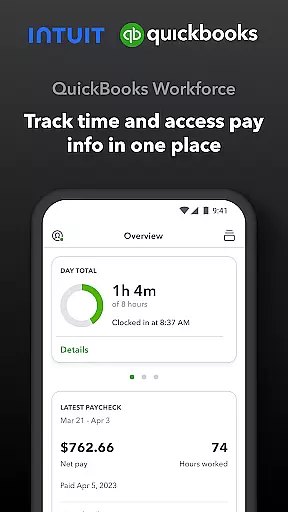
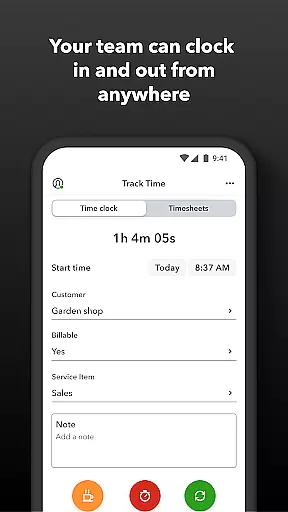
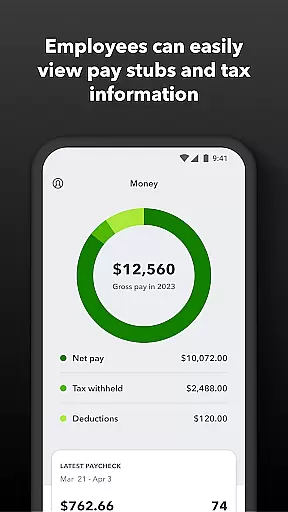
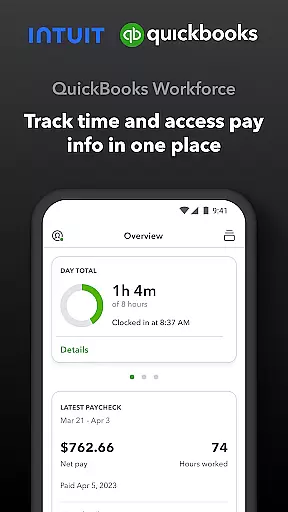
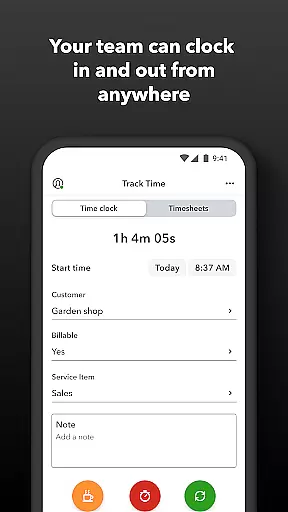
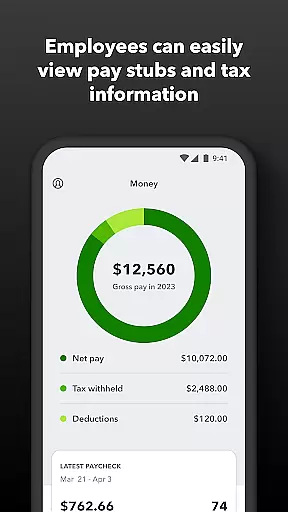
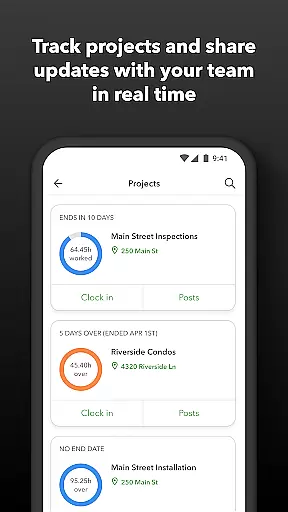
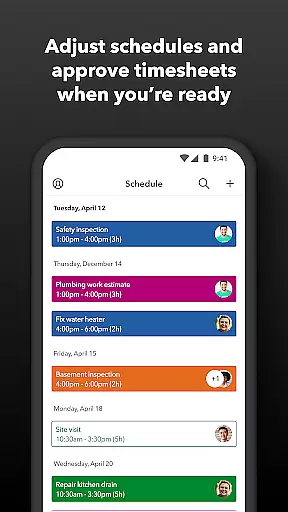
QuickBooks Workforce is a comprehensive productivity app designed for businesses using QuickBooks Payroll and QuickBooks Time. This powerful tool allows teams to conveniently view pay information and track time from a single platform. Employees can access essential documents like pay stubs and W-2s anytime, anywhere, while also managing their work schedules and tracking time through an intuitive interface.
The app offers advanced features such as GPS-based time tracking, offline clocking capabilities, and the ability to manage paid time off. For employers, it provides real-time monitoring of team activities, schedule management, and detailed reporting options. The seamless integration with QuickBooks products and other third-party software makes it an indispensable tool for improving operational efficiency and reducing administrative costs.
Whether you're a small business owner or part of a larger organization, QuickBooks Workforce helps streamline payroll processes, enhance workforce management, and ensure accurate time tracking. Its robust feature set supports both basic and advanced use cases, making it suitable for various industries and business sizes.
QuickBooks Workforce stands out with its rich feature set tailored for modern workforce management. One of its key strengths is the unified platform that combines payroll information and time tracking functionalities. Users can easily access important documents like pay stubs and W-2s, submit timesheets, and manage their schedules from a single interface.
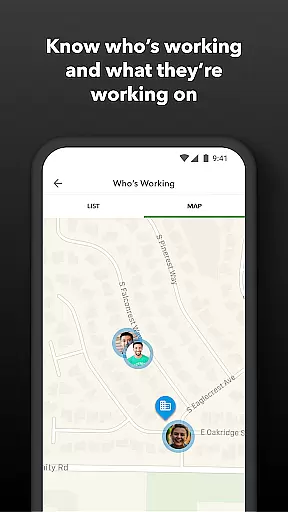
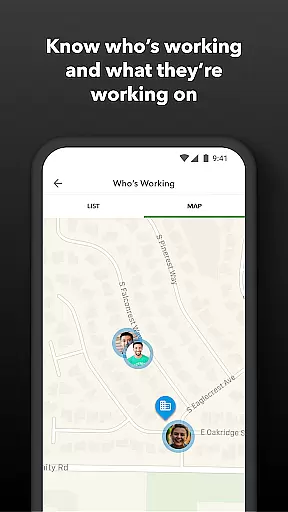
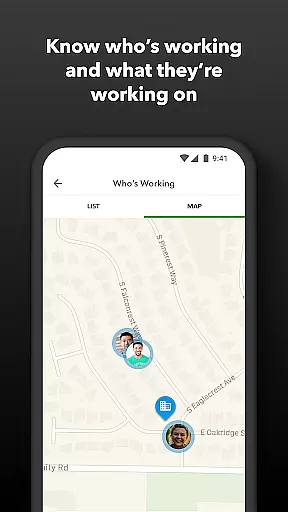
The app's innovative GPS-based time tracking ensures accurate location data, which is particularly useful for businesses with remote or field-based employees. It also supports offline functionality, allowing users to clock in and out even without internet connectivity. Employers benefit from real-time monitoring tools that provide insights into who is working and where, helping them make informed decisions about resource allocation and project timelines.
Additional features include automated alerts for missed clock-ins or potential overtime, detailed reporting options in multiple formats, and seamless integration with QuickBooks Online and Desktop versions. These capabilities not only save time but also reduce errors associated with manual data entry, ultimately leading to cost savings and improved compliance with labor regulations.
Task management is a critical component of productivity applications, enabling users to organize, track, and execute tasks efficiently. QuickBooks Workforce excels in this area by offering comprehensive tools for both employees and employers.
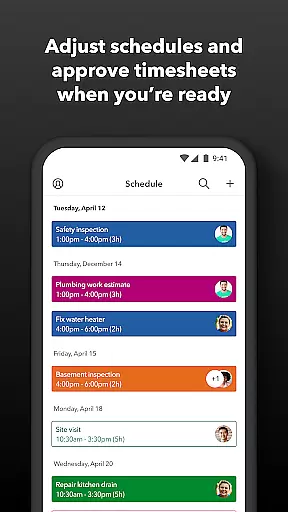
For team members, the app provides functionalities such as clocking in and out, submitting and tracking time off, editing timesheets, and managing job schedules. These features ensure that employees can manage their responsibilities effectively, even without Wi-Fi or service. Additionally, GPS location-based time tracking and project activity feeds enhance task accuracy and transparency.
Employers benefit from advanced oversight capabilities, including real-time views of who is working and where, geofencing for automatic clock-ins and reminders, and scheduling by job or shift. The ability to approve, edit, or delete timesheets, along with receiving alerts for unscheduled clock-ins or potential overtime, empowers administrators to maintain control over workforce management.
Ultimately, QuickBooks Workforce's task management features save on payroll costs, eliminate manual data entry, and integrate seamlessly with other software systems, enhancing overall operational efficiency.
Cross-device synchronization is essential for ensuring that all users have access to up-to-date information regardless of the device they use. QuickBooks Workforce offers reliable synchronization that supports both individual and collaborative work environments.
The app allows teams to view pay information and track time in one place, accessible anytime and anywhere. This means employees can access pay stubs, W-2s, and other pay info across multiple devices without any discrepancies or delays. Such reliability is crucial for maintaining accurate records and facilitating seamless workflows.
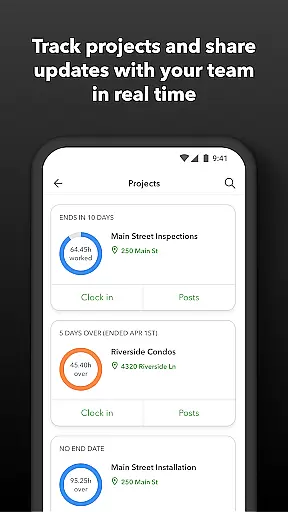
For employers, the synchronization extends to approving timesheets, creating schedules, and tracking employee productivity and project status. Real-time reports in various formats (PDF, CSV, online, HTML) are generated effortlessly, providing insights into day and week totals, vacation accruals, and more. This ensures that decision-makers have the most current data at their fingertips.
By integrating smoothly with QuickBooks Online and Desktop Payroll, as well as other payroll, accounting, and invoicing software, QuickBooks Workforce guarantees that all synchronized data remains consistent and up-to-date, thereby supporting efficient business operations.
User-friendly interface
Comprehensive time tracking
Seamless QuickBooks integration
Real-time reporting
Offline functionality
Limited free features
Subscription required
Advanced features costly
Occasional sync issues
Steep learning curve

Take control of your clipboard with Clipper!
 3.90
3.90
The Pro Version of Android's tiniest Notepad app. Just 0.3MB but feature-packed!
4.60
Device's storage information in a simple and clear graphical form (infographics)
4.10
Remotely view listen control and record cameras.
3.70
Font maker keyboard with your own handwriting
4.10
Simple and reliable communication between inmates, friends and family
3.20
Activate Two Factor Authentication (2FA or Multi OTP), Password manager and more
4.10
Docker, Kubernetes management over Portainer Mobile
4.40
Scientific calculator for Android - looks and operates like the real thing!
4.90
Understand anything with a personalized AI research assistant
4.80
Calendar 2023 widget for Android. Appointment scheduler, planner, and reminder
4.60
PDF scanner & converter for files, photos, lottery, QR codes. One swipe away!
4.50
Secure your apps with lock screens, use custom themes and different features.
4.40
Intelligent AI Assistant
4.10
Unlock AutoNotification
4.00


User Reviews