
Photo Exif Editor Pro is a comprehensive tool designed for photographers and enthusiasts who need to manage the metadata of their images. This application allows users to view, modify, and correct Exif data in photos, ensuring that every detail from camera settings to GPS locations is accurate.
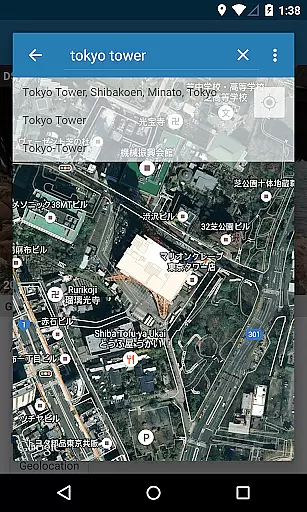
The app features an intuitive interface that simplifies the process of editing Exif information. With capabilities such as batch editing, Google Maps integration for geotagging, and full raw data display, Photo Exif Editor Pro offers both precision and convenience. It supports various file formats including JPG, PNG, and RAW, making it versatile for different photography needs.
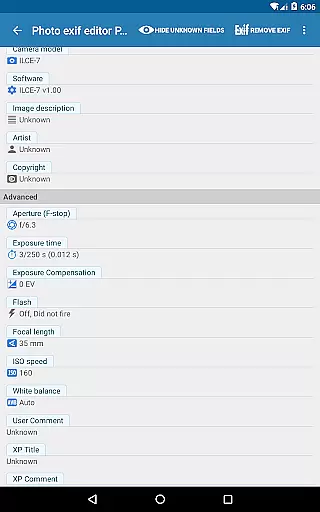
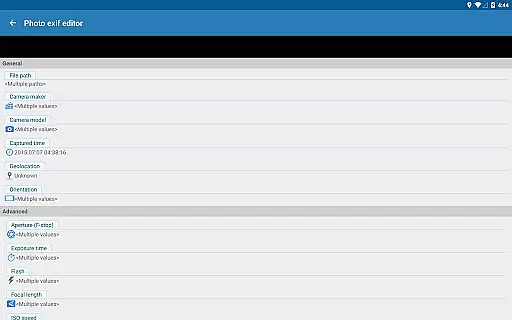
Whether you're organizing a photo library or preparing images for professional use, this app provides essential tools to enhance your workflow. The ability to edit critical metadata like aperture, shutter speed, focal length, and ISO speed ensures that your photos carry the correct information, which is crucial for both archival and presentation purposes.
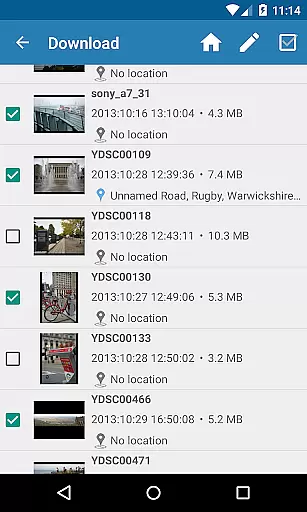
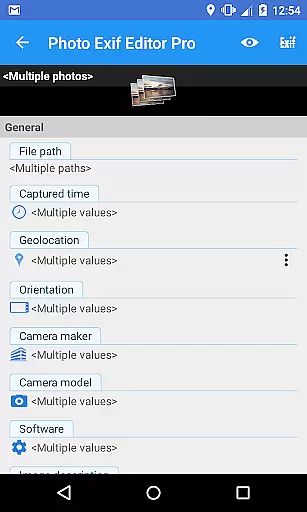
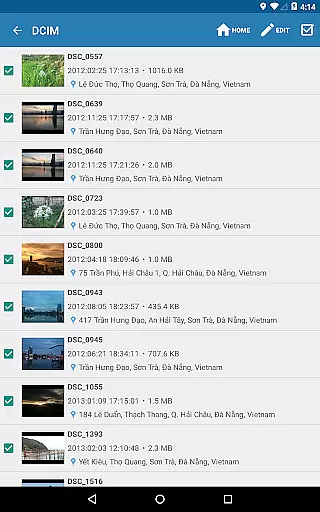
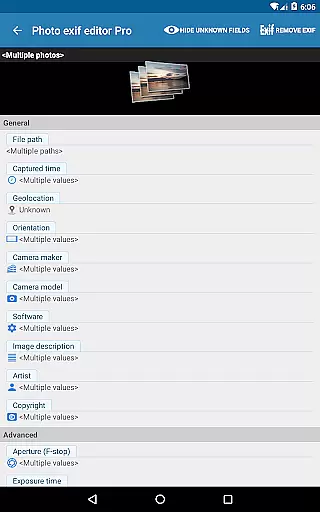
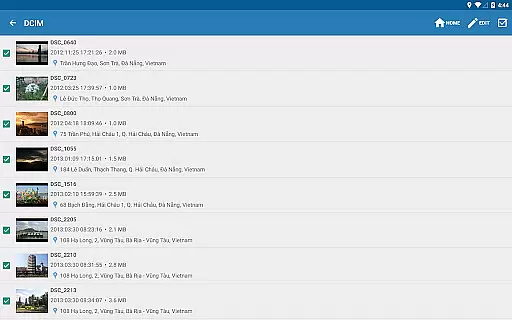
Photo Exif Editor Pro stands out with its robust feature set tailored for detailed image metadata management. One of its key strengths is the ability to perform batch edits on multiple photos, saving significant time when managing large collections.
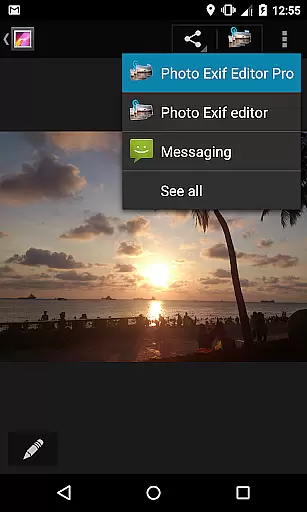
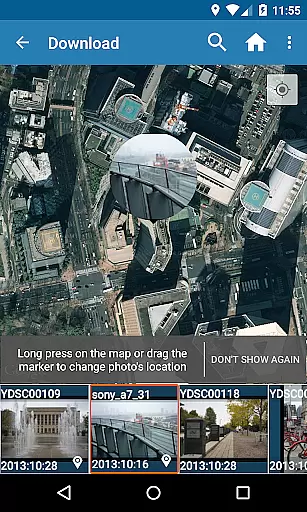
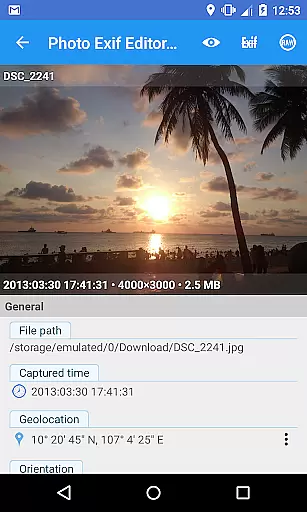
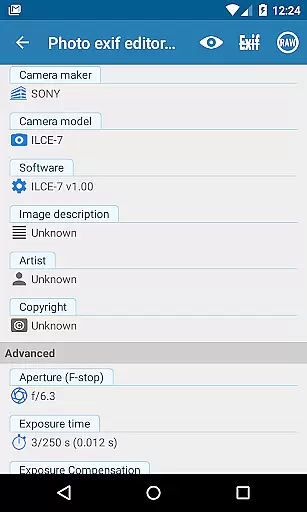
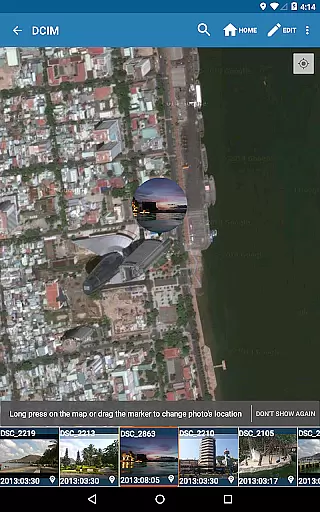
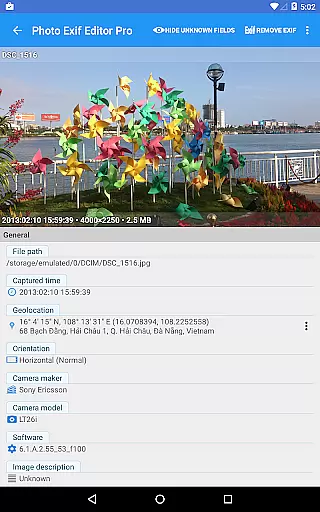
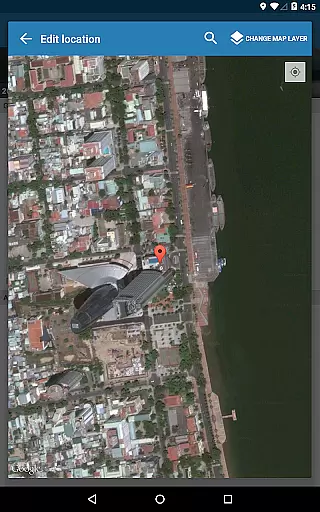
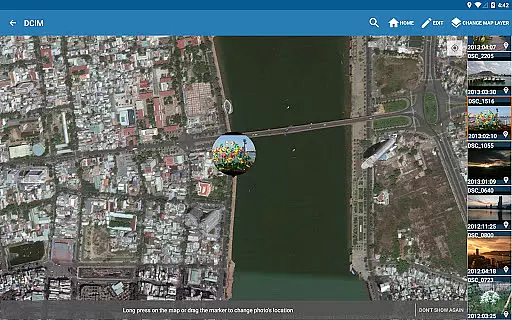
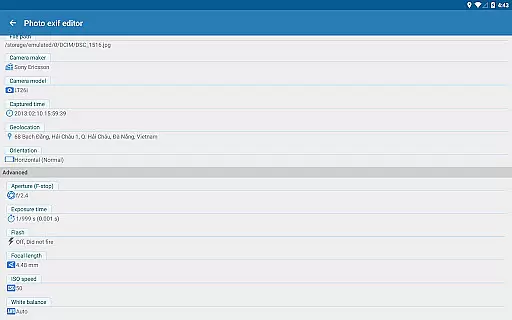
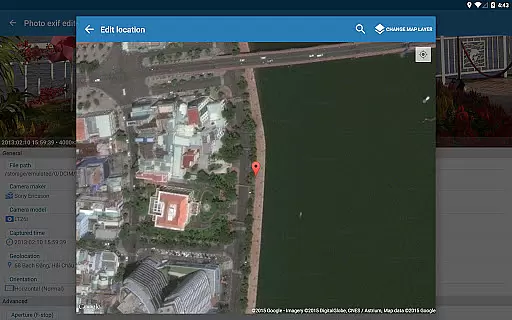
The app includes advanced functionalities such as viewing and modifying Exif tags through an integrated photo browser or Android Gallery. Users can easily adjust critical parameters like camera model, captured time, orientation, and GPS data using Google Maps. This level of control ensures that each photo's metadata accurately reflects its content and context.
Additionally, the Pro version removes ads and provides access to full raw data of images. These features are particularly beneficial for professionals who require uninterrupted workflows and comprehensive data access. The upcoming updates promise even more capabilities, including support for editing audio and video files, further expanding the app's utility in multimedia management.
Real-time capture and preview functionality is essential for photographers who need to ensure their images are framed and exposed correctly before taking the final shot. Photo Exif Editor Pro offers a seamless experience by allowing users to view Exif data instantly, providing critical information about camera settings directly on the screen.
This application ensures that every photo's details, such as aperture, shutter speed, focal length, and ISO speed, are readily available for review. This immediate feedback empowers photographers to make necessary adjustments on the fly, ensuring optimal image quality.
Additionally, the app supports viewing GPS data, which is invaluable for photographers who wish to document the exact location where a photo was taken. This feature not only enriches the metadata of each photograph but also aids in organizing and categorizing images based on geographical locations.
While Photo Exif Editor Pro does not focus on AI beauty enhancements, it excels in offering tools that allow for natural and authentic photo improvements. The ability to modify Exif data means users can fine-tune essential aspects of their photos, such as correcting the orientation or adjusting the captured time, without compromising the image's originality.
The app provides an intuitive interface for editing various Exif tags, including camera model, maker, and white balance. These modifications ensure that each photo accurately reflects the photographer's intent and the conditions under which it was captured, preserving the authenticity of the image.
Furthermore, batch editing capabilities enable users to apply consistent changes across multiple photos efficiently. This feature is particularly beneficial for professional photographers who manage large volumes of images and require uniformity in their edits while maintaining the natural essence of their work.
User-friendly interface
Batch editing capability
Comprehensive Exif data access
No advertisements
Versatile file format support
Limited to Android platform
Advanced features may overwhelm beginners
External storage write issues on older devices
Premium version required for full functionality
Occasional network dependency for maps

Find time and duration of different sunlight phases at any location
 4.90
4.90
An interval timer to automate photo taking process for timelapse
2.90
What celebrity do you look like? Celebs will find your celebrity match!
4.10
Android Native system HD camera app. Never been so simple and faster.
4.70
Superimpose one photo on top of another using the original Superimpose app!
3.20
GCamera allows all GCam features on all phone models! Better photos with GCamera
3.30
AI photo enhancer with Sora 2! Enhance, descratch, and colorize your old photos.
4.50
Professional quality photo edits with the new Snapseed.
4.00
Collage your moments in one tap: 1000+ layouts, filters, stickers, and texts.
4.90
A collection of tools and reference tables for DPs, ACs, DITs and Operators.
4.70
Unblur, enhance & restore photos with powerful AI photo enhancer tools.
4.60
Create collages easily! Nice pic collage maker & background eraser for Instagram
4.50
Professional camera app that brings DSLR manual photography controls to Android.
4.20
How old age camera Gender Swap App Face Shape Hairstyle App Hair Styler App fun!
4.00
Photo Album Watch Face shows your favorite pictures as a Watchface.
1.90


User Reviews