
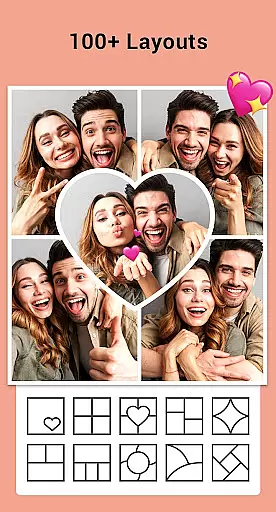
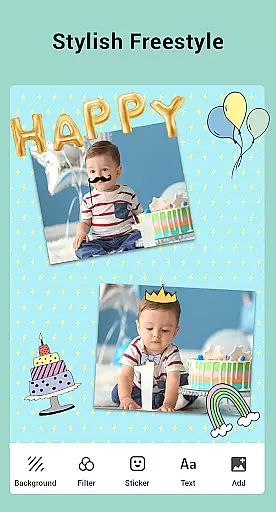

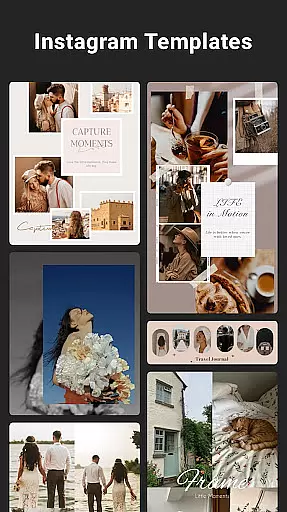
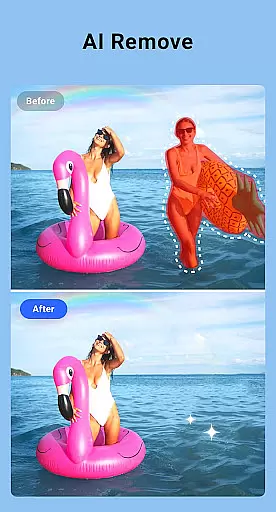
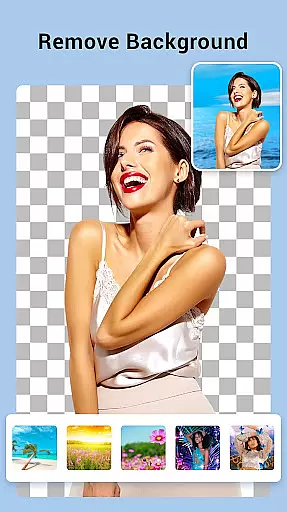
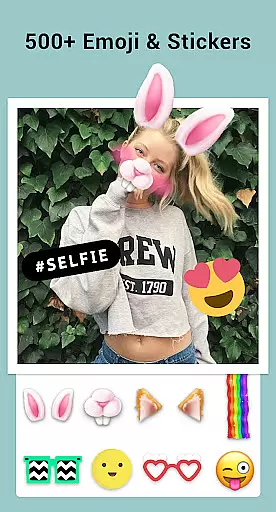
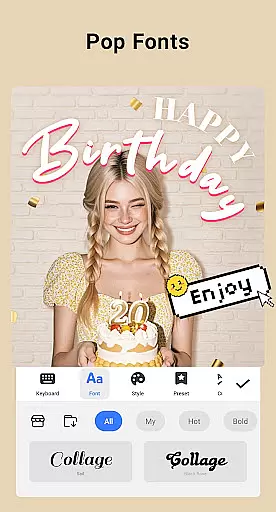
Collage Maker is a versatile photo collage application that allows users to create stunning visual compositions by combining multiple photos into one cohesive design. The app offers over 100 layouts and grids to choose from, enabling users to customize their collages with various backgrounds, stickers, fonts, and photo frames. With features like AI Photo Enhancer, users can transform low-quality images into high-definition masterpieces with a single tap.
The app supports both free-style and grid-style collage creation, providing flexibility for users to express their creativity. It includes comprehensive editing tools such as cropping, filtering, text addition, and doodling, making it an all-in-one photo editor. Whether you're looking to create side-by-side photos, grid collages, or stylized Instagram stories, Collage Maker provides the necessary tools to produce professional-looking results.
Designed for social media enthusiasts and photographers alike, this app ensures that your creations maintain high resolution when saved and shared across platforms. Its multi-fit feature adjusts images to optimal ratios for Instagram, ensuring posts look perfect without cropping. This makes Collage Maker not only a powerful creative tool but also an essential utility for enhancing online presence.
Collage Maker stands out with its extensive range of features designed to enhance user experience and creativity. One of its key attributes is the ability to combine up to 100 photos into a single collage, offering unparalleled flexibility in storytelling through images. Users can choose from more than 100 layouts and customize them further with a vast library of backgrounds, stickers, fonts, and photo frames, allowing for truly personalized creations.
The inclusion of AI Photo Enhancer technology sets Collage Maker apart from other photo editing apps. This feature enables users to improve the quality of blurry or damaged photos effortlessly, turning them into crisp, high-definition images. Additionally, the app provides robust editing capabilities, including cropping, applying filters, adding text, and drawing on images, which cater to both casual users and professional photographers.
Another notable aspect is its support for creating side-by-side photos and grid collages, ideal for showcasing before-and-after scenarios or crafting engaging social media content. The freestyle mode lets users design scrapbooks with full-screen ratios, while story templates offer pre-designed styles for Instagram stories. These features collectively empower users to produce visually appealing content that resonates with their audience, making Collage Maker an indispensable tool for digital creatives.
Real-time capture and preview functionality is essential for photography apps like Collage Maker. This feature allows users to see exactly what their final composition will look like while they are still in the editing process.
Collage Maker excels in this area by providing instant feedback as users select and arrange their photos. With over 100 layouts and numerous backgrounds, stickers, and fonts, users can experiment with different combinations and immediately see the results. This real-time interaction ensures that users can fine-tune every detail of their collage before saving or sharing it.
The app also offers advanced editing tools such as cropping, filters, text overlays, and doodles. These tools are seamlessly integrated into the preview window, allowing users to apply changes and instantly view the impact on their collage. This immediate visual feedback enhances the creative process and helps users achieve their desired outcome more efficiently.
By offering a comprehensive real-time capture and preview experience, Collage Maker empowers users to create stunning collages with confidence. Whether you're making a side-by-side comparison, designing a grid photo, or crafting a freestyle scrapbook, the ability to see your work come to life in real time is invaluable.
AI beauty and enhancement features have become increasingly popular in photography apps, and Collage Maker stands out with its natural approach to photo enhancement. The AI Photo Enhancer tool transforms low-quality images into stunning high-definition masterpieces with just one tap.
This feature leverages sophisticated algorithms to analyze and improve various aspects of an image, including sharpness, color balance, and overall clarity. Unlike other apps that may produce overly processed or artificial-looking results, Collage Maker focuses on maintaining the authenticity of the original photo while enhancing its best features.
Users can choose from a variety of filters and effects to further personalize their images. Each filter is designed to enhance specific elements of the photo without compromising its natural appearance. For instance, skin tones remain true, and textures retain their original detail, ensuring that enhanced photos look realistic and appealing.
With Collage Maker's AI beauty and enhancement capabilities, users can confidently transform their blurry, damaged, or old photos into vibrant, high-quality images. This feature not only saves time but also elevates the overall quality of user-generated content, making it perfect for sharing on social media platforms like Instagram.
User-friendly interface
Extensive customization options
AI-powered photo enhancement
Versatile layout choices
High-resolution output
Limited advanced editing tools
Some features require purchase
Occasional performance lags
Ads may disrupt workflow
Learning curve for beginners

Gallery show photo, video, slideshow, is perfect 3D effect private photo albums.
 4.80
4.80
HD Photo gallery and photo manager to edit, hide private photos, videos & albums
4.4
Cut and paste photo editor & eraser to customize photos easy and swap faces fun
4.50
Pet Camera
3.70
Photo prints, cards, & gifts at Walgreens. Easy ordering & fast local pickup !
4.80
Automatically backup your photos and videos to computer, NAS and Cloud services
4.60
Future baby face generator: AI kids generator, kid face! What my baby look like?
4.40
AI Photo Editor with 100+ Filters, Effects! Remove BG, Retouch & Photo Enhancer.
4.80
Hair color changer, AI haircut app, fun hair editor and buzz cut filter for all!
3.80
PhotoSync Bundle Add-On License. Enables all features and services in PhotoSync.
4.60
A reflected light meter with spot metering and incident light metering.
4.40
Smart, light, and fast photo and video gallery
4.30
Professional camera app that brings DSLR manual photography controls to Android.
4.20
live datamoshing
4.00
Application for remote controlling DSLR
3.00


User Reviews