
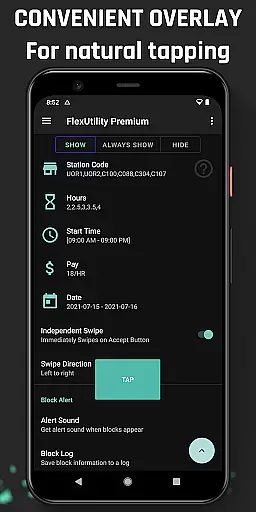
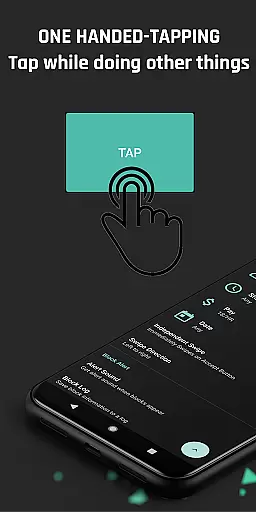
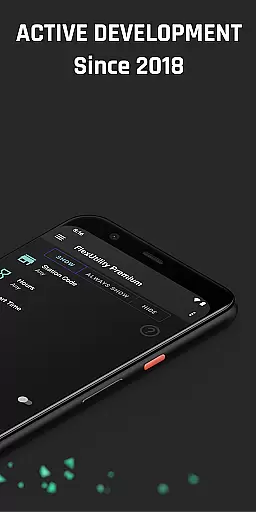
Flex Utility Premium is a powerful tool designed specifically for Flex drivers, offering an enhanced and more efficient way to manage work blocks. The app eliminates the need for constant two-finger tapping by providing a single overlay button that simplifies the process of accepting blocks. This allows drivers to focus on other tasks while still securing better work opportunities.
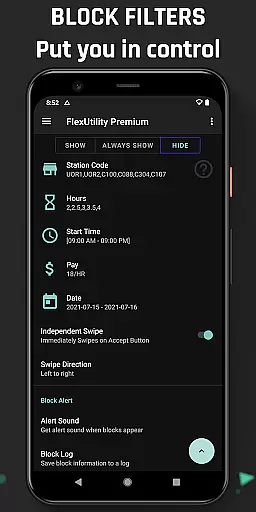
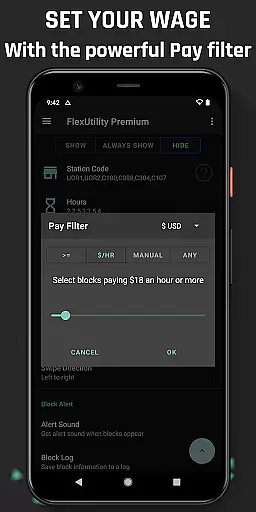
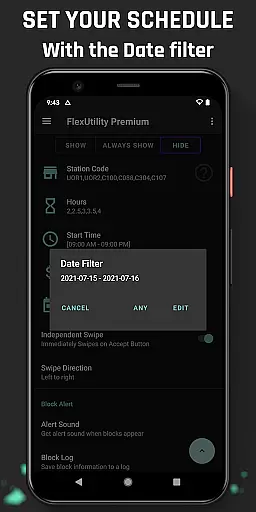
The app's standout feature is its comprehensive filtering system, which enables drivers to customize their work preferences. Users can set filters based on pay rate, favorite stations, work days, start times, and job duration. These features ensure that drivers only receive blocks that match their specific criteria, maximizing both convenience and profitability. Additionally, Flex Utility Premium includes valuable tools like Block Alert and Block Log, which help drivers optimize their work schedules and analyze block patterns.
Designed with accessibility in mind, this Android Accessibility Service is particularly beneficial for drivers with disabilities who may find prolonged tapping challenging. It adheres to Google's official accessibility standards without compromising user privacy or requiring personal credentials. With regular updates and a vibrant community-driven feedback loop, Flex Utility Premium continues to evolve, ensuring it remains a reliable and indispensable tool for Flex drivers.
Flex Utility Premium boasts a range of innovative features tailored to enhance the Flex driving experience. One of its most notable capabilities is the one-finger tapping overlay button, which drastically reduces the effort required to accept work blocks. This feature not only simplifies the user interface but also allows drivers to multitask effectively while waiting for desirable blocks.
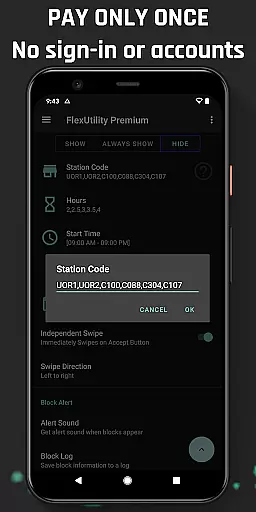
The app's filtering system is another key highlight, empowering drivers to take full control of their work schedules. Users can specify their minimum pay rate, preferred station codes, desired work days, ideal start times, and preferred job durations. By applying these filters, Flex Utility ensures that drivers are only presented with blocks that align with their preferences, thus optimizing both time and earnings. Furthermore, the Block Alert feature notifies users when a suitable block becomes available, eliminating the need for continuous monitoring.
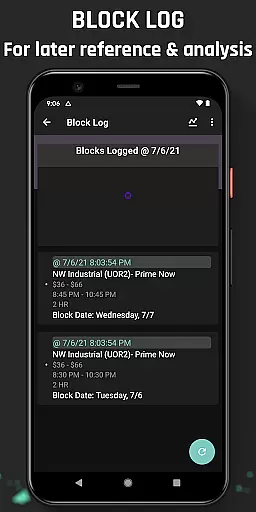
For those interested in data analysis, the Block Log provides detailed insights into block drop patterns and missed opportunities. This log can be exported to CSV format for advanced analysis, enabling drivers to refine their strategies further. As an Android Accessibility Service, Flex Utility Premium also integrates seamlessly with Google's accessibility libraries, ensuring a smooth and secure user experience without collecting sensitive personal information.
Flex Utility Premium demonstrates exceptional core function accuracy and effectiveness by addressing the specific needs of Flex drivers. The app's primary feature is its one-tapping overlay button, which simplifies the process of accepting work blocks, eliminating the need for constant attention to the screen. This functionality is particularly beneficial for drivers who may have difficulty with prolonged tapping or those who wish to multitask while searching for suitable work blocks.
The app also offers powerful filtering capabilities that allow users to customize their work preferences. Drivers can set filters based on pay rate, favorite stations, work days, start times, and desired job durations. These filters ensure that only the most relevant work opportunities are presented, enhancing the overall efficiency of finding suitable jobs. By streamlining the selection process, Flex Utility Premium enables drivers to optimize their working hours and earnings.
Furthermore, additional features like Block Alert and Block Log contribute to the app's effectiveness. The Block Alert notifies users when a matching work block becomes available, allowing them to engage with the app only when necessary. Meanwhile, the Block Log provides insights into block drop patterns and missed opportunities, which can be exported for deeper analysis. These tools empower drivers to make informed decisions about their work schedules.
Flex Utility Premium excels in interface simplicity and intuitiveness, offering a user-friendly experience that caters to drivers of all technical backgrounds. The app's design centers around a single overlay button, minimizing the complexity often associated with mobile applications. This straightforward approach ensures that even users with limited technological proficiency can navigate and utilize the app's features without a steep learning curve.
The filtering system within Flex Utility Premium is crafted with clarity in mind. Users can easily input their preferences for pay rate, station codes, work days, start times, and job lengths through an uncomplicated interface. Each filter option is presented in a clear and organized manner, making it simple for drivers to tailor their work search according to personal criteria. Such intuitive controls enhance the overall usability of the application.
Moreover, supplementary features such as Block Alert and Block Log are seamlessly integrated into the app's layout. Notifications from the Block Alert are timely and non-intrusive, ensuring that users remain informed without feeling overwhelmed. The Block Log's data is accessible and easy to interpret, providing valuable feedback without complicating the user experience. Overall, Flex Utility Premium maintains a balance between functionality and ease of use, resulting in an intuitive tool that supports efficient work management for Flex drivers.
Efficient block management
Customizable work filters
User-friendly interface
Accessibility-focused design
Regular feature updates
Not an auto-tapper
Limited to Flex drivers
Requires Android device
No iOS compatibility
Premium price tag

Use your phone as a webcam on your computer over WiFi or USB.
 4.40
4.40
eXtended Permission Manager - a small app to manage permissions and AppOps
4.50
An open-source APK explorer for Android!
4.10
Effortlessly run ADB commands directly on your device without a PC.
4.20
Navigate with Ease and Style
4.90
Planner and Tracker for Stardew Valley
4.60
Create your own custom widget with endless possibilities
3.90
Remote Play with FSR upscaling, low latency & full controller support
4.80
Mobile Security with Scam Protection | Malware & Virus Cleaner | Safe Browser
4.70
Change your GPS location instantly. Simulate routes anywhere in the world.
4.90
Unit and currency converter with easy and simple UI.
4.80
Creation, Learning, Entertainment & More — The All-in-One AI Search Engine
4.70
With videos, electrical calculators, and built-in ebook, Ugly’s has your answer.
4.50
Quickly & easily calculate the spacing of handrail balusters
4.20
Automate everything from settings to photos, SMS to speech. ADC2 prize winner.
4.10


User Reviews