
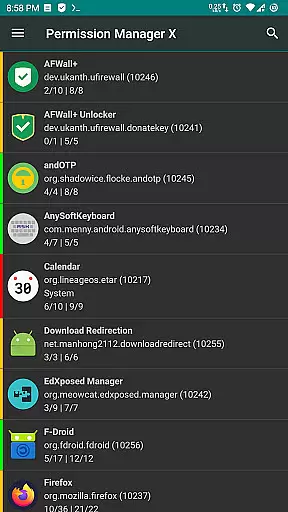
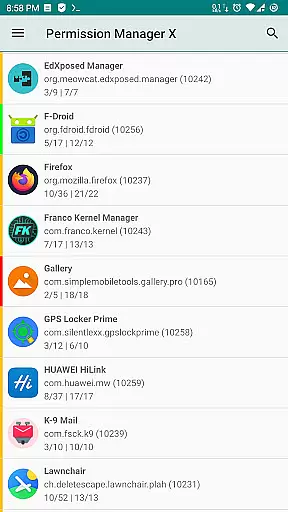
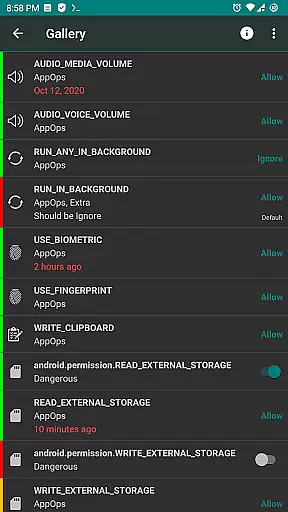
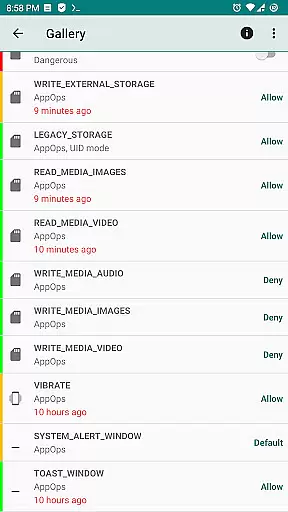
Permission Manager X is a comprehensive tool designed for managing app permissions on Android devices. It allows users to view, grant, or revoke both manifest and AppOps permissions from a single interface. The application provides fine-grained control over what installed apps can access, including storage, camera, location, and more. With its reference states feature, users can back up and restore permission settings, making it easier to maintain privacy across reinstalls or device changes.
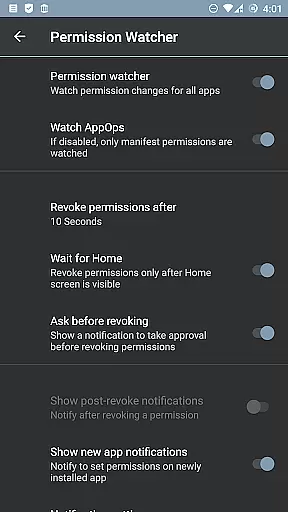
The app also offers advanced functionalities such as scheduled checks, auto-revoke of granted permissions, and a Permission Watcher that removes unwanted permissions when apps are not in use. These features ensure optimal performance and enhanced privacy protection. Whether you're concerned about background execution, clipboard access, or other sensitive operations, Permission Manager X equips you with the tools needed to safeguard your personal data effectively.
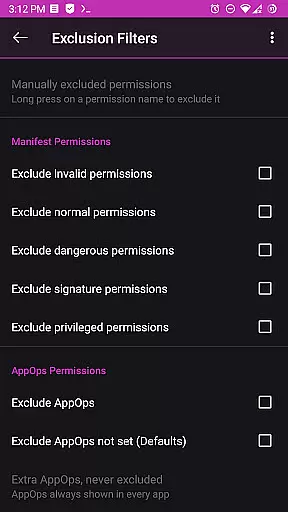
One of the standout features of Permission Manager X is its ability to manage both manifest and AppOps permissions seamlessly. Manifest permissions include common access requests like storage and camera, while AppOps provide deeper control over these permissions and additional ones such as background execution and clipboard access. This dual management approach ensures comprehensive oversight of app activities.
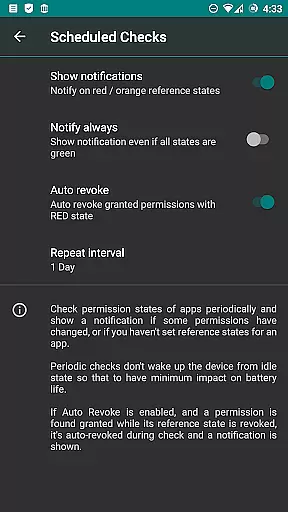
Another notable feature is the Permission Watcher, which automatically revokes unnecessary permissions when an app is no longer in use. Additionally, the app supports batch operations, theming options, and scheduled checks to notify users of any undesirable permission states. Paid features extend this functionality further by offering sorting options, auto-backup creation, and multi-user support, enhancing usability and convenience.
For power users, Permission Manager X requires either a rooted device or ADB network access to unlock its full potential. While basic functions remain accessible without these prerequisites, advanced controls necessitate elevated privileges. Despite this requirement, the app respects user privacy, collecting no personal data and ensuring all external connections are solely for update checks and help content retrieval.
Permission Manager X offers a comprehensive suite of tools designed to manage app permissions with precision and efficiency. The core functionality allows users to view, grant, or revoke both manifest permissions and AppOps permissions from a single interface. This dual control mechanism ensures that users can fine-tune access rights for each installed application, providing an unprecedented level of control over privacy settings.
The app's ability to set reference values for changeable permissions is particularly noteworthy. This feature enables users to establish baseline permission states that can be quickly backed up and restored, streamlining the process of maintaining desired privacy configurations across multiple devices or after system upgrades. The visual indicators, such as colored bars, further enhance usability by allowing quick identification of permission statuses at a glance.
For power users and privacy-conscious individuals, Permission Manager X delivers significant value through its advanced permission management capabilities. The application supports batch operations and scheduled checks, helping maintain optimal security postures without requiring constant manual oversight. These features collectively contribute to a highly effective permission management solution that adapts to various user needs and technical skill levels.
Despite its powerful capabilities, Permission Manager X maintains an intuitive and user-friendly interface that simplifies complex permission management tasks. The main dashboard presents all crucial information in a clear, organized manner, allowing users to quickly navigate through installed applications and their respective permissions. The straightforward layout ensures that even those new to permission management can efficiently operate the tool without extensive learning.
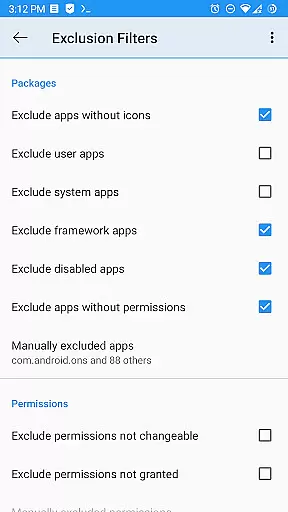
A key strength of the application lies in its logical grouping of related functions. Manifest permissions and AppOps controls are presented side-by-side, demonstrating how these permission types interact and influence each other. This thoughtful arrangement helps users understand the relationships between different permission categories while making informed decisions about access rights. Additionally, the inclusion of helpful resources such as the comprehensive guide and FAQs directly within the app enhances the overall user experience.
Advanced features like permission watcher and multi-user support are implemented without complicating the basic workflow. Users can choose to engage with these sophisticated tools as needed, while still benefiting from the fundamental permission management capabilities through simple, direct interactions. This balance between advanced functionality and ease of use makes Permission Manager X accessible to both casual users and technical experts alike.
User-friendly interface
Comprehensive permission control
Effective privacy protection
Regular updates and improvements
Active community support
Limited functionality without root
Advanced features require payment
Complex setup for beginners
ADB setup might deter some users
No built-in tutorial for new users

 4.50
4.50
Just swipe the edge to do something!
4.40
HD Video player and downloader for all formats, fast & smooth 4K video playback.
4.60
App to pay for FUTO Keyboard
4.60
Create your own live wallpaper or check out thousands already made presets
3.90
The Ultimate Bluetooth Keyboard & Mouse. Securely control your PC, Mac, and more
4.50
Pro Emulator is an easy to use game console emulator for a range of consoles.
4.40
Introducing Smart Printer, your ultimate destination for printing solutions!
4.00
Screen recorder with audio to record high-quality videos and take screenshots.
4.40
Extremely fast, secure, and protects your privacy
4.80
Game Booster, GFX Tool is now compatible with newer game update
4.50
Button mapper, mouse toggle, sleep timer and a lot of another features
4.50
Universal TV remote control all TVs, Roku, LG, Samsung, Fire, Vizio, Sony, TCL.
4.40
Complete kernel toolbox with features to manage and tweak your rooted device
4.30
Effortlessly run ADB commands directly on your device without a PC.
4.20


User Reviews