
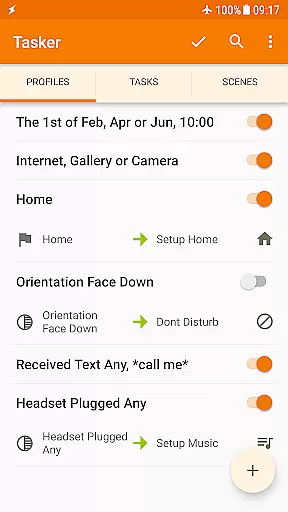
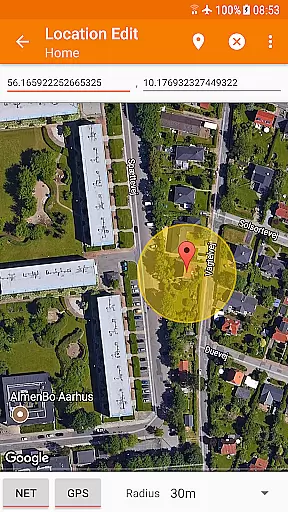
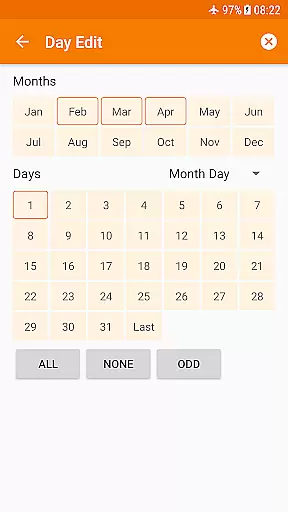
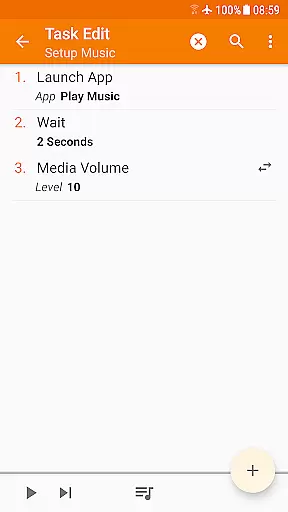
Tasker is a powerful automation tool for Android devices, enabling users to automate repetitive tasks and customize their device functionality. With over 130 contexts and 350 actions, it allows you to create complex automations based on time, location, app usage, and more.
The application's flexibility extends beyond simple tasks like changing settings or sending SMS; it can also perform advanced functions such as file backups, APK installations, and even integrate with other apps through plugins. Tasker empowers users to truly personalize their Android experience.
Ideal for power users and developers, Tasker supports creating custom UIs, standalone apps, and integrates with web APIs. Whether you're looking to optimize daily routines or develop sophisticated automation workflows, Tasker offers the tools needed to enhance productivity and streamline device management.
Tasker stands out with its extensive range of features designed for total device automation. The app supports a wide array of triggers including time-based, location-based, and event-driven contexts, allowing users to automate responses to various scenarios seamlessly.
Beyond basic automation, Tasker provides advanced capabilities such as scene design for custom UI creation, integration with third-party apps via plugins, and support for web API calls. These features enable users to execute complex tasks like remote task triggering, system setting adjustments, and even standalone app development using the Tasker App Factory.
With its developer-friendly environment and compatibility with a multitude of Android functionalities, Tasker ensures that users can achieve an unprecedented level of device customization and control, limited only by their creativity and imagination.
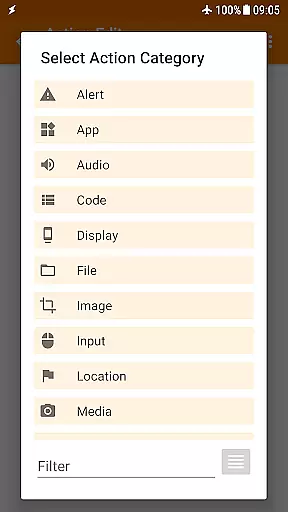
Tasker exemplifies core function accuracy and effectiveness by offering over 350 actions that allow users to customize their Android experience extensively. These actions range from sending SMS, controlling system settings like Wi-Fi and Dark Mode, to manipulating files and controlling music playback.
The app's ability to automate based on a multitude of contextsu2014such as location, time of day, or even the song playingu2014ensures that the triggers are both precise and relevant to user needs. This level of personalization and control means that users can tailor their devices to respond to the world around them in real-time.
Furthermore, Tasker does not require root access for most functions, adhering to Android's security policies while still delivering powerful functionality. This makes it accessible and safe for a wide range of users looking to enhance their smartphone's capabilities without compromising device integrity or security.
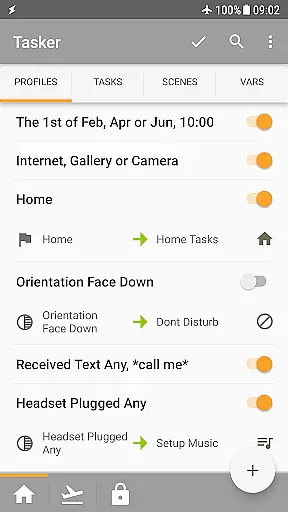
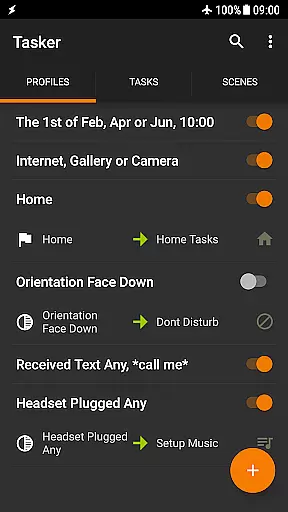
Despite its complex capabilities, Tasker maintains an interface that is relatively straightforward, allowing users to create automations with ease. The developers provide starter guides and pre-made projects which help new users quickly grasp how to utilize the app's features effectively.
Tasker's design enables manual triggering of actions through various means such as launcher shortcuts, widgets, and hardware buttons. This flexibility ensures that users can interact with the app in a way that feels natural and convenient for them, enhancing the overall user experience.
Additionally, Tasker supports integration with third-party apps and services, including Join for remote tasking and a variety of plugins that expand its functionality. By maintaining compatibility with external APIs and developer-friendly features, Tasker balances advanced options with user-friendly access points.
Highly customizable
Extensive automation options
Rich plugin ecosystem
Developer friendly
Powerful scene editor
Steep learning curve
Requires technical knowledge
Some features need root
Interface feels outdated
Paid unlock required

Connect instantly to a fast, encrypted VPN with one tap
 4.60
4.60
Just swipe the edge to do something!
4.40
Safely recover deleted photos, videos, and files with a single easy tap.
3.70
PC precision for mobile gaming: dominate with keyboard and mouse!
4.30
Mirror your screen to Chromecast and Android TV - Super fast and simple
4.60
The Ultimate Bluetooth Keyboard & Mouse. Securely control your PC, Mac, and more
4.50
Play your X-Box games remotely in 1080p with any controller and zero latency
4.60
The ultimate tool for network analysis, wifi scanning and problem detection.
4.90
Clean up large files and similar photos, fast and easy to use
4.40
Extremely fast, secure, and protects your privacy
4.80
WiFi Signal Strength Meter help you detect WiFi Signal Strength in real time.
4.80
Optimize your WiFi network, turn your phone into Wifi Analyzer
4.70
FV File Manager Pro, Fast and powerful file manager for Android
4.60
App that Recover your pictures, videos or files after you delete them.
4.20
Amateur Radio app for APRS: Track friends, exchange messages, get tactical info.
3.90


User Reviews