

APK Explorer is a comprehensive toolset designed for Android users who need to explore and manage installed applications on their devices. This app allows users to delve into the contents of APK files, decompile DEX and resource files, and extract important resources such as app icons with ease. Its elegantly designed interface supports both dark and light themes, providing an optimal viewing experience.
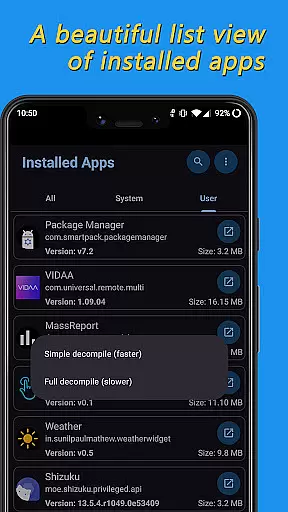
The application's core functionality lies in its ability to display a beautifully organized list of installed apps, navigate through their file structures, and export APKs or individual resource files. Whether you're a developer needing to inspect code or a power user wanting to manage app data, APK Explorer offers the necessary tools to efficiently handle these tasks.
With its open-source nature, APK Explorer invites contributions from developers worldwide. It serves as a valuable resource for those looking to understand Android app structures or contribute to the development community. The app's practical features make it especially useful for software debugging, app customization, and educational purposes.
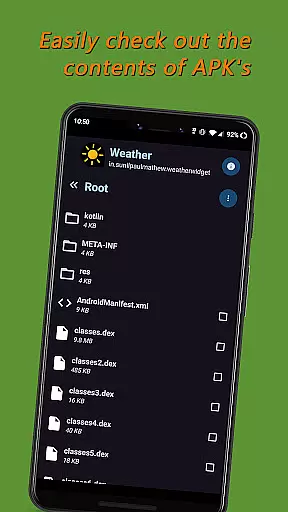
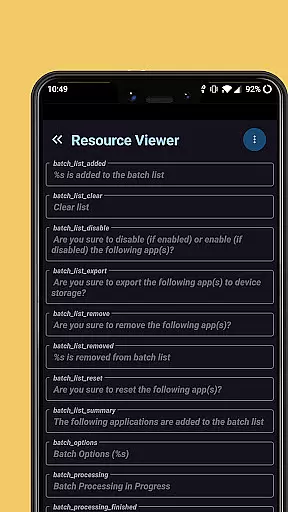
APK Explorer stands out with its diverse range of features tailored for exploring Android applications. One of its key capabilities is the intuitive navigation through installed apps and APK files stored on the device. Users can seamlessly browse through directories, view graphics, texts, binary XML, and other resource files, making it an essential tool for app inspection.
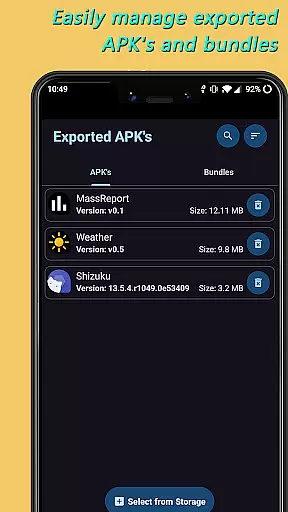
The app also provides advanced functionalities like decompiling DEX (classes.dex) and resource (resources.arsc) files, allowing users to analyze app components at a deeper level. Additionally, APK Explorer enables exporting and managing APKs or Split APKs, offering options to delete, share, or save them to device storage. Its single-click icon extraction feature further simplifies accessing specific app resources.
Another notable aspect is the app's elegant design, which includes an auto-adjusting dark/light theme for enhanced usability. These features collectively ensure that APK Explorer caters to both casual users and professional developers seeking efficient ways to interact with Android applications.
APK Explorer offers a comprehensive suite of tools designed to accurately explore and manage the contents of installed Android applications. The app ensures precise decompilation of DEX and resource files, enabling users to view and understand their structure and content with high fidelity.
The effectiveness of APK Explorer is evident in its ability to export and manage APKs efficiently. Users can delete, share, or extract app icons with minimal effort, streamlining the management process. This functionality is crucial for developers and power users who require quick access to application resources.
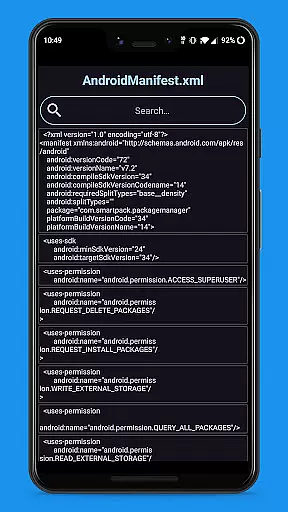
Additionally, the app provides detailed insights into important resource files, enhancing the user's understanding of the application's architecture. This feature not only aids in development but also assists in troubleshooting and optimizing app performance.
Overall, APK Explorer stands out for its precision and effectiveness in handling complex tasks related to Android app exploration and management, making it an indispensable tool for both novice and experienced users.
The user interface of APK Explorer is crafted to offer a seamless and intuitive experience. With an elegantly designed list view of installed applications, users can easily navigate through their apps and access the necessary tools without any hassle.
One of the standout features is the auto-dark/light theme, which adapts to the user's system settings, ensuring visual comfort at all times. This attention to detail enhances usability and makes prolonged use of the app more comfortable.
Moreover, the app simplifies complex tasks such as decompiling DEX files and managing APKs through straightforward controls and clear instructions. This approach reduces the learning curve and allows users to focus on their primary objectives without getting bogged down by complicated procedures.
In summary, APK Explorer excels in providing an intuitive and user-friendly interface that caters to both beginners and advanced users, ensuring that everyone can make the most of its powerful features with ease.
User-friendly interface
Decompiles DEX files
Exports APK resources
Auto-dark/light theme
Open-source project
Complex for beginners
Limited offline help
No cloud backup
Occasional bugs
Heavy on storage

 4.50
4.50
Unlock your Essential Key. Create custom shortcuts to your favorite apps!
4.1
Carry a FTP server in your pocket and avoid USB cables for file transfer
4.20
ADB support Android 4.X-Android 13(Support wireless pair mode).No root required!
4.70
Effortlessly run ADB commands directly on your device without a PC.
4.20
With videos, electrical calculators, and built-in ebook, Ugly’s has your answer.
4.50
The Ultimate Flex Drivers Utility App - Convenient Tapping & Block Filters
4.70
Automate everything from settings to photos, SMS to speech. ADC2 prize winner.
4.10
Creation, Learning, Entertainment & More — The All-in-One AI Search Engine
4.70
Unit and currency converter with easy and simple UI.
4.80
Optimize your WiFi network, turn your phone into Wifi Analyzer
4.70
Play your X-Box games remotely in 1080p with any controller and zero latency
4.60
Pro Emulator is an easy to use game console emulator for a range of consoles.
4.40
Quickly check the frequency of the Earth
4.30
pdf merge, word to pdf, jpg to pdf, edit pdf, convert to pdf and much more!
4.20


User Reviews