
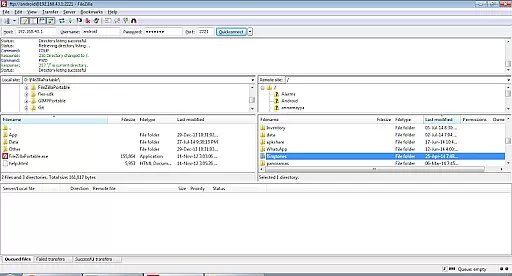
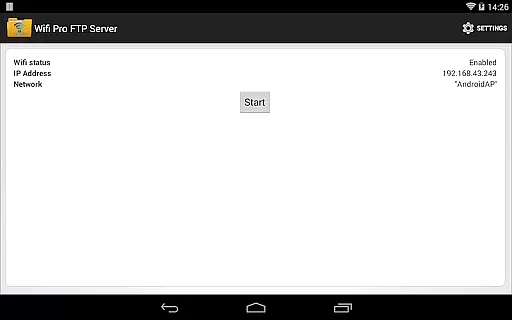
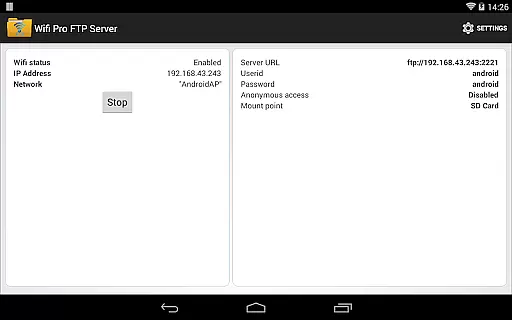
WiFi Pro FTP Server is a powerful tool that transforms your Android device into a fully functional FTP server. This allows users to wirelessly transfer files, including photos, movies, and songs, between their Android device and any FTP client like FileZilla. The app supports advanced features such as FTP over TLS/SSL (FTPS), configurable port numbers, and user access settings.
The application's core functionality lies in its ability to facilitate seamless file transfers without the need for USB cables. It operates efficiently over Wi-Fi and even in tethering mode, making it versatile for various network environments. Whether you're looking to back up important data or share media files with friends, WiFi Pro FTP Server provides a reliable solution.
With its comprehensive configuration options, this app caters to both casual users and tech-savvy individuals who require more control over their file-sharing setup. Its value extends beyond convenience, offering security features such as password protection and anonymous access settings, ensuring that your data remains safe during transfers.
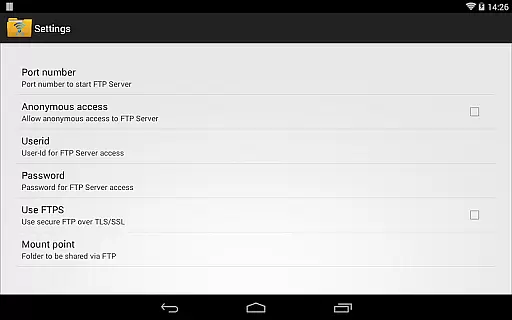
One of the standout features of WiFi Pro FTP Server is its complete FTP server capability with a configurable port number, allowing users to customize their server setup according to their specific needs. The support for FTP over TLS/SSL (FTPS) ensures secure file transfers, protecting sensitive data from unauthorized access.
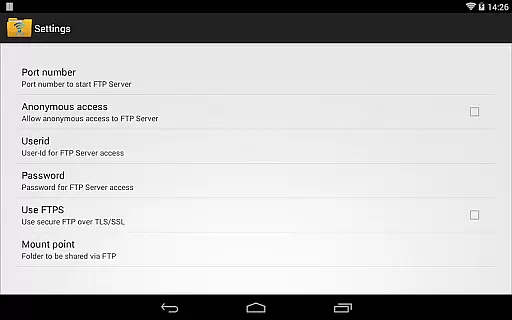
The app also offers extensive configuration options, including setting a home folder (mount point), user-name/password combinations, and enabling/disabling anonymous access. These features provide users with the flexibility to tailor the FTP server to their preferences, whether they prioritize ease of access or enhanced security.
Additionally, WiFi Pro FTP Server works seamlessly over Wi-Fi and in Wi-Fi tethering mode (hotspot mode), expanding its usability in diverse scenarios. By avoiding the need for USB cables, it simplifies the process of copying and backing up files, making it an indispensable tool for anyone looking to streamline their file management tasks.
WiFi Pro FTP Server excels in providing a reliable and efficient file transfer solution. The app transforms Android devices into fully functional FTP servers, enabling seamless file sharing over Wi-Fi networks. With support for FTP over TLS/SSL (FTPS), it ensures secure data transmission while maintaining high performance.
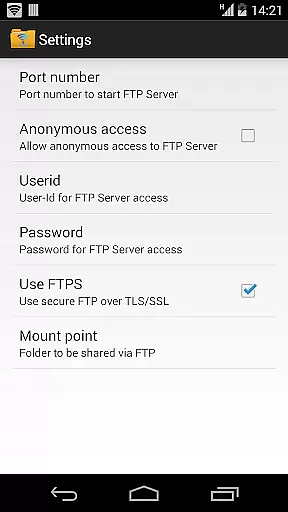
The application allows users to configure key parameters such as port number, home folder, username, and password. This flexibility ensures that the server can be tailored to individual needs, enhancing both usability and security. Additionally, the app supports anonymous access, which can be enabled or disabled based on user preference, offering further customization options.
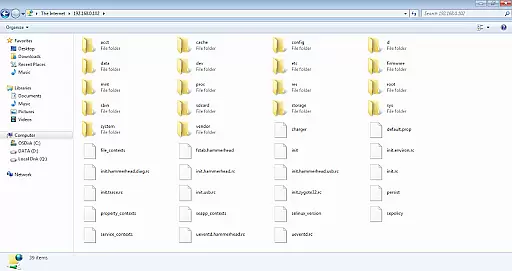
By avoiding the need for USB cables, WiFi Pro FTP Server simplifies the process of transferring files, photos, movies, and songs. Its compatibility with various FTP clients like FileZilla makes it versatile and easy to integrate into existing workflows. Users can also access the server through Windows File Explorer, expanding its accessibility.
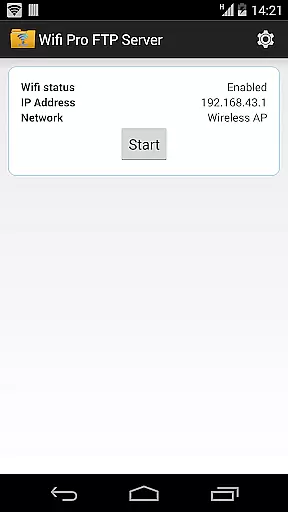
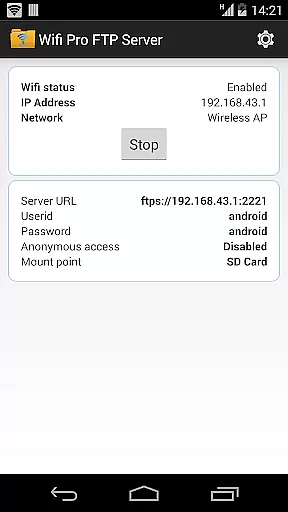
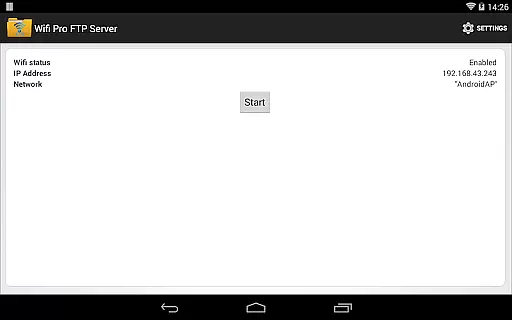
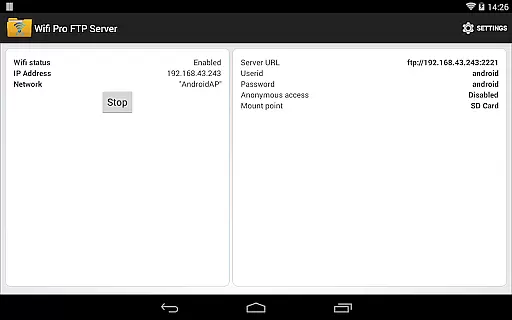
The interface of WiFi Pro FTP Server is designed to be user-friendly and straightforward, ensuring that even those new to FTP technology can navigate and utilize the app effectively. Upon launching the app, users are greeted with a clean layout that highlights essential functions without overwhelming them with unnecessary details.
Key features such as configuring the FTP server, setting up user credentials, and selecting the home folder are easily accessible from the main screen. This intuitive arrangement minimizes the learning curve, allowing users to set up their FTP server quickly. Furthermore, the app provides clear instructions and tooltips, guiding users through each step of the configuration process.
For advanced users, additional settings like enabling FTPS and adjusting port numbers are available but do not clutter the primary interface. This balance between simplicity and functionality ensures that both novice and experienced users can operate the app efficiently, making WiFi Pro FTP Server an ideal choice for anyone looking to host an FTP server on their Android device.
User-friendly interface
Secure FTPS support
Customizable settings
Works over Wi-Fi
No USB cables needed
Default port above 1024
Anonymous access off by default
FTPS not SFTP
Limited on non-rooted devices
Requires FTP client

 4.50
4.50
pdf merge, word to pdf, jpg to pdf, edit pdf, convert to pdf and much more!
4.20
A powerful, easy-to-use flight computer on your phone or tablet!
3.80
HD Camera captures every special moment.
4.60
Fluid navigation gestures for all of us!
4.30
Keep track of your Palia friendships, tasks, and inventory with Palia Notebook
4.60
An open-source APK explorer for Android!
4.10
Amateur Radio app for APRS: Track friends, exchange messages, get tactical info.
3.90
Mirror your screen to Chromecast and Android TV - Super fast and simple
4.60
Protect your device with antivirus, storage cleanup, and system monitoring
4.70 4.50
4.50
Clean up large files and similar photos, fast and easy to use
4.40
Making emulation easy for everyone!
4.30
Introducing Smart Printer, your ultimate destination for printing solutions!
4.00
Unleash gamepad precision for ultimate mobile gaming dominance.
3.90


User Reviews