
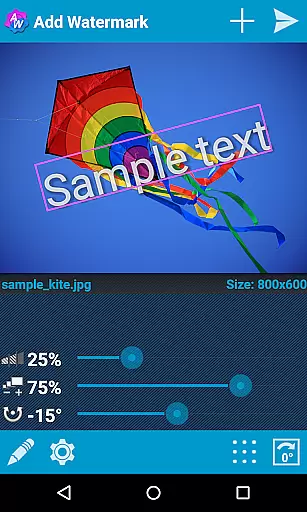

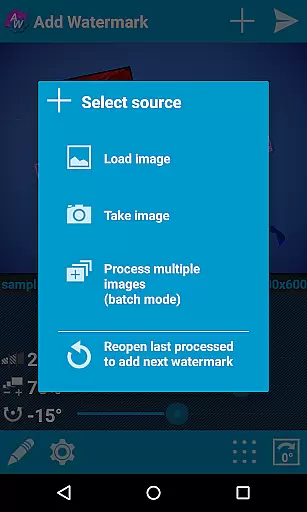
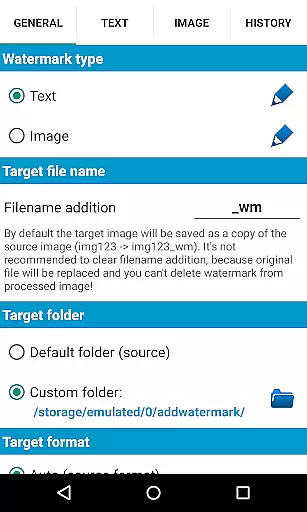
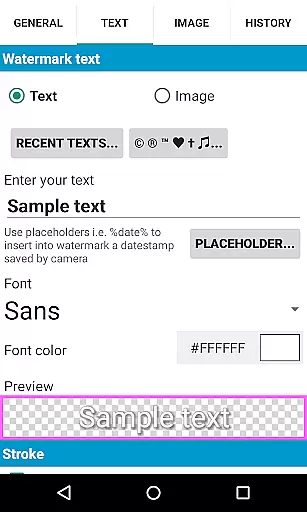
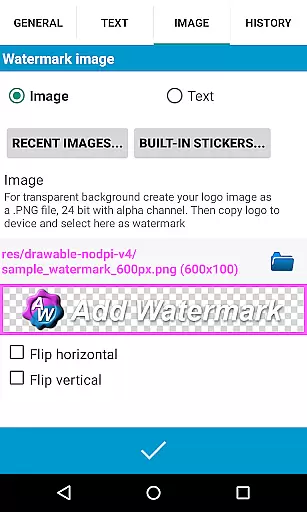
Add Watermark is a powerful photography tool designed to help users protect their digital content by adding customizable watermarks to images. The app offers both text and logo watermark options, allowing users to adjust size, transparency, rotation, and alignment to create professional-looking results.
With features like batch processing, auto-processing through sharing, and support for transparent PNG images, Add Watermark caters to the needs of professional photographers and bloggers. Its extensive settings include 72 built-in fonts, custom font imports, timestamp insertion, EXIF metadata support, and quick sharing to social media platforms.
This app is particularly useful for content creators who need to process multiple images efficiently while maintaining high-quality standards. By providing both free and full versions, it ensures accessibility for casual users while offering advanced features for professionals.
Add Watermark stands out with its comprehensive feature set tailored for both amateur and professional use. The batch mode allows users to process multiple images simultaneously, significantly improving workflow efficiency. The auto-processing function enables seamless integration with other apps through the share feature.
The app provides extensive customization options including 72 built-in fonts, color effects, and support for custom fonts. Users can create complex watermarks using text, logos, timestamps, and GPS tags. The app maintains EXIF and XMP metadata, ensuring professional-grade image processing.
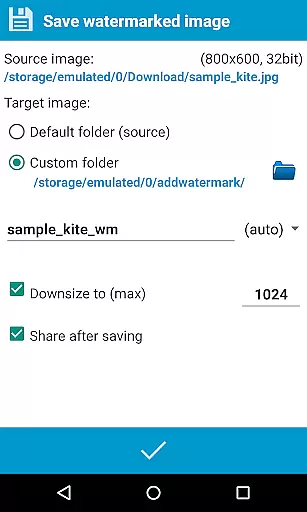
Advanced features include 360° panorama support, cloud backup for settings, and the ability to rename and resize images upon saving. These capabilities make Add Watermark a versatile tool for various photography needs, from simple copyright protection to sophisticated branding requirements.
Real-time capture and preview functionality is essential for ensuring that the watermark you add to your images appears exactly where you want it. This feature allows users to see how the watermark will look on their photos before finalizing the process.
Add Watermark excels in this area by providing a highly responsive interface that updates instantly as you adjust the size, transparency, rotation, and alignment of the watermark. The app supports both text and logo image watermarks, giving users flexibility in how they brand their photos.
With real-time previews, photographers and bloggers can experiment with different settings to achieve the perfect balance between visibility and aesthetics. This ensures that the watermark enhances the photo without overpowering it, maintaining the integrity of the original image while asserting ownership.
While Add Watermark does not focus on AI beauty enhancements, it offers features that ensure the natural integration of watermarks into images. The app provides extensive customization options for adding watermarks, which can be seen as a form of enhancement that maintains the authenticity of the original photo.
Users can adjust the transparency, size, and position of the watermark to ensure it blends seamlessly with the image. With support for transparent PNG images as watermarks and various effects in text mode, the app allows for subtle yet effective branding.
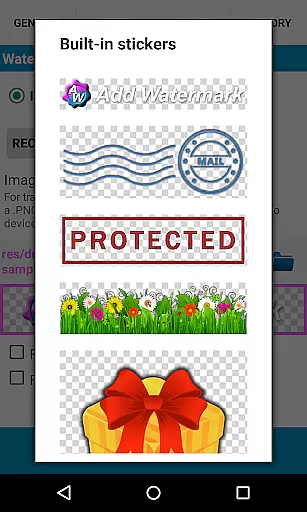
The ability to import custom fonts and use built-in stickers adds another layer of personalization, allowing users to create watermarks that complement their photography style. These features collectively contribute to a natural enhancement of images, preserving their quality while adding a professional touch.
User-friendly interface
Batch processing
Extensive font options
Professional features
Quick sharing
Limited free version
Complex for beginners
Occasional bugs
Paid full version
Learning curve

Create & Edit with AI: AI Remove, Enhance, Retouch, Filter
 4.10
4.10
Virtual makeup, hair filters & body tuner—edit from face to full body!
4.20
The #1 app for B&W film developing featuring an advanced darkroom timer.
4.10
Photo Exif Editor allows to view, add and modify EXIF data of multiple photos
4.50
Automatically backup your photos and videos to computer, NAS and Cloud services
4.60
Raw Image Viewer. Gallery with support of raw images (.cr3, .cr2, .nef, .raf).
2.00
USB Storage Access for Photos, Videos, Music and Documents
3.80
Easily view, share, delete photos with Gallery.
4.70
PhotoSync Bundle Add-On License. Enables all features and services in PhotoSync.
4.60
Collage your moments in one tap: 1000+ layouts, filters, stickers, and texts.
4.90
Safe & smart flight with Go Fly drone controller for 40+ drone camera, zone map
4.50
Create collages easily! Nice pic collage maker & background eraser for Instagram
4.50
Easily stitch panoramas from multiple photos or video.
4.40
Professional photography on your mobile phone
4.20
Turn photos into cartoons & avatars! - Photo Editor, Cartoon Face!
3.90


User Reviews