


AZ Screen Recorder is a versatile screen recording application designed for Android users who need to capture high-quality screen videos with audio. The app offers multiple functionalities including screen recording, video editing, live streaming, and image editing.
One of the standout features is its ability to record screen activity with both internal audio and microphone input, making it ideal for creating tutorials, gameplay videos, or recording video calls. Additionally, the app provides professional-grade tools such as trimming, merging, adding subtitles, and compressing videos, which enhance the overall user experience.
The app's multi-purpose design makes it suitable for various use cases, from gaming to professional presentations. Its intuitive interface ensures ease of use while maintaining high performance standards, positioning AZ Screen Recorder as an essential tool for content creators and everyday users alike.
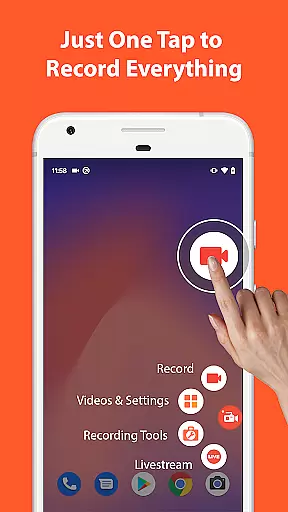
AZ Screen Recorder stands out due to its comprehensive feature set tailored for both casual and advanced users. The screen recording functionality allows users to start and stop recordings effortlessly, with options to pause/resume and even draw on the screen during recording sessions.
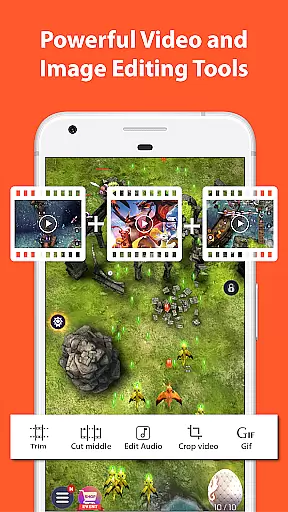
Beyond basic recording, the app includes a robust video editor that supports trimming, merging, adding background music, subtitles, and more. This enables users to produce polished and professional-looking videos directly on their mobile devices. Furthermore, the inclusion of live streaming capabilities for platforms like YouTube and Facebook adds another layer of utility.
Additional features include facecam support, GIF conversion, and image editing tools such as stitching, cropping, and blurring. These diverse capabilities ensure that AZ Screen Recorder meets a wide range of multimedia needs, from simple screen captures to complex video projects.
Video format compatibility is a crucial feature for any video recording and editing application. AZ Screen Recorder excels in this area by supporting a wide range of video formats, ensuring that users can record, edit, and share videos without worrying about format restrictions.
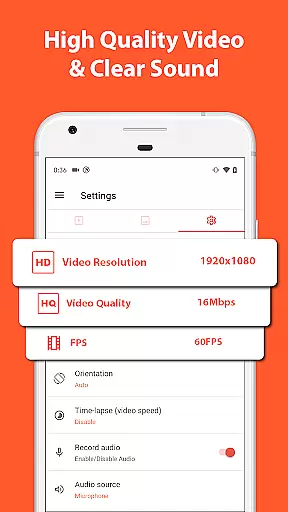
The app supports high-quality recordings from HD to 4K resolutions, making it suitable for various purposes, including professional video production. This flexibility allows users to choose the best resolution for their specific needs, whether they are creating content for YouTube, Facebook, or personal archives.
Apart from supporting multiple resolutions, AZ Screen Recorder also offers different frame rates such as 24fps, 30fps, and 60fps. This feature provides smooth video playback and is particularly beneficial for gamers who require high frame rates to capture fast-paced action without any lag.
Furthermore, the app's ability to transfer recorded videos to computers using Wi-Fi enhances its compatibility. Users can easily move their files across devices, ensuring that they can access and edit their recordings on different platforms, thus maximizing productivity and convenience.
AI-powered editing features represent the cutting edge of video editing technology, and AZ Screen Recorder incorporates several advanced tools that leverage artificial intelligence to enhance the editing process. These features allow users to create polished and professional-looking videos with minimal effort.
One standout AI feature is the automatic detection and combination of several images into one through the stitching function. This tool simplifies the process of creating panoramic images or collages, saving users significant time and effort. Additionally, the app's ability to extract frames from videos can be used creatively to produce unique still images or to analyze specific moments in a recording.
The inclusion of AI-driven tools like background music addition and subtitle generation further streamlines the editing process. Users can enhance their videos with appropriate soundtracks and accurate subtitles, improving overall viewer engagement and accessibility. These features are especially useful for content creators looking to produce high-quality videos quickly.
Moreover, the app's intelligent cropping and blurring functions enable users to focus on important elements within their videos while maintaining privacy. By automating these processes, AZ Screen Recorder ensures that even novice editors can achieve impressive results, democratizing access to sophisticated video editing capabilities.
User-friendly interface
High-quality video output
No watermark on videos
Comprehensive editing tools
Live streaming functionality
Advanced features require upgrade
Some features limited to newer Android versions
Occasional performance issues
Ads in free version
Complexity may overwhelm beginners

Fast, private downloading, video saving, social media
 4.50
4.50
HD Video player all format, HD Videos, Cast & Subtitle. No annoying ads.
4.60
A Quick and Pro Video Editor
4.70
Video Downloader is an utility that can save videos and music from web sites
4.20
GENRAL PRO - General Pro is the best video player that fully supports all formats.
4.70
AI Video Editor with Music, Filter, Slideshow, Effect, Merge & Trim Video.
4.80
Fast & Private HD Video Downloader with Built-in Proxy Browser and Video Player.
4.50
Download Hub, easy and private way to download and enjoy your videos offline
4.80
Photo editor & video maker with music and slideshows.
4.10
Cast to Chromecast, Xbox, Fire Stick, Roku, DLNA, Smart TV & No Feature Limited!
4.50
KMPlayer Plus (Divx Codec) officially support Divx codec.
4.30
Movie maker & video editing app with AI effects and green screen
4.30
Web Browser for LG TV to stream webvideos, online movies and livestreams in HD
4.20
Connect 2 UVC devices for recording and broadcast video/audio stream
3.90
Stream high quality video from your camera over NDI protocol
4.2


User Reviews