
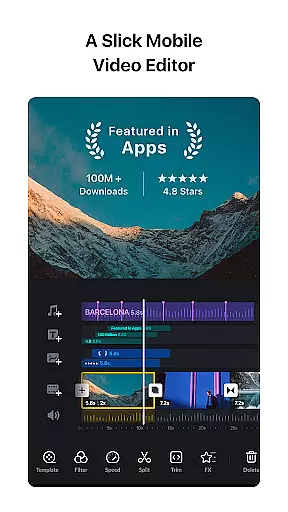
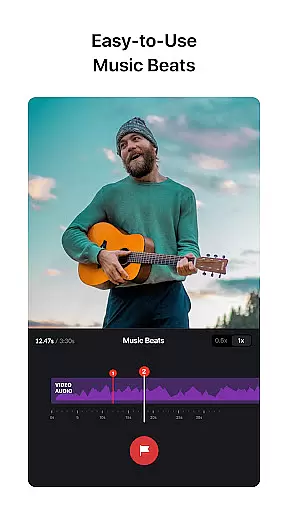
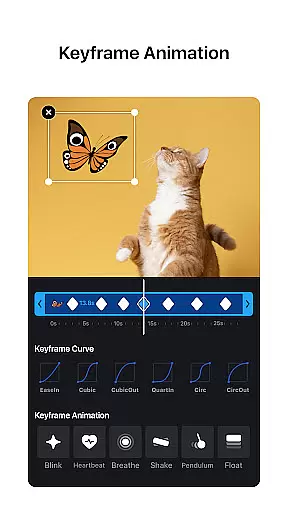

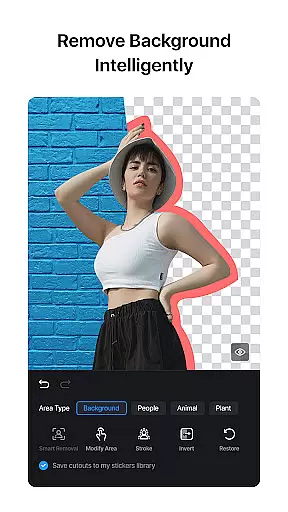
VN is a powerful yet user-friendly video editing application designed for both amateur and professional creators. The app offers an intuitive interface that simplifies the video editing process, making it accessible even to beginners. With features like multi-track timeline editing, keyframe animation, and advanced color grading tools, VN enables users to create high-quality videos without any watermarks.
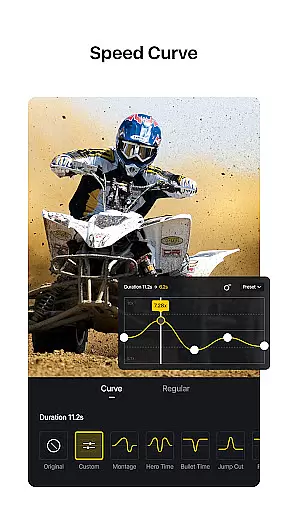
The application stands out with its precise editing capabilities, including speed curve adjustments and 0.05-second keyframe selections. Users can easily add music beats, voice-overs, and cinematic filters to enhance their projects. VN also supports non-destructive editing, allowing creators to experiment freely without overwriting original content. Whether you're crafting social media clips or professional-grade videos, VN provides all the necessary tools in one comprehensive package.
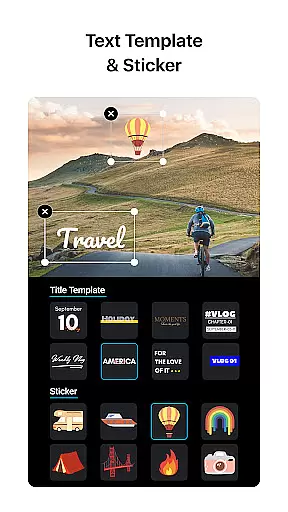
VN distinguishes itself through its rich feature set tailored for diverse video editing needs. The app's multi-track timeline allows seamless integration of picture-in-picture videos, photos, stickers, and text overlays. Its unique speed curve tool, similar to Time Remapping in Adobe Premiere Pro, offers six preset curves for customized playback speeds. Additionally, VN includes 19 built-in keyframe animation effects and supports LUT (.cube) file imports for advanced color grading.
Another standout feature is the app's flexible material import options. Users can transfer music, sound effects, fonts, and stickers via Wi-Fi, WhatsApp, or Telegram. Bulk imports through ZIP files are also supported. The protection mode adds security by enabling password protection and expiration dates for drafts. With customizable export settings supporting 4K resolution at 60 FPS, VN ensures professional-quality output while maintaining ease of use across mobile and desktop platforms.
Video format compatibility is a crucial aspect of any video editing application, ensuring that users can work with a wide range of video file types. VN addresses this need by supporting an extensive array of formats, allowing creators to import and edit videos without the hassle of conversion.
The app's intuitive multi-track editor enhances this compatibility, enabling seamless integration of various video clips, regardless of their original format. This means you can easily combine different types of footage, from action camera recordings to smartphone captures, all within a single project.
Moreover, VN's advanced features like speed curve adjustments and transitions are not limited by format restrictions. Users can apply these effects across different video files, maintaining high-quality output throughout the editing process. The ability to export in 4K resolution further underscores VN's commitment to comprehensive format support.
By removing technical barriers related to video formats, VN empowers both amateur and professional editors to focus on their creative vision rather than worrying about file compatibility issues.
AI-powered editing features represent a significant advancement in video editing technology, and VN incorporates several intelligent tools that streamline the creative process. These features help automate complex tasks while maintaining professional-grade results, making sophisticated editing techniques accessible to all users.
One notable AI feature is the automatic beat detection for music synchronization. This tool analyzes audio tracks and suggests optimal cut points, enabling users to create perfectly timed edits that align with musical beats. The AI-driven keyframe animation generator simplifies complex motion effects, allowing creators to produce professional-looking transitions without manual keyframing.
VN's smart material management system uses AI to categorize and tag imported assets, making it easier to organize and retrieve elements during editing sessions. The app's AI also powers its advanced color grading suggestions, analyzing video content to recommend appropriate cinematic filters and LUT adjustments.
These AI-powered capabilities significantly reduce editing time while maintaining creative control, positioning VN as a forward-thinking solution in the video editing landscape.
User-friendly interface
Professional editing tools
No watermark on videos
Flexible material import
High-quality export options
Limited advanced features
Occasional performance issues
Fewer tutorials available
Basic audio effects
Interface may feel cluttered

A full editing room to accompany your Insta360 cameras and handheld gimbals.
 3.30
3.30
Client application for NextPVR software
3.00
Connect 2 UVC devices for recording and broadcast video/audio stream
3.90
Movie maker & video editing app with AI effects and green screen
4.30
Find, download, and play torrents with the official BitTorrent® Pro app
4.70
Manage your IPTV live channels and VOD playlists (no playlist included)
3.80
The essential companion to your Blue Iris PC software
2.50
Manage your YouTube channel on the go
4.40
convenient, safe and fast at Video Downloader & Player
4.60
An easy-to-use and all-round screen recorder with audio
4.80
Full HD Video mp3 Player, MP4 player play 1080p, File manager, Video Downloader
4.40
AirMirror Receiver - Screen mirroring/cast web videos to Android TV by AirPlay.
4.40
Fast private browser with secure, seamless access & supported video downloads!
4.00
Online Videos Player
3.90
Live TV, anywhere in your home
3.80


User Reviews