
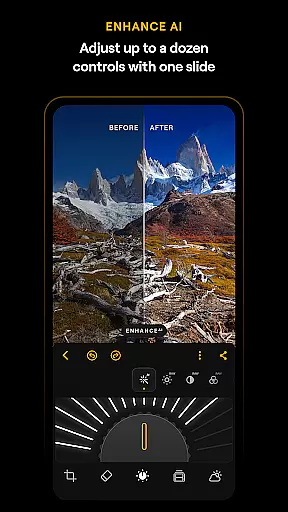
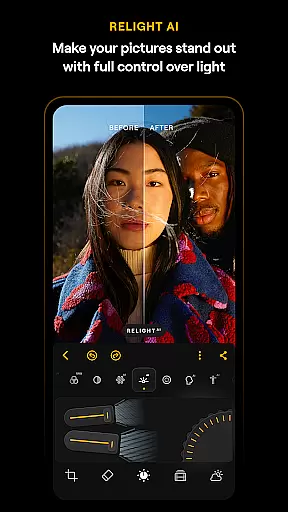
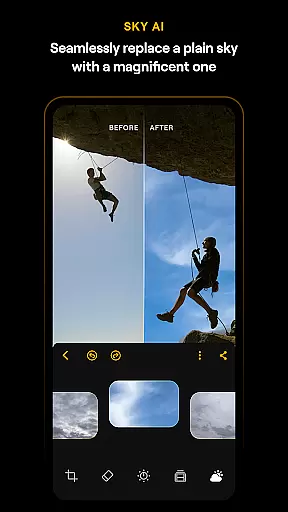
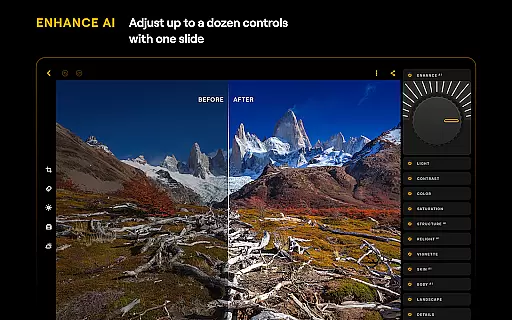
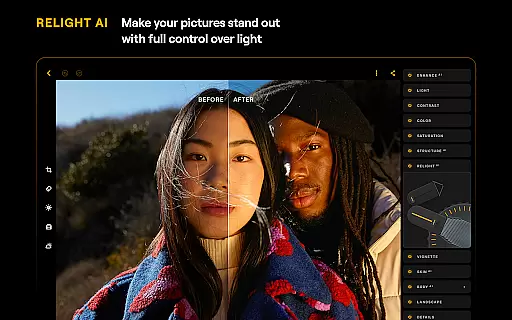
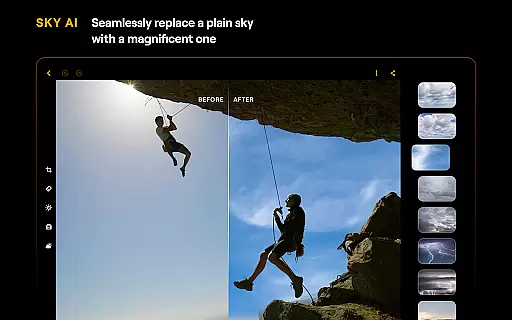
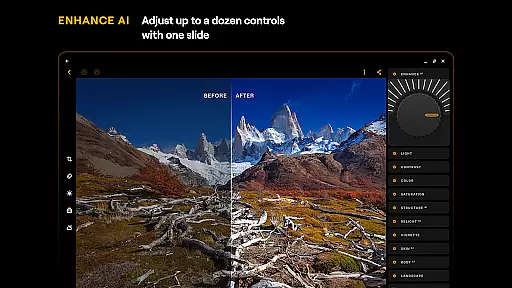
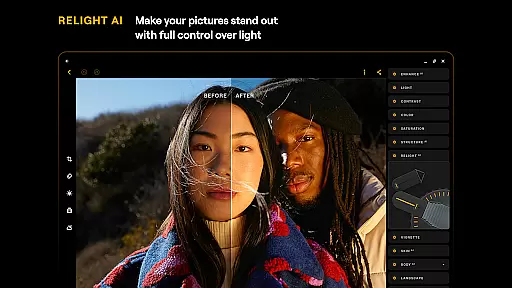
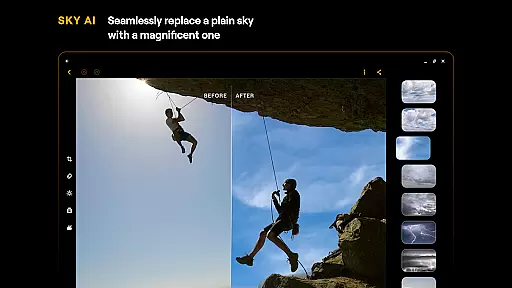
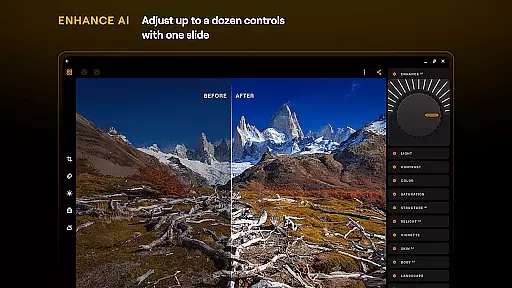
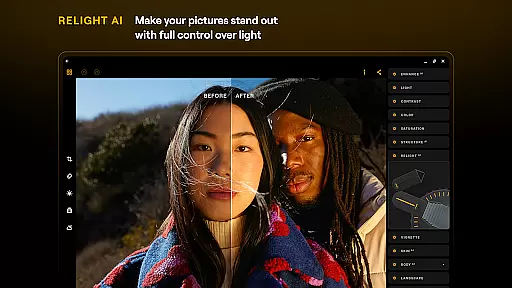
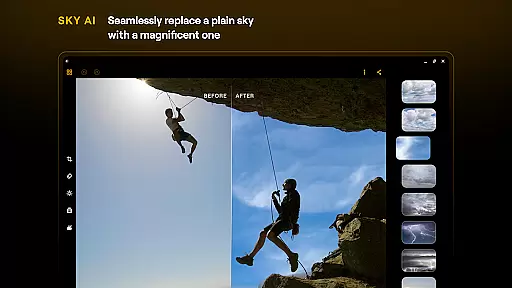
Luminar: Photo Editor is a comprehensive mobile photo editing solution designed for both Android and ChromeOS users. This application combines powerful AI-driven tools with an intuitive, gesture-based interface that makes photo editing accessible to everyone. The app's standout feature is its range of smart AI enhancements, including SkyAI for sky replacement, EnhanceAI for quick quality adjustments, StructureAI for detail enhancement, RelightAI for lighting control, SkinAI for skin retouching, and BodyAI for realistic body shaping.
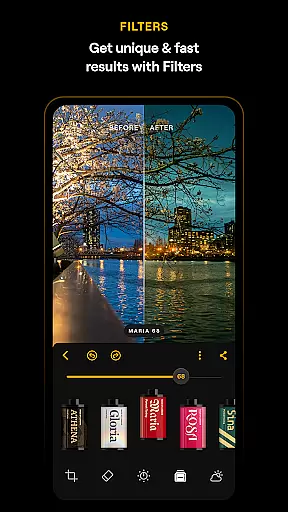
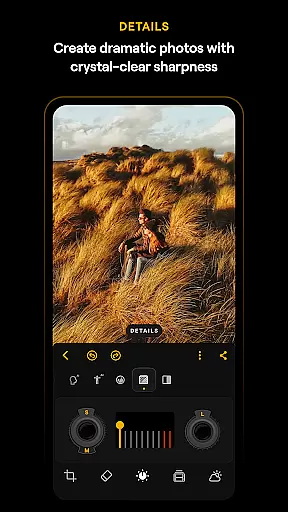
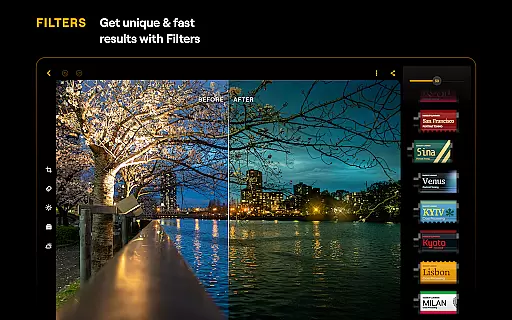
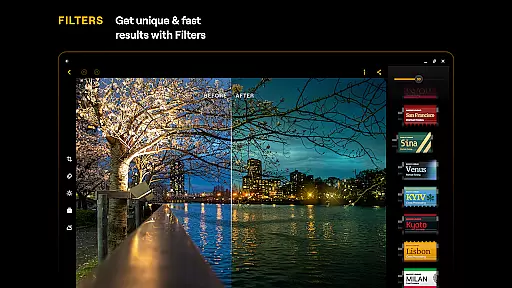
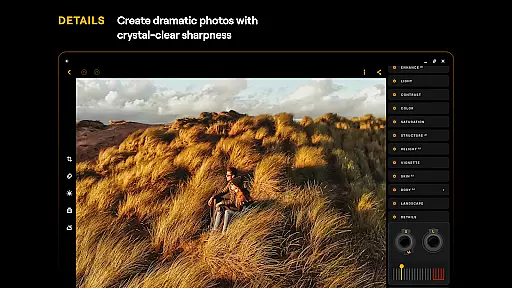
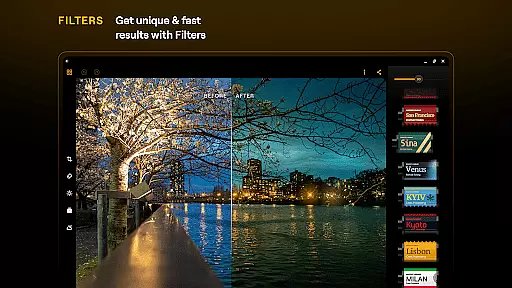
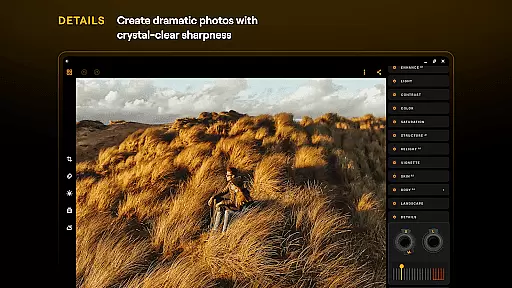
Beyond its AI capabilities, Luminar offers a complete suite of professional-grade editing tools. Users can make precise color adjustments with Curves, enhance image details, crop and align compositions, transform landscapes, create stunning monochrome images, remove unwanted elements, and apply various photo filters. The app also supports RAW file editing, ensuring maximum quality and flexibility for advanced users. Its seamless integration with Android devices and optimization for ChromeOS makes it a versatile choice for on-the-go photo editing.
The hallmark of Luminar: Photo Editor lies in its innovative combination of AI technology and traditional editing tools. The app's AI features are particularly impressive, offering solutions for common photo challenges such as dull skies, poor lighting, and portrait imperfections. Each AI tool functions through simple slider adjustments, delivering professional-quality results in seconds. For instance, the SkyAI feature not only replaces skies but also automatically adjusts the lighting and colors of the entire image to match the new background.
What sets Luminar apart is how it bridges beginner-friendly functionality with advanced editing capabilities. While the AI tools provide instant improvements, the app also includes sophisticated manual controls for experienced photographers. The interface design is equally impressive, featuring responsive touch controls with realistic motion and sound feedback. Additionally, the app's support for RAW files and its compatibility with both Android 11+ devices and ChromeOS systems demonstrates its commitment to serving a wide range of photography enthusiasts.
Real-time capture and preview functionality is essential for ensuring that photographers can accurately frame and adjust their shots before taking a picture. Luminar: Photo Editor offers an intuitive interface that allows users to see the effects of editing tools instantly, providing immediate visual feedback.
The application's responsive design ensures that sliders and dials react realistically to touch, offering a tactile experience that mirrors traditional camera controls. This instant feedback loop between user input and visual result on the screen empowers users to make precise adjustments without any delay.
With Luminar's real-time capabilities, users can experiment with different settings such as exposure, contrast, and color balance while observing the changes in their photos instantly. This feature not only saves time but also enhances creativity by allowing photographers to visualize their edits as they work.
Ultimately, the real-time capture and preview features in Luminar enable both amateur and professional photographers to achieve their desired results efficiently. By delivering a seamless editing experience that responds instantly to user inputs, it elevates mobile photo editing to new heights of precision and artistry.
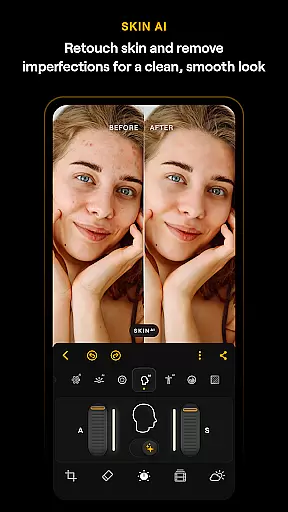
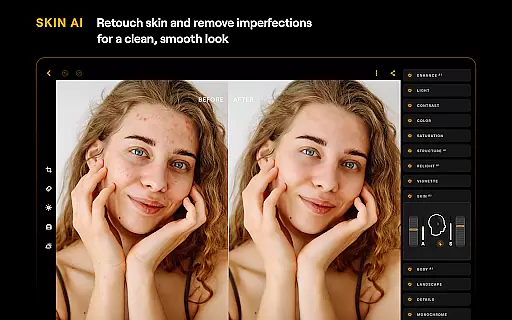
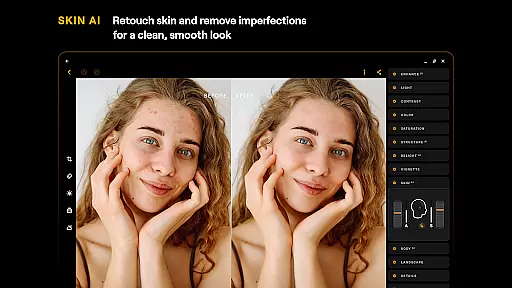
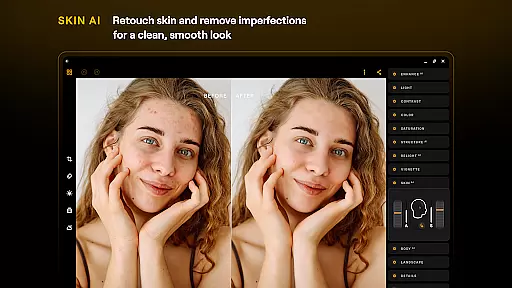
AI beauty and enhancement features are designed to improve the aesthetic quality of photos while maintaining a natural look. Luminar: Photo Editor leverages advanced AI algorithms to automatically retouch skin, remove imperfections, and enhance facial features without creating an artificial appearance.
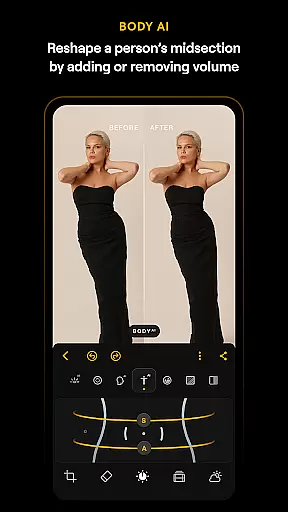
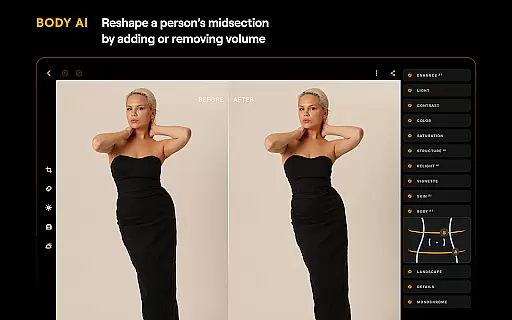
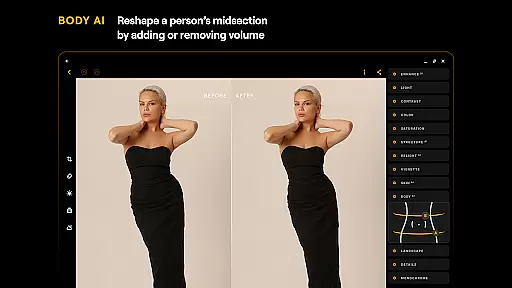
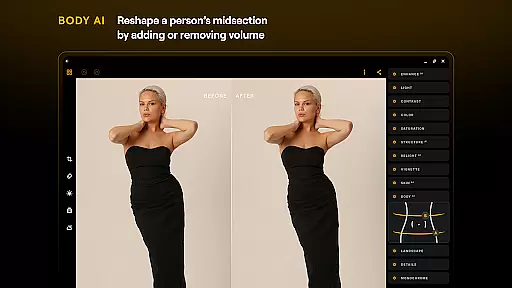
The SkinAI tool within Luminar intelligently smooths skin textures while preserving important details like pores and hair, ensuring that subjects look their best without losing authenticity. Similarly, BodyAI allows for realistic shaping of a subjectu2019s midsection, adding or removing volume in a way that looks natural and unaltered.
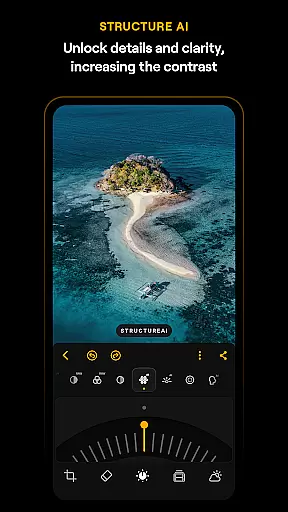
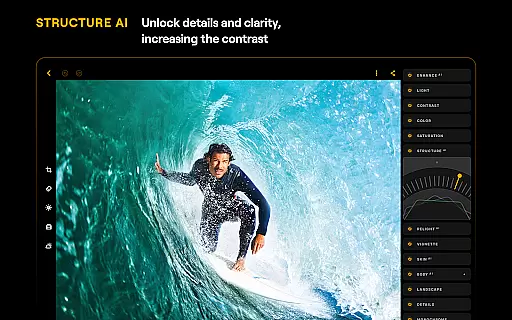
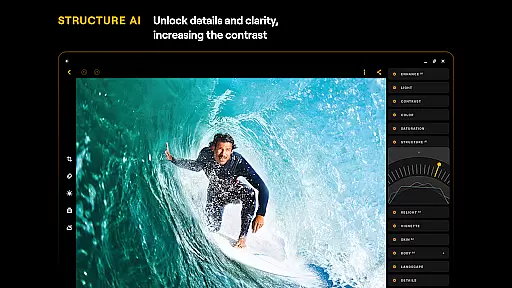
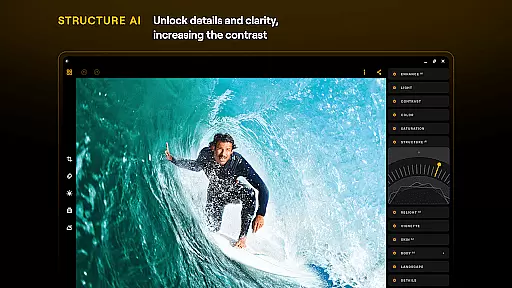
These AI-driven enhancements provide users with powerful tools to elevate their photography effortlessly. Whether adjusting lighting conditions with RelightAI or enhancing image clarity with StructureAI, each feature is crafted to deliver professional-grade results with minimal effort from the user.
By focusing on natural-looking enhancements, Luminar ensures that edited images retain their original charm and character. Photographers can trust that their final outputs will be both polished and genuine, making this app an invaluable asset for anyone looking to refine their photos with subtlety and sophistication.
User-friendly interface
Advanced AI tools
RAW file support
Cross-platform compatibility
Comprehensive editing suite
Premium subscription required
Resource-intensive operation
Steep learning curve
Limited free features
Occasional performance issues

Remote control of the phone camera from your Wear OS smartwatch
 3.70
3.70
How would you look like with a differently shaped nose, chin or lips?
3.90
Easily stitch panoramas from multiple photos or video.
4.40
AI photo editor with hair editor, retouch tools, hair color changer & filters!
4.50
Collage your moments in one tap: 1000+ layouts, filters, stickers, and texts.
4.90
Fit multiple photos on one post. Create carousels & scroll layouts for Instagram
4.50
Astrophotography with your smartphone, photo live stacking and much more!
3.90
Catch sunlight, sunrise sunset times and sun phases with the AR sun tracker.
4.10
Welcome to ProShot, the most powerful camera app on Android.
4.20
Automatically backup your photos and videos to computer, NAS and Cloud services
4.60
Unblur, enhance & restore photos with powerful AI photo enhancer tools.
4.60
AI photo enhancer with Sora 2! Enhance, descratch, and colorize your old photos.
4.50
Effortlessly organize, view and share your photos & videos with Gallery app!
4.40
Turn your phone into a professional camera - full DSLR manual photography
4.30
A light meter for true photographers.
4.20


User Reviews