
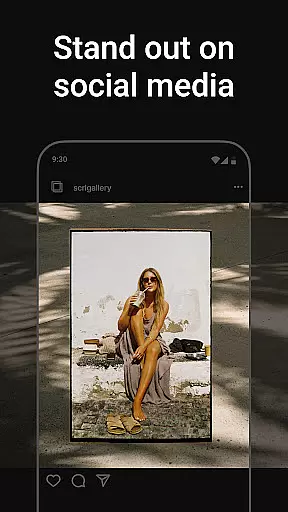
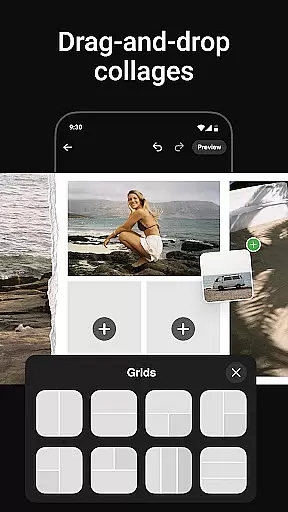
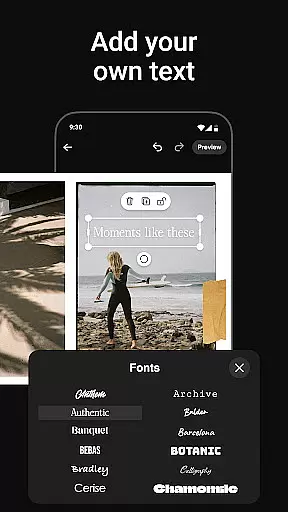
Photo Collage Maker by SCRL is the leading app for creating stunning photo collages and seamless Instagram carousels. Designed for influencers, artists, and photography enthusiasts, this app offers a complete suite of tools to make your social media posts stand out. With hundreds of hand-picked templates, a freeform canvas, and advanced design features, you can unleash your creativity like never before.
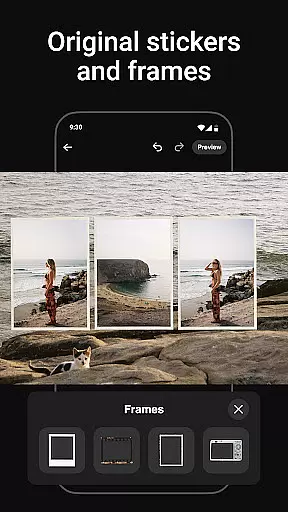
The app allows users to craft captivating swipe-through carousel posts, add more than 10 photos to a single layout, and access an extensive library of stickers and overlays. Whether you're designing for personal use or professional branding, Photo Collage Maker provides all the resources needed to produce polished, professional-quality visuals. Trusted by Grammy Award-winning artists and industry leaders, this app is your ultimate creative companion.
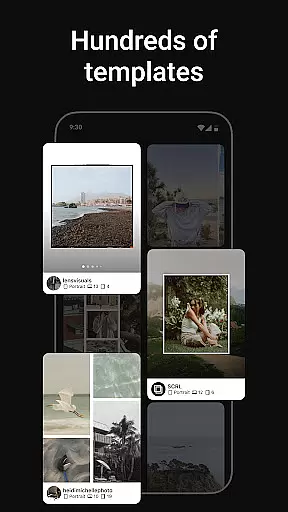
Photo Collage Maker stands out with its robust set of features tailored for creative professionals. The app includes an intuitive collage maker with hundreds of professionally designed templates catering to various styles and occasions. These templates are regularly updated, ensuring fresh options for every project.
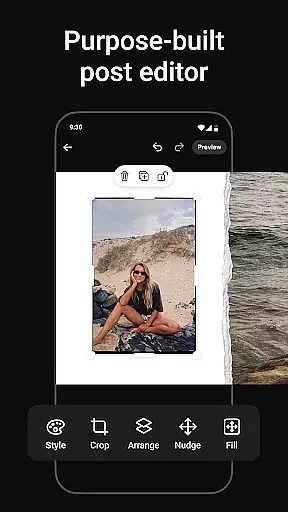
One of the app's key highlights is its freeform canvas, which allows users to zoom in and out while designing intricate layouts. This feature enables ultimate customization, letting you merge images, text, stickers, and overlays seamlessly. Additionally, the app supports instant posting to Instagram, streamlining your workflow by eliminating extra steps like exporting and re-uploading.
For power users, SCRL Premium unlocks exclusive tools such as gradient backgrounds, video integration, and access to all templates. Whether you're crafting collages for personal memories or marketing campaigns, these advanced capabilities ensure your designs remain unique and impactful.
Real-time capture and preview functionality is essential for ensuring that every photo collage or carousel post created with Photo Collage Maker meets the user's expectations. This feature allows users to see their creations come to life instantly as they add photos, stickers, overlays, and text.
The app provides a seamless experience by enabling users to visualize changes immediately, which significantly enhances the creative process. Whether adjusting layouts on the freeform canvas or experimenting with different templates, real-time previews ensure precision and satisfaction in design.
Users benefit from this immediate feedback loop, allowing them to make quick adjustments and perfect their collages without any guesswork. The ability to see exactly how each element interacts within the collage before finalizing it ensures professional-quality results every time.
This feature not only saves time but also boosts creativity by giving users the confidence to explore new design ideas knowing they can fine-tune their work on the fly. With real-time capture and preview, Photo Collage Maker empowers users to produce visually stunning content effortlessly.
AI beauty and enhancement features in Photo Collage Maker offer users the tools to elevate their images naturally. These enhancements are designed to improve the visual appeal of collages without compromising the authenticity of the original photos.
The AI algorithms intelligently apply adjustments such as color correction, brightness enhancement, and detail sharpening. By analyzing each image's unique characteristics, the app ensures that enhancements blend seamlessly with the original content, maintaining a natural look.
Users appreciate the subtlety of these enhancements, which avoid over-processing and preserve the genuine essence of their photos. This approach is particularly beneficial for influencers and artists who seek polished yet authentic visuals for their social media posts.
With AI beauty and enhancement features, Photo Collage Maker delivers professional-grade results while keeping the focus on the user's creative vision. This balance between enhancement and naturalness sets the app apart, making it an ideal choice for crafting captivating Instagram carousels and collages.
User-friendly interface
Extensive template library
Freeform canvas for creativity
Instant Instagram posting
Premium upgrade options
Limited free features
Premium subscription cost
Occasional bugs reported
Learning curve for beginners
Heavy on storage space

Natural Beauty, Selfie Retouch
 4.30
4.30
Superimpose one photo on top of another using the original Superimpose app!
3.20
Raw Image Viewer. Gallery with support of raw images (.cr3, .cr2, .nef, .raf).
2.00
AI photo enhancer with Sora 2! Enhance, descratch, and colorize your old photos.
4.50
Professional quality photo edits with the new Snapseed.
4.00
Astrophotography with your smartphone, photo live stacking and much more!
3.90
A light meter for true photographers.
4.20
Professional camera app that brings DSLR manual photography controls to Android.
4.20
PhotoSync Bundle Add-On License. Enables all features and services in PhotoSync.
4.60
Your personal guide to the sun and moon. Plan ahead, visualize and predict!
4.70
1M influencer's special filter
4.60
Take videos and pictures with the popular TikTok TIME WARP SCAN filter.
4.60
What celebrity do you look like? Celebs will find your celebrity match!
4.10
Create & Edit with AI: AI Remove, Enhance, Retouch, Filter
4.10
How old age camera Gender Swap App Face Shape Hairstyle App Hair Styler App fun!
4.00


User Reviews