
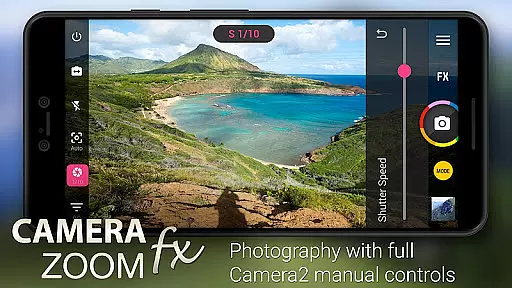
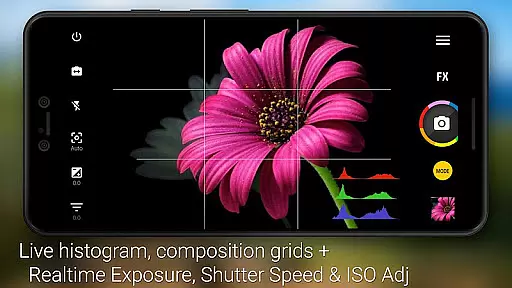
Camera ZOOM FX Premium is a feature-rich photography app that transforms your Android device into a professional-grade camera. The app offers advanced DSLR-like manual controls using the Camera API2, allowing users to adjust ISO, focus distance, exposure, and shutter speed. With support for RAW capture on compatible devices, it provides exceptional image quality and editing flexibility.
Beyond its core functionality, the app includes creative tools such as photo filters, collage creation, and photo composition guides. Whether you're capturing action shots, stable images, or experimenting with time-lapse and HDR modes, this app caters to both amateur photographers and professionals seeking precision and versatility in their mobile photography experience.
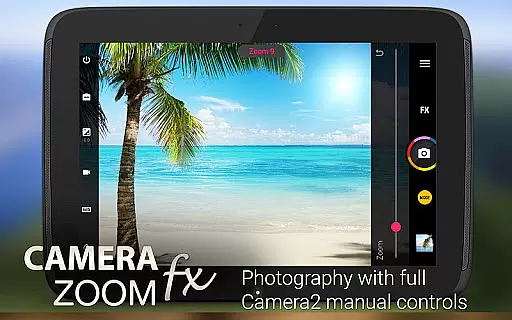
Camera ZOOM FX Premium stands out with its extensive set of features designed to enhance every aspect of mobile photography. It supports full manual DSLR controls through the Camera API2, enabling users to fine-tune settings like ISO, shutter speed, and focus distance. This makes it ideal for those who want granular control over their shots.
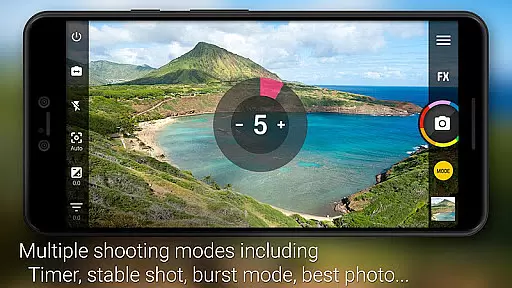
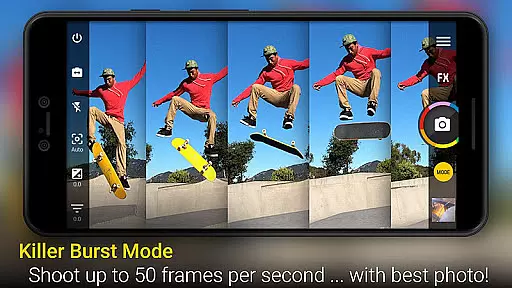
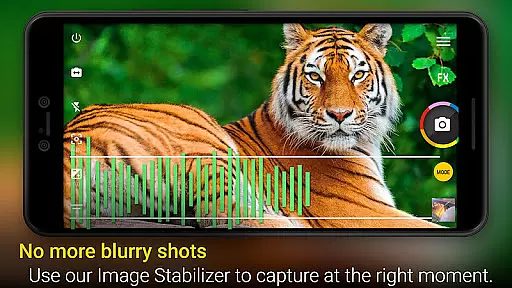
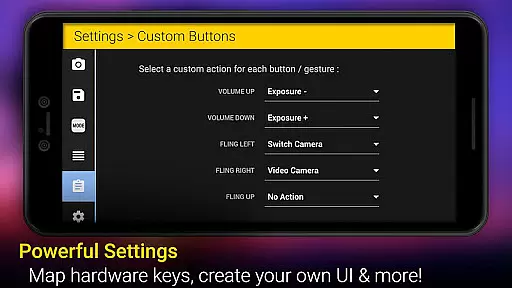
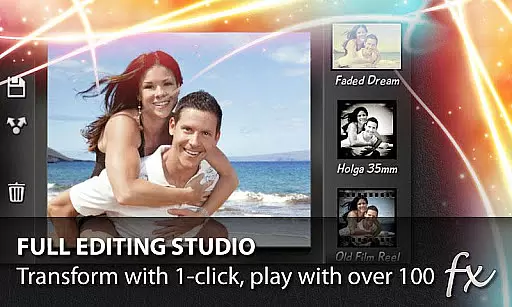
The app also excels in creative functionalities, offering over 100 effects such as Vignette, Retro, Holga, Bokeh, Lomo, and Hipster styles. Additional tools include Stable Shot for sharper images, Timer and Voice Activation for hands-free shooting, and a powerful burst mode. Users can further customize their experience by assigning actions to hardware buttons and organizing photos into custom folders, including external storage options.
Real-time capture and preview functionality is essential for ensuring that users can accurately frame and adjust their shots before taking a photo. Camera ZOOM FX Premium offers an advanced real-time preview feature that allows photographers to see exactly what the camera sensor is capturing.
This application leverages the capabilities of modern smartphone cameras by providing users with precise control over settings such as ISO, shutter speed, and focus distance. These manual controls enable users to fine-tune their photography experience, ensuring that each shot is captured with the desired effects and clarity.
With its fast processing power, Camera ZOOM FX Premium ensures minimal lag between the action happening in front of the lens and what is displayed on the screen. This immediacy not only enhances user experience but also increases the likelihood of capturing perfect moments without delay or distortion.
Ultimately, the real-time capture and preview features empower users to take full creative control over their photography, resulting in higher quality images that reflect their personal vision and professional needs.
AI beauty and enhancement features are becoming increasingly popular among mobile photography enthusiasts who seek to improve their photos with natural-looking effects. Camera ZOOM FX Premium incorporates sophisticated AI algorithms designed to enhance facial features while maintaining authenticity.
The app's AI-driven enhancements include skin smoothing, blemish removal, and eye enlargement, all applied with subtlety to preserve the original character of the subject. By avoiding overly aggressive edits, Camera ZOOM FX ensures that portraits retain their genuine appearance, offering a balance between enhancement and realism.
Users benefit from customizable levels of enhancement, allowing them to choose how much modification they desire for each photo. Whether aiming for subtle touch-ups or more noticeable improvements, the app caters to various preferences and styles.
In summary, Camera ZOOM FX Premiumu2019s AI beauty and enhancement tools provide users with powerful yet natural editing options, enhancing their photographic output without compromising the integrity of the original image.
Advanced manual controls
RAW capture support
Fast burst mode
Versatile photo effects
User-friendly interface
No iOS version available
Some features device-specific
Premium price point
Occasional bugs reported
Steep learning curve

All-in-One Editor & AI Photo Enhancer, Beautify & Retouch, Collage, Cartoonify
 4.20
4.20
Find time and duration of different sunlight phases at any location
4.90
Edit like a pro with Hypic. Apply filters, AI effects, & magic touch.
4.40
Photo prints, cards, & gifts at Walgreens. Easy ordering & fast local pickup !
4.80
Create AI Photos, Improve and restore quality of blurry, old or damaged pics.
4.20
Create amazing frames with up to five photos. Rounded corners, effects and more!
3.60
Pro version: AR sun/moon tracker for any date. Tool for photographers & planners
4.90
RAW video capture with advanced controls
4.40
Discover & download millions of art for The Frame TV or Hisense CanvasTV
4.60
Perfect body tune & face app - photo retouch, makeup, slim body & beautify face.
4.80
See your baby AI baby face generator AI baby maker Face generator babymaker fun!
4.70
GCamera allows all GCam features on all phone models! Better photos with GCamera
3.30
An interval timer to automate photo taking process for timelapse
2.90
Over 800 film simulation recipes for Fujifilm. Black Friday Offer!
4.5
Snap photos remotely using your Garmin watch as the camera trigger
4.2


User Reviews