
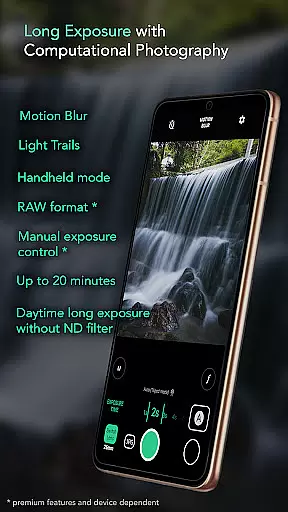
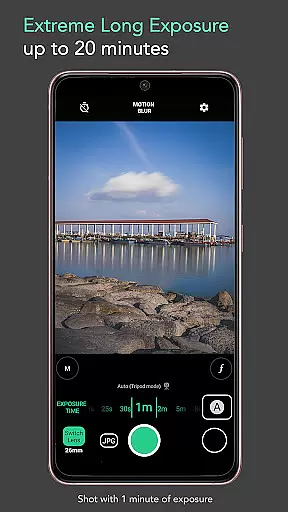
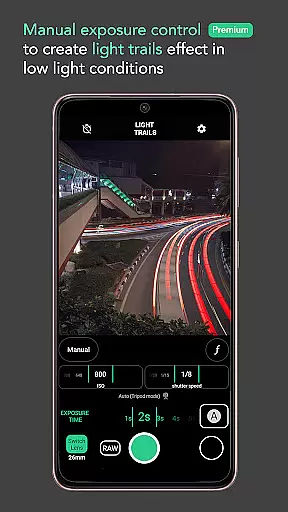
Motion ProCam is a cutting-edge camera application designed to simplify the process of capturing long exposure photographs. With its advanced computational photography techniques, users can effortlessly create stunning motion blur and light trails effects by combining multiple images into one final photo. The app eliminates the need for ND filters, allowing daytime shooting without overexposure concerns.
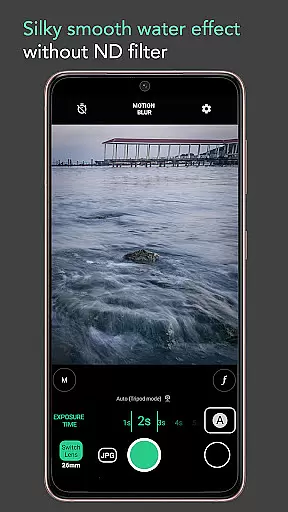
Whether you're an amateur photographer or a seasoned enthusiast, Motion ProCam offers versatile features that cater to various needs. From silky smooth water effects to removing crowds in busy locations, this app provides creative possibilities for capturing dynamic scenes with ease and precision.
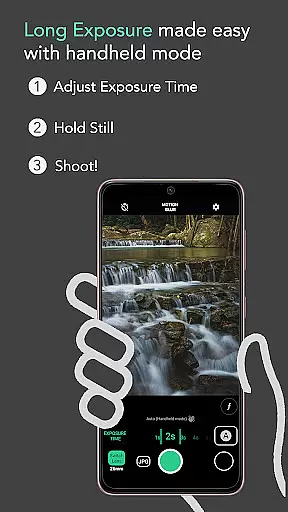
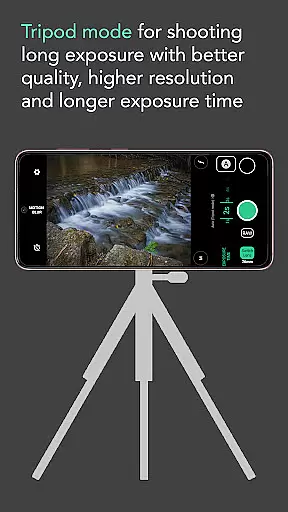
The app boasts an array of powerful features that enhance the long exposure photography experience. Its auto-stabilization function ensures sharp images even when shooting handheld for up to five seconds. Users can choose between motion blur or light trails effects, with adjustable exposure times extending up to twenty minutes.
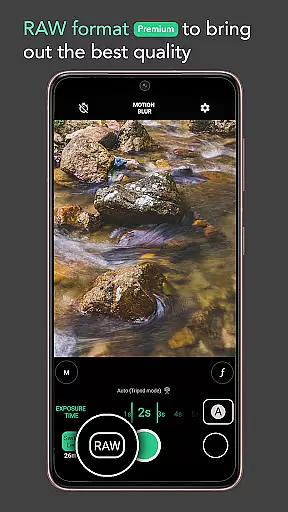
For professional-grade results, Motion ProCam offers premium features such as RAW format support and manual exposure control. These tools provide enthusiasts with greater flexibility and quality in capturing their long exposure shots, ensuring optimal image fidelity and post-processing capabilities.
Additional functionalities include using volume buttons as a shutter trigger, making it convenient to capture photos without touching the screen. This comprehensive feature set makes Motion ProCam a valuable tool for anyone interested in exploring the art of long exposure photography.
Real-time capture and preview functionality is essential for ensuring that users can accurately frame and adjust their shots before capturing the final image. Motion ProCam offers a seamless experience by providing instant feedback on exposure settings and stabilization.
The application's computational photography techniques allow users to preview motion blur and light trail effects in real time. This feature is particularly beneficial during daytime shoots, as it eliminates the need for ND filters while preventing overexposure.
With auto stabilization in handheld mode for up to five seconds, users can confidently shoot long exposure photos without the need for additional equipment. The app ensures that each captured moment aligns perfectly, resulting in crisp and clear images every time.
While Motion ProCam focuses primarily on long exposure photography, its AI beauty and enhancement features ensure natural-looking results. These enhancements are subtle yet effective, preserving the authenticity of the original scene while elevating overall image quality.
The premium RAW format and manual exposure control options cater to enthusiasts seeking the highest possible quality in their photographs. By allowing precise adjustments, users can achieve professional-grade enhancements tailored specifically to their creative vision.
Whether capturing silky smooth water effects, light trails, or moving clouds, Motion ProCam's intelligent algorithms work harmoniously to produce stunning visuals. The result is an impressive balance between artistic expression and technical precision, making it an ideal choice for both amateur and professional photographers alike.
User-friendly interface
Advanced computational techniques
Versatile shooting options
Auto stabilization feature
Premium RAW support
Premium features require payment
Limited to long exposure effects
Manual controls not beginner-friendly
Higher battery consumption
Processing time may vary

All-in-One Editor & AI Photo Enhancer, Collage, Cartoonify, Funny Stickers & BGS
 4.10
4.10
Create & Edit with AI: AI Remove, Enhance, Retouch, Filter
4.10
AI photo editor with hair editor, retouch tools, hair color changer & filters!
4.50
Be your best in every shot! Fix, edit and retouch your face in selfies & photos.
3.70
Over 800 film simulation recipes for Fujifilm. Black Friday Offer!
4.2
A must-have app for landscape photographers
4.60
AI Photo Editor with 100+ Filters, Effects! Remove BG, Retouch & Photo Enhancer.
4.80
Enhance, retouch & create your story - Share the moment with Photoshop Express.
4.60
PhotoSync Bundle Add-On License. Enables all features and services in PhotoSync.
4.60
Easily view, share, delete photos with Gallery.
4.70
Enhance, upscale, and transform your images — on your device, without limits
4.70
Viewfinder, Light meter, Reciprocity failure time, DOF & Bellows Extension
4.60
Photo editor: face & body editor, beauty cam, filters and quality enhancer.
4.00
USB Storage Access for Photos, Videos, Music and Documents
3.80
Photo Album Watch Face shows your favorite pictures as a Watchface.
1.90


User Reviews