
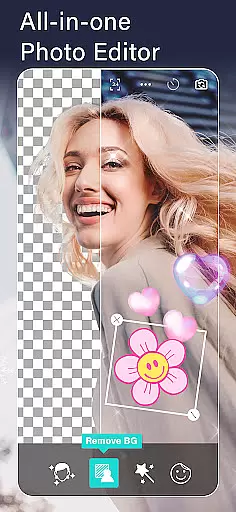
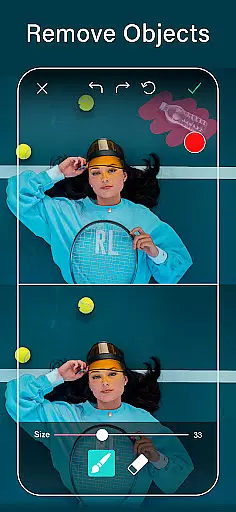
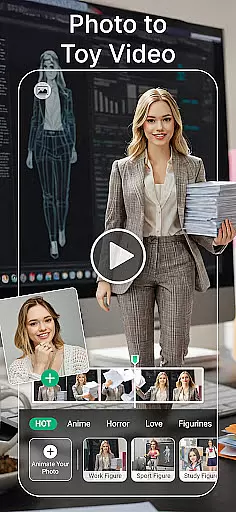
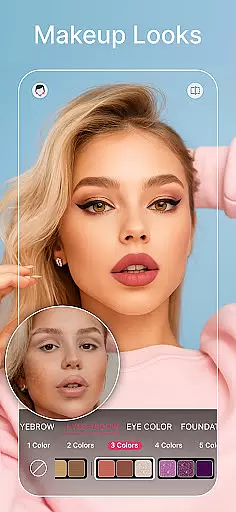
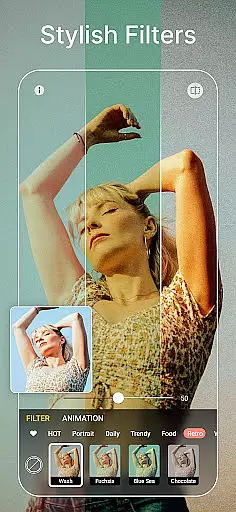
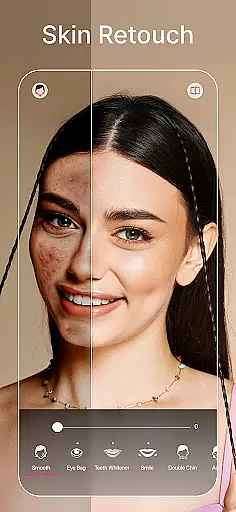
YouCam Perfect is a leading selfie photo editor and beauty camera app, trusted by over 800 million users worldwide. This comprehensive suite of photo editing tools offers AI-powered features such as object removal, background editing, and quality enhancement. With its robust set of functionalities, the app allows users to retouch faces, apply trendy filters, create stunning collages, and add animated effects.
Designed for both casual users and professional photographers, YouCam Perfect supports diverse creative needs. Whether you're looking to beautify selfies, reshape facial features, or generate professional headshots, this app delivers exceptional results. Its intuitive interface and powerful tools make it an ideal choice for enhancing personal photos or creating engaging social media content.
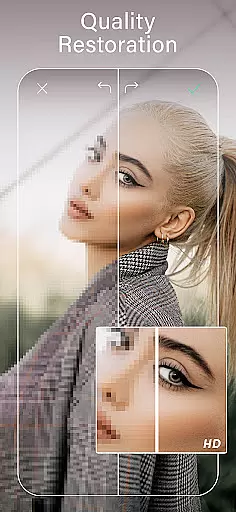
YouCam Perfect stands out with its advanced AI tools that revolutionize photo editing. The AI object remover instantly erases unwanted objects, while the background removal tool lets users cut out subjects and replace backgrounds seamlessly. The app also includes a quality enhancer that sharpens details and reduces noise, ensuring every photo looks polished and professional.
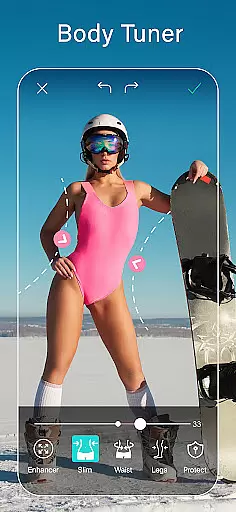
In addition to AI capabilities, the app offers body tuning features like waist slimming and height adjustment, along with makeup tools for applying lipstick, blush, and full-face looks. Users can create short animated videos from photos, design stylish collages, and explore generative AI tools such as AI Headshot and AI Avatar. These innovative features empower users to unleash their creativity and produce visually stunning content.
Real-time capture and preview functionality is essential for any photography app, allowing users to see exactly what their photo will look like before taking the shot. YouCam Perfect offers a beauty camera feature that provides instant feedback on how your selfies will appear, with options to beautify in one tap. This includes skin smoothing, teeth whitening, and blemish removal, ensuring you look your best in every photo.
The app's real-time effects enable users to apply trendy filters and makeup looks instantly through the live camera view. Whether it's trying out different lipstick shades or experimenting with blush and contour, the changes are visible immediately in the camera preview. This allows for effortless adjustments and perfect results without the need for post-editing.
Additionally, YouCam Perfect's AI tools such as object removal and background eraser can be previewed in real time. Users can see the magic happen as unwanted objects disappear from their photos right before their eyes. The ability to cut out subjects and replace backgrounds also becomes an interactive experience thanks to this immediate visual feedback.
AI Beauty and Enhancement features have revolutionized mobile photography by providing powerful yet natural-looking edits. YouCam Perfect leverages advanced AI technology to enhance selfies while maintaining authenticity. The appu2019s body tuner and height adjustment tools allow users to subtly reshape their body and improve proportions with natural-looking results.
Facial retouching capabilities go beyond basic editing, offering precise control over facial features. Users can lift eyes, slim jawlines, and refine noses with AI-driven accuracy that preserves realistic details. These enhancements ensure that edited photos still reflect genuine appearances rather than overly processed images.
Moreover, YouCam Perfectu2019s quality enhancer improves overall image clarity by sharpening details and reducing noise. This ensures that every selfie not only looks beautiful but also retains high resolution and professional-grade polish. With these sophisticated AI enhancements, users achieve stunning yet believable photo edits that elevate their social media presence.
Advanced AI tools
Comprehensive editing suite
User-friendly interface
Versatile creative options
Professional-quality results
Premium features require subscription
Some tools may overwhelm beginners
Occasional performance lags
Limited free content
Ads in free version

Trendy TikTok time warp scan funny filter app brings you unique photos & videos.
 4.40
4.40
Natural Beauty, Selfie Retouch
4.30
HD Camera Pro with HD Video shooting, Panorama, Photo editor , Beauty Camera.
4.50
Amazing Photo Effects - The most fun you can have with your photos!
4.70
AI photo enhancer with Sora 2! Enhance, descratch, and colorize your old photos.
4.50
Easily create custom gifts, cards, photo books & more on the Shutterfly app!
4.60
Use AI Video Generator to turn your words to ai generated videos.
4.50
RAW video capture with advanced controls
4.40
PhotoSync Bundle Add-On License. Enables all features and services in PhotoSync.
4.60
Light-weight Media Gallery app for Android made with Jetpack Compose
4.60
live datamoshing
4.00
How would you look like with a differently shaped nose, chin or lips?
3.90
Gallery Slideshow is slideshow maker app for slideshow from your gallery photos.
3.90
Superimpose one photo on top of another using the original Superimpose app!
3.20
Snap photos remotely using your Garmin watch as the camera trigger
4.3


User Reviews