
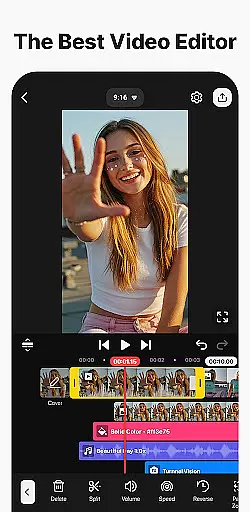
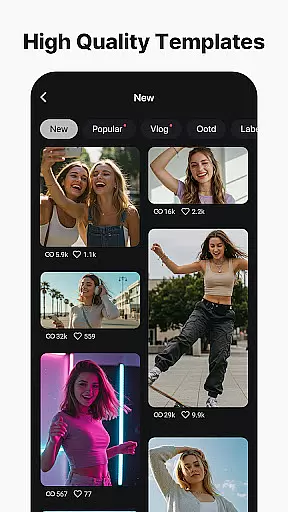
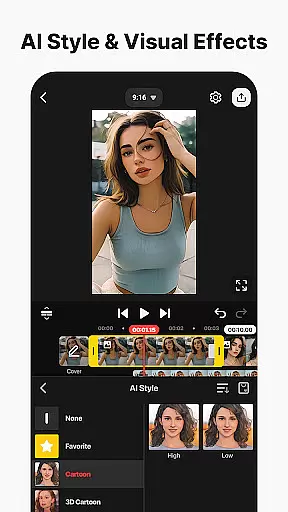
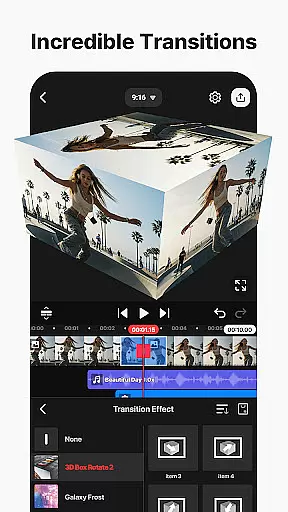
KineMaster is a comprehensive video editing application designed for both amateur and professional content creators. This app allows users to edit various types of videos including movies, vlogs, Reels, and Shorts with ease. It offers a wide array of AI-powered tools that simplify the process of creating complex videos quickly. These include features like AI Auto Captions, AI Text-to-Speech, and AI Magic Removal among others.
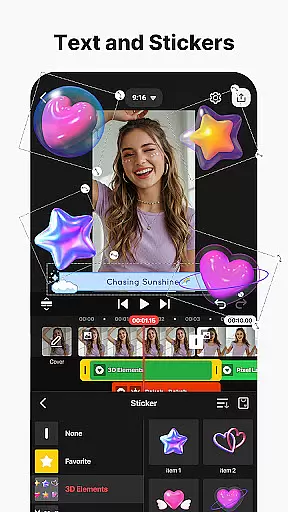
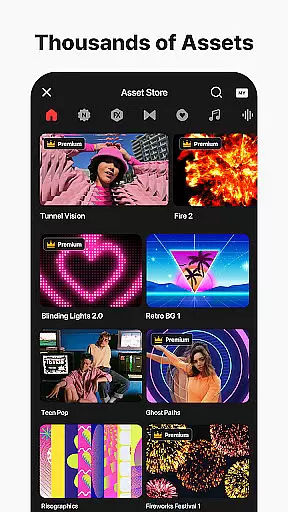
One of KineMaster's standout capabilities is its professional-grade video editing tools which are accessible to everyone. Users can take advantage of keyframe animation, chroma key (green screen) effects, and speed control to enhance their video projects. Additionally, the app provides thousands of templates to jumpstart creativity, along with an extensive asset store filled with effects, stickers, music, and fonts to make each video unique.
The app also supports high-quality output options, allowing users to save their edited videos in incredible 4K at 60 FPS or optimize them for faster loading on social media platforms. With support for both portrait and landscape editing, multiple layers, and full-screen previews, KineMaster equips creators with the best tools for fast, precise editing.
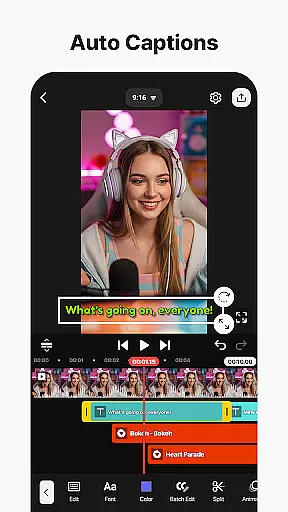
KineMaster stands out due to its rich set of features tailored for efficient and creative video editing. The app includes powerful AI tools such as AI Auto Captions, which adds subtitles instantly from video or audio, AI Text-to-Speech that creates spoken audio from text, and AI Noise Removal that eliminates distracting sounds. These innovative features ensure that even complex tasks can be completed swiftly and with precision.
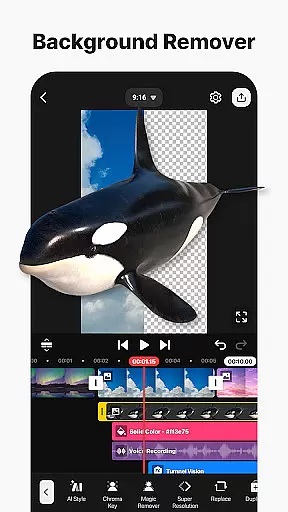
In addition to AI capabilities, KineMaster offers professional video editing tools that are easy to use. Keyframe animation allows users to adjust the size, position, and rotation of every layer, while Chroma Key enables background removal and video combination like a pro. Speed Control lets editors reverse, slow down, or create time-lapse masterpieces effortlessly. Furthermore, the app provides thousands of templates and assets, including effects, transitions, stickers, music, and stock videos, empowering users to produce visually stunning content.
KineMaster ensures high-quality output with options for 4K 60 FPS production and optimization for social media sharing. The app supports transparent background creation and offers both portrait and landscape editing modes. With magnetic guides, multiple undo/redo functions, and full-screen previews, KineMaster delivers a seamless editing experience that caters to the needs of modern content creators.
Video format compatibility is a crucial feature for any video editing application, ensuring that users can work with a wide range of video files without conversion hassles. KineMaster excels in this area by supporting an extensive array of video formats, allowing creators to import and edit their footage seamlessly.
The app's support spans from common formats like MP4 and AVI to high-resolution formats such as 4K at 60 FPS, making it versatile for both casual and professional use. This flexibility ensures that no matter the source of your video, KineMaster can handle it efficiently, preserving the original quality while providing powerful editing tools.
For content creators focused on social media platforms, KineMaster optimizes videos for services like YouTube, TikTok, and Instagram. The ability to save videos that are primed for these platforms streamlines the sharing process, enhancing user engagement and reach.
Moreover, KineMaster offers transparent background support, which is ideal for compositing videos. This feature allows creators to produce content that integrates smoothly with other video projects, expanding creative possibilities and ensuring professional-grade output regardless of the complexity of the project.
AI-powered editing features represent the cutting edge of video editing technology, automating complex tasks and enabling creators to focus on the artistic aspects of their projects. KineMaster incorporates several AI-driven tools that significantly enhance the editing experience, making sophisticated video production accessible to everyone.
Among these features is AI Auto Captions, which instantly generates subtitles from video or audio content. This tool not only saves time but also broadens the accessibility of videos, catering to viewers who prefer or require text accompaniment. Additionally, AI Text-to-Speech and AI Voice capabilities allow users to create spoken audio effortlessly, adding a unique touch to their narratives.
KineMaster also includes AI Noise Removal and AI Vocal Separator, which refine audio tracks by eliminating unwanted noise and isolating vocals from music. These functions ensure that the final product maintains a professional audio standard, crucial for engaging storytelling and clear communication.
Furthermore, AI Tracking and AI Upscaling empower users to elevate their visual storytelling. With AI Tracking, text and stickers can follow moving objects, creating dynamic effects. AI Upscaling boosts the resolution of low-quality media, ensuring crisp visuals even when working with suboptimal sources. Together, these AI-powered features streamline the editing process and unlock new creative potentials.
User-friendly interface
Advanced AI tools
Professional editing features
Extensive asset library
High-quality export options
Subscription required for premium features
Occasional bugs reported
Watermark on free version
Limited free assets
Resource-intensive on older devices

Online Videos Player
 3.90
3.90
A Quick and Pro Video Editor
4.70
?100% FREE! Download & save videos? safely in this app. All formats supported.
4.60
Video Downloader is an utility that can save videos and music from web sites
4.20
Create photo video with music & template. AI video maker for stunning slideshow.
4.60
Manage your IPTV live channels and VOD playlists (no playlist included)
3.80
This app is an emulator of some specific IPTV boxes
3.50
#1 Torrent App on Android ** No Ads Ever + Battery Saver **
4.80
Fast & Private HD Video Downloader with Built-in Proxy Browser and Video Player.
4.50
HD video maker with no watermark, no ads & vlog maker with music, PIP, text
4.50
Video player, file manager for all formats, 4K/HD media player supports subtitle
4.30
VLC for Android is the best open source video and music player, fast and easy!
4.10
Stream Web Videos to Chromecast, Samsung, LG, Sony, Roku, Fire TV, DLNA + more
4.00
Explore the largest library of free GIFs, Stickers & Memes - or create your own!
3.90
Kodi media center, a free and open source cross-platform entertainment hub
3.60


User Reviews