
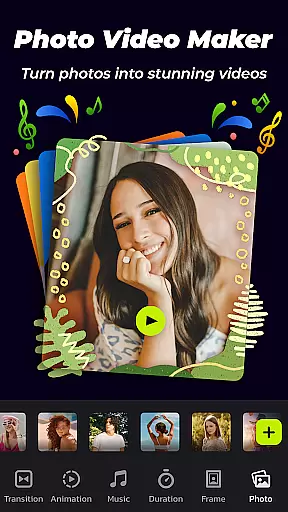
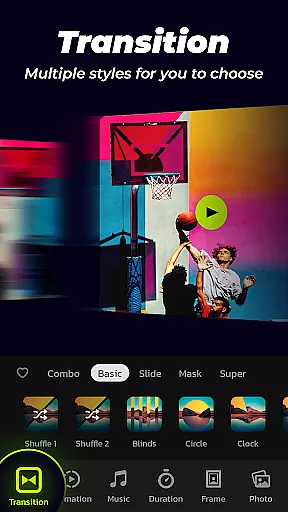

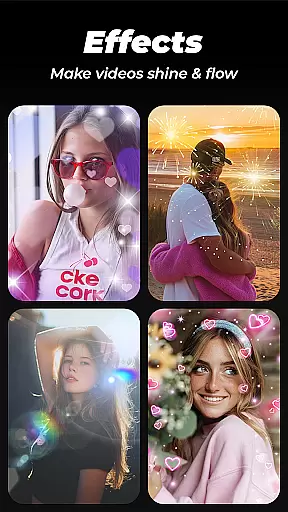
Photo Video Maker with Music - InSlide is a versatile video editing tool designed for creating engaging photo slideshows, music albums, and presentations. The app offers an intuitive interface that allows users to add music, transitions, animations, and frames to their projects.
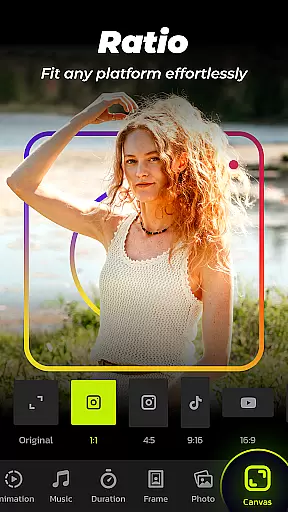
With its powerful features, users can easily create professional-looking videos in just four simple steps. Whether you want to send holiday greetings, record life memories, or make quick presentations, this app provides all the necessary tools. It also supports removing watermarks and customizing aspect ratios for various social media platforms.
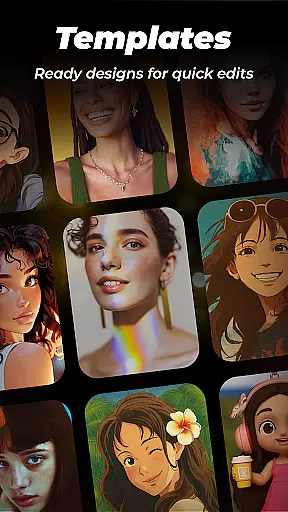
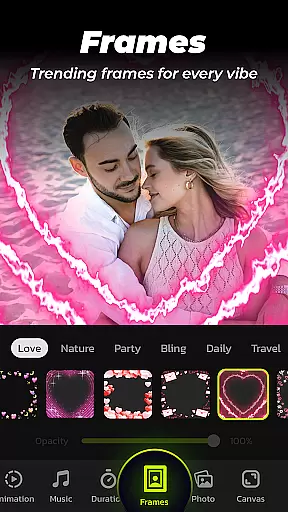
The app's abundant content library is continuously updated, ensuring users have access to the latest design elements. From adding music tracks to using categorized frames, Photo Video Maker makes it easy to produce visually stunning slideshows that can be shared on Instagram, TikTok, Twitter, and more.
Photo Video Maker stands out with its comprehensive set of features tailored for creative slideshow production. One of its key strengths is the ability to import multiple photos at once and assemble them into professional-quality videos effortlessly.
The app provides an extensive selection of transition effects, allowing users to enhance their videos with one-click transitions. Additionally, users can customize transition durations between 0.5 to 8 seconds, ensuring smooth visual flow. The resolution selection feature offers five options ranging from 480P to 2K, giving users flexibility in exporting their projects.
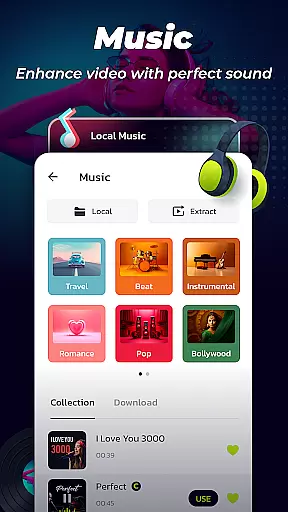
Another notable feature is the diverse music library, which includes various genres like Pop, Bollywood, and Love. Users can also upload personal music files or choose from recommended tracks. With customizable aspect ratios and a built-in video library for saving and sharing creations, this app caters to both casual users and professional content creators.
Video format compatibility is a crucial feature for any video editing tool, ensuring that users can work with a wide range of video files without conversion hassles. Photo Video Maker with Music - InSlide supports multiple formats, allowing creators to import and export videos in resolutions ranging from 480P to 2K.
This flexibility enables users to tailor their projects for various platforms, whether uploading to YouTube, TikTok, or Instagram. The app's ability to handle different aspect ratios further enhances its versatility, making it easy to adapt content for diverse social media requirements.
With five resolution options available, users can choose the perfect balance between file size and visual quality. This ensures that whether you're creating a quick shareable clip or a high-definition presentation, InSlide provides the necessary tools to meet your needs.
AI-powered editing features are revolutionizing how we create and edit videos, offering smart solutions that save time and enhance creativity. Photo Video Maker with Music - InSlide incorporates AI technology to simplify the editing process through automated transitions, animations, and music suggestions.
The app's one-click transition feature eliminates the need for manual selection, providing a seamless flow between images. Additionally, its intelligent music library recommends tracks based on popular styles like Pop and Bollywood, while also allowing users to upload personal audio files.
InSlide's AI-driven customization options extend to adjusting transparency, adding frames, and modifying transition durations. These capabilities ensure that even beginners can produce professional-looking slideshows with minimal effort, revitalizing dull photos into engaging visual stories.
User-friendly interface
Extensive transition effects
Versatile music library
High-resolution exports
Customizable aspect ratios
Limited advanced editing
Few premium templates
Occasional ads
Basic animation options
Watermark in free version

Auto video maker with music & exclusive filters. Video editing made simple.
 4.50
4.50
All format media Player, no need video converter any more!
4.00
High-Quality USB Camera Viewer & HDMI Display
4.70
Explore the largest library of free GIFs, Stickers & Memes - or create your own!
3.90
Download videos easily & play them all in one smart, powerful video manager.
3.40
An easy-to-use and all-round screen recorder with audio
4.80
Video Downloader, Multiple Resolution Options, Video Player
4.50
Powerful video player with advanced hardware acceleration and subtitle supports
4.20
Video&Drama Player All Format is a HD video player, music player
3.00
Tik & Story Saver-Download ALL social media videos, photos & reels no watermark.
4.80
Seamlessly connect and control your smart devices, anytime, anywhere with ease.
4.60
Cast to Chromecast, Xbox, Fire Stick, Roku, DLNA, Smart TV & No Feature Limited!
4.50
Your media, on your terms.
4.10
Powerful, professional, versatile teleprompter. Developed by an active film crew
4.00
Mix with Virtual DJ directly from your phone or tablet !
3.10


User Reviews