
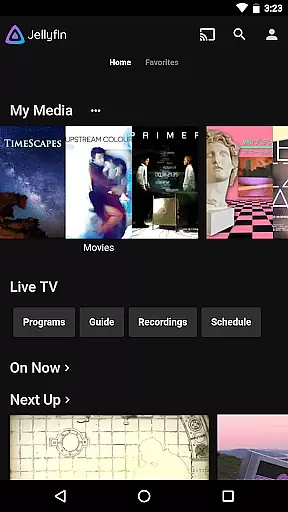
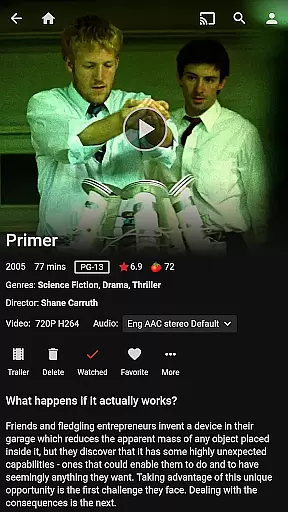



Jellyfin is an open-source media server and player that allows you to manage and stream your personal media collection. This Android app serves as the official companion, enabling users to access their media library from anywhere. With no fees or tracking, Jellyfin offers a privacy-focused solution for enjoying your audio, video, and photo collections.
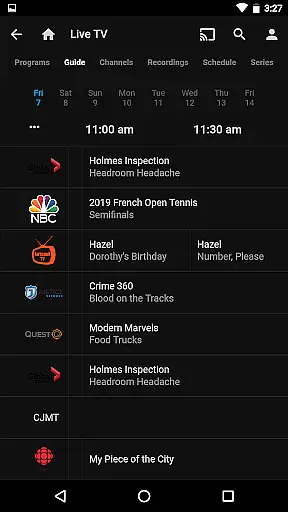
The app's core functionality revolves around seamless streaming capabilities. Users can stream content to Chromecast devices, watch live TV, and enjoy recorded shows. The interface is designed for easy navigation, making it simple to browse and play your media collection on the go. Whether you're at home or traveling, Jellyfin ensures your media is always accessible.
Jellyfin stands out with its robust feature set tailored for media enthusiasts. The app supports Live TV and DVR functionality, allowing users to watch and record television through compatible hardware. Its Chromecast integration enables effortless streaming to TVs and other devices on the same network.
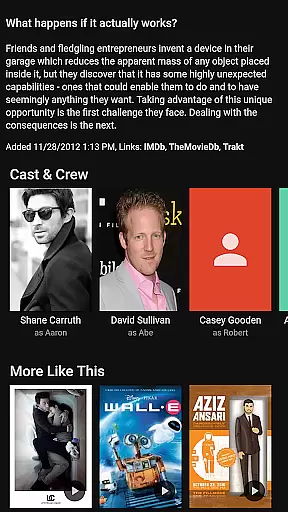
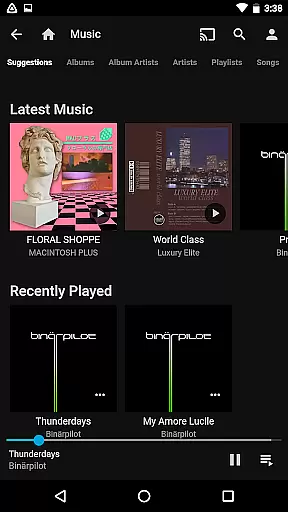
For music lovers, Jellyfin offers Android Auto support, though currently limited to online playback. The app provides a comprehensive media management system, letting users organize and view their entire collection through an intuitive interface. These features combine to create a versatile media experience that adapts to various user needs and preferences.
Video format compatibility is a crucial feature for any video player, ensuring that users can enjoy their media without worrying about file type restrictions. Jellyfin excels in this area by supporting a wide range of video formats, from common ones like MP4 and AVI to more specialized codecs such as MKV and OGG.
The app's robust compatibility stems from its open-source nature, allowing developers worldwide to contribute code that enhances support for various formats. This ensures that Jellyfin remains up-to-date with the latest video technologies and standards.
For users, this means seamless playback of their entire media library without the need for format conversion or additional plugins. Whether streaming from a Jellyfin server or playing local files on an Android device, users can expect consistent performance across different types of content.
Moreover, Jellyfin's commitment to open standards and lack of proprietary restrictions mean that users are not locked into specific ecosystems or services. This freedom allows individuals and families to organize and enjoy their media collections exactly how they want, enhancing the overall user experience.
While Jellyfin primarily focuses on media playback and organization, it also offers some innovative AI-powered features that enhance the viewing experience. Although it may not provide traditional video editing capabilities like cutting or splicing, its intelligent algorithms work behind the scenes to optimize video playback and quality.
One notable feature is the app's ability to automatically generate subtitles and captions using advanced speech recognition technology. This AI-driven functionality makes content more accessible to diverse audiences, including those with hearing impairments or those watching in noisy environments.
Additionally, Jellyfin employs smart algorithms to optimize streaming quality based on network conditions. The system dynamically adjusts resolution and bitrate in real-time, ensuring smooth playback even under varying internet speeds. This intelligent adaptation helps maintain a high-quality viewing experience without interruptions or buffering.
Furthermore, the app's recommendation engine uses machine learning to analyze viewing patterns and suggest relevant content. While not a traditional editing feature, this AI-powered capability helps users discover new media and organize their viewing preferences more effectively, contributing to a more personalized and engaging entertainment experience.
User-friendly interface
Free and open-source
Privacy-focused
Chromecast support
Live TV capabilities
Requires separate server
Offline music limited
Hardware-dependent features
No built-in media library
Setup complexity

Connect 2 UVC devices for recording and broadcast video/audio stream
 3.90
3.90
Save photos and videos from social apps in one tap.
3.60
Create & edit videos with AI
4.30
Capture images & record videos for USB Camera, Webcam, Microscopes, Endoscopes
3.80
Movie maker & video editing app with AI effects and green screen
4.30
Make your own Animations, Video and Photo Edits, Visual Effects, and more!
4.00
Find, download, and play torrents with the official BitTorrent® Pro app
4.70
Watch IPTV on your Android device
4.60
Create, Publish & Maximize
4.70
Download Hub, easy and private way to download and enjoy your videos offline
4.80
Download videos and play them offline
4.70
Snaptubè Video Downloader app allows to download videos and music in Snaptube. .
4.60
Video player with 4K & 1080P support, popup play, background play and subtitle.
4.20
Connect EasyCap or UVC devices for recording and broadcast video/audio stream
3.60
This app is an emulator of some specific IPTV boxes
3.50


User Reviews