

Alight Motion is a pioneering motion design application that brings professional-quality animation and video editing capabilities to your mobile device. This app allows users to create sophisticated visual effects, motion graphics, and composite videos with multiple layers of graphics, video, and audio. With support for both vector and bitmap images, Alight Motion stands out by enabling detailed edits directly on smartphones.
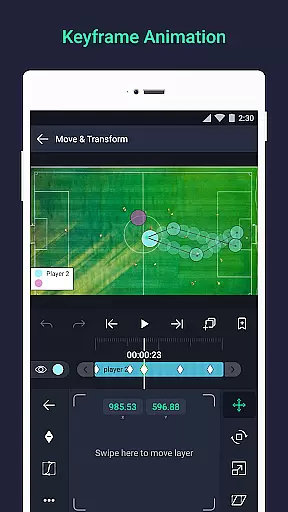
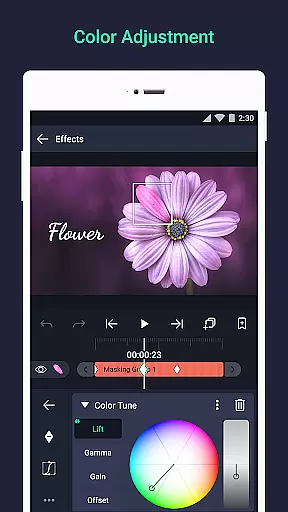
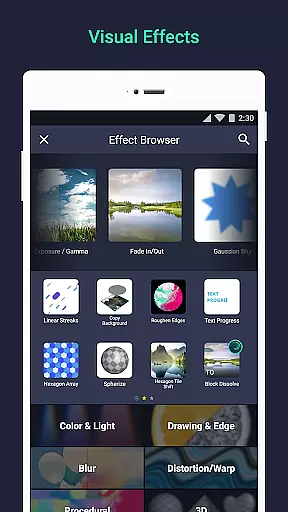
The app offers an extensive range of features including 160+ effect building blocks, keyframe animations, layer linking, and camera tools that provide panning, zooming, and focus blur effects. Users can group layers, create masks, adjust colors, and utilize custom fonts for text. Additionally, the ability to save favorite elements ensures efficiency in future projects. Whether you're a beginner or a professional, Alight Motion provides the tools necessary to produce high-quality animations and visual content.
Ideal for creators looking to produce engaging social media content or professional video editors needing a portable solution, Alight Motion serves as a versatile tool. Its intuitive interface and powerful features make it suitable for a wide array of creative tasks, ensuring users can achieve their vision without being tethered to desktop software.
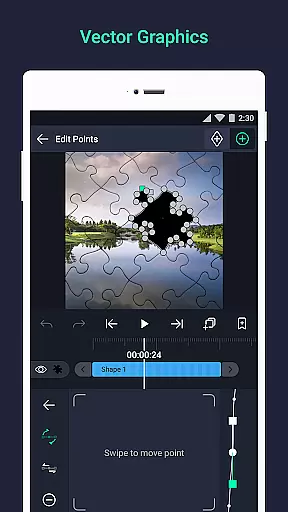
Alight Motion distinguishes itself through its comprehensive suite of features tailored for motion design enthusiasts. The app supports multiple layers of graphics, video, and audio, allowing complex compositions. It uniquely offers vector and bitmap support, empowering users to edit vector graphics directly on their devices, which is a standout feature compared to other mobile editing apps.
With 160+ basic effect building blocks, users can craft intricate visual effects by combining different elements. The availability of keyframe animation across all settings, parent-child layer linking, and character joint rigging enhances the depth of animations. Advanced camera tools enable dynamic shots with pan, zoom, and focus blur, while grouping layers and creating masks add to the creative control.
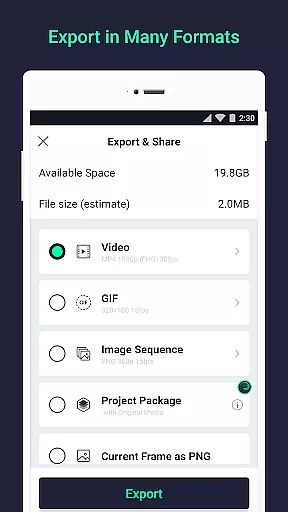
Additional features include color adjustments, animation easing presets, bookmarks for easy navigation, and velocity-based motion blur for smooth video output. Export options are versatile, supporting MP4, GIF, PNG sequences, and stills. Sharing project packages and reusing favorite elements streamline workflows, making Alight Motion not just feature-rich but also efficient for continuous use.
Video format compatibility is a crucial feature for any video editing application, ensuring that users can work with a wide range of file types. Alight Motion supports multiple formats including MP4 video, GIF animation, and PNG sequences, making it versatile for various creative projects.
The app's ability to handle both vector and bitmap graphics adds another layer of flexibility. Users can import and edit vector graphics directly on their mobile devices, which is particularly beneficial for creating high-quality motion graphics and visual effects.
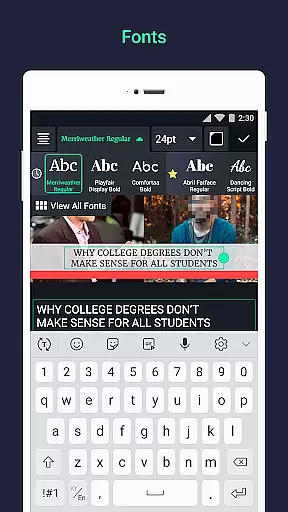
With Alight Motion, you can also export your finished projects in different formats. This includes not only video files but also still images, providing content creators with the freedom to choose the best format for their specific needs. The inclusion of custom font support further enhances the app's compatibility with diverse creative requirements.
AI-powered editing features are transforming the way users interact with video editing software by automating complex tasks and offering intelligent suggestions. Alight Motion incorporates several AI-driven tools that simplify the editing process while maintaining professional standards.
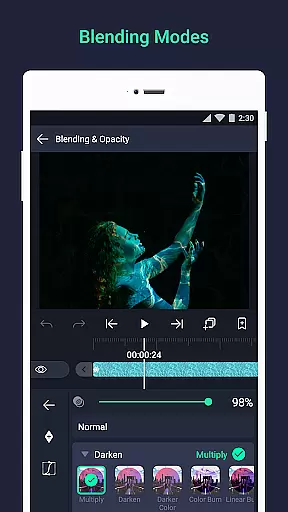
One standout feature is the velocity-based motion blur, which allows for the creation of smooth, natural-looking animations. This effect mimics real-world physics, adding a layer of realism to moving objects within your projects. Additionally, the app offers animation easing options that provide more fluid motion, with presets or customizable timing curves.
Alight Motion also includes smart design elements such as linkable parent and child layers, character joint rigging, and camera effects like focus blur and fog. These features enable users to create sophisticated visual compositions without needing extensive technical knowledge. By leveraging these AI-powered capabilities, creators can produce high-quality content efficiently and effectively.
User-friendly interface
Extensive effect library
Powerful customization options
Professional-grade tools
Active user community
Subscription fees required
High system requirements
Complex for beginners
Limited free features
Occasional bugs reported

Kodi media center, a free and open source cross-platform entertainment hub
 3.60
3.60
HD video & music player - All format support with floating & PIP mode!
3.80
Watch full episodes of your favorite Cartoon Network and Cartoonito shows!
3.50
Full HD Video mp3 Player, MP4 player play 1080p, File manager, Video Downloader
4.40
Explore the largest library of free GIFs, Stickers & Memes - or create your own!
3.90
Download videos easily & play them all in one smart, powerful video manager.
3.40
An easy-to-use and all-round screen recorder with audio
4.80
#1 Torrent App on Android ** No Ads Ever + Battery Saver **
4.80
convenient, safe and fast at Video Downloader & Player
4.60
Download Hub, easy and private way to download and enjoy your videos offline
4.80
All in one HD video downloader & player for multiple formats with full privacy
4.70
IPTV Loader, loads your own Playlist. DOES NOT CONTAIN ANY LIST OR CHANNELS
4.60
Create & edit videos with AI
4.30
Web Browser for LG TV to stream webvideos, online movies and livestreams in HD
4.20
Play and download HD videos from all sources — fast, simple, and all-in-one.
4.3


User Reviews