

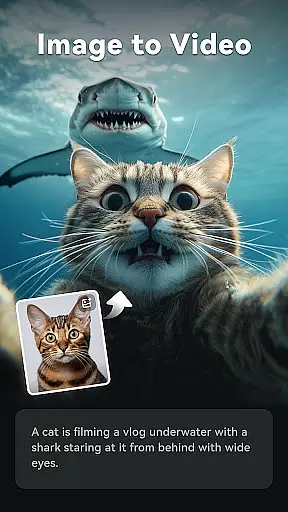
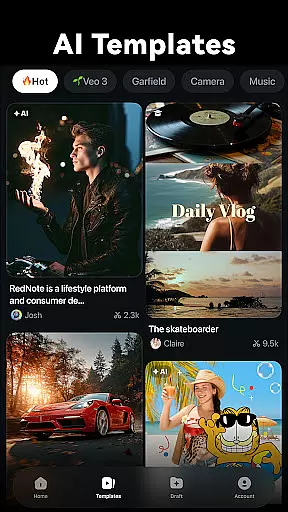
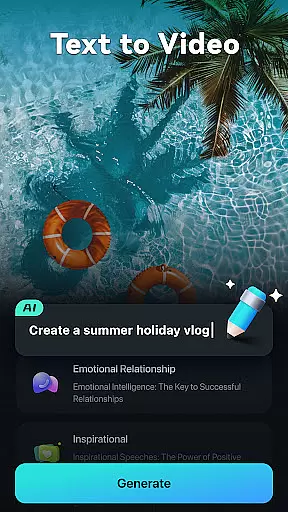
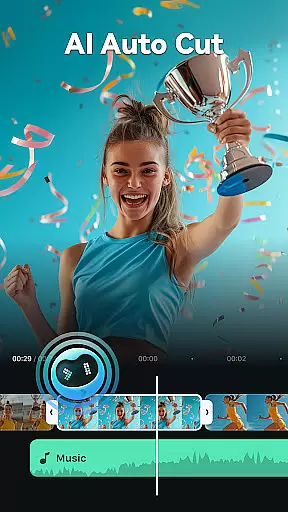
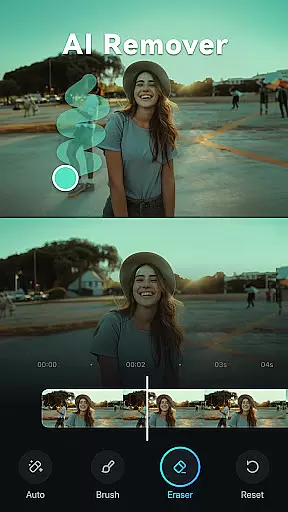
Filmora is an innovative AI-powered video editor tailored for social media creators. It strikes the perfect balance between professional-grade tools and user-friendly basic apps, making it ideal for both beginners and experienced editors. The application offers a complete suite of features including Image to Video conversion, Dynamic Captions, Text to Video generation, AI Remover, AI Auto Cut, AI Beats, VideoGen, and Text to Speech capabilities.
Designed for platforms like TikTok, Reels, and YouTube, Filmora enables users to transform simple clips and photos into engaging content without requiring prior editing experience. Its intuitive interface provides stunning templates for one-click video creation while supporting advanced functionalities such as trimming, splitting, adding text or music, and adjusting video ratios specifically for different social media formats.
The true value of Filmora lies in its dual approach: it caters to novices with easy-to-use tools while offering professionals advanced options like keyframe animations, speed curves, PIP, masking, and smart tracking. With flexible subscription plans including Filmora Pro for unlimited access across multiple platforms, users can elevate their video editing to new heights.
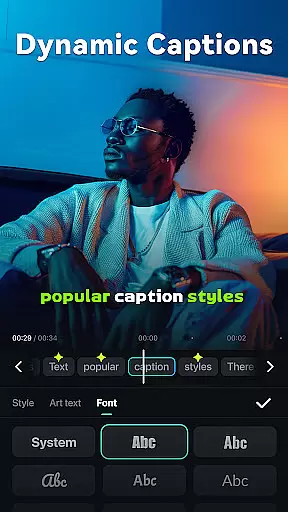
Filmora stands out with its powerful AI-driven features that revolutionize video editing. The Image to Video function uses AI to animate photos based on creative prompts, while Dynamic Captions automatically generate word-by-word subtitles from speech. The Text to Video feature allows users to create movies through simple text inputs, visualizing ideas effortlessly.
In addition to AI capabilities, Filmora offers comprehensive editing tools suitable for all skill levels. Beginners benefit from one-click templates, royalty-free music libraries, and straightforward functions like trimming and rotating videos. Advanced users can explore sophisticated options such as customizable speed curves, picture-in-picture layers, masking effects, and intelligent object tracking. These features ensure smooth transitions, professional-grade animations, and precise control over every aspect of video production.
Filmora's subscription model enhances its appeal by providing flexible access to premium materials and features. Whether opting for Android Pro or All Platform Pro subscriptions, users gain watermark-free exports and full access to paid resources like stickers and filter packages. This combination of AI innovation, versatile editing tools, and flexible pricing makes Filmora a standout choice in the video editing landscape.
Video format compatibility is a crucial feature for any video editor, ensuring that users can work with a wide range of video files without conversion issues. Filmora supports an extensive array of video formats, allowing creators to import and export videos seamlessly across different platforms.
The application's support spans popular formats such as MP4, AVI, MOV, and more, catering to the needs of both amateur and professional editors. This versatility means you can easily edit videos intended for various social media platforms like TikTok, Reels, and YouTube without worrying about format restrictions.
Moreover, Filmora ensures high-quality rendering without loss during the editing process. Users can trim, split, merge, and apply effects to their clips while maintaining the original quality. The ability to adjust video ratios further enhances its compatibility, making it simple to tailor content for specific platforms.
By offering comprehensive video format support, Filmora empowers creators to focus on their content rather than technical limitations. Whether you're a beginner or a seasoned professional, this flexibility significantly enhances your creative workflow.
Filmora stands out with its advanced AI-powered editing features, revolutionizing how users create and edit videos. These tools leverage artificial intelligence to simplify complex tasks, making professional-quality edits accessible even to beginners.
One standout feature is the AI Auto Cut, which intelligently stitches highlight moments into cinematic sequences. This tool analyzes footage to identify key scenes, creating engaging narratives effortlessly. Additionally, Dynamic Captions automatically convert speech to text, generating precise, frame-by-frame subtitles that enhance viewer engagement.
The Image to Video function uses AI to transform static images into dynamic visual stories based on user prompts. Similarly, Text to Video allows creators to visualize ideas by converting written concepts into compelling video content. These innovations streamline the creative process, enabling rapid production of scroll-stopping videos.
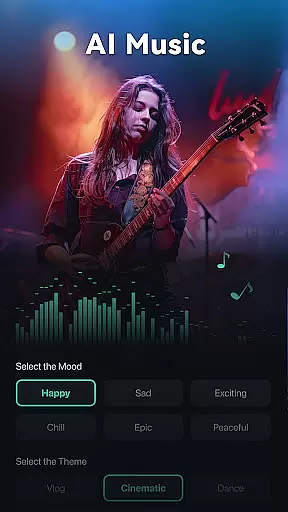
Furthermore, Filmorau2019s AI Music & Sound Effects generator produces royalty-free tracks tailored to your projects. By integrating these sophisticated AI capabilities, Filmora not only simplifies video editing but also elevates the overall quality and creativity of user-generated content.
User-friendly interface
Advanced AI features
Cross-platform support
Professional templates
Flexible subscription
Subscription required
Learning curve
Limited free features
Occasional bugs
High system requirements

Save photos and videos from social apps in one tap.
 3.60
3.60
Your media, on your terms.
4.10
Play ALL formats in 4K & HD. Video downloader, MP3 player, Chromecast & more.
4.80
Stream high quality video from your camera over NDI protocol
4.3
Stream Web Videos to Chromecast, Samsung, LG, Sony, Roku, Fire TV, DLNA + more
4.00
All in one multi protocols stream receiver for AirPlay, Cast and DLNA.
3.60
AI Video Editor with Music, Filter, Slideshow, Effect, Merge & Trim Video.
4.80
Viddo: Generate Action Figure, AI Anime, AI kiss, AI hug Video from image & text
4.40
Manage your YouTube channel on the go
4.40
Video Downloader, Multiple Resolution Options, Video Player
4.50
VLC for Android is the best open source video and music player, fast and easy!
4.10
Connect 2 UVC devices for recording and broadcast video/audio stream
3.90
AirMirror is Receiver for Screen Mirroring and Casting from Apple Devices.
3.60
IPTV Player - Watch live TV from m3m & m3u8 playlist, stream IPTV on mobile
3.30
You can play SWF format file!
2.50


User Reviews