


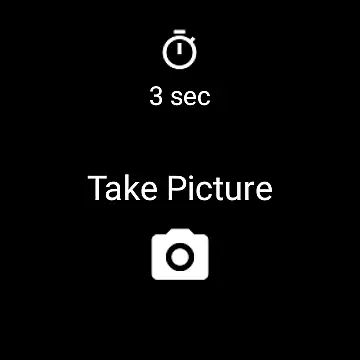
Camera Remote Watch is a smartwatch application designed to remotely control your phone's camera. This app allows users to trigger the camera shutter directly from their smartwatch, eliminating the need to physically interact with the phone. Ideal for capturing photos in situations where touching the phone might cause blurriness or inconvenience, such as group photos or action shots.
The app ensures that photos taken are automatically saved in the phone's gallery, accessible via the Android Gallery app. Additionally, a preview of each photo is sent to the watch, allowing users to quickly assess if another shot is needed. Compatible with Wear OS smartwatches, Camera Remote Watch offers a seamless experience for those looking to enhance their photography setup with minimal hassle.
Camera Remote Watch boasts several features that make it an indispensable tool for photographers. Firstly, its core functionality lies in the ability to remotely trigger the phone's camera shutter directly from the smartwatch interface. This feature is particularly useful when taking selfies or group photos where stability is crucial.
Another notable feature is the instant feedback mechanism. After capturing a photo, a copy is immediately displayed on the smartwatch screen, enabling users to review the shot and decide whether to retake it. Furthermore, the app supports a wide range of devices, including Wear OS smartwatches, ensuring broad compatibility and ease of use across different platforms.
Real-time capture and preview functionality is essential for ensuring that every photo taken meets the user's expectations. Camera Remote Watch offers this feature by enabling users to remotely control their phone camera from a smartwatch. This allows for capturing images without physically interacting with the phone, which is particularly useful in situations where touching the phone might cause unwanted movement or blurriness.
The app facilitates precise adjustments of the camera view directly from the watch interface. Once the desired angle and composition are set, users can simply tap the Camera button on their watch to trigger the phone's shutter. This seamless interaction ensures that the captured image is exactly what the user intended, with minimal delay between setting up the shot and taking it.
After capturing the photo, the image is stored in the phone's gallery, accessible via the Android Gallery app. Simultaneously, a copy of the photo appears on the smartwatch, allowing users to review the image immediately. This instant feedback loop enables users to decide whether the picture meets their standards or if another attempt is necessary, enhancing the overall photography experience.
While Camera Remote Watch does not explicitly market itself as an AI beauty and enhancement tool, its functionality inherently supports natural-looking enhancements through careful composition and remote triggering. The ability to adjust the camera view and take pictures without physically touching the phone reduces the risk of unintended movements, resulting in clearer and more natural photos.
Users can fine-tune the camera settings and framing before capturing the image, ensuring that the subject is presented in the best possible light. This meticulous setup process contributes to the authenticity of the photos, avoiding artificial alterations while still achieving aesthetically pleasing results. The emphasis on real-time adjustments and instant previews further enhances the natural feel of the images.
Additionally, the app's compatibility with Wear OS smartwatches extends its utility across various devices, providing consistent performance and reliability. By focusing on practical features like remote shutter control and instant photo review, Camera Remote Watch delivers a photography experience that prioritizes genuine and unaltered imagery, aligning with the principles of natural beauty enhancement.
User-friendly interface
Instant photo feedback
Wide device compatibility
Seamless integration with Wear OS
Enhances photography convenience
Requires stable connection
Slow photo download speed
Limited functionality on unsupported phones
Dependent on watch display
Potential battery drain

Photo editor: face & body editor, beauty cam, filters and quality enhancer.
 4.00
4.00
Application for remote controlling DSLR
3.00
How old age camera Gender Swap App Face Shape Hairstyle App Hair Styler App fun!
4.00
Be your best in every shot! Fix, edit and retouch your face in selfies & photos.
3.70
Photo editor & gallery. Crop pictures & edit photos offline, no wifi!
4.50
USB Storage Access for Photos, Videos, Music and Documents
3.80
Enhance, retouch & create your story - Share the moment with Photoshop Express.
4.60
Easily view, share, delete photos with Gallery.
4.70
PhotoSync Bundle Add-On License. Enables all features and services in PhotoSync.
4.60
AI portrait generator and polaroid AI selfie, fun AI generated AI photo creator!
4.30
Create AI Photos, Improve and restore quality of blurry, old or damaged pics.
4.20
Professional photography on your mobile phone
4.20
Transform Photos: Edit, Beautify and Craft Memories & Make Collages!
4.10
Astrophotography with your smartphone, photo live stacking and much more!
3.90
HD Photo gallery and photo manager to edit, hide private photos, videos & albums
4.1


User Reviews