
qDslrDashboard is a powerful photography application designed for DSLR camera enthusiasts. This app allows users to control Nikon, Canon DSLR, and Sony mirrorless cameras directly from their Android devices. With the use of a USB OTG adapter, photographers can remotely manage multiple camera settings, capture images, and transfer files seamlessly.
The app's standout feature is its comprehensive remote control capabilities. Users can adjust camera properties, preview images in both JPG and RAW formats, and even initiate movie recording on supported models. The synchronized capture function and live view mode with histogram make it an invaluable tool for professional shoots. Whether you're conducting time-lapse photography or focusing stacking, qDslrDashboard provides precise control over every aspect of your camera operations.
For photographers who require mobility and flexibility, this app supports wireless connections through portable routers or the WU-1a/1b adapter. The ability to operate cameras from a distance opens up new creative possibilities while maintaining professional-grade quality. From astrophotography helpers to custom profiles, qDslrDashboard caters to both amateur and professional photographers seeking enhanced control over their equipment.
qDslrDashboard offers an impressive array of features that cater to advanced photography needs. One of its key strengths is the multiple camera support system, allowing simultaneous control of different camera models. The app enables users to connect via USB or wireless networks, providing flexibility in various shooting environments. Its unique ddserver functionality works with portable wireless routers for extended range operations.
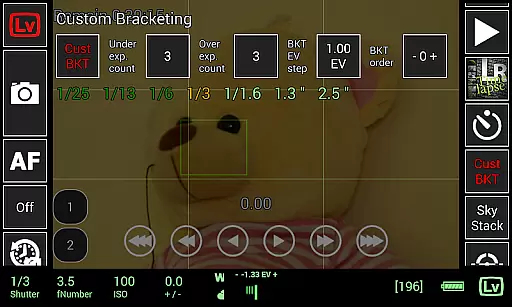
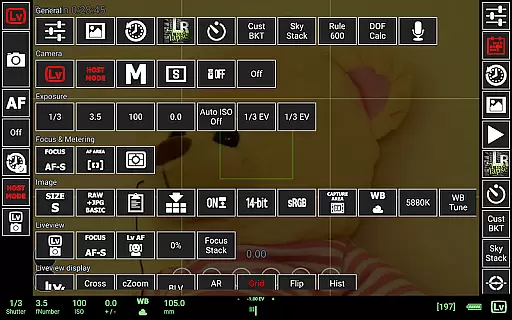
The application excels in its detailed camera property management system. Photographers can adjust settings such as aperture, shutter speed, and ISO directly from their mobile devices. Advanced features like focus stacking, custom bracketing, and time-lapse sequences with movement control demonstrate the app's professional-grade capabilities. The inclusion of specialized tools like DoF calculator and Rule600 calculator makes it particularly valuable for astrophotographers.
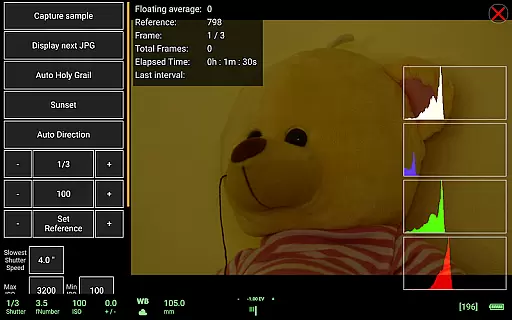
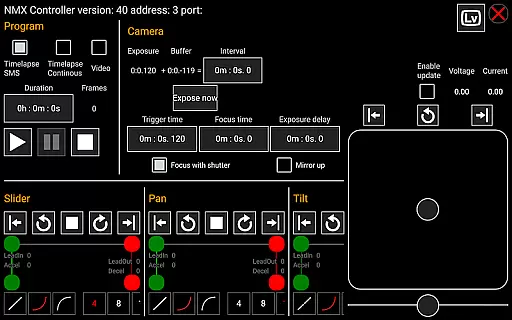
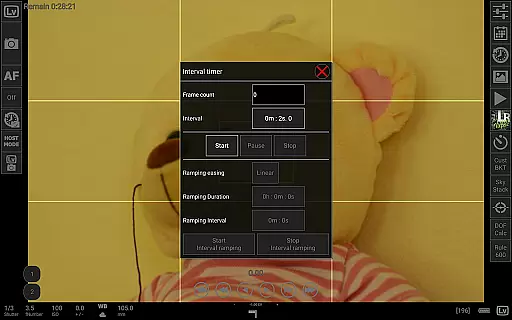
Additional notable features include live view with manual focus adjustment, sound-initiated capture with spectral display, and LRTimelapse screen support for automated holy grail timelapse sequences. The app's compatibility with Dynamic Perception NMX motion controllers via Bluetooth LE expands its functionality for complex motion-controlled shots. These comprehensive features make qDslrDashboard an essential tool for photographers seeking maximum control over their DSLR cameras.
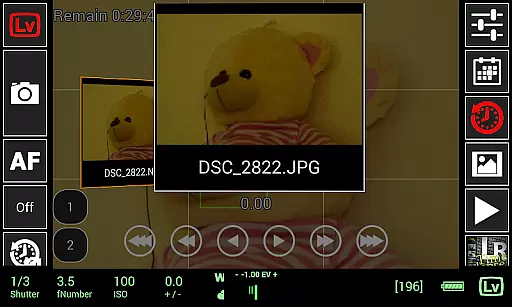
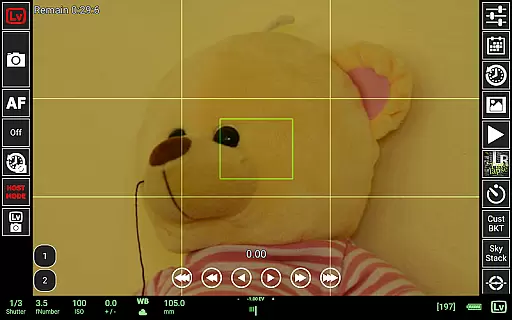
Real-time capture and preview functionality is essential for photographers who need precise control over their shots. qDslrDashboard offers a comprehensive solution that allows users to connect their Nikon, Canon DSLR, or Sony mirrorless camera via USB OTG adapter or wireless network.
The application enables live view with histogram display, providing real-time feedback on exposure and composition. This feature ensures that photographers can make informed decisions before capturing an image, thus improving the overall quality of their work.
Additionally, qDslrDashboard supports manual focus movement while in live view mode. This capability gives users the ability to fine-tune focus directly from their Android device, streamlining the shooting process and enhancing creative control.
With synchronized capture across multiple cameras and remote control options, this app empowers photographers to execute complex shoots with ease and accuracy, making it an indispensable tool for professional photography.
While qDslrDashboard does not specifically market itself as an AI beauty enhancement tool, its robust feature set includes functionalities that contribute to natural-looking image enhancements. The application's live view and preview capabilities allow users to assess images immediately after capture.
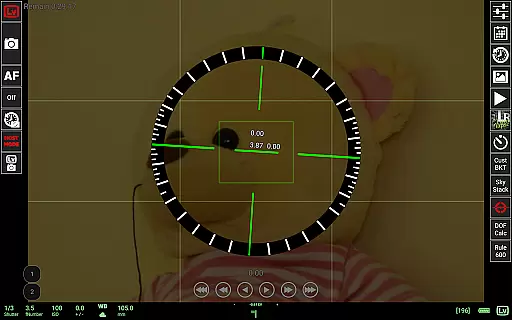
Photographers can leverage the app's DoF calculator and Rule600 calculator to ensure their shots have the desired depth of field and celestial object clarity. These tools help achieve aesthetically pleasing results without relying on post-processing effects.
Furthermore, qDslrDashboard provides advanced time-lapse features with auto holy grail timelapse support, ensuring smooth transitions between different lighting conditions. This feature helps maintain natural color progression in time-lapse sequences.
By focusing on accurate camera control and sophisticated photography tools, qDslrDashboard delivers enhancements that preserve the authenticity of captured moments while offering powerful creative possibilities.
Comprehensive DSLR control
Multiple camera support
Advanced time-lapse options
Wireless connectivity options
Professional-grade features
Requires USB OTG adapter
Complex setup process
Limited camera compatibility
No iOS version available
Steep learning curve

Viewfinder, Light meter, Reciprocity failure time, DOF & Bellows Extension
 4.60
4.60
Virtual makeup, hair filters & body tuner—edit from face to full body!
4.20
Photo prints, cards, & gifts at Walgreens. Easy ordering & fast local pickup !
4.80
Create collages easily! Nice pic collage maker & background eraser for Instagram
4.50
A reflected light meter with spot metering and incident light metering.
4.40
Smart, light, and fast photo and video gallery
4.30
Fit multiple photos on one post. Create carousels & scroll layouts for Instagram
4.50
Pro version: AR sun/moon tracker for any date. Tool for photographers & planners
4.90
The original Rarevision VHS look seen everywhere!
4.70
Collage your moments in one tap: 1000+ layouts, filters, stickers, and texts.
4.90
Your personal guide to the sun and moon. Plan ahead, visualize and predict!
4.70
Future baby face generator: AI kids generator, kid face! What my baby look like?
4.40
USB Storage Access for Photos, Videos, Music and Documents
3.80
Create amazing frames with up to five photos. Rounded corners, effects and more!
3.60
Over 800 film simulation recipes for Fujifilm. Black Friday Offer!
4.2


User Reviews