
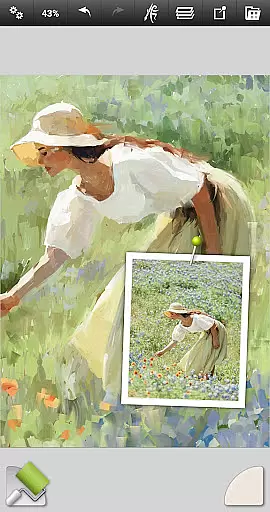
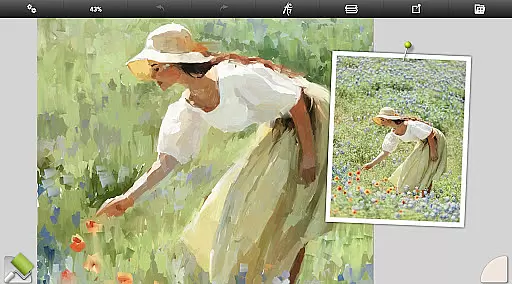
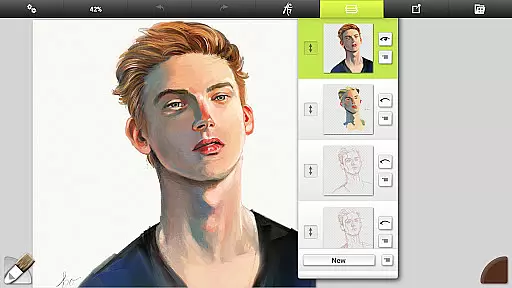
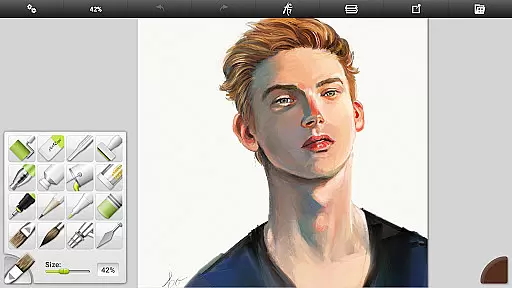
ArtRage Vitae Mobile Painting is a premium natural painting application designed for artists who want to create realistic artwork on mobile devices. The app offers an impressive range of professional-grade tools that mimic real-world art supplies, allowing users to mix oil paints, draw with pencils, and blend watercolors seamlessly. With support for canvas sizes up to 4096px x 4096px and tool sizes up to 500%, it provides the flexibility needed for detailed work.
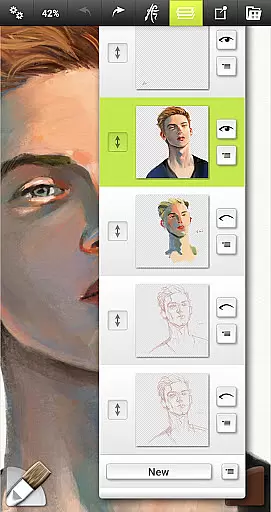
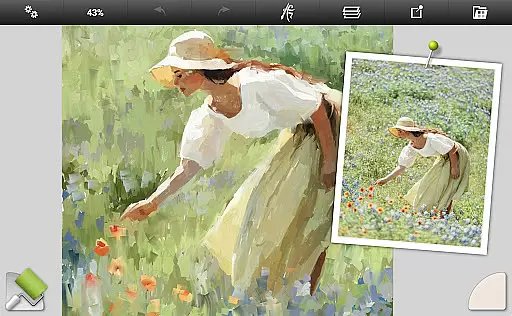
Beyond its natural painting capabilities, ArtRage Vitae includes powerful digital utilities such as layers, blend modes, tracing images, and tool presets. These features make it suitable for both beginners and professionals. Whether you're sketching ideas or creating finished pieces, this app supports your creative process while offering seamless integration with Android sharing systems, making it easy to showcase your work.
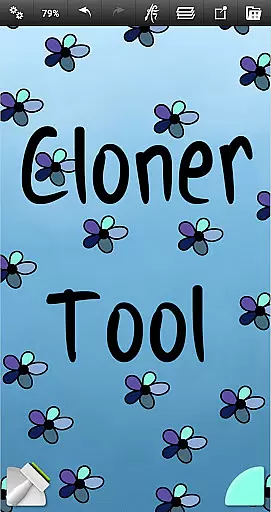
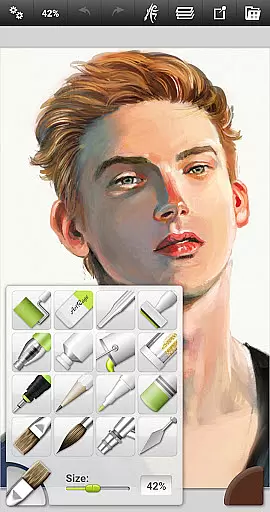
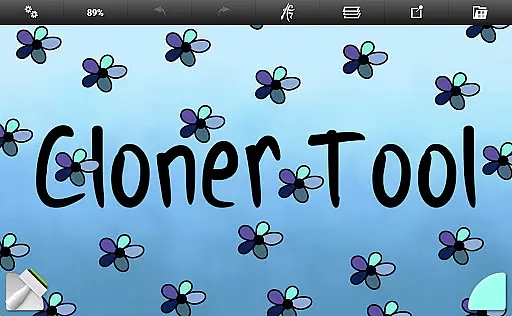
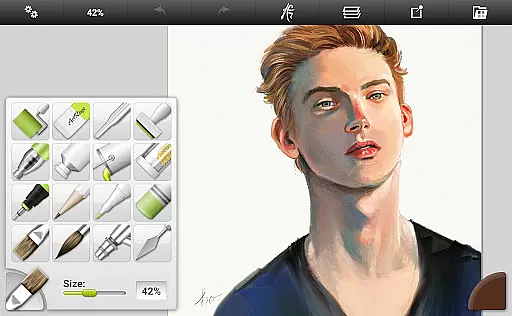
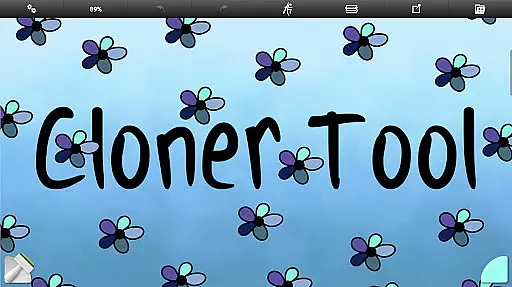
ArtRage Vitae stands out with its comprehensive set of 16 tools, each offering countless variations through presets and settings. From natural painting tools like the Oil Brush and Watercolor to sketching tools such as Pencils and Pastels, every instrument reacts like its real-world counterpart. Special effect tools like the Cloner and Glitter Tube add unique touches to your artwork, while utility tools such as Flood Fill and Color Sampler enhance productivity.
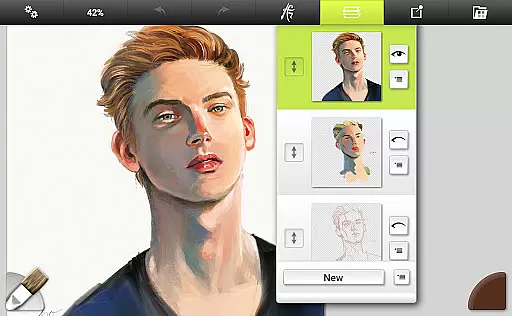
The app also excels in its layer management system, providing options for exporting, merging, and applying effects. Real color blending and customizable canvas textures allow for intricate detailing. Additionally, the intuitive interface maximizes creative space without compromising accessibility, supporting multi-touch gestures and stylus input. This combination of natural tool behavior and advanced digital features makes ArtRage Vitae a versatile choice for mobile artists.
In ArtRage Vitae Mobile Painting, the completeness of creative tools is a standout feature. The app offers 16 diverse tools with countless variations through presets and settings. These include natural painting tools like Oil Brush, Watercolor, Palette Knife, as well as sketching and drawing tools such as Airbrush, Ink Pen, and Pencil.
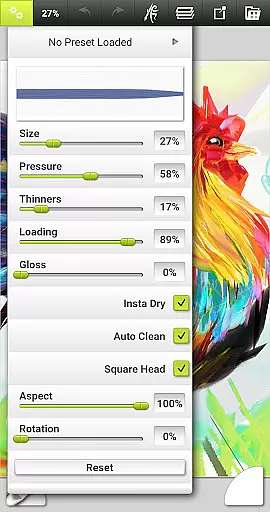
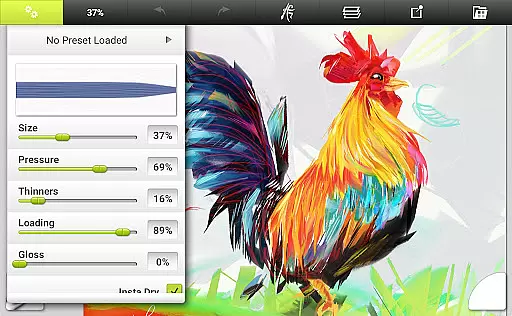
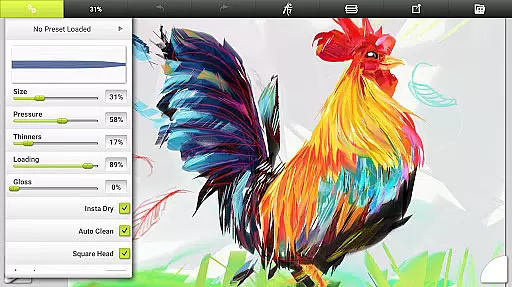
Each tool has adjustable settings that reflect natural properties, such as paint thickness or pencil softness. This allows users to replicate real-world art techniques digitally. Additionally, users can store their favorite settings as custom presets, ensuring quick access to preferred configurations.
The inclusion of utility and special effect tools further enhances the creative process. Tools like Flood Fill, Color Sampler, Cloner, and Glitter Tube provide additional functionalities that cater to a wide range of artistic needs. This comprehensive suite empowers artists to create amazing art with both traditional and digital methods.
ArtRage Vitae Mobile Painting excels in canvas and format flexibility, offering artists the freedom to explore various textures and sizes. Users can adjust the canvas texture to create coarse surfaces, smooth papers, and everything in between. This adaptability ensures that each piece of art can have its unique tactile quality.
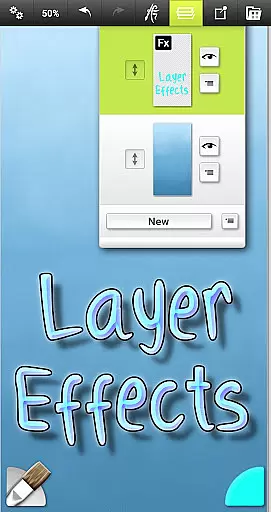
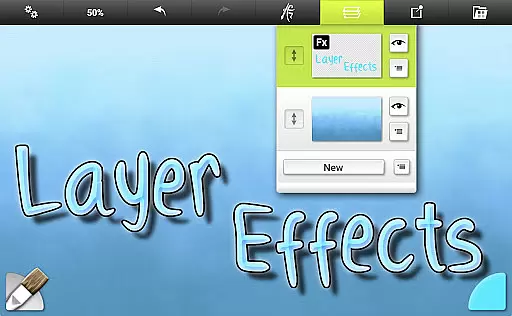
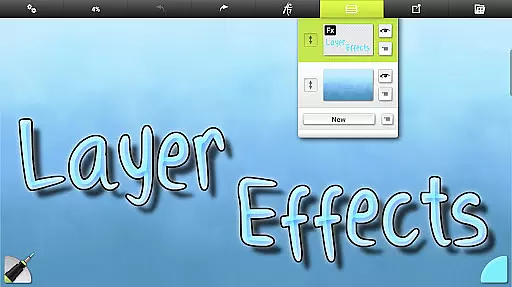
The maximum canvas size on all devices has been increased to 4096px x 4096px, providing ample space for detailed work. Artists can also take advantage of layer effects that let them add highlights, shadows, and 3D effects to individual layers, enhancing depth and dimension in their artwork.
Furthermore, the app supports industry-standard Layer Blend Modes and unlimited undo/redo functions, giving artists precise control over their creative process. With these features, ArtRage Vitae ensures that artists can fully express their creativity without technical limitations holding them back.
User-friendly interface
Realistic tool simulation
Extensive layer options
Large canvas support
Versatile tool presets
Higher cost than alternatives
Steep learning curve
Limited free features
Requires good hardware
No collaborative tools

Unleash your drawing and painting potential
 4.50
4.50
Make your phone cooler and have a fantastic experience
4.80
Novices can also easily complete diamond painting masters
4.70
Image resizer to resize, crop, rotate, flip, change dpi photo or picture in bulk
4.60
Your homescreen as an elegant glass with customized blur, lighting, and visuals.
3.70
Art of Combination Wear OS Watch faces (for Wear OS 5+ devices)
3.90
Unleash the artist in you with our AR drawing and tracing tool for photo drawing
4.10
Everything you need to create hand drawn animation, anywhere you go!
4.40
AI Tattoo Generator: Create Tattoo Designs & Get Ideas! Ink & Stencil Maker
4.50
Draw, make movies & animate cartoons easily with our 2D animation maker app
4.40
800+ Drawing, Painting Lessons App to Practice, Sketch & Paint Art.
4.30
Resize photos and print photos in exact size with our powerful photo printer!
3.80
Premium version of Shimeji-ee app with no ads & no limit active shimeji
4.1
Android 14 style widgets and wallpapers app.
4.2
A luxurious gold watch face for an elegant and refined look.
4.3


User Reviews