
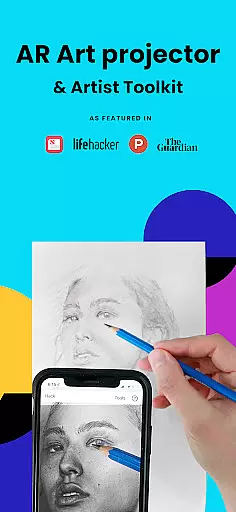
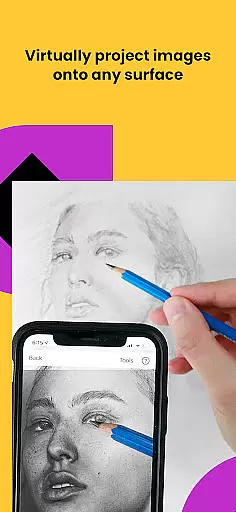
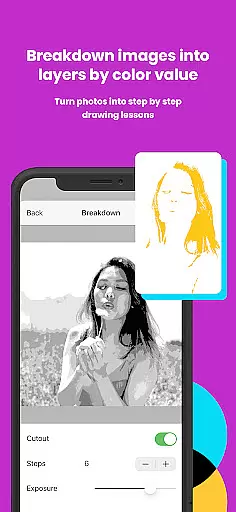
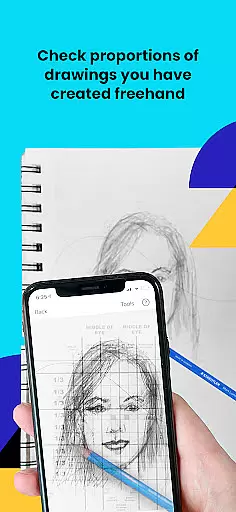
Da Vinci Eye's AR Art Projector is a revolutionary tool designed to elevate your drawing and sketching skills. This app utilizes augmented reality technology to project images onto your canvas, allowing precise tracing and detailed artwork creation. With features like the strobe function for hyper-realistic drawings and color layer separation, it caters to artists of all kinds.
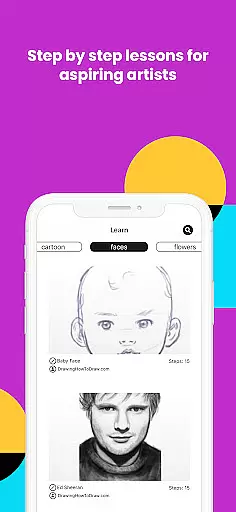
Beyond just tracing, Da Vinci Eye offers an extensive suite of drawing tools, video tutorials, and step-by-step lessons. Whether you're a professional illustrator or a hobbyist, this app adapts to your skill level and provides resources to improve your craft. The supportive artist community and rapid customer support further enhance the user experience.
Perfect for various creative fields, from animators to makeup artists, this app helps users master proportions, shading, and fine detailing. By simulating traditional art tools with modern tech, it bridges classic techniques with contemporary convenience, making it invaluable for anyone serious about advancing their artistic abilities.
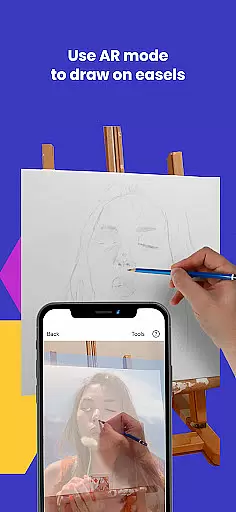
Da Vinci Eye stands out with its innovative AR tracing mode, which anchors images to real-world objects, ensuring alignment even when the canvas or device moves. This feature mimics a digital Camera Lucida, offering functionalities similar to an art projector but with added flexibility. Users can zoom in for micro-details and draw on any surface without compromising visibility.
The app includes comprehensive learning tools such as video tutorials and unique patent-pending methods that turn any photo into a step-by-step drawing lesson. Additionally, it provides time-lapse recording options to track progress and filters that simplify complex drawings. These capabilities make mastering light, shadow, and proportion more accessible than ever.
With separate modes for AR and Classic drawing, users can choose based on their preference or project requirements. While AR mode suits easel work, Classic mode suffices for most tasks. Regardless of the mode, Da Vinci Eye equips artists with everything needed to create stunning, professional-grade artwork efficiently.
In the realm of digital artistry, having access to comprehensive creative tools is paramount. AR Art Projector offers an extensive suite of features that cater to artists of all levels. The app provides functionalities such as breaking down images into step-by-step instructions and offering video tutorials which are essential for learning and mastering drawing techniques.
Furthermore, the application stands out with unique offerings like the ability to separate images into layers by color value, allowing artists to focus on specific tonal areas in their work. This level of detail supports complex artwork creation and aids in understanding light and shadow placement, which is crucial for creating realistic drawings.
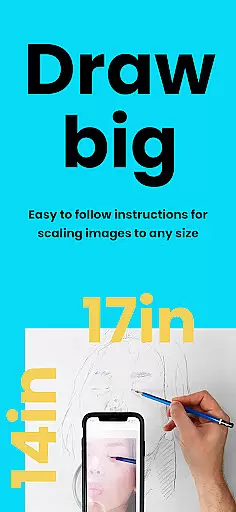
The inclusion of practical utilities such as zoom functionality for capturing micro-details ensures that users can achieve precision in their work. Additionally, the supportive community feature enables sharing and feedback, fostering a collaborative environment that is vital for artistic growth and development.
Flexibility in canvas and format options is a critical aspect of any art and design application. AR Art Projector excels in this area by enabling artists to sketch or draw on any surface, thus removing traditional limitations imposed by physical media. This freedom allows creatives to experiment with different materials and textures, broadening their artistic expression.
The app's AR tracing mode anchors images to real-world objects, providing unparalleled adaptability when working on various surfaces. Whether using an easel or a flat surface, artists can maintain alignment and accuracy in their work, even when moving their device or canvas. This feature mimics the versatility of traditional art methods while adding the advantages of digital manipulation.
Moreover, compatibility with both AR and classic drawing modes ensures that regardless of the artist's setup or preference, they can achieve professional results. This dual-mode functionality caters to different working styles and environments, making AR Art Projector a versatile tool suitable for a wide range of creative projects.
User-friendly interface
Innovative AR features
Comprehensive learning tools
Vibrant artist community
Excellent customer support
Device compatibility issues
Premium pricing model
Steep learning curve
Limited offline functionality
Occasional performance lags

The ultimate tool for creating animations
 4.60
4.60
Design your dream room with AI. Get decor ideas & plan home interiors
3.90
Convert image to JPG PNG HEIC PDF, support almost all kinds of image formats
4.70
Make your phone cooler and have a fantastic experience
4.80
Design unique, funny and adorable cat stickers that reflect your own style!
3.80
OneUI 8.5 icons ✨ Smooth, modern & based on the latest Play Store design ??
4.10
Everything you need to create hand drawn animation, anywhere you go!
4.40
Draw, make movies & animate cartoons easily with our 2D animation maker app
4.40
Create amazing pictures and unleash your creative genius with AR Drawing Sketch
4.40
Photo editor for art, avatars, filters & fun transformations.
4.60
Remove Background, Magic Eraser, Photo Enhancer, Story Templates, Collage Maker
4.30
Create stylish invitation cards using templates for weddings, birthdays & RSVP.
4.20
Sketch and paint on your device with the feel and freedom of drawing on paper
4.00
Premium version of Shimeji-ee app with no ads & no limit active shimeji
4.3
Art of Combination Wear OS Watch faces
4.0


User Reviews