
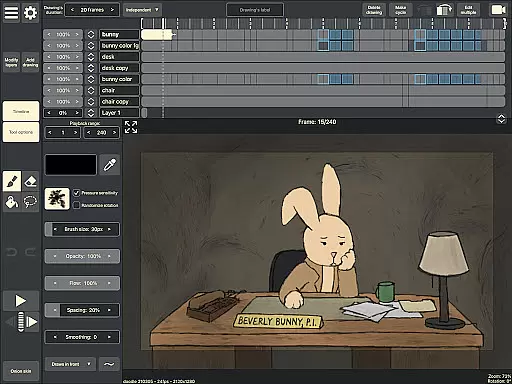
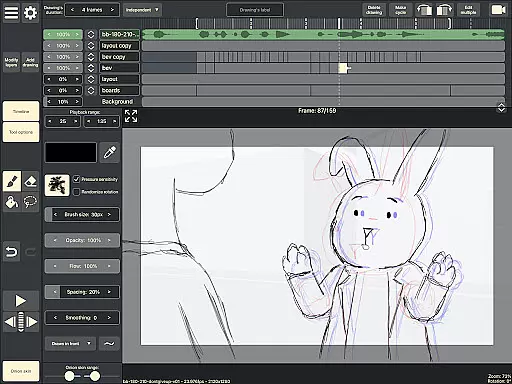
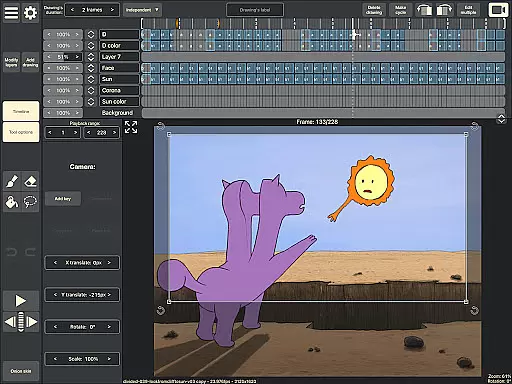
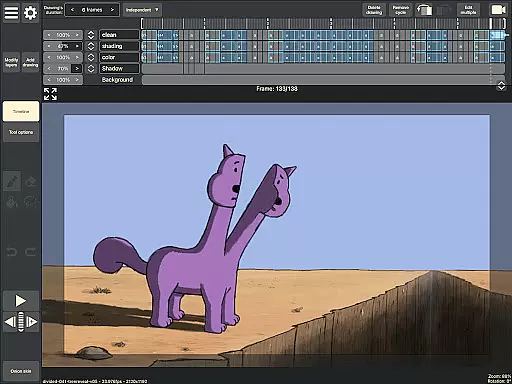
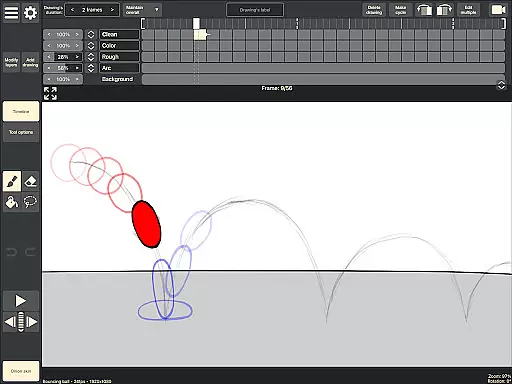
RoughAnimator is a professional-grade hand-drawn animation application designed for both Android and desktop platforms. This powerful tool caters to animators of all levels, offering an extensive set of features that support traditional frame-by-frame animation creation. With its robust functionality, users can create high-quality animations anywhere, making it ideal for both professional projects and beginner experimentation.
The app includes advanced tools such as onion skinning, timeline control with unlimited layers, and customizable drawing exposure lengths. These features enable precise control over the animation process, whether you're working on pose-to-pose or straight-ahead animations. Additionally, RoughAnimator supports importing audio for lip-syncing and video for rotoscoping, providing versatile options for creative expression.
RoughAnimator stands out with its comprehensive feature set tailored specifically for animators. The app's timeline system allows users to work with unlimited layers while easily adjusting the exposure length of individual drawings, giving animators complete control over their workflow. Its onion skinning capability lets creators see previous and next frames as they draw, ensuring smooth transitions between frames.
Another key feature is the ability to preview playback directly within the app, allowing animators to instantly review their work. The app also supports pressure-sensitive devices like the Samsung S-Pen, enabling more natural drawing experiences. Users can export their animations in various formats including Quicktime video, GIFs, or image sequences, and even import projects into industry-standard software like Adobe Flash/Animate, After Effects, and Toon Boom Harmony.
Creative tools are essential for artists and animators to bring their visions to life. RoughAnimator offers a comprehensive suite of features that cater to both professional animators and beginners alike. This application provides a robust timeline with unlimited layers, allowing users to create complex animations with ease.
Onion skinning is another critical feature included in RoughAnimator, enabling users to see multiple frames at once for better continuity and flow in their animations. The app also supports custom brushes, giving artists the freedom to experiment with different styles and textures. Additionally, it allows for the import of audio and video, which can be used for lip syncing and rotoscoping, respectively.
The ability to control frame rate and resolution ensures that creators can fine-tune their animations to meet specific project requirements. Furthermore, RoughAnimator projects can be exported in various formats such as Quicktime video, GIF, or image sequences, making it versatile for integration into other professional software like Adobe Flash/Animate, After Effects, and Toon Boom Harmony.
Flexibility in canvas size and format options is crucial for accommodating diverse artistic needs. RoughAnimator excels in this area by providing users with extensive customization capabilities. Artists can adjust the exposure length of individual drawings, facilitating both pose-to-pose and straight-ahead animation techniques.
In addition to its flexible timeline, RoughAnimator supports Samsung S-Pen and other pressure-sensitive devices, enhancing the drawing experience by mimicking traditional pen-and-paper methods. This compatibility ensures precise control over line weight and opacity, which is vital for creating detailed artwork.
RoughAnimator's export functionality further underscores its commitment to format flexibility. Users can export their animations in multiple formats, including Quicktime video, GIF, and image sequences. This versatility allows animators to seamlessly integrate their work into various post-production environments, ensuring that their creative vision remains intact from start to finish.
Powerful animation tools
User-friendly interface
Cross-platform availability
Professional-grade exports
Extensive format compatibility
Steep learning curve
Requires specific hardware
Limited free features
No cloud sync option
Occasional performance issues

Discover Cartoon Dream : Unleash Your Creativity with CuttingEdge AI
 4.50
4.50
Download now for a stylish and functional timepiece
4.4
Digital Drawing: Draw & Paint
4.10
Make your phone cooler and have a fantastic experience
4.80
Castle is social media for creating and playing games!
4.60
Art of Combination Wear OS Watch Faces
3.30
Turning simple sketches into captivating tales filled with life and motion
3.90
Create Logos, Tattoos, AI Art & more with our AI Photo Generator & Design Editor
4.20
AI Tattoo Generator: Create Tattoo Designs & Get Ideas! Ink & Stencil Maker
4.50
Kling AI is an image and video generation and editing studio powered by AI.
4.50
Just trace a projected picture on paper and color! Draw & Paint with AR drawing
4.40
AI generated images & photos, turn your words into drawing, painting & pictures.
4.30
Beauty Camera - Selfie Camera is the ultimate beauty camera and selfie app
4.30
AR Anime Drawing: How to draw anime with AR drawing & sketching apps!
4.00
Create trending AI photos & videos with powerful effects and 3D styles.
3.20


User Reviews