
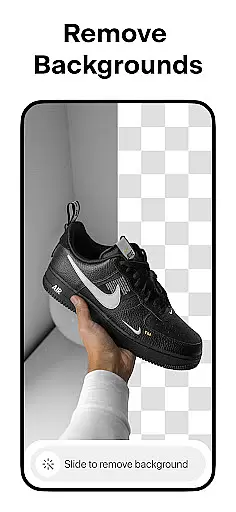
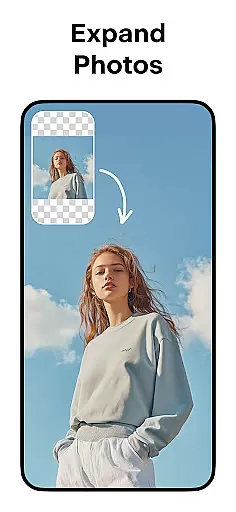
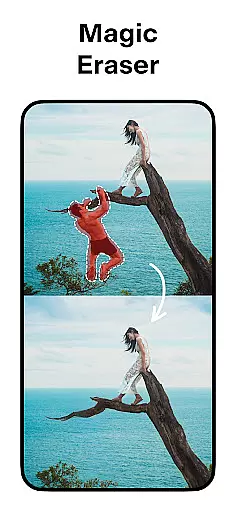

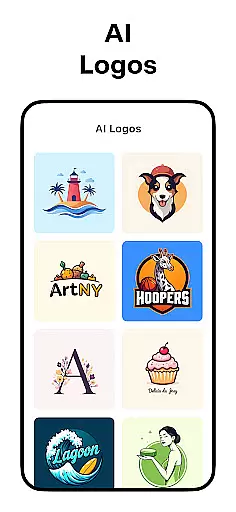
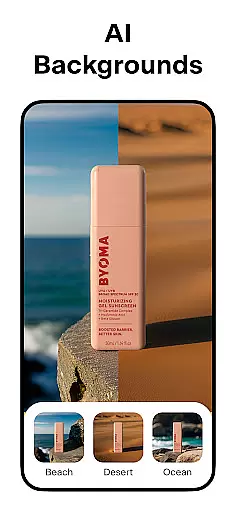
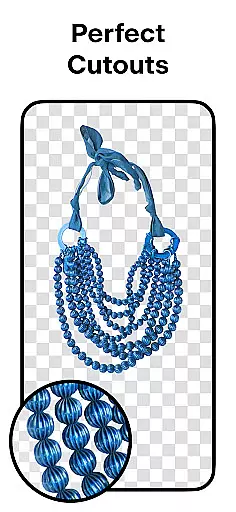
Pixelcut AI Photo Editor is a comprehensive graphic design and photo editing application that empowers users to create visually stunning images with ease. Utilizing advanced AI technology, the app offers an all-in-one solution for removing backgrounds, erasing unwanted objects, generating product photos, and crafting engaging content.
The app's standout features include AI-powered background removal, Magic Eraser for cleaning up pictures, and AI Photoshoot for creating unlimited product images tailored for e-commerce. Additionally, its Magic Writer tool leverages GPT technology to generate compelling copy for various platforms. With functionalities like Reels Maker, Collage Creator, and a vast library of templates and text styles, Pixelcut caters to both casual users and business owners looking to enhance their online presence.
Whether you're managing social media accounts or running an online store, Pixelcut provides the tools necessary to produce professional-quality visuals that stand out on platforms like Instagram, Shopify, and Poshmark.
Pixelcut boasts an impressive array of features designed to streamline the photo editing process while maximizing creative potential. The Background Remover instantly eliminates backgrounds from any image in your camera roll, providing flawless cutouts without manual effort. Coupled with the Magic Eraser tool, users can seamlessly remove distracting elements from their photos.
For e-commerce entrepreneurs, the AI Photoshoot feature revolutionizes product photography by generating countless high-quality images. Meanwhile, the Magic Writer acts as a personal AI Copywriter, producing descriptions, hashtags, and captions using OpenAI's GPT technology. Video creation becomes effortless with the Reels Maker, allowing businesses to craft engaging promotional content.
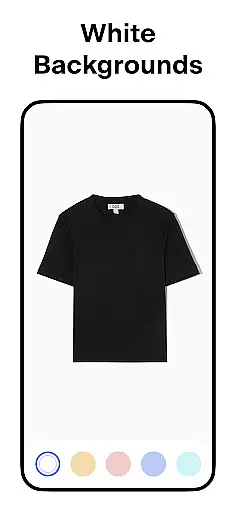
Users can also explore thousands of customizable templates, experiment with diverse text styles, and choose from a variety of white or colored backdrops to suit their projects. These robust capabilities ensure that every user can achieve polished results regardless of skill level.
In the realm of digital art and design, having a comprehensive suite of creative tools is essential for bringing visions to life. Pixelcut AI Photo Editor stands out by offering an all-in-one platform that caters to diverse design needs.
At its core, Pixelcut provides functionalities such as background removal with precision, AI-powered photo editing, and an array of text styles that transform simple quotes into visual masterpieces. The inclusion of Magic Eraser and AI Photoshoot further expands its capabilities, allowing users to generate professional-grade product photos effortlessly.
Users benefit from access to thousands of templates specifically crafted for e-commerce, alongside features like shadow control and color/background options that enhance product realism and presentation. This extensive toolkit empowers creators to produce content that stands out on platforms like Instagram and Shopify.
The true value of Pixelcut lies in its ability to consolidate these powerful features into a single, user-friendly application. By doing so, it not only saves time but also opens up possibilities for creativity and business growth, making it an indispensable asset for designers and entrepreneurs alike.
Flexibility in canvas and format options is crucial for designers who need to adapt their work across various mediums and platforms. Pixelcut AI Photo Editor addresses this need by providing versatile solutions that cater to different project requirements.
With Pixelcut, users can choose from dozens of creative layouts for collages, select from a palette of stunning colors and backdrops, or opt for a classic white background to make their products pop. This flexibility ensures that whether you're designing for social media, online stores, or personal projects, your images will always look their best.
The platform's support for multiple file formats and sizes enables seamless integration into different workflows. Whether you're creating content for YouTube channels, podcasts, or storefronts, Pixelcut's adaptable canvas settings ensure high-quality results every time.
By prioritizing canvas and format flexibility, Pixelcut empowers users to focus on their creative process without being limited by technical constraints. This freedom not only enhances productivity but also encourages experimentation and innovation in digital art and design projects.
User-friendly interface
Advanced AI tools
Versatile template options
Efficient background removal
Comprehensive editing suite
Premium features require subscription
Limited free content
Occasional processing delays
Advanced tools may overwhelm beginners
Watermarks on free version exports

Download now for a stylish and functional timepiece
 4.2
4.2
Create trending AI photos & videos with powerful effects and 3D styles.
3.20
Digital illustration drawing & painting pad app to paint Anime and Manga art
4.50
Trace, draw, and create art with AR - from memes to masterpieces!
4.30
AI Face Swap, Video Effects Editor, Realtime Morph, Funny Video FX,AI Filters
3.70
Logo Generator powered by AI: Create stunning logos effortlessly!
4.70
Unleash Your Creativity with Draw Cartoon - AR Drawing App
4.10
Sketch and paint on your device with the feel and freedom of drawing on paper
4.00
Unleash your inner artist! Sketchar: AR Drawing for Limitless Creativity
4.40
Passport size photo maker, create ID photo and visa photo in seconds
4.80
Photo stitcher for automatically screenshot stitching into a long screenshot
4.70
Painting, drawing, & sketching
4.50
Just trace a projected picture on paper and color! Draw & Paint with AR drawing
4.40
Unleash the artist in you with our AR drawing and tracing tool for photo drawing
4.10
Transform photos into amazing monochrome dither art with professional algorithms
4.4


User Reviews