
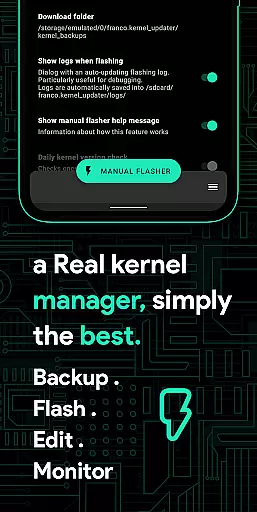
Franco Kernel Manager is a comprehensive toolbox designed for Android users who want to optimize their device performance. This app offers an extensive range of features that cater to both beginners and advanced users, allowing them to manage and enhance their kernel with ease.
With Franco Kernel Manager, you can achieve better device performance, extend battery life, and flash modifications without the need for a custom recovery. The app provides tailored features that deliver a superior user experience compared to similar tools on the market.
Whether you're looking to fine-tune your device's CPU frequencies, monitor battery consumption, or create per-app profiles, this app serves as an all-in-one solution for device optimization. It combines powerful tools with an intuitive interface, making kernel management accessible to everyone.
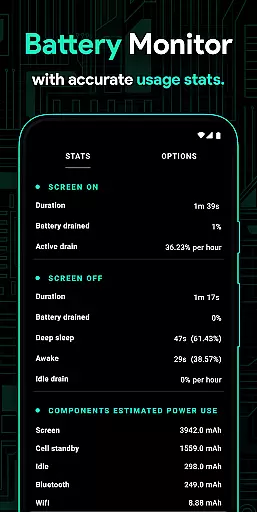
Franco Kernel Manager stands out with its rich feature set that addresses various aspects of device management. One of the key highlights is the detailed Battery Monitor, which provides insights into power usage patterns and estimates charging times.
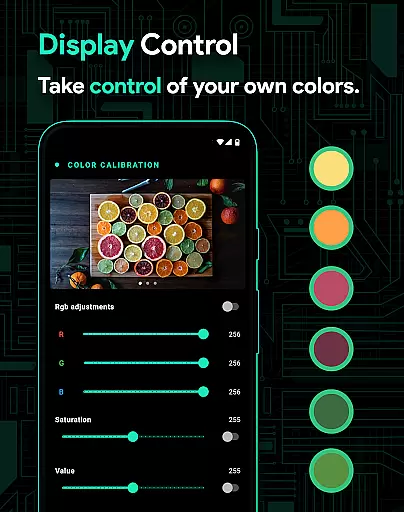
The app allows for advanced customization options such as build.prop editing, support for different GPUs, and display color temperature adjustments. Users can also benefit from automated features like High Brightness Mode toggling based on ambient light.
For developers and power users, Franco Kernel Manager includes a kernel logger viewer, custom tunables, and script management capabilities. These features enable deep system-level tweaks and facilitate the creation of personalized device configurations.
Franco Kernel Manager offers a comprehensive suite of tools designed to enhance kernel management with precision and efficiency. The app provides detailed controls for CPU frequencies, GPU settings, and system health monitoring, ensuring that every adjustment is accurately applied to optimize device performance.
One of the key strengths of this application lies in its ability to handle complex tasks with ease. For instance, it allows users to flash kernels and mods without needing a custom recovery, thanks to its reliable auto-flash feature. This functionality not only simplifies the process but also minimizes the risk of errors during mod installations, making it accessible even to less experienced users.
The app's effectiveness is further demonstrated through features like the battery monitor, which delivers precise data on power consumption. Users can access detailed statistics about battery usage, charging times, and component-specific consumption, empowering them to make informed decisions to extend battery life or boost performance as needed.
Overall, Franco Kernel Manager ensures that each core function, from system tweaking to performance monitoring, operates with maximum accuracy and effectiveness. This reliability makes it an essential tool for both novice and expert users seeking to supercharge their devices while maintaining complete control over every aspect of kernel management.
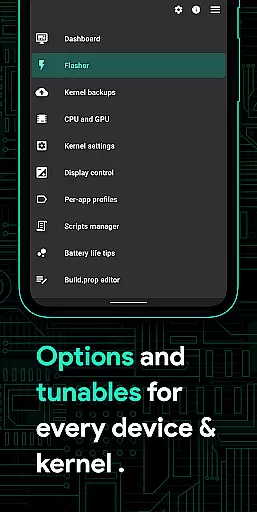
A standout feature of Franco Kernel Manager is its commitment to providing an intuitive and user-friendly interface despite the complexity of the tasks it handles. The app achieves this by organizing its extensive feature set into clearly labeled sections, ensuring that users can easily navigate through various kernel management options without feeling overwhelmed.
For example, the display and sound control settings are presented in a straightforward manner, allowing users to adjust color temperature presets or enable high brightness mode with just a few taps. Similarly, the per-app profiles feature is designed to be simple yet powerful, enabling users to create customized settings for different apps without requiring advanced technical knowledge.
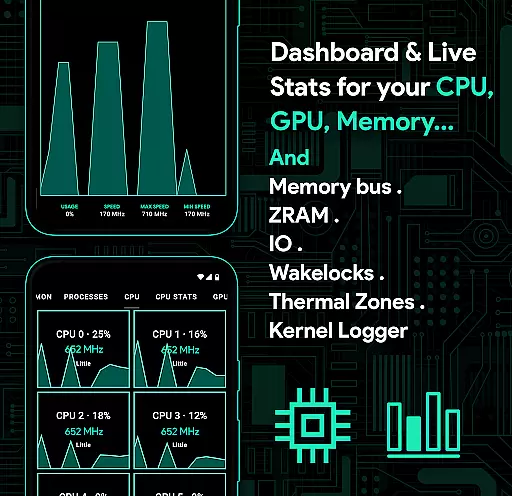
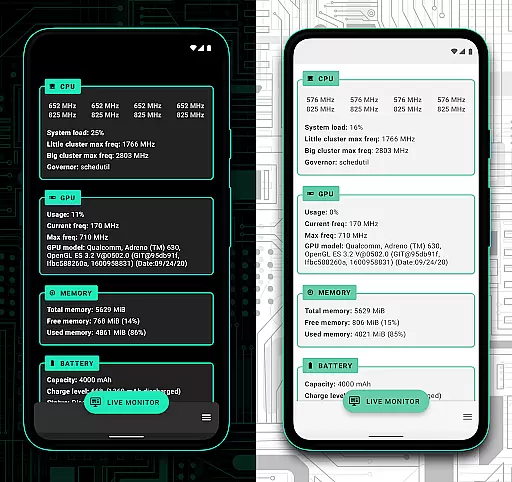
The app also includes helpful visual aids and real-time monitoring tools, such as the system health dashboard, which presents CPU, GPU, and memory usage in an easy-to-understand format. These graphical representations help users quickly grasp their device's current state and make necessary adjustments without needing to interpret complex data manually.
By combining powerful functionality with an intuitive design, Franco Kernel Manager ensures that users of all skill levels can take full advantage of its capabilities. This approach not only enhances the overall user experience but also makes advanced kernel management accessible to a wider audience, setting it apart from other tools in its category.
User-friendly interface
Comprehensive feature set
Advanced customization options
Efficient battery monitoring
Regular updates and support
Requires root access
Complex for beginners
Some features are device-specific
No iOS support
Premium version needed for full functionality

 4.10
4.10
Family Locator, Share location, StayConnect with your family in real time
3.90
eXtended Permission Manager - a small app to manage permissions and AppOps
4.50
An easy-to-use calculator designed to save time calculating and bending conduit
4.30
Best leveling tool for your Android device. Hang paintings like a pro.
4.90
Detect hidden spy camera with advanced scanning {{ Premium version }}
4.00
Monitor car performance in real time and troubleshoot malfunctions.
4.80
Support Fossify apps with a warm thank you!
5.00
Enjoy a smooth mobile reading experience!
3.60
Navigate with Ease and Style
4.90
Creation, Learning, Entertainment & More — The All-in-One AI Search Engine
4.70
App to pay for FUTO Keyboard
4.60
Universal TV remote control all TVs, Roku, LG, Samsung, Fire, Vizio, Sony, TCL.
4.40
Automate everything from settings to photos, SMS to speech. ADC2 prize winner.
4.10
Unleash gamepad precision for ultimate mobile gaming dominance.
3.90


User Reviews