
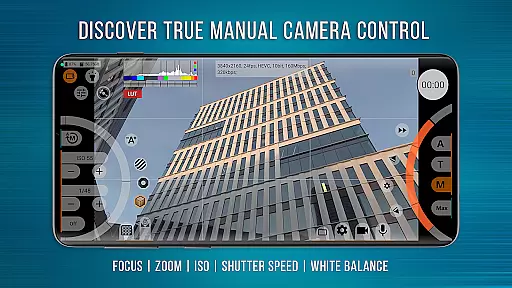
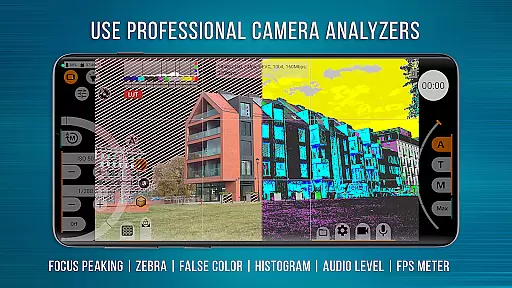
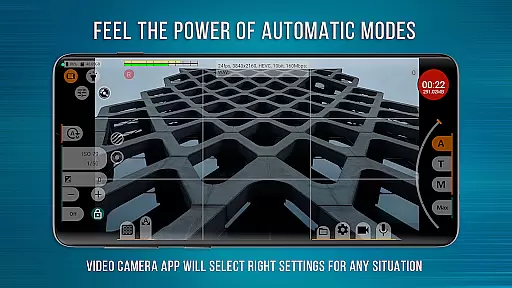
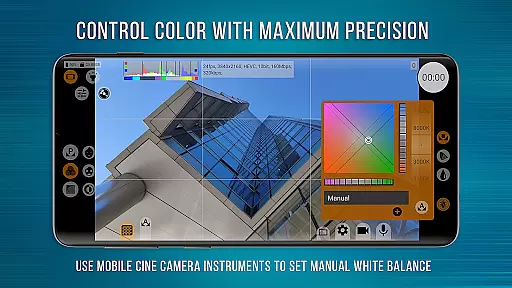
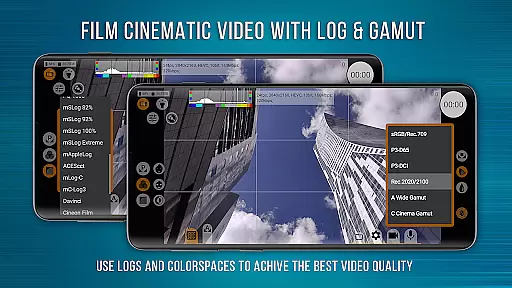
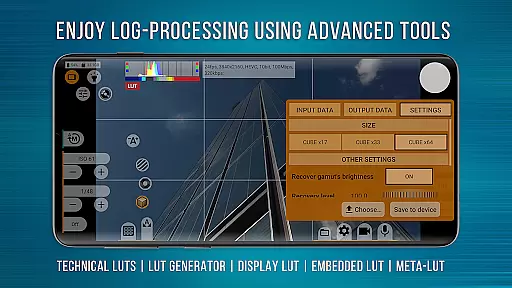
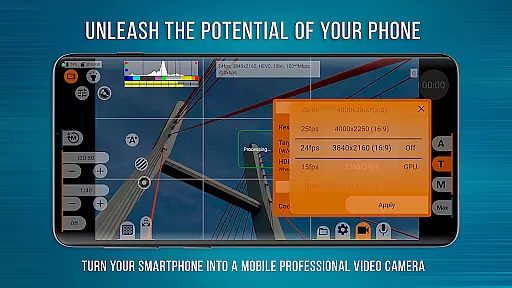
mcpro24fps Manual Video Camera represents the pinnacle of professional mobile videography on Android devices. Designed exclusively for Android, this app transforms your smartphone into a powerful cinema camera, previously only seen in professional-grade camcorders. With advanced features like 10-bit shooting, Log recording without GPU activation, and an extensive range of manual controls, mcpro24fps caters to videographers who demand the highest technical standards.
The application supports multiple cameras, various codecs including AVC (h264) and HEVC (h265), and resolutions as specified by the Camera2 API. It offers precise control over video parameters such as white balance in Kelvins, focus peaking, expo peaking, and zebra patterns for exposure. Videographers can also utilize technical LUTs for post-production and enjoy seamless integration with external lenses. Whether you're filming festival movies, music videos, or live reports, mcpro24fps ensures that your creative vision is fully realized.
Before purchasing, users are encouraged to try the mcpro24fps Demo app to verify compatibility with their specific smartphone model. Thousands of videographers worldwide trust mcpro24fps for professional video production, making it the go-to choice for capturing cinematic masterpieces directly from a mobile device.
mcpro24fps stands out with its comprehensive suite of professional videography tools. The app allows videographers to shoot in 10-bit color depth and choose between HLG and HDR10 HDR video formats. Recording in Log mode without engaging the GPU mirrors the functionality of larger, dedicated cameras, offering flexibility in post-production through technical LUTs.
Advanced manual controls include programmable focus and zoom functions, focus peaking, expo peaking, spectral and zebra patterns for exposure management, and precise white balance settings in Kelvins. The interface is responsive, ensuring smooth operation even when adjusting complex settings. Additionally, mcpro24fps provides robust audio capabilities with support for different sound sources, sampling rates, AAC (up to 510 kb/s), and WAV formats, along with the option to integrate WAV into MP4 files.
Other notable features include optical and digital video stabilization, hardware noise reduction, sharpness adjustments, hot pixel correction, and variable bitrate modes. Users can configure GOP settings, crop-zoom functions, and distortion corrections while enjoying reliable automatic modes alongside convenient manual settings. These capabilities empower creators to produce high-quality cinematic content regardless of their location or setup.
Real-time capture and preview functionality is essential for any professional-grade camera application. mcpro24fps offers videographers the ability to see exactly what they are filming as they film it, ensuring that every shot meets their high standards.
This app provides a responsive interface that allows users to adjust settings such as focus, exposure, and white balance in real time. These adjustments are immediately visible on the screen, which helps videographers make precise changes to achieve the desired cinematic effect.
With features like Focus Peaking and Expo Peaking, mcpro24fps gives creators complete control over their frame. This ensures that even the most complex shots can be captured with accuracy and confidence, making it an indispensable tool for professional video production.
While primarily focused on professional video capabilities, mcpro24fps also includes features that enhance the natural beauty of the footage without relying on artificial AI enhancements. The app's approach respects the authenticity of the scene while providing tools for optimal image quality.
The Log profiles and technical LUTs available in mcpro24fps allow videographers to capture footage with a wide dynamic range and color gamut. This raw footage serves as a perfect canvas for post-production work, where natural enhancements can be applied skillfully and intentionally.
By prioritizing manual controls and advanced settings over automated AI enhancements, mcpro24fps empowers videographers to create visually stunning content that remains true to their artistic vision. This dedication to genuine cinematography sets mcpro24fps apart from typical camera apps.
Advanced videography tools
Professional Log recording
Responsive user interface
Comprehensive audio controls
Wide codec support
Complex for beginners
High device requirements
Limited free version
No iOS availability
Occasional bugs

How would you look like with a differently shaped nose, chin or lips?
 3.90
3.90
Search, tag and rate your way to an organized image gallery
4.40
Easily stitch panoramas from multiple photos or video.
4.40
Find time and duration of different sunlight phases at any location
4.90
AI photo editor with hair editor, retouch tools, hair color changer & filters!
4.50
The #1 app for B&W film developing featuring an advanced darkroom timer.
4.10
Photo Exif Editor allows to view, add and modify EXIF data of multiple photos
4.50
Raw Image Viewer. Gallery with support of raw images (.cr3, .cr2, .nef, .raf).
2.00
Future baby face generator: AI kids generator, kid face! What my baby look like?
4.40
Collage your moments in one tap: 1000+ layouts, filters, stickers, and texts.
4.90
Viewfinder, Light meter, Reciprocity failure time, DOF & Bellows Extension
4.60
A reflected light meter with spot metering and incident light metering.
4.40
Create & Edit with AI: AI Remove, Enhance, Retouch, Filter
4.10
Catch sunlight, sunrise sunset times and sun phases with the AR sun tracker.
4.10
HD Photo gallery and photo manager to edit, hide private photos, videos & albums
4.1


User Reviews