
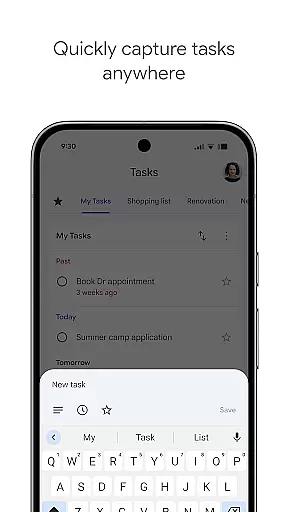
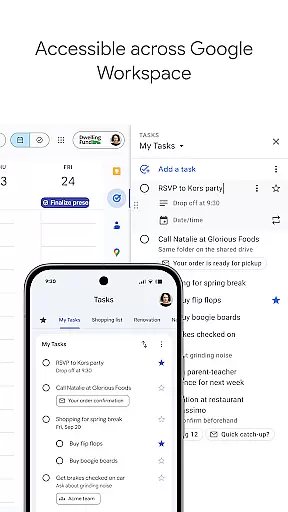
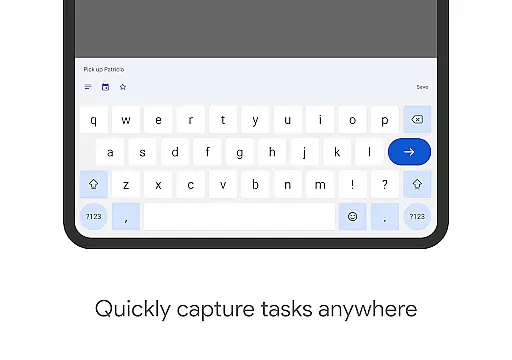
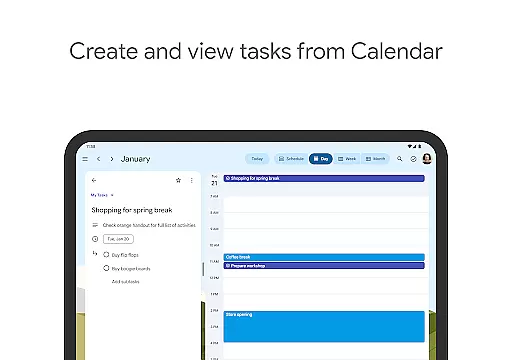
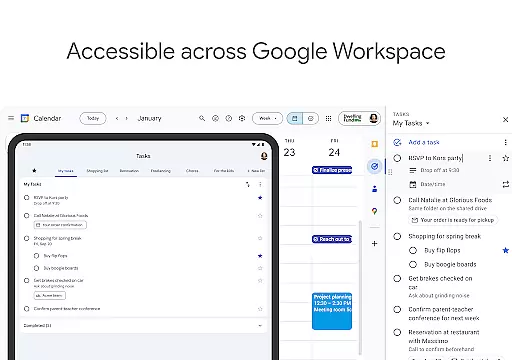
Google Tasks is a productivity app designed to help users manage their daily tasks efficiently. The app allows you to capture, organize, and prioritize your to-do lists from any location and at any time. With seamless synchronization across all devices, Google Tasks ensures that your lists are always up-to-date whether you're on your phone, tablet, or computer.
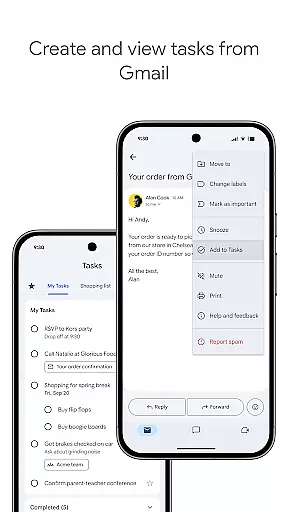
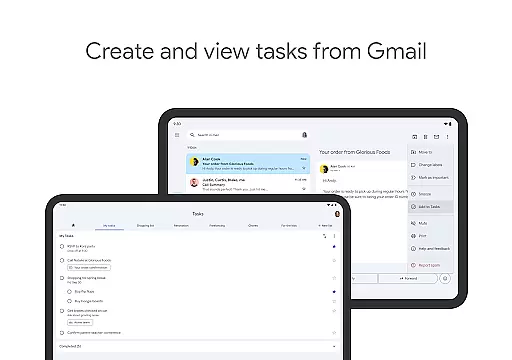
One of the standout features of Google Tasks is its deep integration with Gmail and Google Workspace. This allows users to create tasks directly from emails and access them alongside their other Google apps, streamlining workflows and boosting productivity. Whether you need reminders for important deadlines or want to break down complex projects into subtasks, Google Tasks provides an intuitive interface that helps you stay organized and get things done faster.
Google Tasks offers a variety of powerful features that cater to both personal and professional task management needs. Users can create multiple task lists to categorize their to-dos by topic, priority, or project. The drag-and-drop functionality makes it easy to reorder tasks, while the ability to star important items ensures that critical tasks stand out.
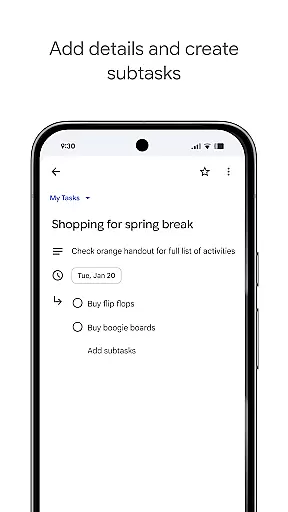
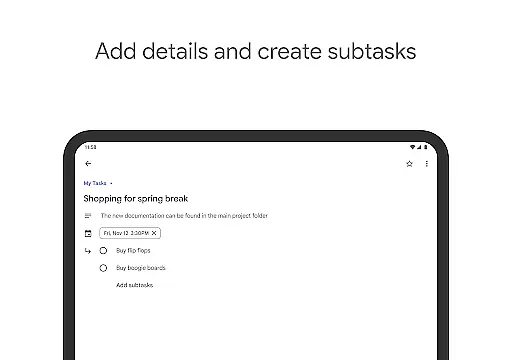
The app also supports multi-step projects through its subtask feature, allowing users to break down larger tasks into manageable components. Setting due dates and reminders ensures timely completion of tasks, while the integration with Gmail enables users to turn emails into actionable items with just a few taps. These features combine to create a robust task management solution that works seamlessly within the Google ecosystem.
Additionally, Google Tasks is designed with simplicity in mind. Its clean interface removes unnecessary distractions, helping users focus on what matters most. The app's cross-platform synchronization means you'll have access to your tasks whether you're using Android, iOS, or the web version, ensuring that you're always prepared and organized regardless of the device you're using.
Google Tasks offers a comprehensive approach to managing your daily responsibilities through its robust core task management features. This functionality allows users to efficiently organize their workload by creating, editing, and prioritizing tasks on the go.
The app's intuitive interface enables seamless drag-and-drop reordering of tasks, while the star-marking feature helps identify critical items that require immediate attention. These organizational tools ensure users can maintain clear focus on their most pressing obligations.
For complex projects, Google Tasks supports multi-step workflows through subtask creation. This feature breaks down larger objectives into manageable components, providing a structured approach to tackling sophisticated assignments while maintaining overall project visibility.
With automatic synchronization across all devices, users benefit from real-time updates and consistent task management regardless of their location or device. The integration with Gmail further enhances productivity by allowing direct task creation from emails, streamlining workflow management.
Cross-device synchronization stands as a fundamental pillar of Google Tasks, ensuring users maintain consistent access to their task lists regardless of their chosen device. This reliable synchronization mechanism operates in real-time, providing up-to-the-minute updates across all platforms.
The application's cloud-based architecture guarantees that any modification made on one device instantly reflects on all others. Whether you're using an Android phone, iPhone, tablet, or desktop computer, your task data remains perfectly aligned and accessible.
This synchronization extends beyond simple task lists, encompassing all organizational elements including subtasks, priority markers, and completion statuses. Such comprehensive data mirroring ensures users never miss important deadlines or forget crucial details when switching between devices.
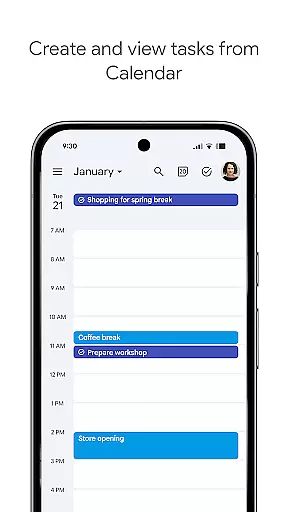
Furthermore, the integration with other Google Workspace applications creates a unified productivity ecosystem. Changes made within Gmail or Google Calendar automatically propagate through the system, maintaining consistency across the entire suite of productivity tools.
User-friendly interface
Seamless Gmail integration
Cross-device sync
Simple task prioritization
Free to use
Limited third-party integrations
No advanced collaboration tools
Basic customization options
Offline functionality restricted
No built-in calendar view

 4.20
4.20
A Revolutionary All-in-One Artificial Intelligence Tools
3.80
When you Focus, so will your Bean in this cozy focus timer
4.30
Translate text/voice/photos in 150+ languages. Offline & fast translator app.
4.50
Tally and goal counter for Wear OS & mobile
4.50
Quickly and easily keep track of your work shifts
4.70
This small app MUST BE INSTALLED after purchase, else license won't work
4.40
Understand anything with a personalized AI research assistant
4.80
Browse and view your photos and videos from the phone with photo & video hide.
4.10
Direct Chat without saving contacts & Dual WA Account on Single Device
4.70
PDF scanner & converter for files, photos, lottery, QR codes. One swipe away!
4.50
Take control of your clipboard with Clipper!
3.90
Remotely view listen control and record cameras.
3.70
Auto-shutoff Alarm with Sunrise, Sunset & Fixed Options.
3.50
A simple, portable logger for POTA, SOTA, Field Day, and more
4.0


User Reviews