
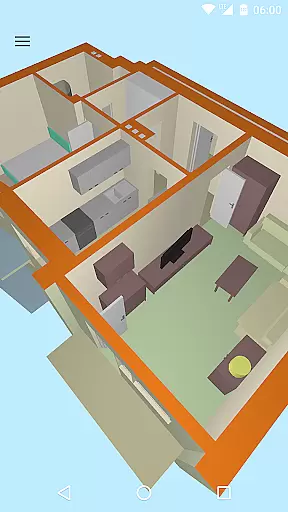
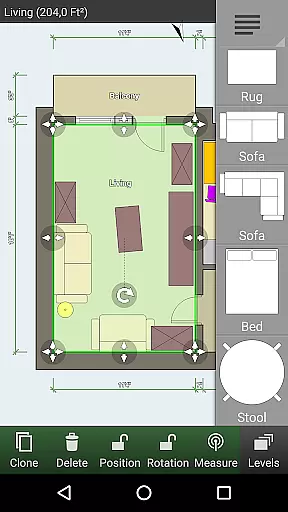
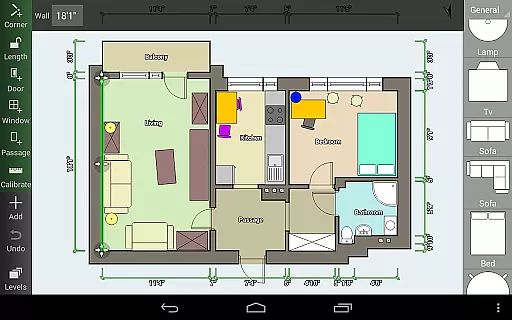
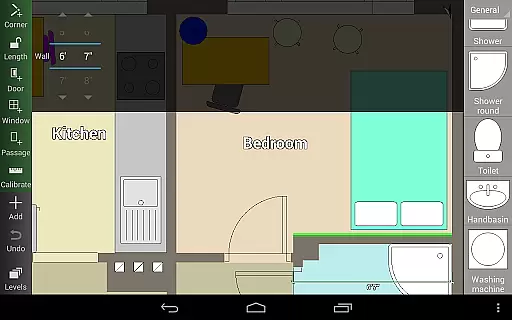
Floor Plan Creator is a comprehensive design tool that allows users to create detailed and precise floor plans. The app supports projects with multiple floors, automatic calculations for room dimensions, and includes a 3D tour mode.
With its extensive symbol library and support for user-defined dimension lines, this application is ideal for both professional designers and homeowners looking to plan their spaces. The ability to add furniture and design interiors makes it a versatile solution for space planning.
The app's cloud synchronization feature ensures that your projects are always backed up and accessible across devices, making it convenient for users to work on their plans wherever they are.
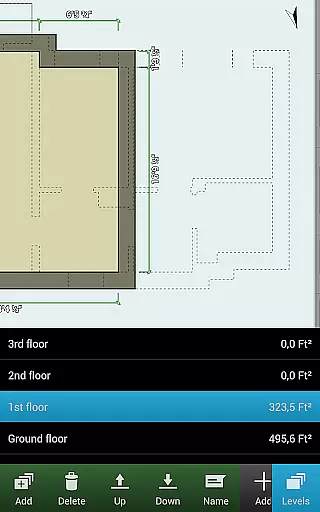
Floor Plan Creator offers an array of sophisticated features including support for multiple floors and rooms of various shapes, though it currently only supports straight walls. Automatic calculations for area, perimeter, and symbol counts ensure precision in your designs.
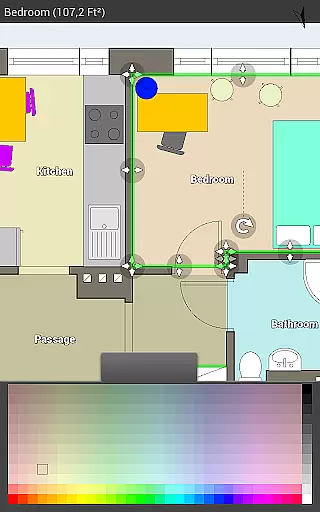
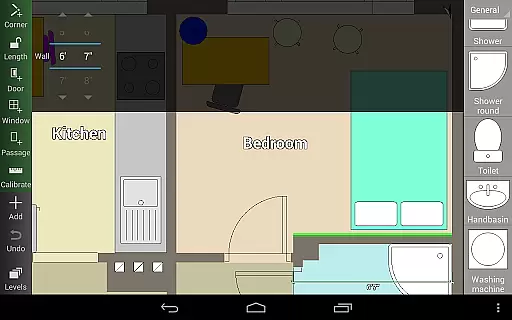
The app provides a rich symbol library with items such as doors, windows, and furniture, enhancing the detail of your floor plans. With S-Pen and mouse support, users can achieve intricate control over their designs.
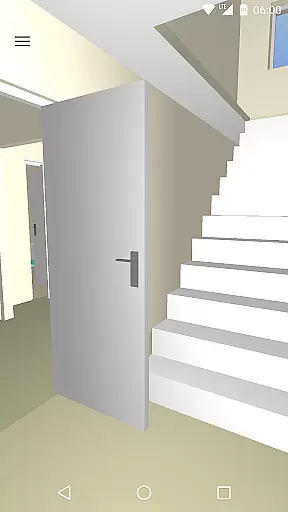
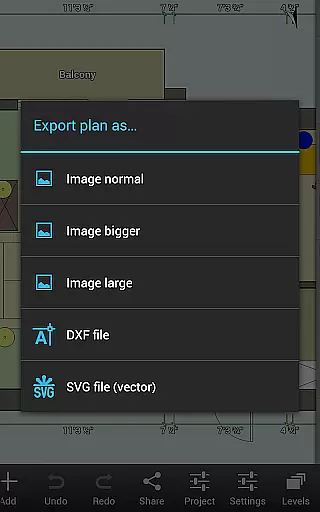
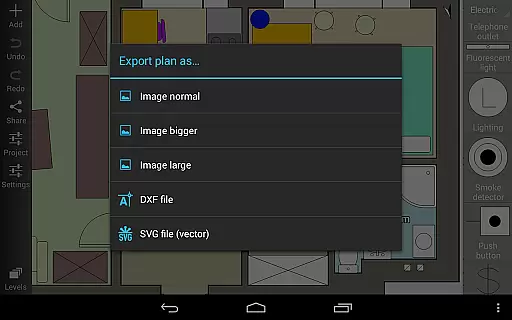
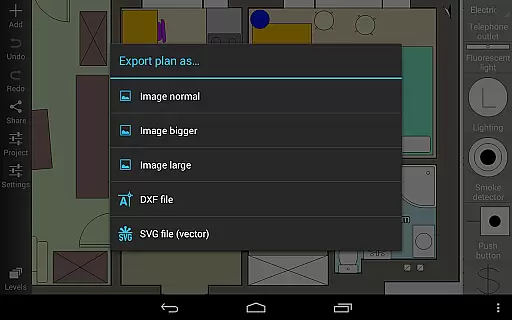
One of the standout features is the 3D tour mode, which allows users to visualize their plans in three dimensions. Additionally, the paid export options (image, PDF, DXF, SVG) and cloud synchronization make collaboration and sharing easy and efficient.
In the realm of Art & Design, Floor Plan Creator stands out with its comprehensive suite of creative tools tailored for designing detailed and precise floor plans.
This application allows users to craft projects with multiple floors, each capable of featuring rooms of various shapes, although it currently supports only straight walls. The inclusion of an extensive symbol library, which includes doors, windows, furniture, electrical components, and fire survey elements, ensures that all aspects of a home's design can be accounted for.
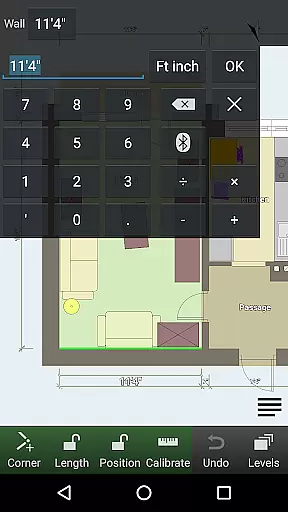
Additionally, the app provides automatic calculations for room, wall, and level areas, as well as perimeters and symbol counts, streamlining the design process and ensuring accuracy in every step. With user-defined dimension lines, designers have the flexibility to modify distances and sizes, providing a personalized touch to their creations.
Flexibility in design is crucial, and Floor Plan Creator excels in offering canvas and format versatility that caters to a wide array of design needs.
The app supports both metric and imperial units, catering to an international audience and ensuring precision across different measurement standards. Projects created can be exported in multiple formats such as image, PDF, DXF, and SVG, thus facilitating easy sharing and printing to scale, although some export options are part of the paid features.
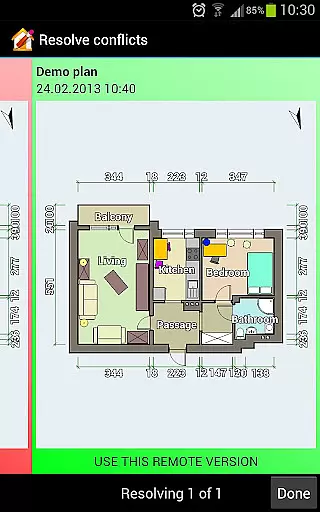
Furthermore, cloud synchronization enables automatic backups and sharing of plans between devices, enhancing workflow continuity and collaboration. Users can also edit their uploaded plans on the web platform, https://floorplancreator.net, from any computer or mobile device, ensuring that their work is accessible wherever they go.
User-friendly interface
Comprehensive symbol library
Automatic calculation tools
Cloud synchronization
3D visualization mode
Limited to straight walls
Paid features necessary for full functionality
Advanced tools may overwhelm beginners
Bluetooth device compatibility issues
Occasional bugs reported

Trace, draw, and create art with AR - from memes to masterpieces!
 4.30
4.30
Draw on screen: FP sDraw is a simple and lightweight drawing app
4.70
Draw anime easily with AR guidance, sketch templates & trace tools!
3.10
Nano Banana AI Image Generator, Anime Filter, AI Portrait, AI Photo Generator
4.30
AR Anime Drawing: How to draw anime with AR drawing & sketching apps!
4.00
Novices can also easily complete diamond painting masters
4.70
A luxurious gold watch face for an elegant and refined look.
4.4
Draw, fidget, and spin glow art! Relax and express your creativity with a finger
4.60
How to draw anime step by step for beginner easily by AR drawing sketch & paint.
3.60
Create color palette from Image, RGB & RYB Color wheel harmonies, Color Scheme
4.50
Draw, make movies & animate cartoons easily with our 2D animation maker app
4.40
Sketch, plan, take notes and illustrate on an infinite canvas.
4.20
Unleash Your Creativity with Draw Cartoon - AR Drawing App
4.10
Paint with oils and sketch with natural tools on a realistic virtual canvas.
3.80
Premium version of Shimeji-ee app with no ads & no limit active shimeji
4.3


User Reviews