
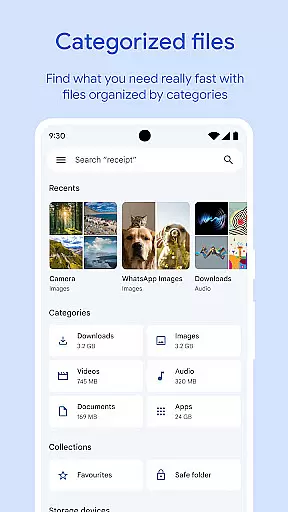
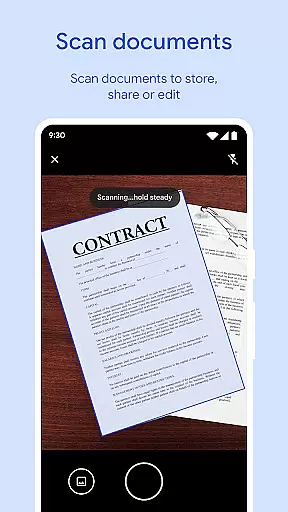
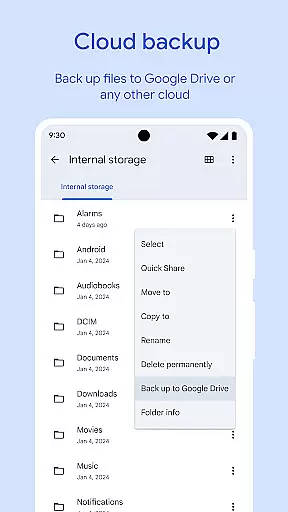
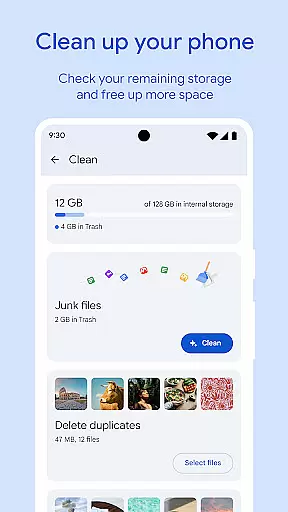
Files by Google is a versatile file management tool designed to help users efficiently organize, secure, and optimize their mobile device storage. The app provides comprehensive features for file browsing, cleaning, and sharing while ensuring data security.
Core functionalities include intelligent space-saving recommendations, fast file searching, offline file sharing through Quick Share, cloud backup options, and enhanced security measures like separate PIN protection. These features make it an essential utility for Android users looking to maintain optimal device performance.
The app's intuitive interface allows users to easily navigate through various file types, manage storage across multiple devices, and access advanced media controls for offline playback. Its smart recommendation system continually learns user behavior to provide personalized optimization suggestions.
Files by Google distinguishes itself through several innovative features that enhance mobile file management. The app's cleaning recommendations utilize advanced algorithms to identify duplicate files, old chat photos, and cache data that can be safely removed to free up valuable storage space.
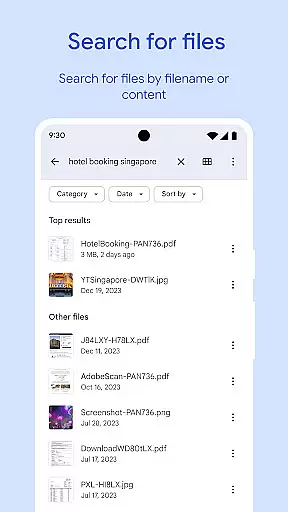
The search functionality employs powerful indexing technology, enabling users to quickly locate specific files among thousands. The Quick Share feature facilitates high-speed, secure file transfers between nearby Android devices at speeds up to 480 Mbps without requiring an internet connection. All transfers are protected by end-to-end encryption, ensuring complete privacy.
Additional notable features include independent file security through customizable PIN or pattern locks, advanced media playback controls for offline content, and seamless integration with Google Drive and other cloud storage services. The app's smart recommendation engine continuously improves its suggestions based on user interaction patterns.
Files by Google excels in providing accurate and effective core functions that cater to users' file management needs. The app offers precise recommendations for freeing up space by identifying old photos, duplicate files, and cache data that are truly expendable.
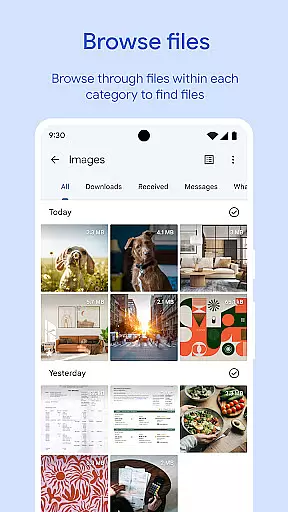
Its search functionality allows users to quickly find specific files, such as photos, videos, or documents, with impressive speed and accuracy. Users can browse through their media files effortlessly, thanks to intuitive sorting options that help understand storage consumption patterns.
The app's offline file-sharing feature, Quick Share, facilitates rapid transfers of photos, videos, and apps between Android devices and Chromebooks securely, using end-to-end encryption. This ensures not only swift but also private exchanges without requiring an internet connection.
By leveraging these capabilities, Files by Google delivers tangible value to its users, enabling them to manage their device's storage efficiently while ensuring their files remain accessible and secure.
A hallmark of Files by Google is its simple and intuitive interface, which makes file management accessible even to those who may not be tech-savvy. Upon opening the app, users are greeted with a clean layout that highlights critical features such as space-saving recommendations and quick access to recent files.
The browsing experience is streamlined, allowing users to locate their files with minimal effort. Whether it's searching for a particular document or sifting through media galleries, the app provides a frictionless journey through one's digital content.
Moreover, advanced functionalities like playback controls for offline media and securing files with a unique PIN or pattern lock are integrated seamlessly into the user interface. These features do not clutter the design but rather enhance the overall usability of the app.
With its ad-free environment and efficient use of less than 20MB of storage space, Files by Google ensures that managing files remains an intuitive and unobtrusive task, letting users focus on what matters mostu2014their content.
User-friendly interface
Advanced security features
Efficient space management
Offline sharing capabilities
Smart recommendations
Limited iOS compatibility
Storage requirements
Feature limitations
Internet dependency
Device restrictions

 4.50
4.50
Fluid navigation gestures for all of us!
4.30
Unlock your Essential Key. Create custom shortcuts to your favorite apps!
4.0
Support Fossify apps with a warm thank you!
5.00
Planner and Tracker for Stardew Valley
4.60
Quickly check the frequency of the Earth
4.30
Powerful collection of electronics tools and reference.A must for any enthusiast
4.90
Screen Mirroring for Roku Sticks, Roku TCL TV and Roku Hisense TV
4.50
Fun lie-detection pranks for friends and parties.
3.80
Optimize your WiFi network, turn your phone into Wifi Analyzer
4.70
Canon PRINT is a companion app for your Canon printer.
4.60
Game Booster, GFX Tool is now compatible with newer game update
4.50
Pro Emulator is an easy to use game console emulator for a range of consoles.
4.40
MS-DOS in your pocket. Play old DOS games anywhere you are ;)
4.10
Transfer Files, APK from Phone to Watch & Install.
4.5


User Reviews